ddvk
ddvk
Not enough space
Did not add anything to the root partition, but get the error of not enough space (0 M available), any suggestions to fix the bug?


I use the command “journalctl --vacuum-size 1” while it shows: " Vacuuming done, freed 0B of archived journals from /var/log/journal. Vacuuming done, freed 0B of archived journals from /var/log/journal/01405e65bc6b4e479705202285241ae7. " the command suggested is executed in the sh file, while doesn't do any help to free the space
Maybe try with 0 instead of 1. Otherwise, you'll need to figure out what is using up all the space. Just to confirm, you didn't install custom templates with something like RCU right?
the space of "/dev/root" seems to be full, any suggestions to free the space?
the space of "/dev/root" seems to be full, any suggestions to free the space?
I'll point to what I said in a previous comment:
Otherwise, you'll need to figure out what is using up all the space.
You should still have some free space, and if logs aren't what is taking it up, something else is. You can use du to determine how much space is being used by each folder, etc. I'd recommend starting with du -hxs /* | grep -vE 'boot|proc|sys|home|run|tmp' to see what root level folders are using up the most space (Ignoring boot, proc, sys, home, run, and tmp).
I reboot my RM2, which releases some space and the installation of the hack succeed. It seems virtual memory insteal of real disk memory is used up
I reboot my RM2, which releases some space and the installation of the hack succeed. It seems virtual memory insteal of real disk memory is used up
Virtual memory wouldn't use space on the root partition. Perhaps a filesystem sync wasn't fully happening though and thus the space wasn't released until a reboot.
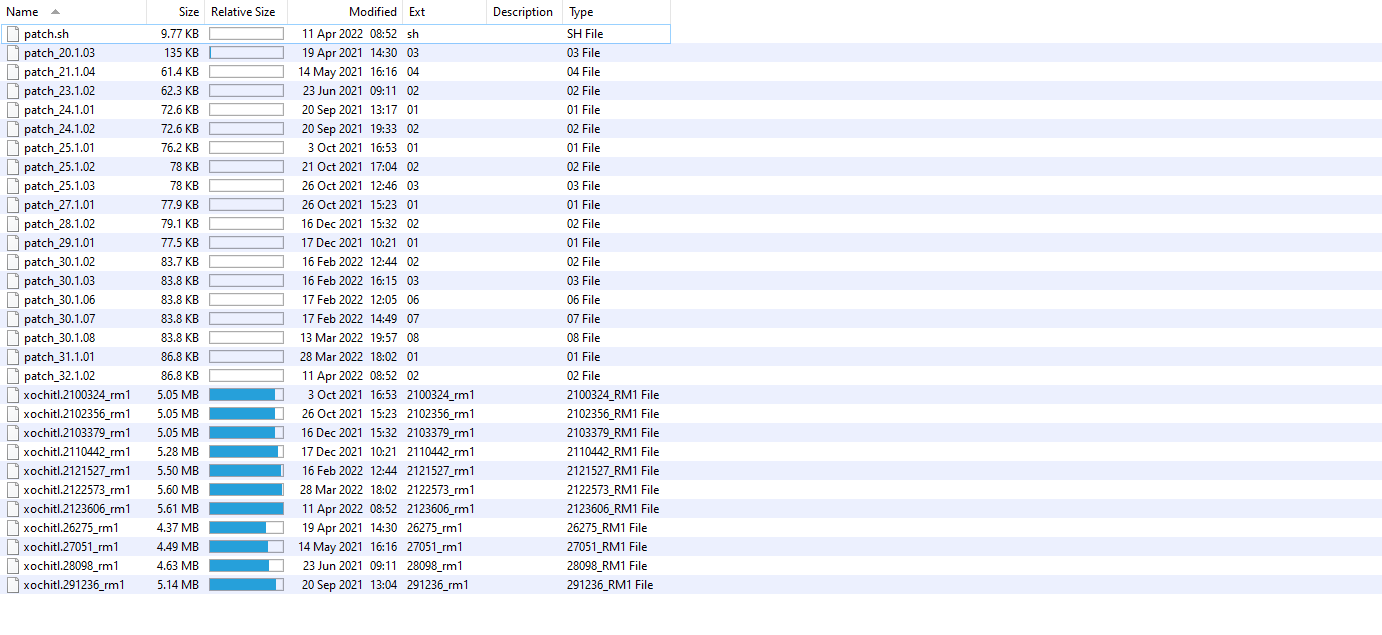
I'm also troubleshooting an issue that might relate to free space. Can you tell me if I need all of these files from older versions of the hack? I'm running on an rM1 with the latest firmware (not the beta) and hack (2.12.3.606). Thanks
 !
!

And here's the results of my du command...
3.2M /bin 0 /dev 8.6M /etc 20.2M /lib 12.0K /lost+found 1.0K /media 1.0K /mnt 6.0K /postinst 1.2M /sbin 155.1M /usr 10.3M /var
Thanks for any help you can offer.
I'm also troubleshooting an issue that might relate to free space. Can you tell me if I need all of these files from older versions of the hack? I'm running on an rM1 with the latest firmware (not the beta) and hack (2.12.3.606). Thanks
They are stored on a different partition, so they wont help with freeing up space on the root partition.
Thanks, @Eeems.
Just to confirm, you didn't install custom templates with something like RCU right?
I do have (just a few) custom templates. But I've had more installed before. Other than deleting templates using RCU, is there something else I need to do to clear space? Some "leftovers" hanging around that I need to manually delete? Thanks!
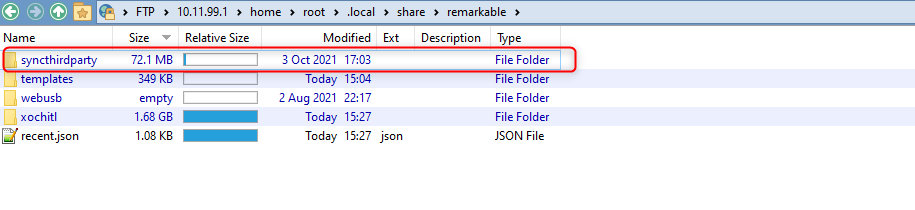
And one more question...is this a standard folder, or something that I can delete? It takes a fair amount of space. Didn't know if this was related to rm2 template helper (https://www.freeremarkabletools.com/), something I no longer use? Thanks again for your assistance!