

 dbeaver
Mac Editor: Problem with POS1/END key
• Operating system (distribution) and version MacOS 10.15.5 • DBeaver version Version 7.1.2.202007051953 • Database name and version 10.4.12-MariaDB-1:10.4.12+maria~buster-log
Mac Editor: Problem with POS1/END key

I configured key POS1 to Line Start and key END to Line End (because cross platform). That works ok for about 5 - 10 minutes editing. After that key POS1/END switches to Text Start/Text END even though "Show key binding when command is invoked/Through keyboard" shows "Line Start" but executes "Text Start" (see picture).
The problem is I can not reproduce it with some special combination of keys entered. It just happens after some minutes of editing.
It's not a big thing but it is really annoying since I have to restart IDE every time this happens because I need those keys.
System information:
- Operating system (distribution) and version
- DBeaver version
- Java version
- Additional extensions
Connection specification:
- Database name and version
- Driver name
- Do you use tunnels or proxies (SSH, SOCKS, etc)?
Describe the problem you're observing:
Steps to reproduce, if exist:
Include any warning/errors/backtraces from the logs

Also CTRL-S on Windows seems not to work even though it shows the hint "CTRL-S Apply Changes". Only save via menu works...
And further more: Pasting the following phrase (including leading blanks) into the editor results in some missing characters (Mac and Windows)
'"date":', '"', date, '"', ','
Sorry for the long response. Are described issues still actual for you?
- '"date":', '"', date, '"', ',' - SQL Editor transforms this statement, you can undo it clicking the popup in the lower right corner (it appears after inserting)
- Command+S - is correct command for Mac. You can see and change keys in Window>Preferences>General>Keys


Thanks for your response.
-
Ok, that is a workaround
-
I did not change those keys, also in Windows/File/Save there it shows Ctrl-S for saving sql-script, but it does not save!
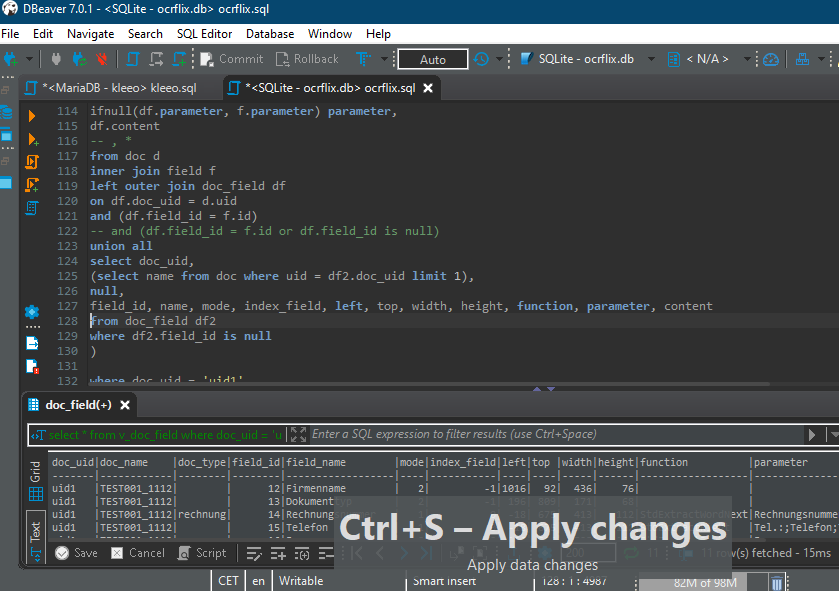 It shows "apply changes" in the hint but the file is not saved (there is still a star in the tab caption)
 -
Any idea about my main issue (POS1/END-Key) on Mac? This issue makes it impossible for me to use DBeaver on Mac!
Seems to be general issue with keys. It shows the wright keys/function in the Hint-Windows but does not execute those?!
Thanks and regards
Mebo
When removing "Save Ctrl-S" and reassign then it works for some time:
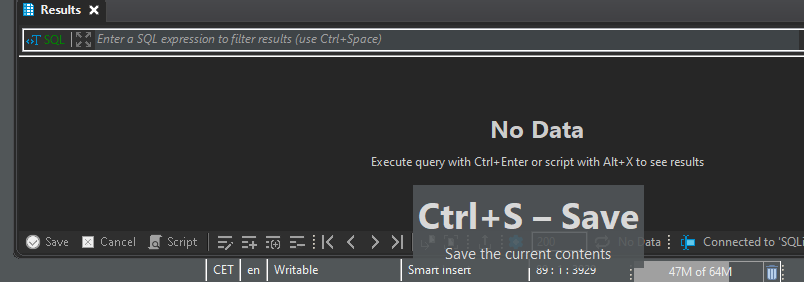
But after some editing Ctrl-S changes into "Apply changes". Also POS1/END-Keys gets lost after some editing.
Sorry for the long response. 1 great 2 By default Ctrl+S works as apply changes in Data Editor and ResultSet of SQL Editor. If you want to save SQL Script in SQL Editor field, you use CMD+S, because it is different editor with different shortcut. Can it be that Save and Apply changes appear in hint depending on where you press it - in Data Editor/ResultSet of SQL Editor or in SQL Editor query field? 3 I cannot reproduce the issue with text/line start/end. Is it possible to record a gif? What keyboard and locale do you use?
- As mentioned in my previous replies DBeaver/Win executes "Ctrl+S - Save" (see hint window that comes from DBeaver, "Preferences/Keys/Show key binding when command ist invoked") when I press Ctrl+S after a new Start of DBeaver. But after some time (maybe 20 minutes) suddenly "Ctrl+S - Apply changes" is executed when I press Ctrl+S. In Windows this problem is not that big because I can still use File-Menu/Save. But anyhow I still lost some scripting because of this Bug.
- Yes, I also cannot reproduce this issue with DBeaver/Mac. It also happens after some time (20 to 60 minutes), maybe after some specific combination of keys/shortcuts (I'm using Ctrl-Enter (execute current statement) very often, maybe there is some problem with that)?! But the problem with this is when I'm working in line 3000 and every time I press POS1 and it jumps to line 1 instead of beginning of current line that is annoying. And after having to restart every time this happened I now avoid using DBeaver for Mac.
There seems to be some problem with DBeaver key/shortcut/combination of keys/shortcuts interpretation. I'm using DBeaver on Mac/Parallels/Win, maybe DBeaver hast a problem with this?! But then again DBeaver would be the only program I'm having this issue.
I now only work with the Windows-Version, I cannot work with the Mac-Version because of that POS1/END issue. I'm using a Windows QWERTZ keyboard with german layout on Macbook Pro/Parallels/Windows. I wouldn't now how to make a gif about that?!
On a gif you would see:
- start DBeaver on Mac
- Press POS
- Cursor jumps to beginning of current line -> Ok ...some scripting time later (without editing preferences or anything)...
- Press POS
- Cursor jumps to beginning of the text/line 1 -> Bug
- Restart DBeaver to have the right keys again
POS1/END and Ctrl+S work correctly for me. Please try for example https://apps.apple.com/us/app/giphy-capture-the-gif-maker/id668208984?mt=12 to record a gif where you use them with enabled Show key binding when command is invoked. It should help us to find a reason and fix it
Sorry for the Delay. Because I don't use the Mac-Version anymore (because of this bug) it took a little longer :-(
Here the gifs...
After doing some work in Script-Editor (POS1/END jumps to Begin/End of text):

After restart POS1/END works as expected again:
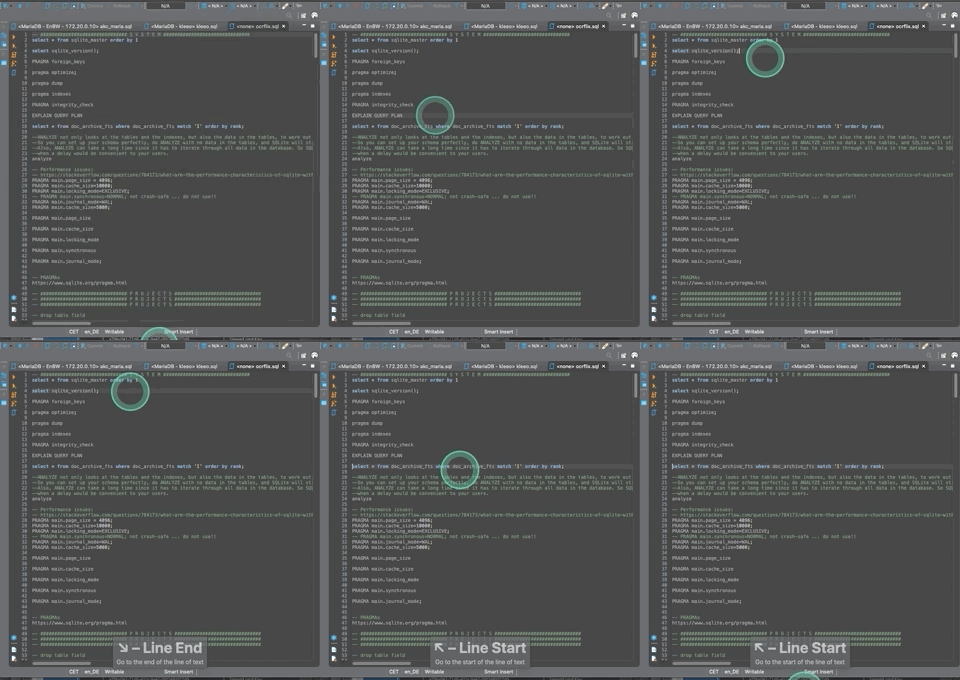
Was this able to be reproduced after @MeboGit's example? It happens for me too; not the biggest bug in the world but when you're editing text and your cursor unexpectedly jumps to the start/end of the file, it is pretty frustrating.
For now I'll retrain my brain to use the default shortcuts rather than customized ones.

Unfortunatelly I still cannot reproduce it. It is a bad bug and I appreciate your help. Am I right, that you changed default shortcuts on custom ones and faced the issue?
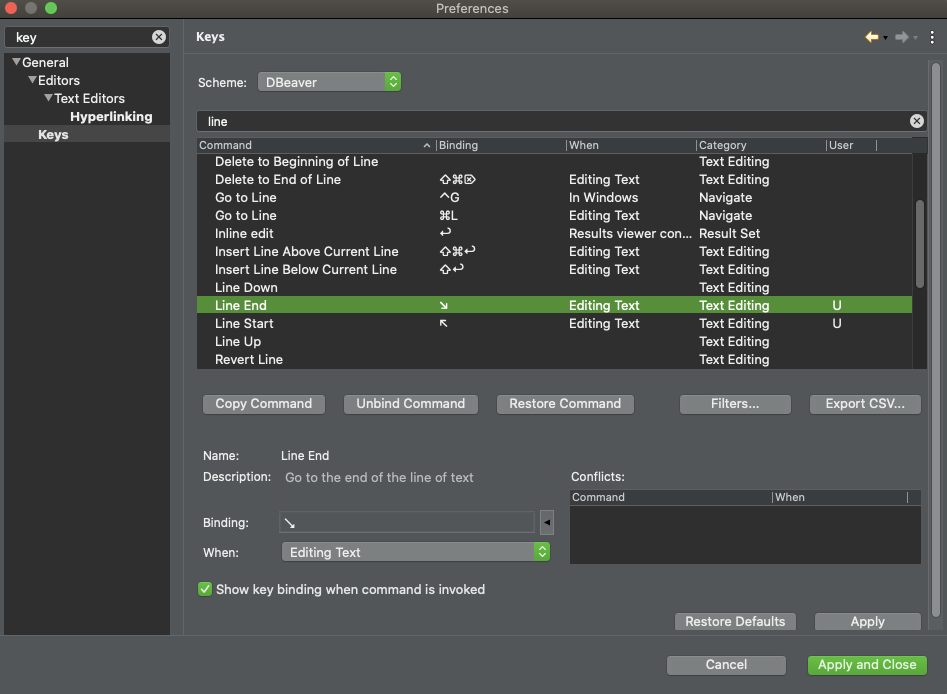
Just to mention that I use v21.0.1.202103211229 now, on Big Sure, and do the exact same setup as described, and get the exact same result... I am getting nuts with it, always jumping to begin end of the page, very frustrating !

same issue here for HOME/END buttons for go to line start/end. DBeaver Version 21.0.2.202104042040 on Catalina version 10.15.7. restart DBeaver fixes it, but issue comes back after sometime.

same issue here for HOME/END buttons for go to line start/end. DBeaver Version 21.0.2.202104042040 on Big Sur version 11.2.3 restart DBeaver fixes it, but issue comes back after sometime.

I have the same issue. Remapped the HOME/END buttons but stops working after a few minutes. A restart fixes it (for a short while). The current version I use is 21.0.4.202105021514 on Big Sur but it has been an issue for me since I started using DBeaver and that is already a few years now.

I still cannot reproduce it with 3 different keyboards (I also tried to reproduce it in standalone DBeaver and in Eclipse). I've found a couple of articles where people forced the same issue and managed it. Could you please try their workarounds to solve the problem http://www.evansweb.info/2005/03/24/mac-os-x-and-home-end-keys/ and https://apple.stackexchange.com/questions/16135/remap-home-and-end-to-beginning-and-end-of-line? I'll really appreciate any feedback on this and hope that a solution will be found soon.
I have those config in the file DefaultKeyBinding.dict. This issue still happens.

I have those config in the file DefaultKeyBinding.dict. This issue still happens.
Same here. It wouldn't have been an issue if eclipse/dbeaver would have taken over those settings.
Same here. It works initially but after some time it then jumps to beginning / end of document. So frustrating. I also have the configs mentioned in the workarounds and they works for other apps like VS Code, Word, etc... just not in dbeaver.

@MeboGit @andrew-dixon @phildebrand @atjshop @Tekka90
Ok, it looks like I found where this issue can be. It still was not reproducible for me, but I noticed that after you edit custom key binds for Line start and Line end as HOME/END those bindings are still present for Text start and Text end which doesn't actually make sense. So as temporary workaround you need to manually disable or change keybinds for Text start and Text end while we must try to fix it so those keybinds would disable automatically

@Matvey16 I noticed that as well when I was looking as to why it wasn't working and disabled them but it makes no difference.
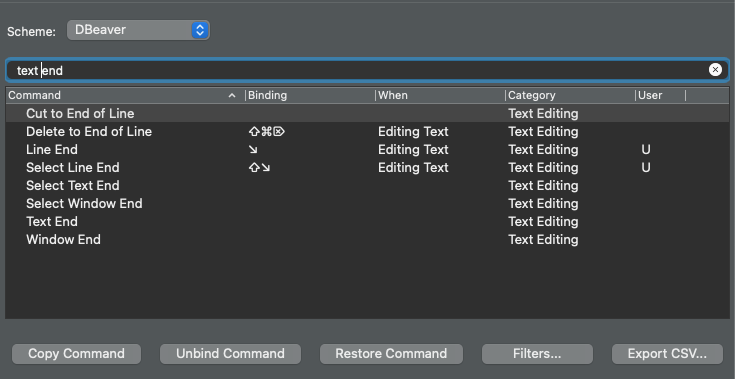

@andrew-dixon even with those disabled after some time HOME button brings a caret to a start of the document?
@Matvey16 Yes, if I leave DBeaver open, which I tend to do most of the time as I come back to it often to do something in the DB, it will start going to the start/end of the document instead of start and end of the line. There doesn't seem to be anything in particular you have to do to get it to do it, it only seems to be related to "time" and maybe switching windows, e.g. going to a different app(s) and coming back to DBeaver at some point later, but just opening DBeaver, switching apps and then coming back to DBeaver doesn't cause it immediately, so it is mainly a time based issue.
@Matvey16 I don't think this is significant, as I'm sure it has happened quicker in the past, but it's just been almost exactly 24 hours since I opened DBeaver last and the issue just started happening.

same issue here for HOME/END buttons for go to line start/end. DBeaver Version 21.0.2.202104042040 on Big Sur version 11.2.3 restart DBeaver fixes it, but issue comes back after sometime.
Same problem here...

I think I might have figured out the cause of this issue, I think it is Karabiner Elements that is the "cause" of it. Since I uninstalled Karabiner Elements about a week ago I've not had this issue. I assume that the key remapping that Karabiner is doing is somehow interfering with the remapping in DBeaver.
I think I might have figured out the cause of this issue, I think it is Karabiner Elements that is the "cause" of it. Since I uninstalled Karabiner Elements about a week ago I've not had this issue. I assume that the key remapping that Karabiner is doing is somehow interfering with the remapping in DBeaver.
I'm not using Karabiner and still have the issue.