

 dbeaver
Apache Hive Default Keyword Case Should Be Set To UPPER
Description
Apache Hive default keyword case is probably undefined. Auto-convert keyword case is not working.
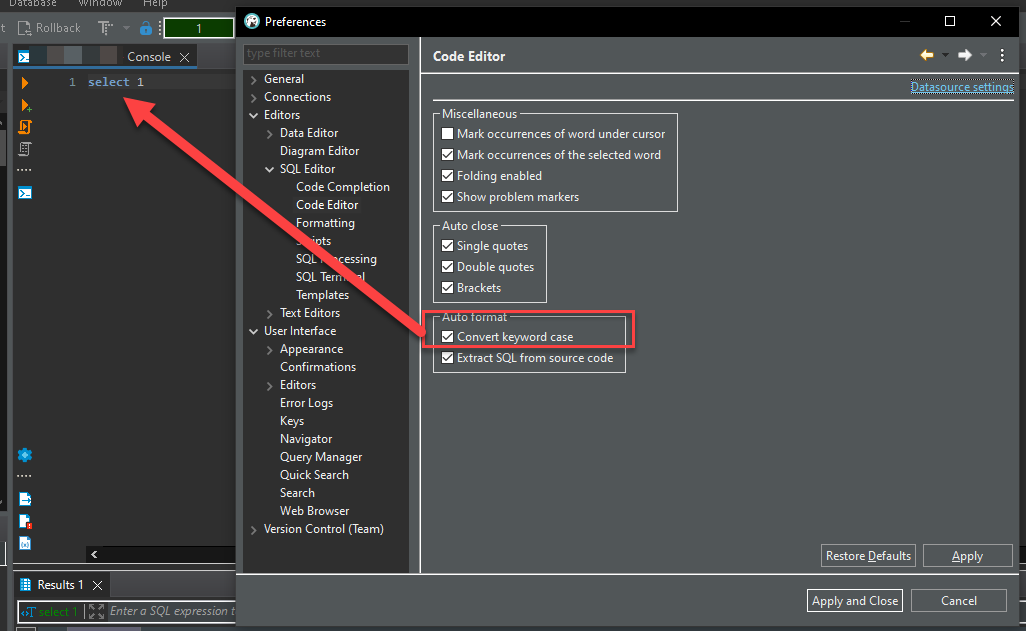
Apache Hive default keyword case should be set to UPPER.
DBeaver Version
Commuinity 22.2.0
Operating System
Windows 10
Database and driver
Apache Hive Cloudera Driver
Steps to reproduce
Connect to Apache Hive Type select [space] and observe the keyword case is not transformed to upper.
Additional context
Hive default keywords are UPPER and can be observed in the official language manual examples https://cwiki.apache.org/confluence/display/Hive/LanguageManual+Select

Hello @JesseFL
I can't reproduce, unfortunately.
Can you please check this setting?
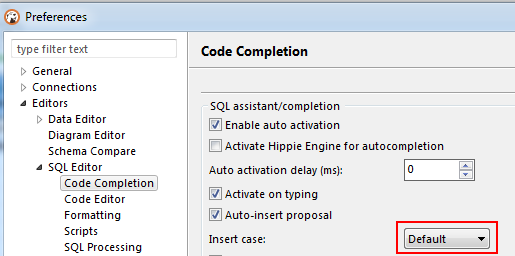

@LonwoLonwo My setting looks like yours, Code Completion is set to Insert Case Default.
Can you please check this setting? Is your code formatter also set to default?

Also I am not using the included Hive driver, I am using 3rd party Cloudera driver. Maybe that is related?
I am using 3rd party Cloudera driver. Maybe that is related?
It can be because the driver returns info about the default keywords case.
Can you please provide a video of your issue?
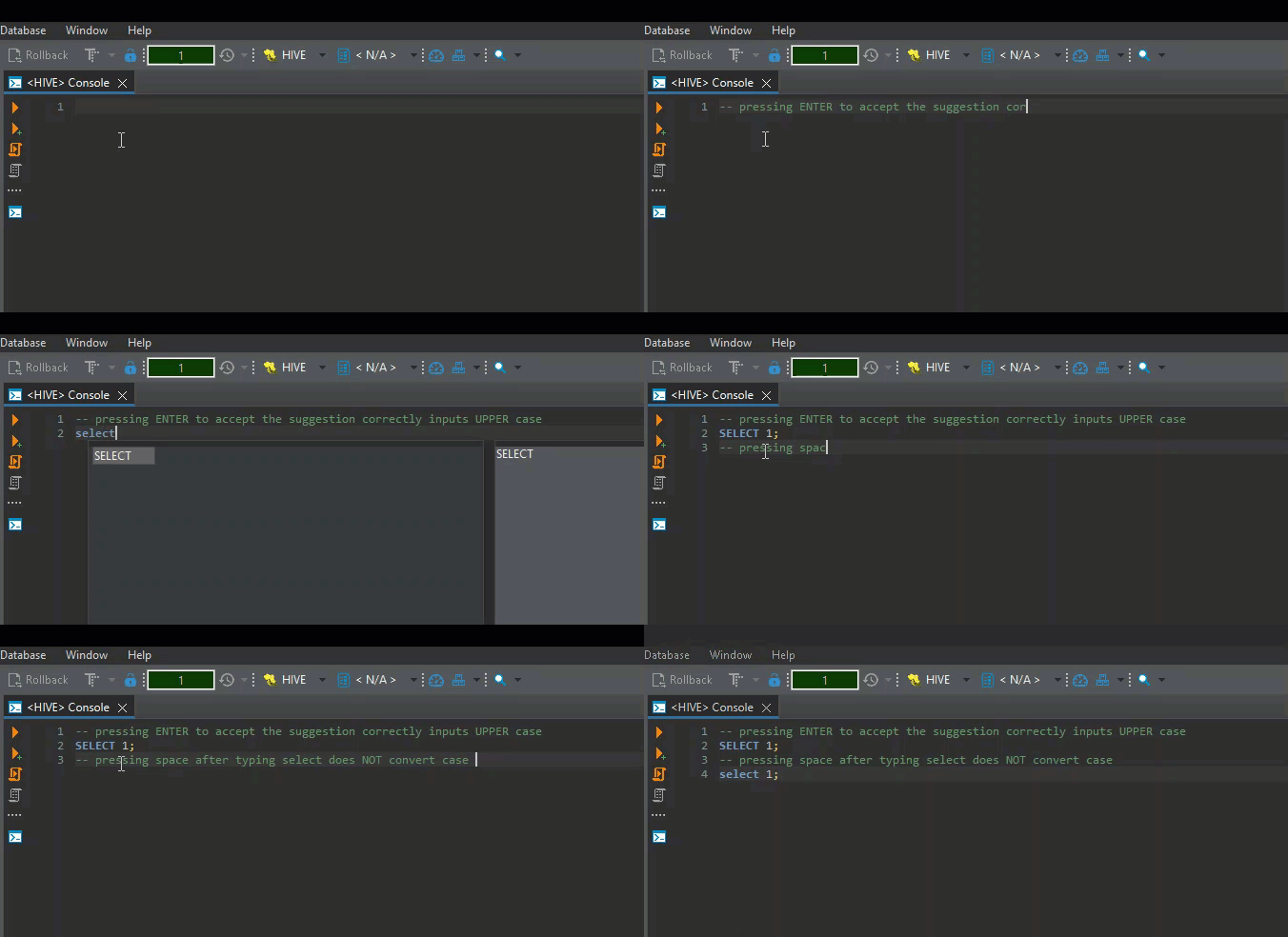
I can't reproduce your issue with hive-jdbc-uber-2.6.5.0-292
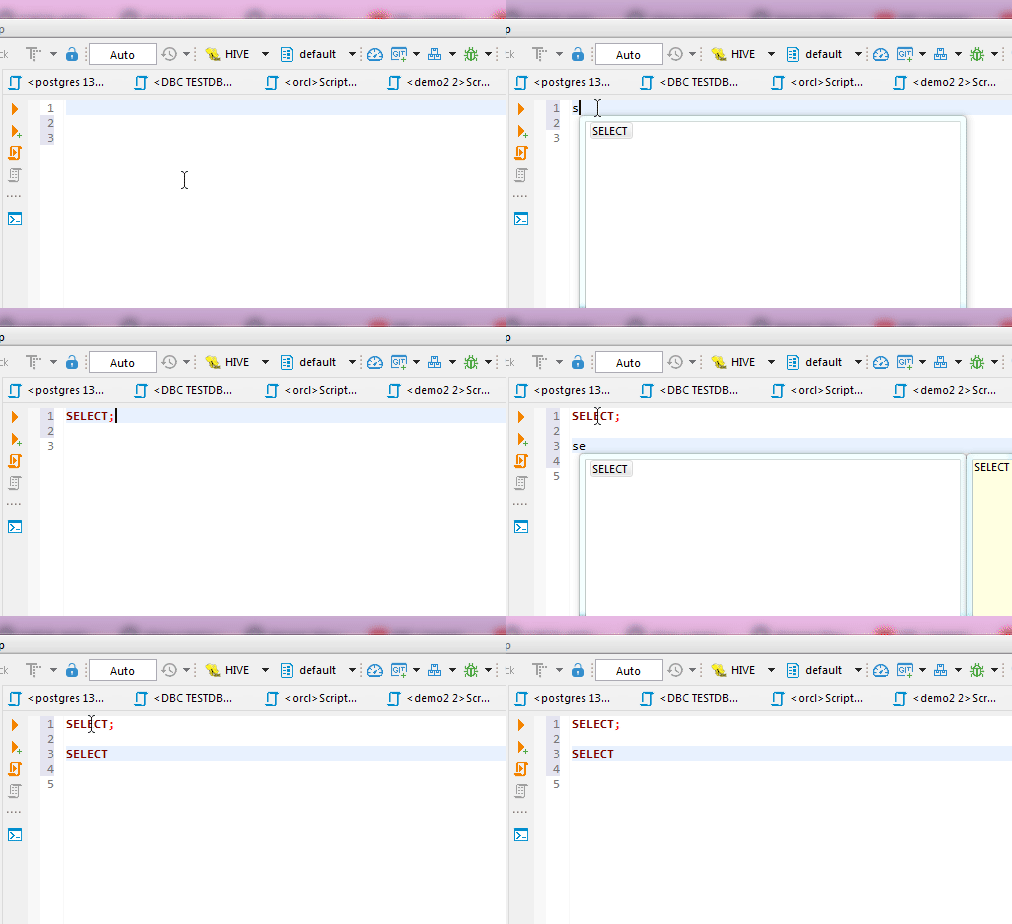
Probably this is how the Cloudera driver works.
I think you can just set all auto-complete settings from "default" to "upper".
I have this issue now too. It was working up until a few days ago and I can't figure out what changed. All settings releated to formatting are set correctly but they do nothing anymore.

Hello @Donal-Goggin
Probably your issue is described here: https://github.com/dbeaver/dbeaver/issues/18131