

 davidstutz
Setting raw HTML on tooltip when enableHTML is set to true
Showing raw HTML code on HTML tooltip when enableHTML set to true.
Any way to update it to readable text?
Tried setting title on option tag.
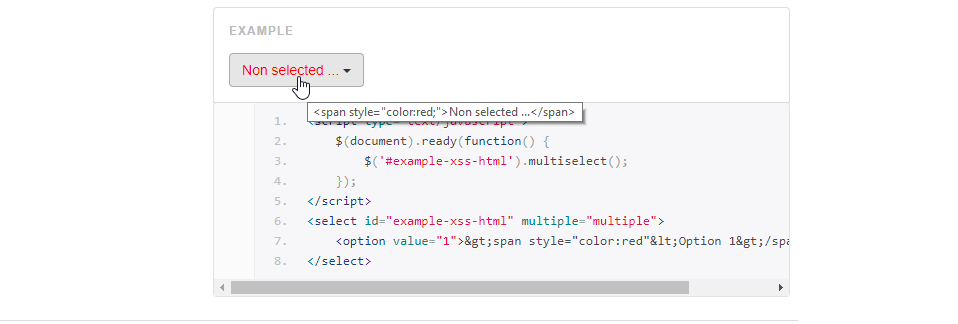


I ended up hacking the source to get this to work. Added this function:
optionLabelTitle: function(element){
    var labelTitle = $(element).attr('label') || $(element).text();
    if(this.enableHTML && $(element).data("label") !== undefined){
        labelTitle = $(element).data("label");
    }
    return labelTitle;
},
And then I added this data to my options:
<option value="1" data-label="Option 1"><i .... html code ... ></option>
I tried using the "old" attribute label="Option 1", but label will override the html data.
But I think the best solution would be to use label attribute if enableHTML is active as titles, but use the "raw" values from the option as the html output.

I addressed without having to hack anything.
$("#id").multiselect('setOptions', {buttonTitle: htmlButtonTitle})
htmlButtonTitle = function(options, select) { var labels = []; options.each(function () { if($(this).attr('title')){ labels.push($(this).attr('title')); } else{ labels.push($(this).text()); } }); return labels.join(', '); }
uses title if there is one, instead of the text
