

 davidstutz
Dropdown is Duplicating in MVC
The dropdown is duplicating instead of replacing the default dropdown.
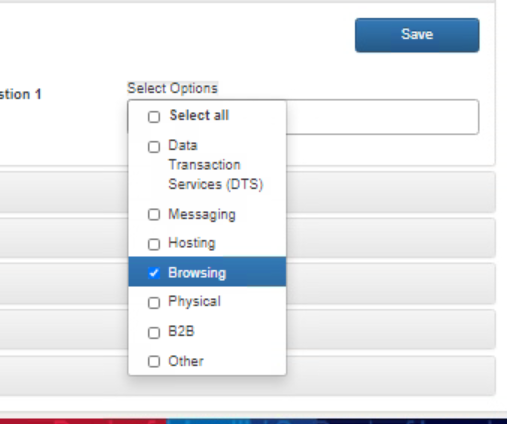
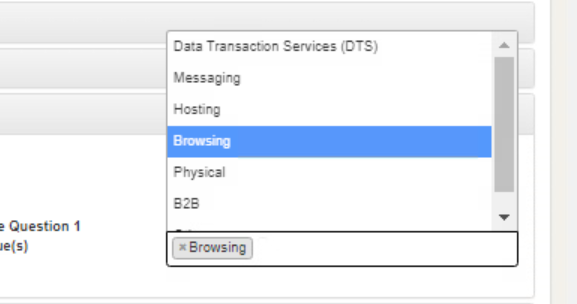
@html.listBoxFor(m => m.busrule[i].task, new multiselectList(slh.getRegAns), "value", text, m.busrule[i].busRulans, new {@class= "listbox"})
$('.listbox').multiselect({
includeSelectAllOptions:true;
})
Notes:
- code is shortened for concision
-
- Using boostrap v3
-
- Using Asp.Net 4.5
-
- Select2 is in the project but select2 is not being utilized for the specific control

Have you included the bootstrap-multiselect.css (or min version) file? Would be helpful if your example was more complete - I've used this plugin in an ASP.NET MVC project a few times with no issues, so the problem is something that you're not showing.

Yes, it is included and is displayed as a source in the developer tools. Is there something in particular that is not complete? It is concise but not sure what other details are missing.
I can't reproduce what you're seeing, from your example. Your screenshot seems to imply that you're rendering this in an accordion or similar - that's relevant, as Bootstrap dropdowns (in v3) generally have issues being used in a collapse section (https://github.com/davidstutz/bootstrap-multiselect/issues/180).
The root issue seems to be related to trying to apply positioning rules to elements that aren't actually visible, if I recall correctly. You may want to try initializing the dropdown in each section when the section is toggled, rather than on page load / DOM ready.
I am having this issue as well.
I am using the following:
- jQuery JavaScript Library v3.3.1
- Bootstrap v4.3.1
- .NET Core 3.1
HTML:
<!-- Build your select: -->
<select` id="example-getting-started" multiple="multiple">
    <option value="cheese">Cheese</option>
    <option value="tomatoes">Tomatoes</option>
    <option value="mozarella">Mozzarella</option>
    <option value="mushrooms">Mushrooms</option>
    <option value="pepperoni">Pepperoni</option>
    <option value="onions">Onions</option>
</select>
Jquery:
        $(document).ready(function () {

            $('#example-getting-started').multiselect();

        });
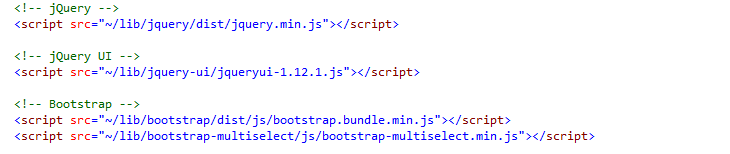
CSS Loaded in Layout page

JQuery Loaded in Layout page


I was able resolve this issue by simple adding a style of display:none; to the original select. Hope this helps someone.
<!-- Build your select: -->
<select id="example-getting-started" multiple="multiple" class="form-control" style="display:none;">
    <option value="cheese">Cheese</option>
    <option value="tomatoes">Tomatoes</option>
    <option value="mozarella">Mozzarella</option>
    <option value="mushrooms">Mushrooms</option>
    <option value="pepperoni">Pepperoni</option>
    <option value="onions">Onions</option>
</select>

This really shouldn't be necessary - the plugin's CSS already has rules that are supposed to (effectively) hide the <select> element. It's possible something changed in the generated HTML which has caused that rule to no longer be applied. Will need to do some investigating.
Worth mentioning that adding "display: none" can have some unintended consequences - some plugins will not select elements which are not displayed, so you might have problems selecting the... select... to which this plugin has been applied.
@rberger247 @WOPiersol I had the same issue. I was using document.multiselect in the script and it duplicated. When i use it on the document on ready it doesnt duplicate anymore. If you use like below it will work. $(document).ready(function () { //$('#ColorInclude').multiselect(); $('#ColorInclude').multiselect({ maxHeight: 200, buttonWidth: '150px', enableFiltering: true }); });
