
dotfiles
 dotfiles copied to clipboard
 davidosomething
mac OS, Arch Linux, and Debian/Ubuntu + Neovim

My dotfiles. https://github.com/davidosomething/dotfiles
- I use macOS, Manjaro, and Debian. Limited Fedora support.
- XDG compliance wherever possible to keep
$HOMEclean - ZSH (preferred) and BASH configs
- Neovim (preferred) and VIM configs
- RC files for Lua, markdownlint, node, PHP, python, R, and others
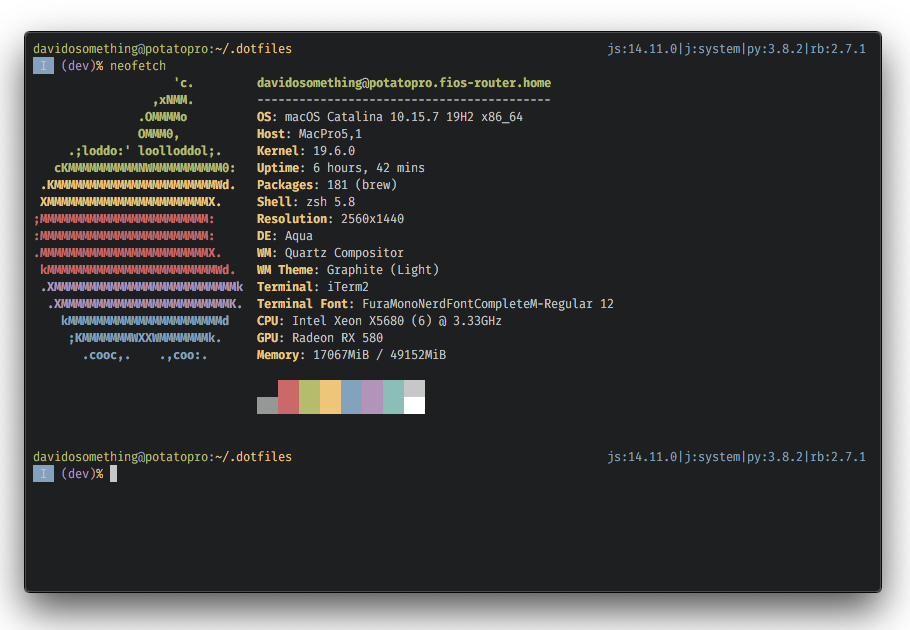
Screenshot of my ZSH prompt
My /uses post my be of interest to you!
Installation
See macOS specific notes in mac/README.md
Generally:
git clone --recurse-submodules https://github.com/davidosomething/dotfiles ~/.dotfiles
Then, run the bootstrap/symlink script for linux or bootstrap/mac for macOS.
After symlinking, bootstrap/cleanup can detect and move pre-existing dotfiles that conflict with these (mac does this).
Dev environment setup
After symlinking and restarting shell, aliases will be available.
The sshkeygen alias will help in generating a new SSH key.
ruby
For user-land ruby, install chruby and ruby-install. Then, use
ruby-install to install a version of ruby. Preferably install the latest
ruby. The dotfiles alias ruby-install to use ${XDG_DATA_HOME}/rubies as the
installation path.
ruby-install --latest ruby
node
For user-land node, install fnm using bootstrap/fnm
python
For user-land python, use pyenv-installer to install pyenv and pyenv-virtualenv.
Create virtualenvs for Neovim using bootstrap/pyenv
Provisioning scripts
These will assist in installing packages and dotfiles. Best to have the environment set up first.
- bootstrap/cleanup moves some dotfiles into their XDG Base Directory supported directories and deletes unnecessary things (with confirmation).
- bootstrap/mac provision macOS. Runs other bootstrappers.
- bootstrap/pipx installs python CLI tools using
pipx - bootstrap/pyenv creates a Neovim pyenv and installs
pynvim - bootstrap/symlink symlinks rc files for bash, ZSH, ack, (Neo)vim, etc.
- node/install install default packages, requires you set up fnm and install node first
- python/install installs default pip packages. Requires pyenv already set up
Updating
u is an alias to dot. Use u without arguments for usage.
Notes
bin/- There's a readme in
bin/describing each script/binary. This directory is in the$PATH.
- There's a readme in
local/- Unversioned folder, put
zshrc,bashrc,npmrc, andgitconfighere and they will be automatically sourced, LAST, by the default scripts. No dots on the filenames.
- Unversioned folder, put
git/- The comment character is
#instead of;so I can use Markdown in my commit messages without trimming the headers as comments. This is also reflected in a custom Vim highlighting syntax invim/after/syntax/gitcommit.vim.
- The comment character is
python/- Never
sudo pip. Set up a pyenv, and use a pyenv-virtualenv.
- Never
vim/- If
curlandgitare available, vim-plug can automatically download and install itself on first run. See vim/README.md for more information.
- If
rc script source order
If you have node installed, the dkosourced command will show
you (not exhaustively) the order scripts get sourced. Without node echo $DKO_SOURCE works.
For X apps (no terminal) the value may be:
/etc/profile
.xprofile
  shell/vars
    shell/xdg
Shell script code style
- Script architecture
- Use the
#!/usr/bin/env bashshebang and write with bash compatibility - Create a private main function with the same name as the shell script.
E.g. for a script called
fun, there should be a__fun()that gets called with the original arguments__fun $@ - Two space indents
- Prefer
.oversource
- Use the
- Function names
- For private functions in a script, use two underscores
__private_func()These function names are safe to reuse after running the script once. When namespaced, they are in the form of__dko_function_name().
- For private functions in a script, use two underscores
- Variable interpolation
- Always use curly braces around the variable name when interpolating in double quotes.
- Variable names
- Stick to nouns, lower camel case
- Variable scope
- Use
localandreadonlyvariables as much as possible over global/shell-scoped variables.
- Use
- Comparison
- Not strict on POSIX, but portability
- Do NOT use BASH arrays, use ZSH or Python if need something complicated
- Use BASH
==for string comparison - Use BASH
(( A == 2 ))for integer comparison (note not$A,$not needed)
Credits
Logo from jglovier/dotfiles-logo
Metadata
Owner
 davidosomething
Metadata
mac OS, Arch Linux, and Debian/Ubuntu + Neovim