
darktable
 darktable copied to clipboard
 darktable-org
New module: Sigmoid display transform
What?
A new display transform module based on the Log-Logistic / Naka-Rushton curve with skew added for more control. It is developed as a drop-in alternative to filmic with the same responsibility of compressing an infinite dynamic range to the finite dynamic range of a display or print.
Screenshot of the module interface:
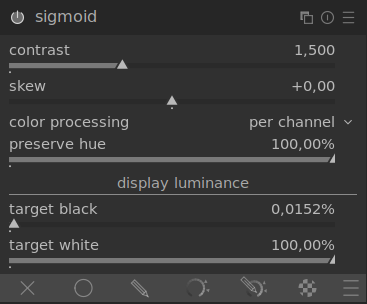
The process of developing and testing the module is documented in its pixls thread: https://discuss.pixls.us/t/new-sigmoid-scene-to-display-mapping/22635
That thread is very long now. Here are some of the more important posts. I can especially recommend the three in bold.
- Showing the effect of the skew parameter: https://discuss.pixls.us/t/new-sigmoid-scene-to-display-mapping/22635/126
- Color processing with pictures: https://discuss.pixls.us/t/new-sigmoid-scene-to-display-mapping/22635/169
- Color processing with technical: https://discuss.pixls.us/t/new-sigmoid-scene-to-display-mapping/22635/181
- Desaturation at high intensities: https://discuss.pixls.us/t/new-sigmoid-scene-to-display-mapping/22635/279
- A post about editing chroma with the sigmoid contrast slider: https://discuss.pixls.us/t/new-sigmoid-scene-to-display-mapping/22635/359
- Preserve hue, problem statement: https://discuss.pixls.us/t/new-sigmoid-scene-to-display-mapping/22635/369
- Preserve hue, technical observation: https://discuss.pixls.us/t/new-sigmoid-scene-to-display-mapping/22635/378
- Preserve hue, implemented solution: https://discuss.pixls.us/t/new-sigmoid-scene-to-display-mapping/22635/386
- Method comparison, general: https://discuss.pixls.us/t/new-sigmoid-scene-to-display-mapping/22635/479
- Method comparison, portraits: https://discuss.pixls.us/t/new-sigmoid-scene-to-display-mapping/22635/503
The Naka-Rushton curve is the same curve but with the name used in human vision research. It is a model that describes the cone response for a light pulse compared to an adapted environment. This in itself is enough to get excited about the use of this sigmoid curve in image editing!
Please check out my curve testing "app" that I made for this project if you want to get to know the curve itself a bit more: https://jandren-tone-curve-explorer-streamlit-app-xca32q.streamlitapp.com/
How?
It uses a Generalized Log-Logistic curve applied either on work profile rgb channels or on the rgb average as an rgb ratio. This essentially means that one applies another power function on the normal log-logistic curve, which will cause the distribution, or in our case, the contrast, to skew towards shadows or highlights. Some behind-the-scenes manipulation is performed to keep the effect of the UI parameters orthogonal to each other. (The slope at middle grey with skew = 0 is maintained for all skew values). See the above-linked posts for more in-depth analysis and explanations.
Why a new module?
And why not integrate the new curve in filmic:
- filmic depends heavily on the definition of a scene black and white point. The sigmoid curve is defined from 0 to inf, so there is no such concept as a scene black and white, just relative exposure to middle grey. It would thus be hard to make it work inside of filmic without redoing/removing both some functionality and UI elements.
- I have tried to keep the proposed sigmoid module conceptually different from filmic by keeping it simple and robust instead of super configurable. I would like to continue exploring that path for a display transform further, as I believe that makes a tool fast to work with.
Some strengths of the module are that it is:
- Robust, always properly defined for any rgb value [0, inf).
- Always monotonic. The curve used for the mapping is, by design always monotonic.
- Very smooth, the curve is parametric and converges towards the display boundaries.
- Only two parameters while maintaining full control of the curve shape.
- Contrast and skew are orthogonal, making it very easy to work with.
- Future proof, it can, for example, model the ACES 1000 nits curve pretty well as it is.
Future work
Needed
- The contributed code only offers a C implementation. Optimized code paths need to be implemented as well.
- Documentation!
To be contributed if the module is accepted.
Wanted
- Explicit selection of processing primaries instead of just using the work profile. (Has the greatest effect on the end result when not using hue preservation).
- Adjustable sharpness of gamut clipping/compression. The module currently clips out of gamut chroma to the rgb scene boundary before applying the display transform. There is interesting work to be done here where we can reuse the concept of a sigmoid curve but in the gamut direction. See, for example, the AgX discussion over at the Blender forum: https://blenderartists.org/t/feedback-development-filmic-baby-step-to-a-v2/1361663/1203
Both of these are extensions of functionality and can be added later without any backward compatibility problems. I agree with the feedback that @TurboGit has given me that these are better to tackle in separate PRs.
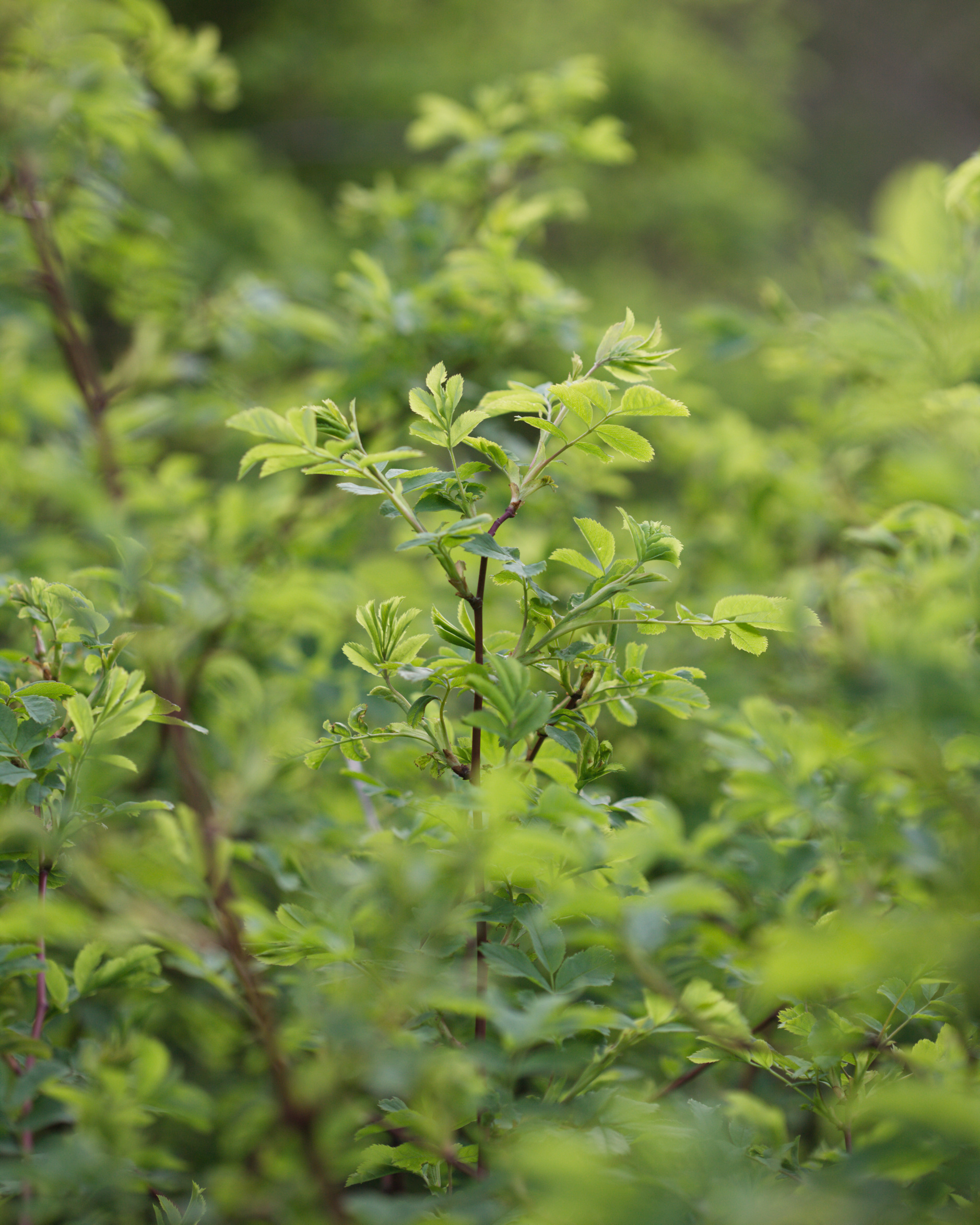
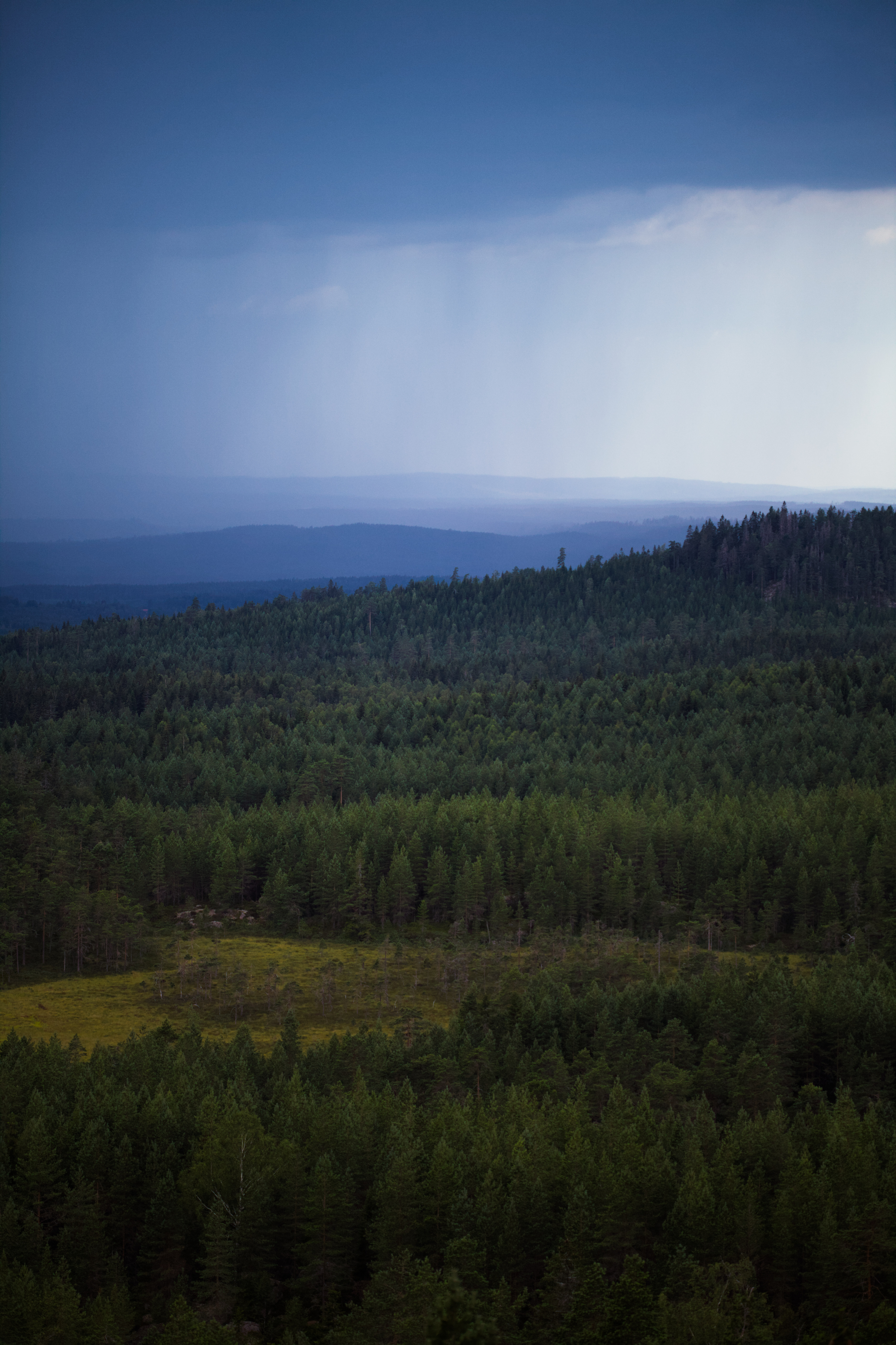
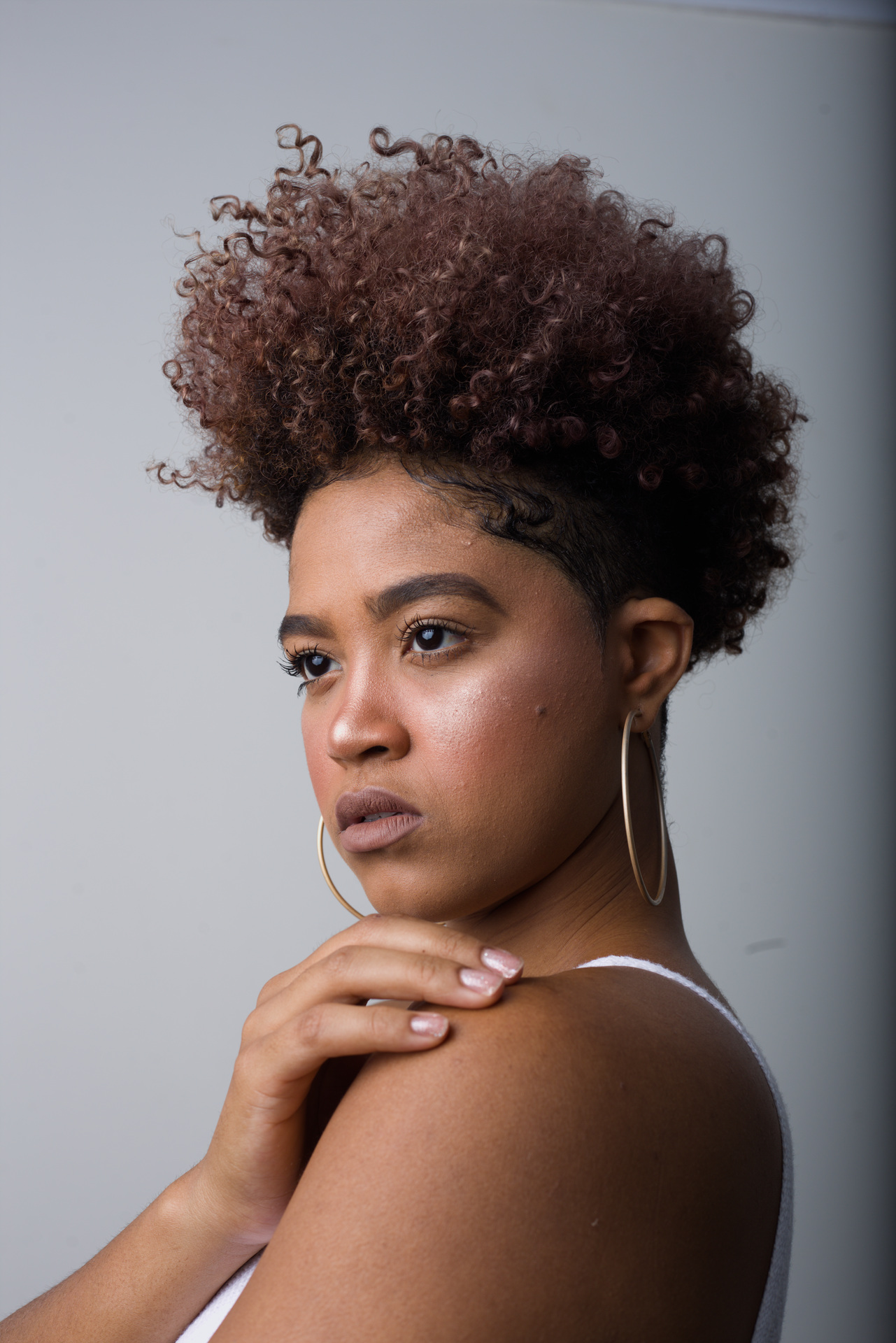
Example images
(Taken from the threads linked above)

@jandren The module is not playing nice in this image with local contrast module in the default position...activating LC causes the image to go black...if you move LC in front of sigmoid the image comes back...if after it goes black...
20220825_100133-IMG_0804_01.CR3.zip
Image from here... https://discuss.pixls.us/t/histogram-difference-camera-vs-darktable/32318/41?u=priort
On WIndows 11 4.1.0+555~g3b3c0d4cf
Edit: @TurboGit It seems to only happen when the color pres mode is per channel and the % preserve hue is > 0.

Edit 2...so it was likely that I had other modules active...not the video. If LC module is active and after sigmoid this is not an issue for the default modules ie compress the history stack at original and then add sigmoid and then add local contrast. At this point no problem but then activating certain modules but not just anyone will cause a black screen... I run through a few in the video and also show if you move LC in front of sigmoid then the problem goes away... The video is a bit too big to download I will put it up on pixls.us.... https://discuss.pixls.us/t/new-sigmoid-scene-to-display-mapping/22635/711?u=priort
With some more experimentation ...first other image I tried was similar to what I showed in the video however the next one from this thread was not exactly the same module for module.. dehaze on its own or lens correction and CA modules activated together would cause it to go black but none of the others in the panel of modules I showed in the video....
https://discuss.pixls.us/t/comparing-filmic-color-science-v5-v6/31646?u=priort
Now I just went to legacy WB and the image returns..... so there is clearly some interaction in the pipeline going on....
I just merged the PR...maybe this is my current build.... if so I apologize and just ignore the noise....
One last play. There seems to be an interaction perhaps with gamut mapping?? So the interplay seems to be between sigmoid, local contrast and color calibration with CAT activated. Bilateral mode of LC does not seem to create the issue. Or the rgb ratio method of sigmoid. And unchecking clip negative rgb in CC or bumping up the gamut compression slider also corrects it or so it seems...
I have again posted the video on pixels due to being a bit over 10Mb...again sorry if this is noise but I guess I won;t know until others try....
https://discuss.pixls.us/t/new-sigmoid-scene-to-display-mapping/22635/711?u=priort
@todd-prior to avoid confusion, you should make sure you have a clean build. Also check MSYS2 is up to date and git is up to date before adding the PR.


Also this new module must be added into src/lib/modulegroups.c in "module : all" presets. See around line 1642.

I also confirm issue with full black image when using local contrast discussed in pixls.us here https://discuss.pixls.us/t/new-sigmoid-scene-to-display-mapping/22635/711?u=pascal_obry
About the black images have you double checked that the values set in data (in commit_params) are in proper range?
@todd-prior and @TurboGit managed to reproduce the issue now! At least pretty clear what part of the code that causes the problem.
What is the support for unit tests in the darktable code base? (haven't seen any) It would probably be easiest to solve and confirm the solution for the dark images using a couple small tests. Good for future maintenance as well :)
What is the support for unit tests in the darktable code base?
See src/tests/unittests/iop. But indeed a very light testing on this part.
We also have an integration testsuite which is running every night. See src/tests/integration. I actually favor this one as it is easier to setup and as proved to be a very nice tool to find regressions on any module.
Added the sigmoid module to potfiles.in and into both module group "all" and "scene referred" (took the liberty on the latter as that is where I intend it to be used"
Funny, I missed that task before. I just always search for whatever module I need, and no one who tried it out complained 😆
@jandren : Just checking, are you able to reproduce the full black output when using local contrast?
@TurboGit, yes I have reproduced it and will work on a fix tonight. Will keep you updated!
@TurboGit and @todd-prior, I pushed changes to tackle the local contrast problem with preserve hue active. Can you see if it also solves it for you? Also added an isnan guard for the actual sigmoid curve now that I use powf instead of pow, which also produced nans in the output.
Found that the rgb ratio mode has a similar problem for extreme values but need to go to bed now and will take a look at that mode tomorrow.
@jandren : Some testing shows that I don't have the full black output anymore now, that's great!
Found that the rgb ratio mode has a similar problem for extreme values but need to go to bed now and will take a look at that mode tomorrow.
Any news about this?
Awesome to hear!
For the RGB ratio issue, ran out of time before company trip and travels to friends wedding. Fix doesn't look to complicated though so expect one during next week.
@TurboGit I pushed a fix for the problem I found with the rgb ratio mode now. It was pixels with an average value of zero that caused a division by zero. Give me a shout if anything else comes up!
Congrats from my side! Have been using it today on some hundred images from a trip to Malta as default, just cool. And a perfect co-worker with the new highlights reconstruction algos.
Just for my camera and my shooting style and content - not a single bad failure, 📸👍

I started a thread on pixls and I think the response is very positive so far...... :)
I agree, I have been working on some pictures previously developed with Filmic and I must say that in lot of cases sigmoid gives me better result and this just with default setting. This module is really a terrific piece of work, thanks again for all this @jandren !
Sorry if it's a silly question... What the easiest way to have sigmoid as the default tone module (basic development) ?

Sorry if it's a silly question... What the easiest way to have sigmoid as the default tone module (basic development) ?
Set workflow to none in preferences and set auto preset in sigmoid to have it applied also for exposure if you find a value that works... Setting those two should be a substitute default....
I really would go for a another selectable entry in preferences->autoapply_pixel_workflow_defaults like
- scene filmic
- scene sigmoid
- display referred
- none
@jenshannoschwalm : Yes, something like that will be done it has been discussed with @jandren .
Set workflow to none in preferences and set auto preset in sigmoid to have it applied also for exposure if you find a value that works... Setting those two should be a substitute default....
What would be good defaults for the exposure module in conjunction with Sigmoid?
It might vary with how you shoot and your camera... Start with the same as filmic and then see if you consistenly need to change it...personally I do one of two things... Auto exposure at 50% for the image using the pipette and if that is not what I like I pick an area and try the same...if neither satisfies the situation I do a manual change... Just my 2 cents not anything factual here....