

 darkoperator
No output when calling Invoke-SSHCommand
Hi,
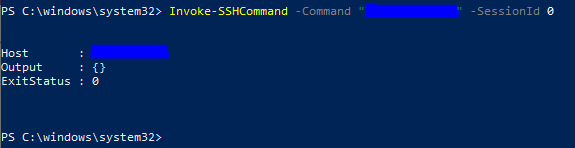
I am trying to execute the following command however I am not getting any returned output.
I can run the same command in putty I get results so what would I be doing incorrect?
Thanks

Need to know the command you are trying to run 🤷♂️ Only thing that comes to mind is that it is one provided by a shell and not a binary in the OS. Invoke-sshcommand behaves like plink where no shell is created.
Sent from my iPhone
On Jun 15, 2020, at 2:15 AM, DanielFontanarosa23 [email protected] wrote:
Hi,
I am trying to execute the following command however I am not getting any returned output.
I can run the same command in putty I get results so what would I be doing incorrect?
Thanks
— You are receiving this because you are subscribed to this thread. Reply to this email directly, view it on GitHub, or unsubscribe.

The command is a TMSH command "List ltm pool" which should return a list of devices in F5 (a load balancer api).
So from what you are saying the command I am running is provided by the TMSH shell. Therefore is there a way to fire these off and get results back? I have also tried with Invoke-SSHCommandStream but with no success.
Try to think about the std* file if u execut a command on * nux system. I happened to check ssh version on my server, the output is null too. I found the reason is the std* file after I test on std* file. Now I append "2>/dev/stdout" to my command, and the output is normal. Recommand for a try!
