

 danomatika
implement PdDroidParty's [ViewPort] canvas?
I had implemented a simple scroll/zoom function in PdDroidParty, in the form of a specially named "ViewPort" canvas. See in http://droidparty.net:
It is possible to map only a part of the main Pd window to the actual device screen,
by using a specially configured canvas GUI:

- In the main pd window, create a canvas gui (menu Put -> Canvas)

- Make sure the canvas is in the background (select all the objects but the canvas, cut and paste)

- Edit the canvas properties, set the receive name to "ViewPort" and configure its size and position
    to select the part of the window you want to display on the PdDroidParty screen

- You can dynamically change the viewport by sending "pos" and "vis_size" messages to "ViewPort",
    so you have visual indication of the portion of the screen that will be displayed on PdDroidParty

The selected viewport area will be rescaled in order to fill the screen of the device.
I've absolutely no idea of how complicated it would be to bring it into PdParty; I just remember it was quite simple in Android, using the native canvas methods. For example, in https://github.com/chr15m/PdDroidParty/blob/458ecf13eccc6d8360206b29f79f39a5fbfaba9b/src/cx/mccormick/pddroidparty/Canvasrect.java#L33-L38:
		if(receivename.equals("ViewPort")) {
			parent.viewX=(int)dRect.left;
			parent.viewY=(int)dRect.top;
			parent.viewW=(int)dRect.width();
			parent.viewH=(int)dRect.height();
		}
It can be a cool feature, it allows for example to easily switch between different screens (parts of the same screen actually).
The problem of adjusting the viewport width/height ratio relatively to the device screen ratio isn't yet clearly addressed though.

I’ve thought of something similar and it’s on my todo list, though maybe not for this release. PdParty simply squishes or stretches the viewport to get the xy widget positions without applying the scaling to the widgets themselves. This would need to be a mode where the aspect ratio is kept and the screen shows only a subsection.
Along similar lines, it would be nice to also support RjDj’s tabbed scene where a single scene had multiple tabs which could be swiped left or right to choose. I imagine this in PdParty as a series of tabs along the top and/or the swipe+dot marker on the bottom. Each tab could be a separate patch ala _main1.pd, _main2.pd, etc.
enohp ym morf tnes
Dan Wilcox danomatika.com robotcowboy.com
On Dec 28, 2020, at 4:41 PM, Antoine Rousseau [email protected] wrote:
I had implemented a simple scroll/zoom function in PdDroidParty, in the form of a specially named "ViewPort" canvas. See in http://droidparty.net:
It is possible to map only a part of the main Pd window to the actual device screen, by using a specially configured canvas GUI:
In the main pd window, create a canvas gui (menu Put -> Canvas)
Make sure the canvas is in the background (select all the objects but the canvas, cut and paste)
Edit the canvas properties, set the receive name to "ViewPort" and configure its size and position to select the part of the window you want to display on the PdDroidParty screen
You can dynamically change the viewport by sending "pos" and "vis_size" messages to "ViewPort", so you have visual indication of the portion of the screen that will be displayed on PdDroidParty
The selected viewport area will be rescaled in order to fill the screen of the device. I've absolutely no idea of how complicated it would be to bring it into PdParty; I just remember it was quite simple in Android, using the native canvas methods. For example, in https://github.com/chr15m/PdDroidParty/blob/458ecf13eccc6d8360206b29f79f39a5fbfaba9b/src/cx/mccormick/pddroidparty/Canvasrect.java#L33-L38:
  if(receivename.equals("ViewPort")) {
  	parent.viewX=(int)dRect.left;
  	parent.viewY=(int)dRect.top;
  	parent.viewW=(int)dRect.width();
  	parent.viewH=(int)dRect.height();
  }
It can be a cool feature, it allows for example to easily switch between different screens (parts of the same screen actually).
The problem of adjusting the viewport width/height ratio relatively to the device screen ratio isn't yet clearly addressed though.
— You are receiving this because you are subscribed to this thread. Reply to this email directly, view it on GitHub, or unsubscribe.

Hello @danomatika, I would give an enthusiastic +2 (+1 each) for the ideas mentioned in your previous comment in this thread!
I use PdParty as a way of providing customized practice metronomes for my students, which necessitate dozens of controls & labels, and I’ve reached the limits of what can be squeezed into a single-page GUI layout. The ability to switch between tabbed pages for adding more GUI real estate would be a huge help for this type of use case. (ideally with the multiple tabs/pages controlling one main Pd patch, rather than multiple independent Pd patches)
I also have spent many, many hours working to align comments & GUI elements (for example, a vradio with comments aligned to each cell for describing various modes), and have found that PdParty’s current method of stretching the viewport in both dimensions often results in misalignment. Even after careful calculation of the target aspect ratio of the device’s viewport, if the Pd patch window is slightly resized by accident before saving, the alignments will be off. If there were an option in PdParty to preserve the original canvas aspect ratio when scaling up/down, I imagine this would ameliorate two difficulties simultaneously:
-
The need to know the device viewport’s exact aspect ratio (taking the menu bar into account) in order to guarantee precise alignment of GUI elements.
-
The need to design alternative layouts for different device types (phone vs tablet), with an acceptable tradeoff of living with a bit of unused space at the top or sides of the canvas if the aspect ratio is somewhat different.
I wish I had the coding abilities to offer a pull request, but I’m more than happy to do any testing that would be helpful. Thank you!

- The need to know the device viewport’s exact aspect ratio (taking the menu bar into account) in order to guarantee precise alignment of GUI elements.
I would not suggest expecting pixel perfect alignment. We don't even have that for Pd between various desktop systems due to how their backend drawing is implemented. The best we can do is get it close.
The current auto scaling and sizing in PdParty is a trade-off at best but I don't see being able to put the amount of time and effort into making the last 10% toward perfect alignment any time soon. (...and I have not needed this for any of my use cases thus far.)
- The need to design alternative layouts for different device types (phone vs tablet), with an acceptable tradeoff of living with a bit of unused space at the top or sides of the canvas if the aspect ratio is somewhat different.
This is more of my feeling: a single view will work on both devices but is probably not perfect. Another option is to allow for loading different patches for each device such as _main_ipad.pd and _main_iphone.pd etc.
I think having a canvas viewport may mitigate some of this although I am not sure how to make it work well with the current system
@thumpclang Also, you may not get good alignment due to needing to take the navbar into account. I recently updated the device templates in the composer pack with info on this and an per-screen sizes patches.
I have thought of making the navbar autohide but have been afraid of making the UI too obtuse and/or breaking existing projects.
@Ant1r Is this what the PdDroidParty pure-widgets-demo uses?
Yes. Accepting to stretch the GUI objects makes the respect of alignments trivial. But of course it implies not-round bangs, etc ...
Currently, PdParty keeps widget sizes by applying only the scale in 1 dimension, the X I believe.
enohp ym morf tnes
Dan Wilcox danomatika.com robotcowboy.com
On Jul 31, 2022, at 4:23 PM, Antoine Rousseau @.***> wrote:
@Ant1r Is this what the PdDroidParty pure-widgets-demo uses?
Yes. Accepting to stretch the GUI objects makes the respect of alignments trivial. But of course it implies not-round bangs, etc ...
— Reply to this email directly, view it on GitHub, or unsubscribe. You are receiving this because you were mentioned.
Hmmm too bad the receiver is named "ViewPort" and doesn't match the naming of other global sends/receivers, ie. something like "#viewport" would have fit better. In any case, I would likely implement this as a message to #pdparty such as #pdparty viewport... with ViewPort available to DroidParty scenes for compatibility.
I would not suggest expecting pixel perfect alignment. We don't even have that for Pd between various desktop systems due to how their backend drawing is implemented. The best we can do is get it close.
Completely understood, I've noticed that there are differences with how elements will render in Pd on my Mac versus in PdParty (such as the size/position of GUI labels, set through the "properties" menu). Through trial & error I've gotten alignments close enough for my tastes, even if not pixel perfect, but I do realize that it's not realistic to expect absolute consistency on all platforms.
The current auto scaling and sizing in PdParty is a trade-off at best but I don't see being able to put the amount of time and effort into making the last 10% toward perfect alignment any time soon. (...and I have not needed this for any of my use cases thus far.)
Not knowing how the code works myself, I was hoping there would be a simple way to lock the original aspect ratio and then scale up whichever dimension is smaller to the max provided by the viewport. But if that isn't an easy change, I agree that the template system works well enough.
In my case, the ability to have multiple tabs/pages would probably be a more meaningful remedy, which would take a lot of the pressure off of cramming many elements tightly into a single page GUI & running into tiny aspect/alignment issues.
This is more of my feeling: a single view will work on both devices but is probably not perfect. Another option is to allow for loading different patches for each device such as
_main_ipad.pdand_main_iphone.pdetc.
This is basically what I'm doing now, with separate ipad & iphone patches, just makes for a lot of work to apply each GUI change twice. Would certainly be nice to be able to drop the same patch into either device & live with any scaling extremes (as some apps do when they use the same layout for both types of devices).
I did once try a sort of letterbox/pillar box size to fit approach with offset but it ended up with widgets always being too small, especially considering the screen sizes back then, ie. iPhone 3 GS and iPhone 4.
We are currently doing some work on the backend GUI communication within the pd core which has the promise of abstracting the widget handling to external toolkits. In this case I could imagine wing able to make widow handling better match desktop Pd since almost all of the logic will be provided “for free.”
enohp ym morf tnes
Dan Wilcox danomatika.com robotcowboy.com
On Jul 31, 2022, at 6:14 PM, thumpclang @.***> wrote:
I would not suggest expecting pixel perfect alignment. We don't even have that for Pd between various desktop systems due to how their backend drawing is implemented. The best we can do is get it close.
Completely understood, I've noticed that there are differences with how elements will render in Pd on my Mac versus in PdParty (such as the size/position of GUI labels, set through the "properties" menu). Through trial & error I've gotten alignments close enough for my tastes, even if not pixel perfect, but I do realize that it's not realistic to expect absolute consistency on all platforms.
The current auto scaling and sizing in PdParty is a trade-off at best but I don't see being able to put the amount of time and effort into making the last 10% toward perfect alignment any time soon. (...and I have not needed this for any of my use cases thus far.)
Not knowing how the code works myself, I was hoping there would be a simple way to lock the original aspect ratio and then scale up whichever dimension is smaller to the max provided by the viewport. But if that isn't an easy change, I agree that the template system works well enough.
In my case, the ability to have multiple tabs/pages would probably be a more meaningful remedy, which would take a lot of the pressure off of cramming many elements tightly into a single page GUI & running into tiny aspect/alignment issues.
This is more of my feeling: a single view will work on both devices but is probably not perfect. Another option is to allow for loading different patches for each device such as _main_ipad.pd and _main_iphone.pd etc.
This is basically what I'm doing now, with separate ipad & iphone patches, just makes for a lot of work to apply each GUI change twice. Would certainly be nice to be able to drop the same patch into either device & live with any scaling extremes (as some apps do when they use the same layout for both types of devices).
— Reply to this email directly, view it on GitHub, or unsubscribe. You are receiving this because you were mentioned.
We are currently doing some work on the backend GUI communication within the pd core which has the promise of abstracting the widget handling to external toolkits. In this case I could imagine wing able to make widow handling better match desktop Pd since almost all of the logic will be provided “for free.”
Ah yes, certainly if there are changes to the Pd core on the horizon that would save you work in fiddling with the current GUI code, seems worth the wait! :)
Just to let y'all know: I will take one more crack at this but if I can't move forward with it, I will leave it in a branch and release 1.3.0 without this feature. I haven't had much time recently to work on PdParty and this release is long overdue.
Ok, I think I got it. Needs some testing and cleanup, but the droidparty test is working as far as I can tell. This work is not on GitHub yet. I will push later with a new beta version.
https://user-images.githubusercontent.com/480637/200689416-aee4ea4f-7e8e-42ff-aa86-935c7e705500.mp4
...and yes, this has the widget scaling applying both x and y so the toggles and bangs are not square but everything fits. There are terrible overlaps from widgets which are offscreen otherwise.
I may make this settable, not sure yet. In general I would prefer a minimum of settings like this if there is some way to make it "just work" however I have to get this new version out this weekend at the latest
Ok, ViewPort is now working and the widget scaling has been improved to handle extreme aspect ratios.
Basically, it now uses the patch aspect ratio to determine which axis to scale with: portrait - x & landscape - y. This fixes the issue where opening a rather squarish landscape patch on a relatively wide device such as an iPhone 13 results in widgets overlapping each other since the width scaling is much larger than the height scaling. The new scaling now uses the smaller scale values so the widgets are in the same place but slightly smaller to ensure they fit on the screen. I am much happier with this than the previous method or simply stretching things. I have kept all three modes internally but may not expose control of this to the settings view.
Examples:
Scale Horz (previous method)
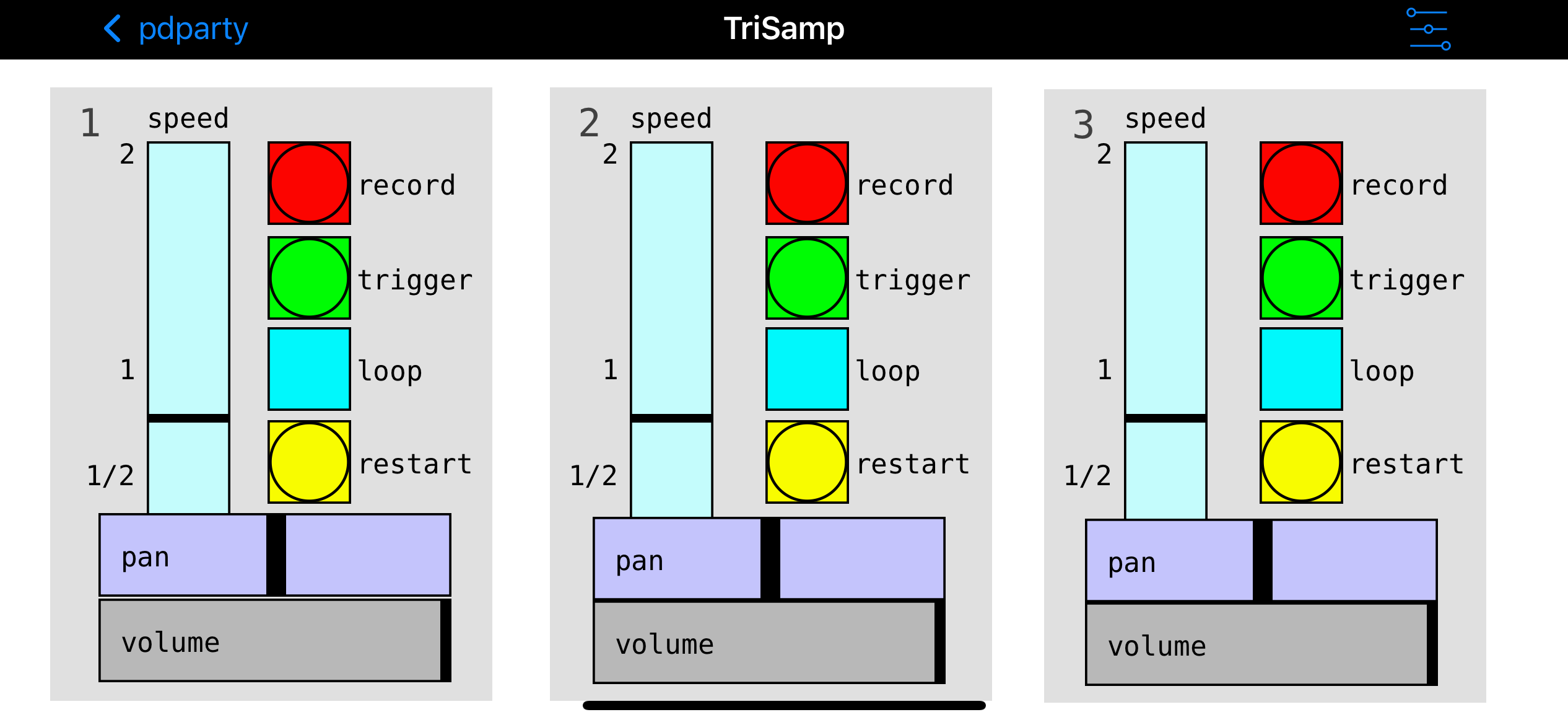
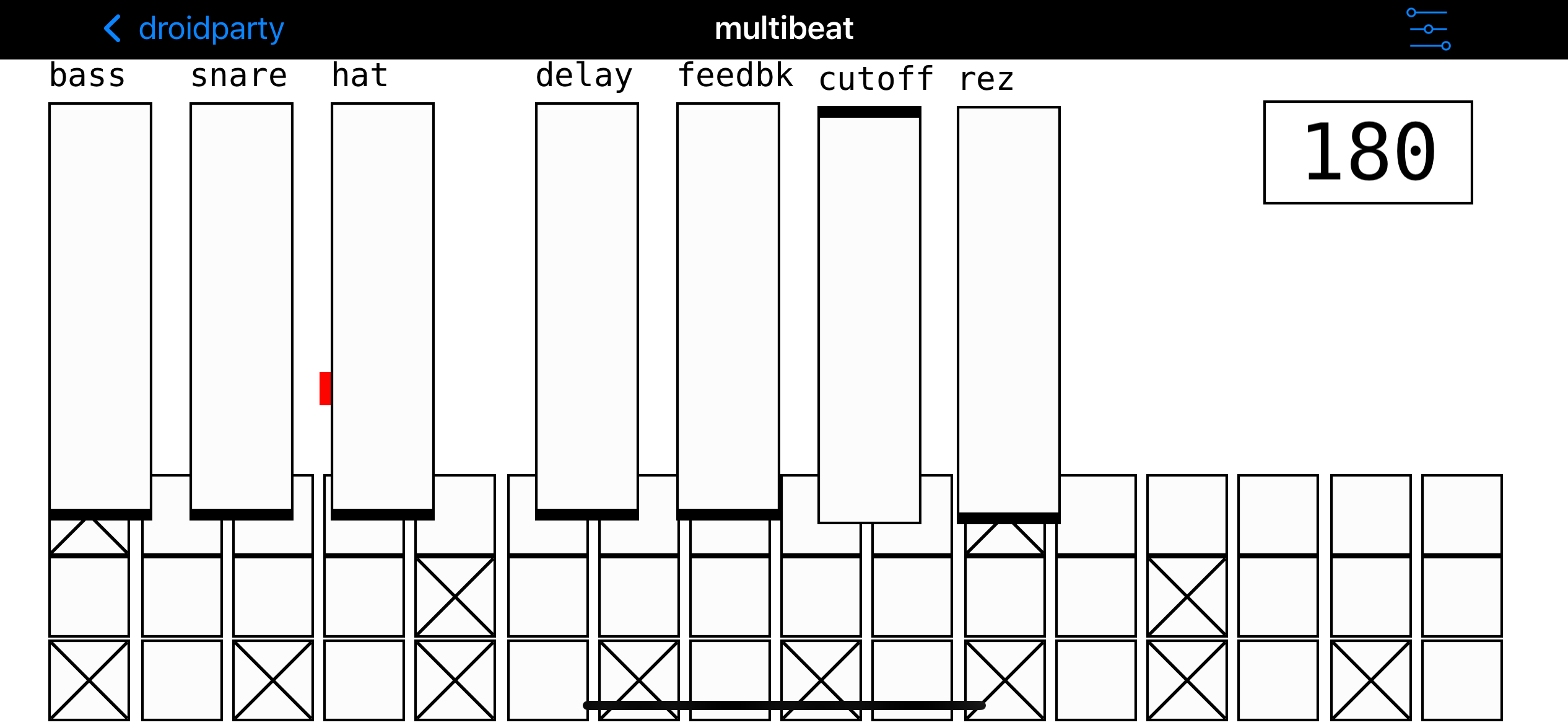
Scale Aspect (new default)
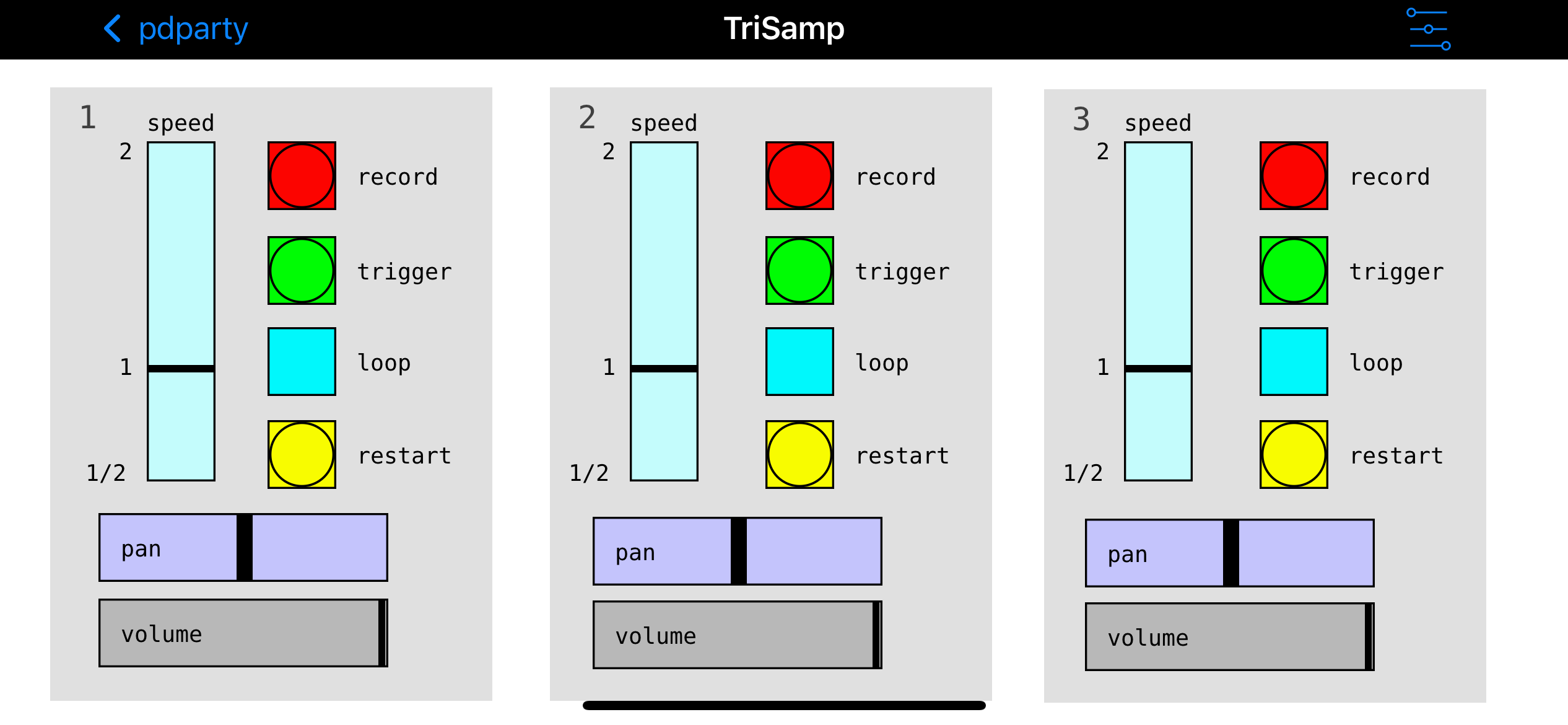
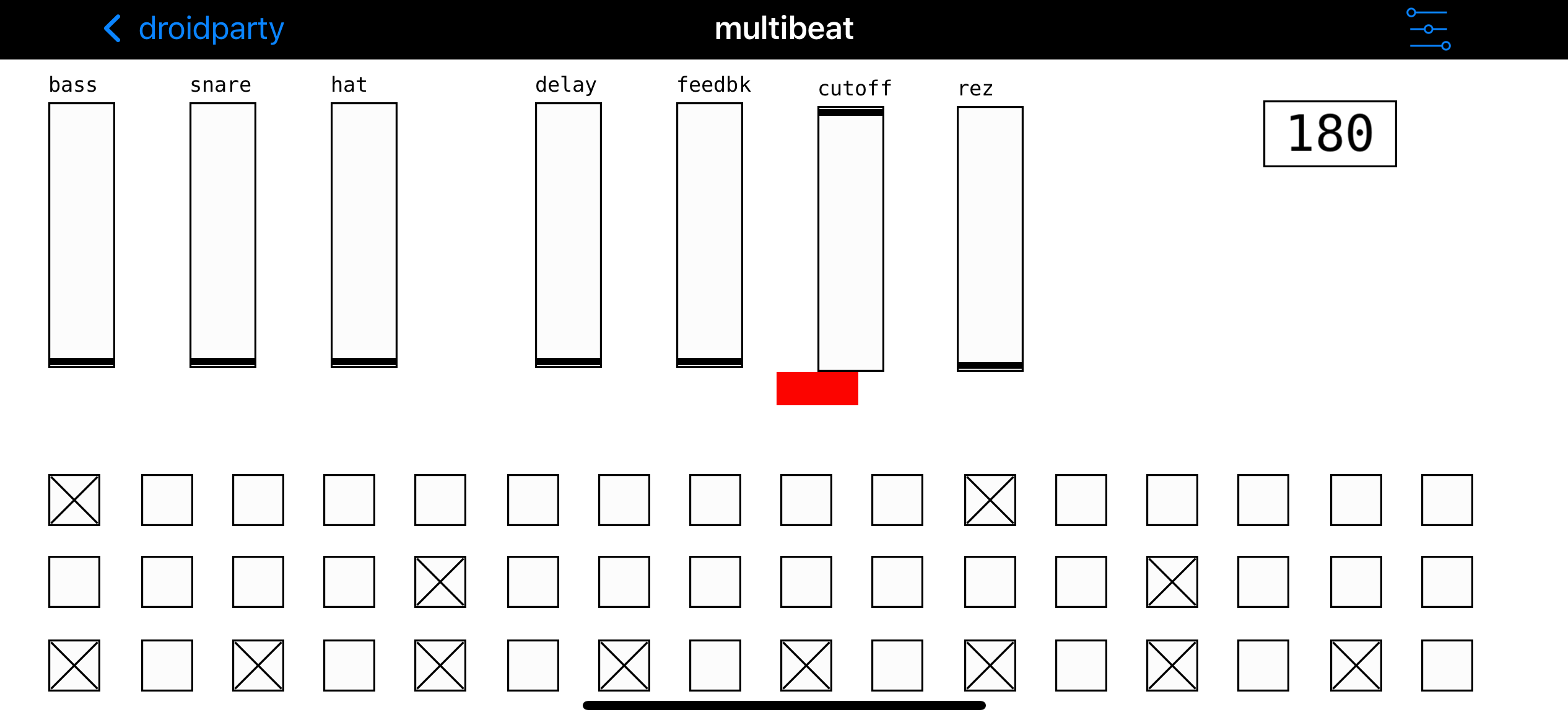
Scale Fill (stretch)
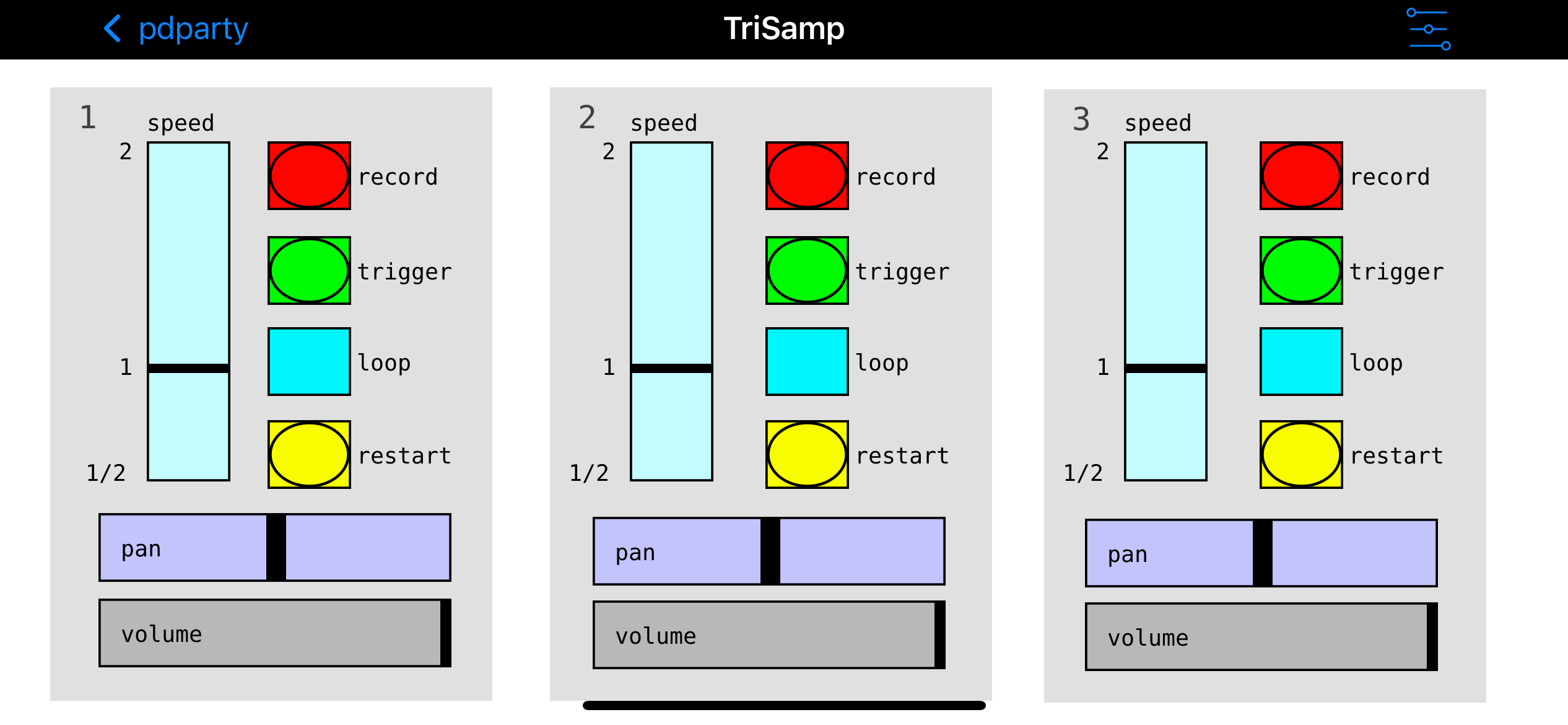
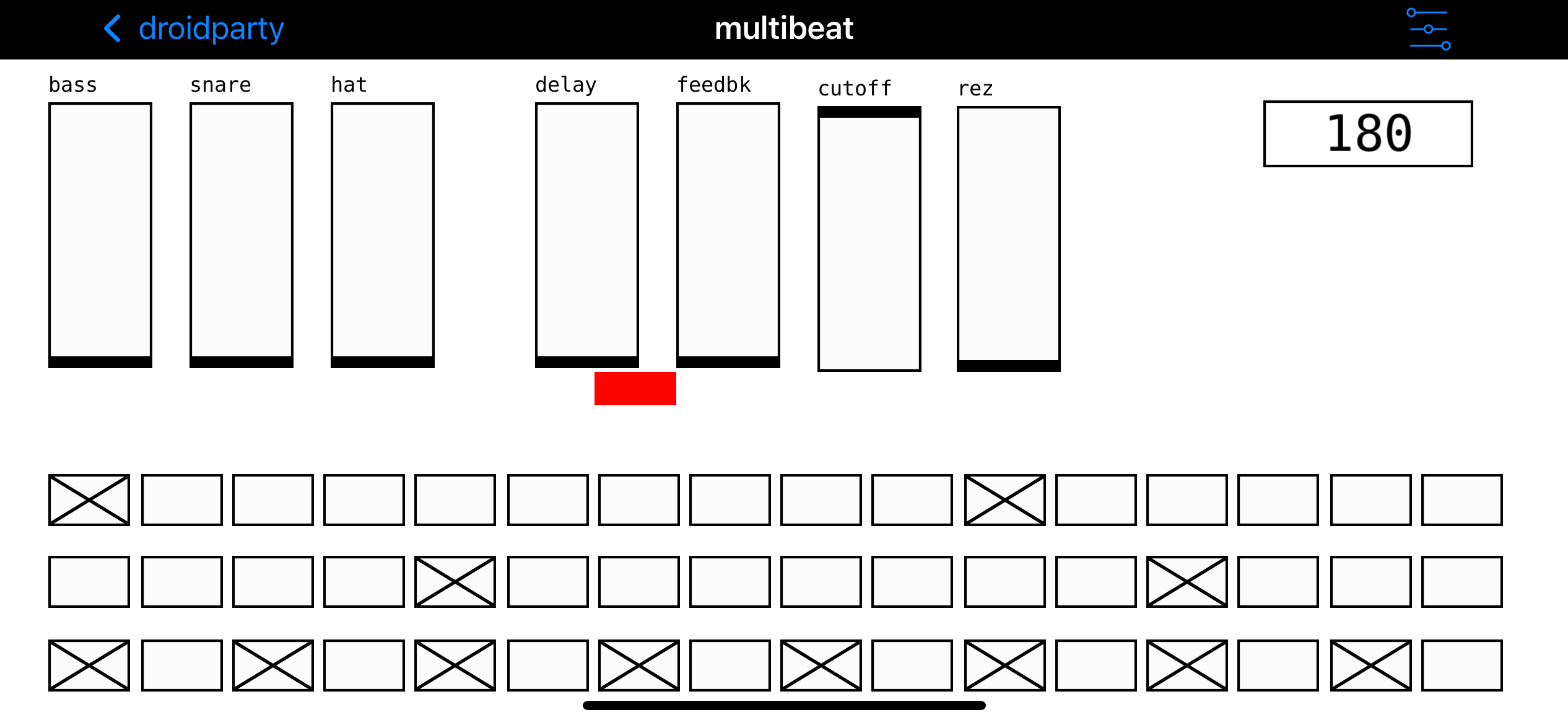
This feature is now in the PdParty 1.3.0 beta6 build.
For those not using TestFlight, please join the PdParty 1.3.0 beta builds. Install the free TestFlight app on your iDevice, then open this TestFlight link:
https://testflight.apple.com/join/17ZZ5AC7