

 danielperna84
Support for HmIP-SMO-A-2
Good morning Daniel,
Does the pyhomematic interface support the motion detector: HmIP-SMO-A-2?
Unfortunately, no entity is created in hassio for this component in my installation.
In the documentation (changelog.txt) I see HmIP-SMO-2 and HmIP-SMO-A. However, I don't know if this is the same product.
Best regards Markus

Same situation on my site. I have just got a HmIP-SMO-A-2 device which is not creating any entity in home-assistant. I have used get_device_data.py to create the required files for the device. You can find them here: https://gist.github.com/foxcris/6f519f432b8d4ace89bb0edb0a437ed2
If someone can give me a hint where and how to start i can propably help to add the support.

@foxcris
As mentioned here, pyhomematic is being deprecated, and therefore not being worked on anymore. Please switch to the new (custom) integration. There everything should work as expected.

HI Daniel,

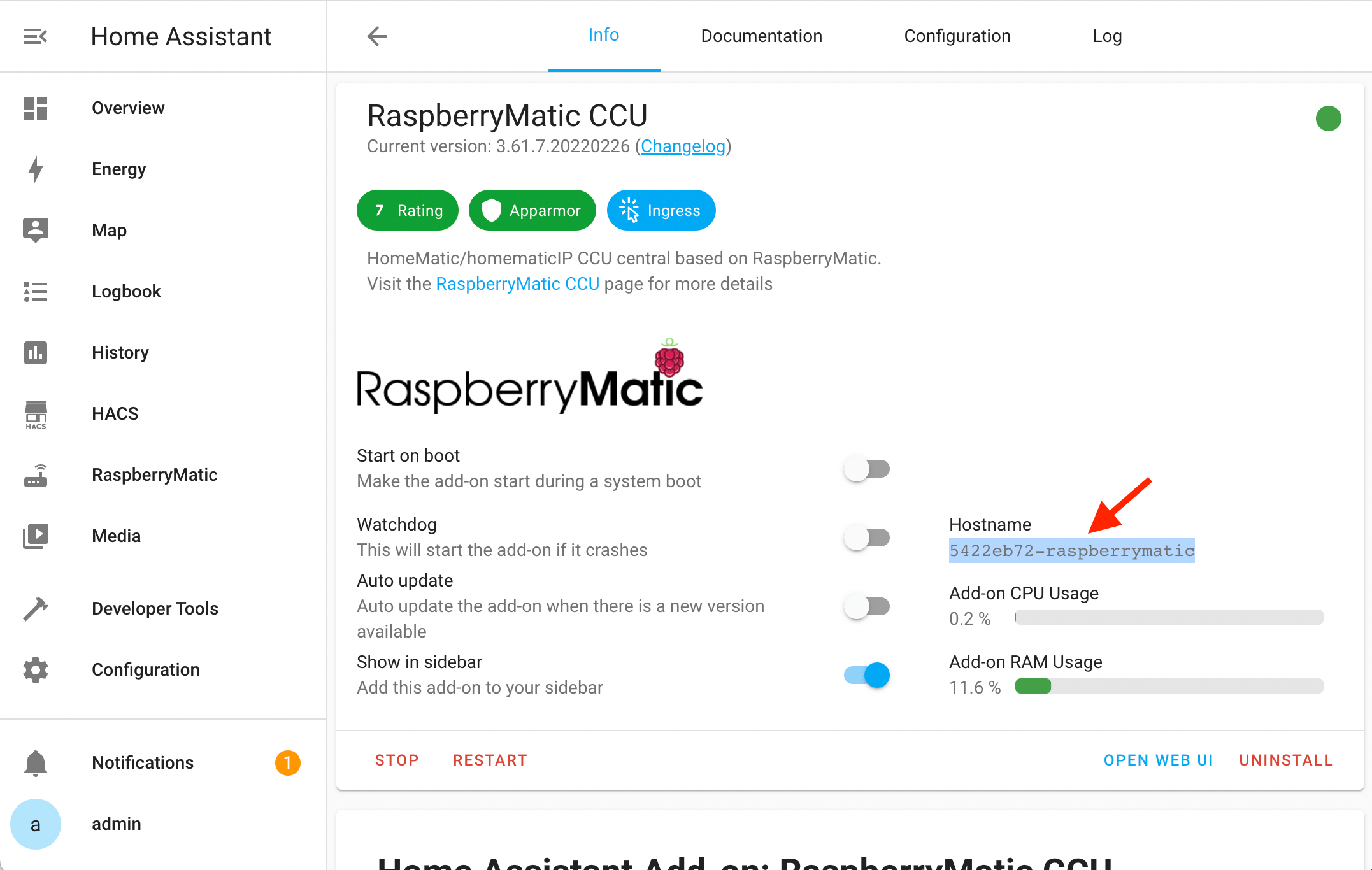
Where can I find this internal HA hostname if I can't remember what I set up on my RaspberryMatic?
Unfortunately it does not work with the IP address. I get unfortunately no connection via this AddOn to my Homatic Raspberry.
Regards Markus
 BR Markus
Hallo Daniel,
ich schreibe jetzt auf Deutsch - Sorry, aber geht einfacher.
Ich verwende einen Rasperry mit der Charly Integration für RaspberryMatic. Auf einem zweiten Raspberry habe ich Hassio installiert. Wenn ich deine Antwort richtig verstanden habe wird dieses Python Interface nicht mehr verwendet / weiterentwickelt und man soll über hacs diese Homematic(IP) local Integration installieren. Ich schaffe allerdings nicht diese Integration mit meinem RaspberryMatic auf dem anderen Raspberry zu verbinden. Mit der IP Adresse funktioniert es nicht, und diesen Hostnamen habe ich nicht, da ich auch oben angeführtes AddOn nicht habe, aus welchem ich scheinbar den Hostnamen herauslesen kann.
Irgendwie komme ich gerade nicht weiter. Was mache ich falsch?
BG Markus
Die Anleitung mit den Screenshots bezieht sich auf die Konfiguration mit dem Add-On. Ohne Add-On musst du die IP Addresse von deinem RaspberryMatic eintragen. Wichtig ist hierbei, dass du die Firewall im RaspberryMatic gemäß der Vorgaben öffnest. Home Assistant muss also an die ganzen API Endpunkte dran kommen.
Danke Daniel,
Sorry, jetzt muss ich trotzdem nochmals Fragen - die Vorgaben für die RaspberryMatic Firewall finde ich wo?
LG Markus
@danielperna84: Thx for the quick reply. I am currently using https://www.home-assistant.io/integrations/homematic/ Isn't that integration using pyhomematic? Is it not supported anymore?
I take a look at your custom component. Can i also run it using an home-assistant and raspberrymatic docker container?