
DBPrivacyHelper
 DBPrivacyHelper copied to clipboard
 danielebogo
Quick tool to explain the right place to enable your privacy settings
DBPrivacyHelper
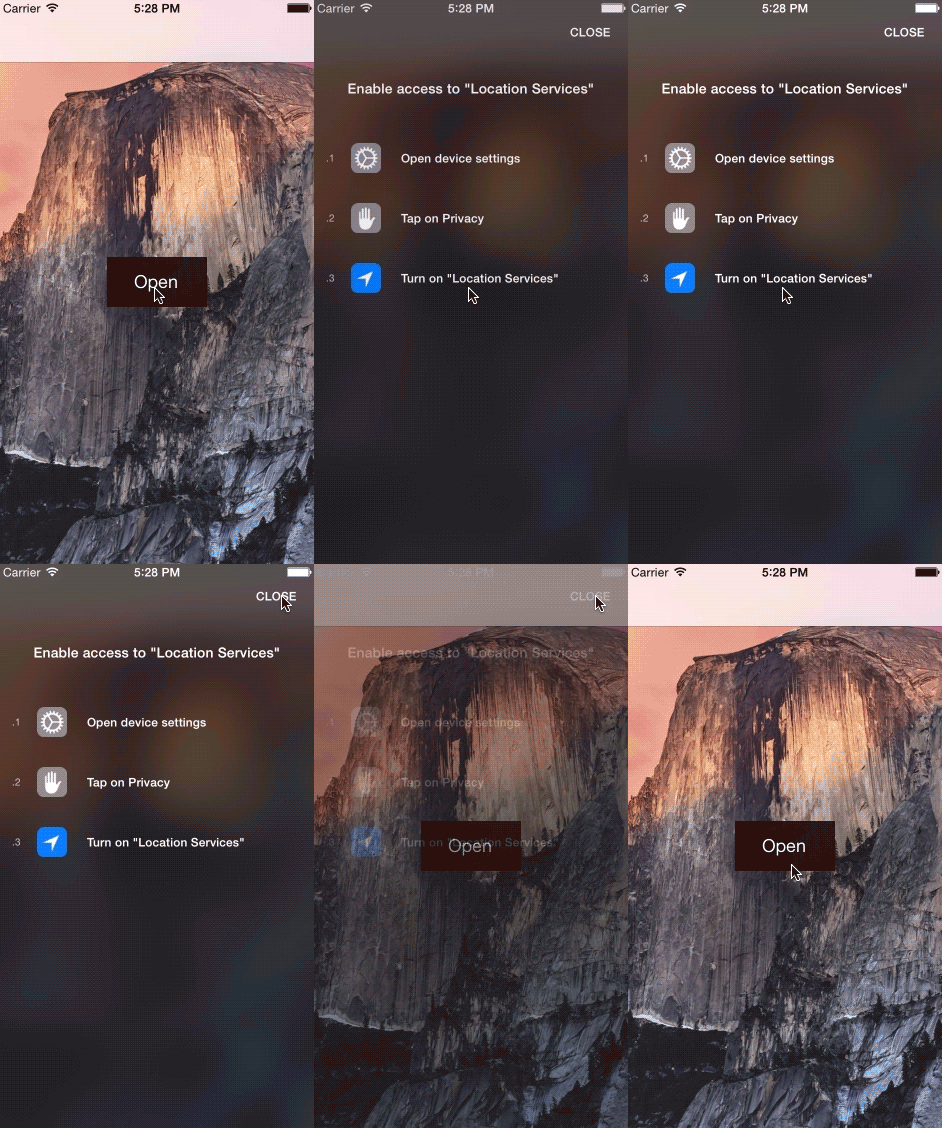
Quick category to explain the right place to enable your privacy settings
Integration
DBPrivacyHelper is a simple UIViewController category and it has a simple integration:
- Import UIViewController+DBPrivacyHelper.h
- Open the modal using a simple method:
- (void) openHelper {
    [self showPrivacyHelperForType:DBPrivacyTypeLocation];
}
- Use the other method to customize the controller or the action blocks:
- (void) openHelperToCustomize {
    [self showPrivacyHelperForType:DBPrivacyTypeLocation controller:^(DBPrivateHelperController *vc) {
        //customize the view controller to present
    } didPresent:^{
        //customize the completion block of presentViewController:animated:completion:
    } didDismiss:^{
        //customize the completion block of dismissViewControllerAnimated:completion:
    } useDefaultSettingPane:YES];
}
If useDefaultSettingPane: is set to YES, DBPrivacyHelper opens the default setting pane in iOS 8. Set NO if you want to see the DBPrivateHelperController with all iOS.
Privacy settings types:
- DBPrivacyTypePhoto
- DBPrivacyTypeCamera
- DBPrivacyTypeLocation
- DBPrivacyTypeHealth
- DBPrivacyTypeHomeKit
- DBPrivacyTypeMotionActivity
- DBPrivacyTypeContacts
- DBPrivacyTypeNotifications
- DBPrivacyTypeReminders
- DBPrivacyTypeCalendars
- DBPrivacyTypeMicrophone
- DBPrivacyTypeTwitter
- DBPrivacyTypeFacebook
iOS Target
7.0
Version
0.6.2
Created by:
Metadata
436
Stars
62
Forks
Watchers
Owner
 danielebogo
Metadata
Quick tool to explain the right place to enable your privacy settings