

 daniel-schuermann
Crysis 3 - blocky artifacts at certain locations
Describe the bug While the game renders fine for the most part, there can be blocky corruption at certain positions. E.g. load the map canyon by entering "map canyon" into the console (tilde button), skip the cinematics and reach the ground of the canyon. When leaving the cave/tunnel, the corruption occurs.
Screenshots
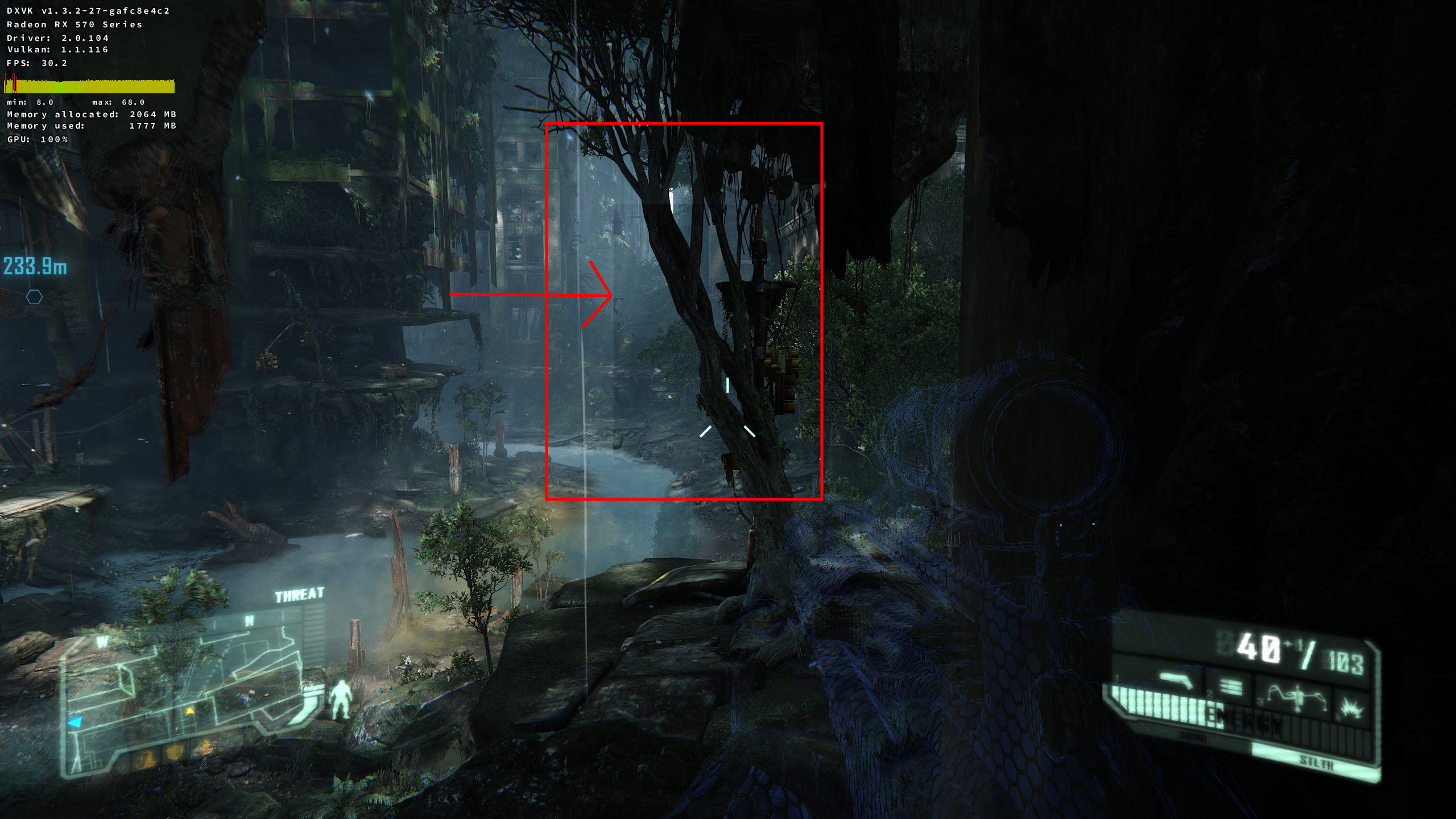
RenderDoc capture: The game is 32 bit only and I didn't manage to create a capture with RenderDoc on Windows either (game crashes when injecting).
System information: Polaris RX 570 mesa-aco 19.3.0_devel.115803.db73bde35cc
Additional context As you might have noticed, the screenshot of the corruption was captured when the amdvlk-open driver was in use. It shares the corruption with radv-aco and radv-llvm. The issue does not occur with amdvlk-pro. I hope we find a way to trace the root of it. Would an apitrace be helpful?

@aufkrawall As this problem exists on multiple drivers, it won't get much priority from our side in near-future. What you could do about to get it solved in a timely manner is to report it on AMDVLK (it works on Pro, so AMD probably knows better how to solve it), and then report back how they fixed it ;)


If you have the Origin version it should include a 64-bit version.
Unlike Crysis 1, there is no 64 bit build of Crysis 3.
I see. I have asked on several forums and if I hear differently then I'll tell you.
I guess I'll take try at getting 32-bit renderdoc compiled. But, I think that I'll just simply run out of video memory in the effort. DXVK uses a lot of vmemory, which quickly evaporates when running 32-bit titles, anyway.
I'll get back to this in about 4 days, maybe longer if my power goes out during the hurricane. I'm currently downloading other titles, which come first.
Thanks. Despite of being just 32 bit, Crysis 3 seems very (absolutely?) stable though.
Hi,
This repo is no longer being maintained since ACO was merged in upstream Mesa since late 2019. If you have issues with it, please open an issue in upstream Mesa here: https://gitlab.freedesktop.org/mesa/mesa/-/issues - select the Radeon Vulkan bug report template and fill out the details.
