

 dandavison
🚀 Add support for `hunk-label-style`
Currently, the color of hunk-label respects hunk-header-file-style, which defaults to blue. This produces a consistent coloring when the filename is included in the hunk headers, via the special "file" keyword:
[delta]
	# ...
	hunk-header-style = "file line-number syntax"
	hunk-label = "Foobar"
	hunk-header-line-number-style = "red"

But if I don't include "file" in hunk-header-style, I would like the label to match the color of the remainder of the hunk header (e.g. the line number). I assumed there would be a hunk-label-style config to do so, but that doesn't seem to be the case:
[delta]
	# ...
	hunk-header-style = "line-number syntax"
	hunk-label = "Foobar"
	hunk-header-line-number-style = "red"
	hunk-label-style = "red"
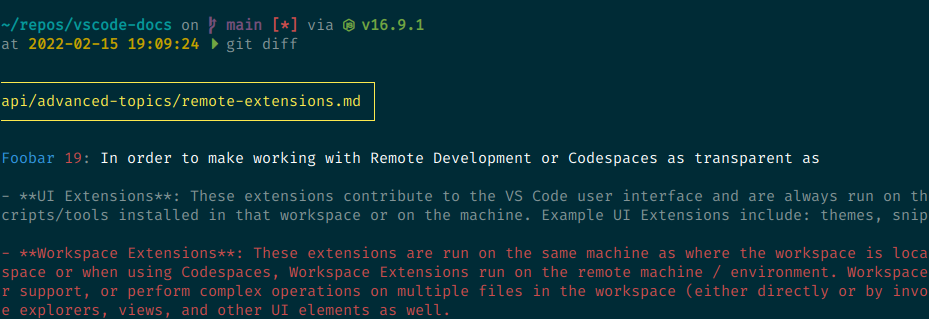
I can work around this by setting hunk-header-file-style:
[delta]
	# ...
	hunk-header-style = "line-number syntax"
	hunk-label = "Foobar"
	hunk-header-line-number-style = "red"
	hunk-header-file-style = "red"
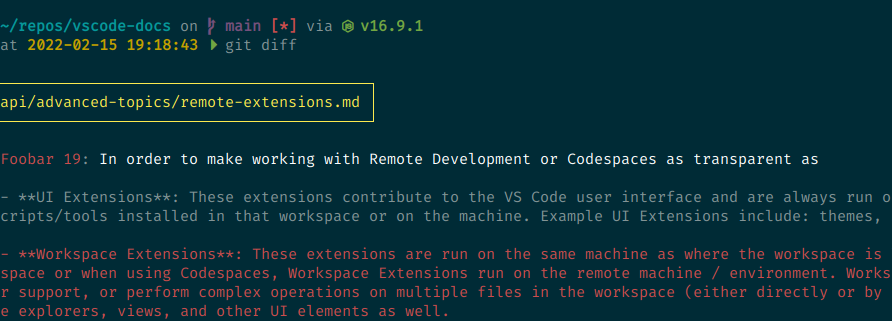
...but that's awkward because I'm not using "file" in the hunk header at all.
Ideally, there should be a dedicated hunk-label-style for styling the hunk prefix.
(By the way, why isn't this config called hunk-header-label? That would be more consistent with the other configurations.)
