

 damus-io
Screen-size / -resolution issue - iPhone SE (A1723) - Unable to join/register
Hi,
I've got an old iPhone SE here (A1723), EULA agreement shows everything and I can see what I'd agree to and validate.
After validating I only can see a part of the content on the screen and also unable to scroll. (Could probably validate again but I can't see the full key "Account-ID npub..." at the bottom, above "parts of" the "Create-button" -> makes no sense to continue..)
Screen info:
Retina
4-inch (diagonal) widescreen LCD Multi-Touch display
1136‑by‑640‑pixel resolution at 326 ppi
G.

I have the 2020 SE, and I literally can't press the "create an account" button because of this issue.

@gitro1983 @jarbus
If I understand correctly, the keyboard is blocking the create button? You can hide the keyboard by tapping outside of the fields or tapping the return button. See video below. We will work on making this page scrollable to not confuse new users.
https://user-images.githubusercontent.com/19398259/217937342-f15a51ce-3236-4f9b-ab62-0cd9aa678e4d.mov

Hi Oleg,
no, this has nothing to do with the iphone onscreen-keyboard, this is a general layout / screensize-resolution/-size issue, (img1= screen after start app (look at that image/gif/jpg for ex.), img2= create account-screen) (I didn't send the EULA agreement-screen now (because it works fine)) look:
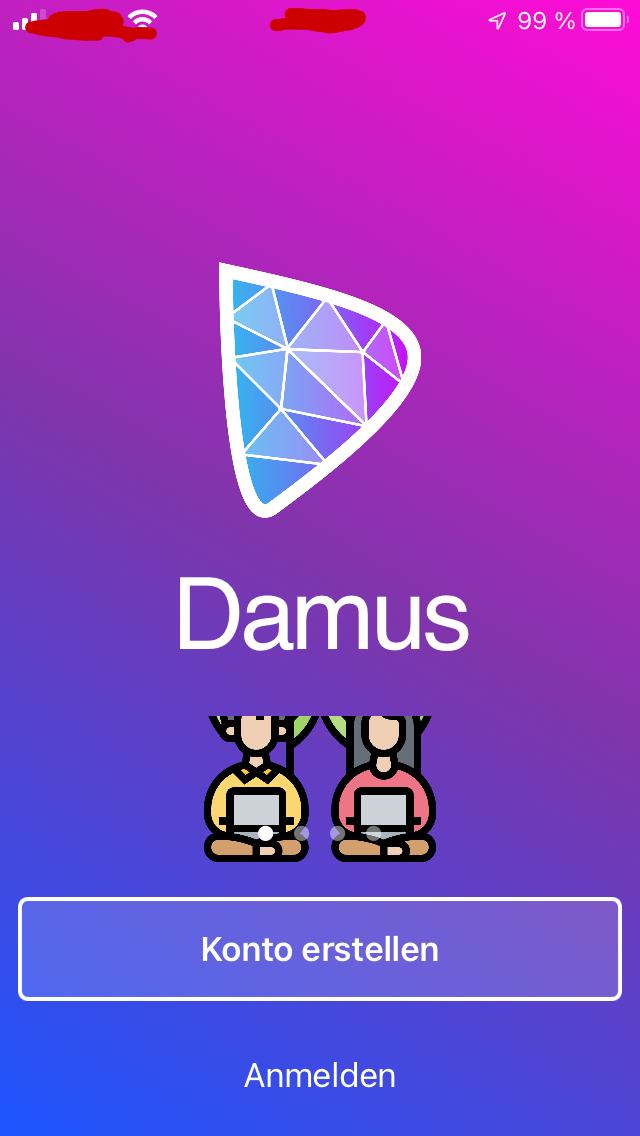
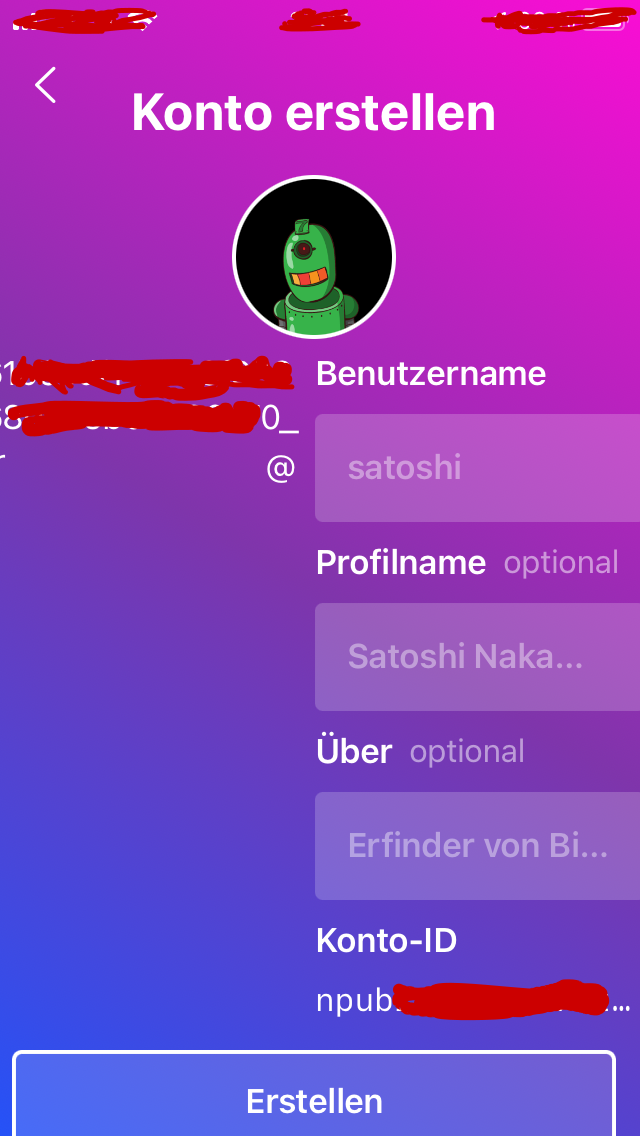 (input fields not fully displayed, npub not fully displayed+not scrollable e.t.c..)
G.
The create button isn't even on the screen for me

Most times when I press the top of the button, I refresh the account Id, but occasionally I can click the button
It's probably better to look after jarbus screen-issue first probably. I've noticed right now, I've missed an IOS update.. updating IOS right now.
EDIT: Nope! still the exact same issue for me..
@gitro1983
This is a bug with translation. Will fix it soon. What language are you using?
@jarbus
Hi this is a bug with larger accessibility text sizes. Will fix it soon.
If you want to use the app in the meantime and get past the account creation page, you'll need to turn off larger accessibility text. See video below.
https://user-images.githubusercontent.com/19398259/217966113-72f93020-39d3-4113-8fdc-9872d8631cb2.mov
Switched to ENG lang, Still same issues npub + inputs not fully displayable but I'll wait for that translation fix then.. will try to joini w. Linux. Thank you.
EDIT: was using German language.
@gitro1983 will look into it. Can you possibly send a screenshot of the same page on your phone with English language?
@OlegAba Sorry I can't do this immediately, the battery pack of my phone has reached EOL. I'll replace it ASAP in the next few days but I'll send the screenshots right after the repair. Thanks.
@OlegAba
- After replacing the batterypack and I also updated to IOS 15.7.3 and it looks a bit better now but still can't see the whole input fields & Create-button is partially visible.
- I'll have to disassemble the phone again for a different reason but if you need more info please let me know. Screenshots:
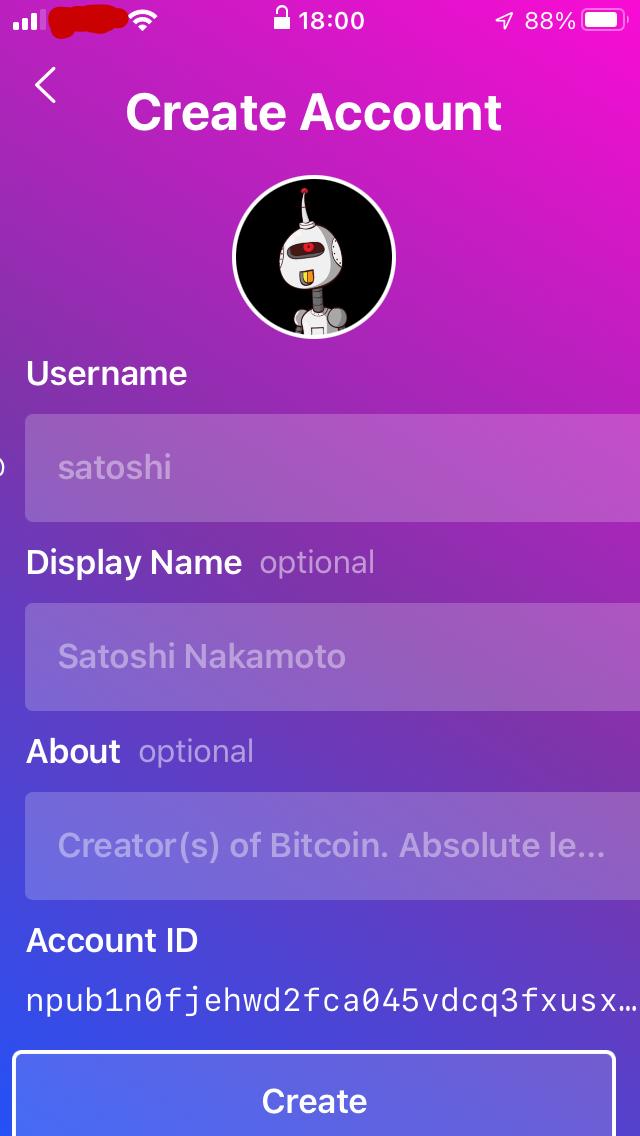
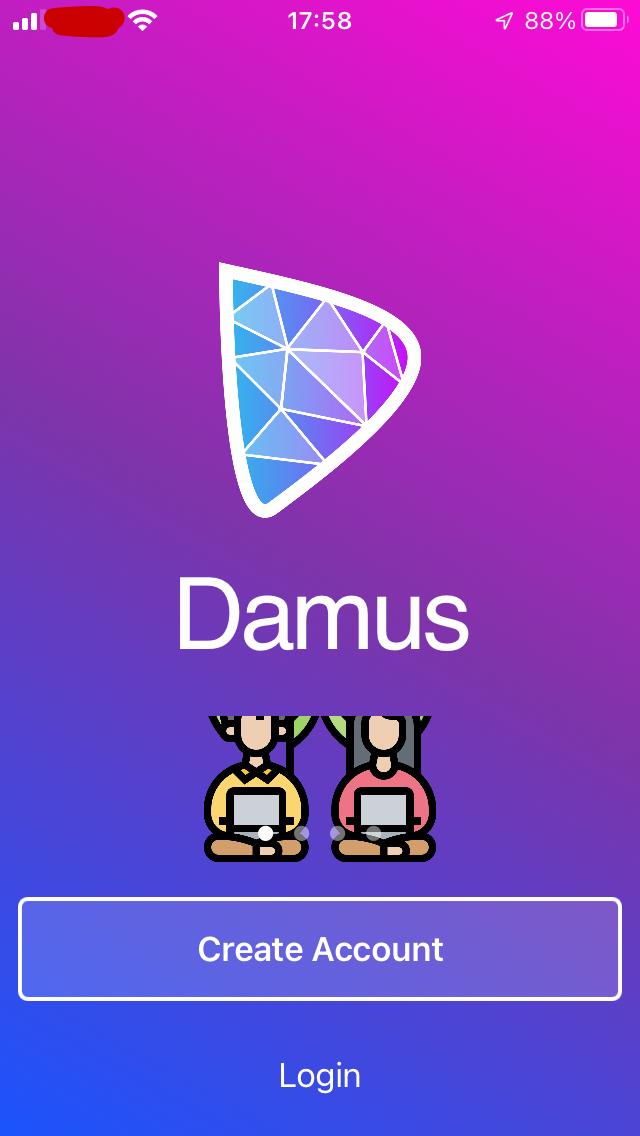
Thank you.
