

 damies13
Not see stats for KWs after Set Log Level Trace
If I called Set Log Level Trace inside RF test, then I can't see stats in table. I din't find note in documentation about limit log lvl RF.
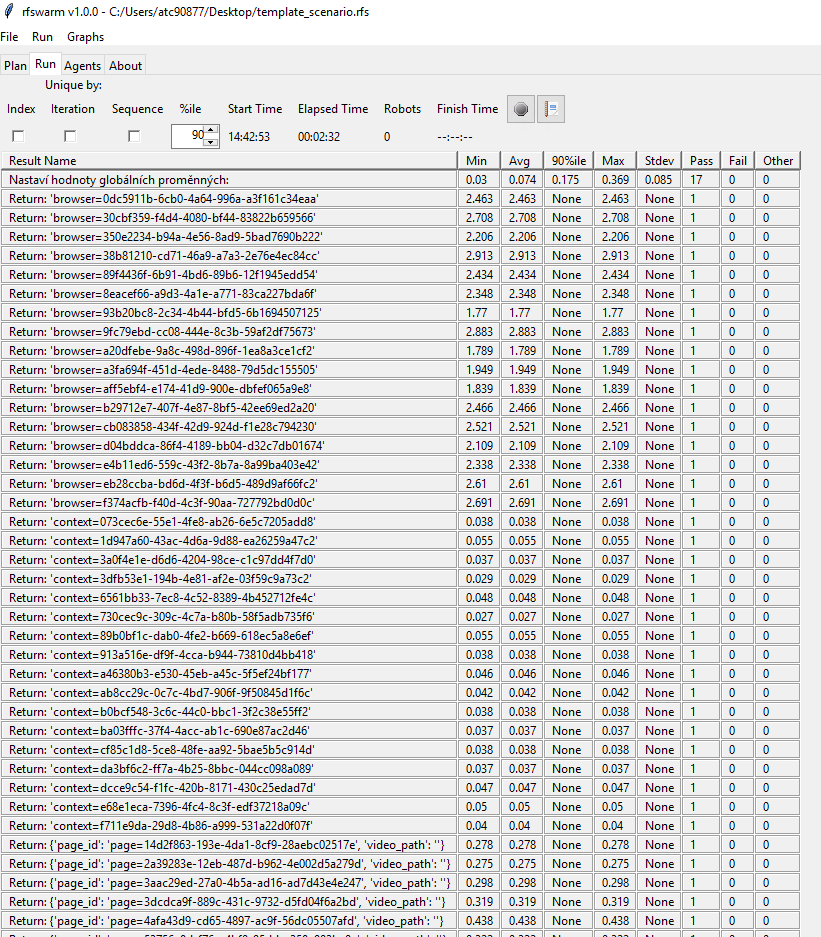

Hi @Reddriver ,
I'm not clear what your issue is, can you please explain a bit more? I will do my best to help but i need to understand the issue.
You mentioned setting Log Level Trace, just to confirm you mean this: Log levels? How are you setting this?
- using the keyword Set Log Level
- or using the command line option --loglevel passed in from the scenario using the robot options field?
then I can't see stats in table
Next are you seeing something in the table you weren't expecting to see, or you're not seeing a result you were expecting to see?
If the latter (you're not seeing a result you were expecting to see) then it could be just because the scroll bar appears to be missing? from your screen shot it looks like that is what has happened, I know in an earlier version I was having an issue with that sometimes but I thought that was fixed. can you try resizing the window and see if the scroll bar comes back to the right of the other column?
Dave.

Hi @damies13,
sorry for my delay with answer, I didn't received notification. I made example for you:
*** Settings ***
Library  Browser

*** Test Cases ***
Test RFSwarm
    Set Log Level  Trace
    New Browser  browser=chromium  headless=True
    New Context  viewport={'width': 1920, 'height': 960}
    New Page  https://robotframework.org/
    Click  text="Getting started"
Without Set Log Level Trace I am getting result like this:

With Set Log Level Trace I am getting different log:
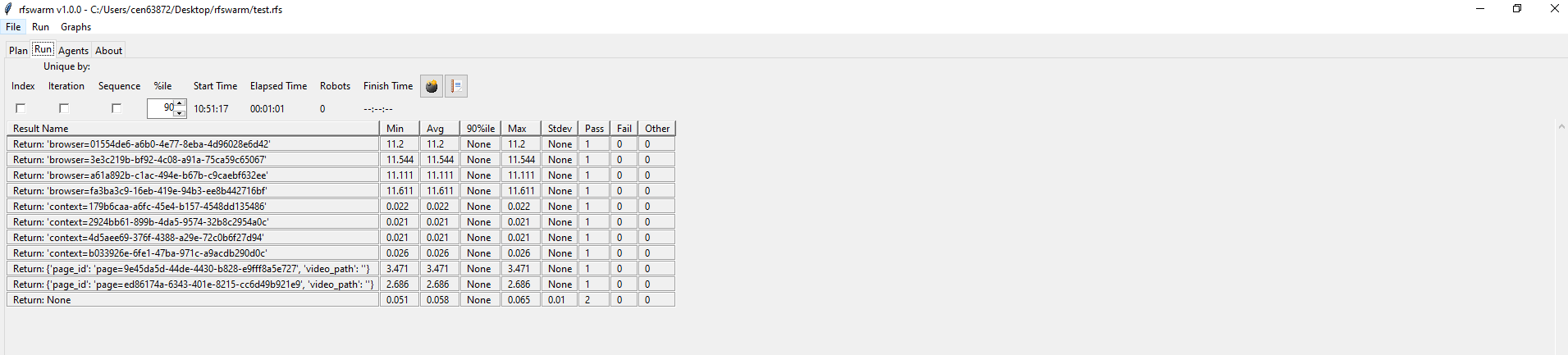 I don't see for example "Simulates mouse click..."
Well the good news is, i've reproduced it using this very simple test that only used BuiltIn keywords this eliminates any other libraries causing the issue.
verysimple.robot
*** Test Cases ***
My Test
	# Set Log Level  Trace
	Step 1
	Step 2

*** Keywords ***
Step 1
	[Documentation] 	Step 1 checks Hello, world!
	${hi}=	Set Variable	Hello, world!
	Should Be Equal	${hi}	Hello, world!
	Sleep    10

Step 2
	[Documentation] 	Step 2 checks basic addition 2 + 3 = 5
	${result}=	Evaluate	2 + 3
	Should Be Equal As Integers 	${result}	5
	Sleep    10
With this example, without log level TRACE, I get two transactions:
- Step 1 checks Hello, world!
- Step 2 checks basic addition 2 + 3 = 5
With this example, with log level TRACE, I get one different transaction:

Some how by setting the log level to TRACE it changes the text sent to the listener (this is where rfswarm gets the transaction name from)
I need to do more investigation, but now I know what I'm looking for.
Dave.
Ok a bit of explanation of what's happening:
By default Builtin is one of the excluded libraries, but for this example I removed the exclusion so you can see this example.
Look at this example keyword and the keywords within:
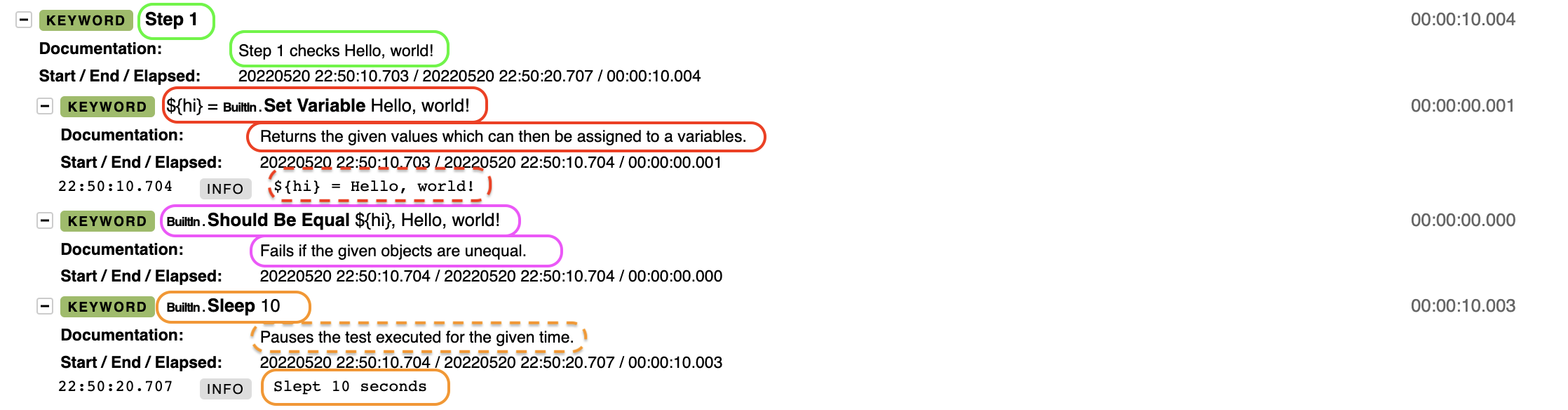
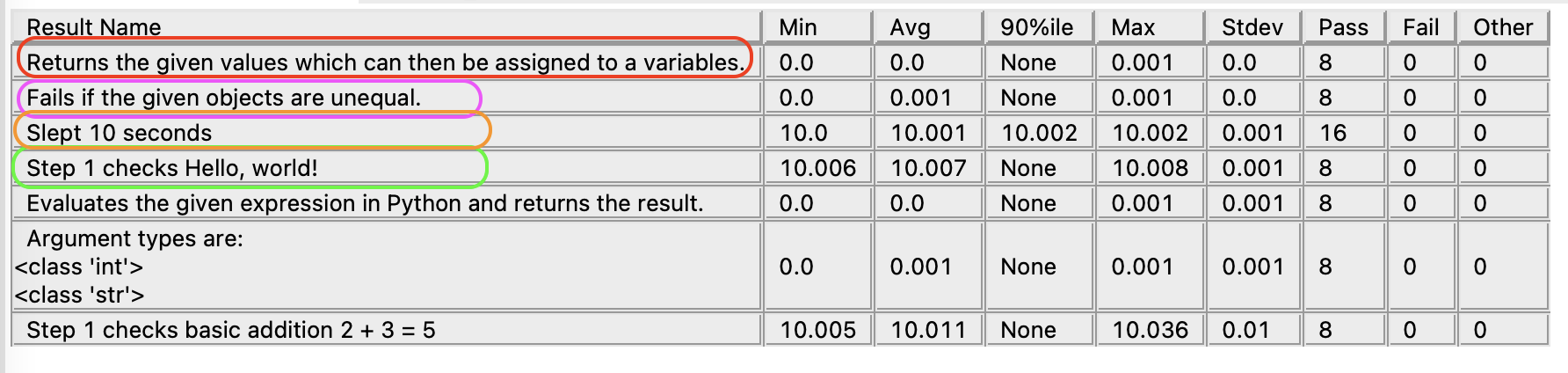
- The Keyword "Step 1" returns the content of Documentation, as does "Should Be Equal"
- The Keyword "Sleep" however returns the contents of the
INFOmessage which in this case is more useful than Documentation - For the Keyword "Set Variable" the contents of the
INFOmessage is a return value, so again the agent returns the content of Documentation
Now look at what happens when Trace is enabled, for this Builtin was excluded so only "Step 1" is returning but you can see what would get returned for the others:
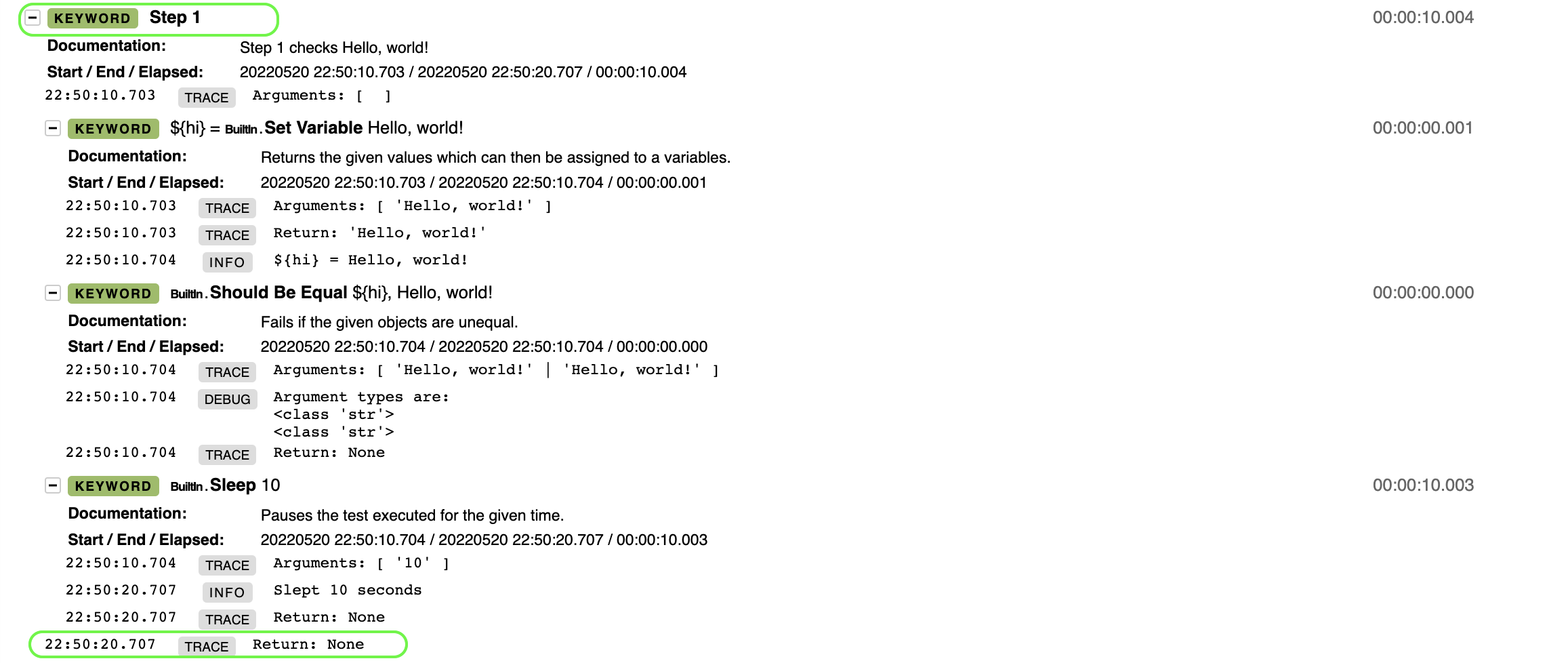

- The Keyword "Step 1" returns the contents of the
TRACEmessage
This is controlled by the listener file RFSListener2.py which the agent creates when it starts up, so somehow we would need to tell it to ignore the TRACE messages, but still know when to send the INFO messages.
But really I would recommend that you don't use trace in your performance tests, as it's likely to slow things down and alter your test results, keep the usage of trace for when you are debugging scripts.
I wouldn't really consider this a bug, it's working the way it should, but we could make this an enhancement if you'd like?
If this is urgent for you with trace on, you can play with modifying RFSListener2.py, just bear in mind that the agent may overwrite it when you restart the agent, so keep a copy of your modified version in another directory.
Dave.
We can close this issue. Can you just add note about this behaviour to readme?
Merged into Release v1.0.2 branch.
- Changed agent listener to not pickup trace messages
- updated documentation to warn against using Trace level in performance tests