
ContractSwift
 ContractSwift copied to clipboard
 daisuke310vvv
Fully typed, autocompleted Ethereum Smart Contract in Swift
ContractSwift
Fully typed, autocompleted Ethereum Smart Contract in Swift
Features
- Generates
Contract.generated.swiftfile from ABI - All of your smart contract functions are fully typed and autocompleted
- Get
dataparameter string of transaction - Multiple contracts are available
Demo
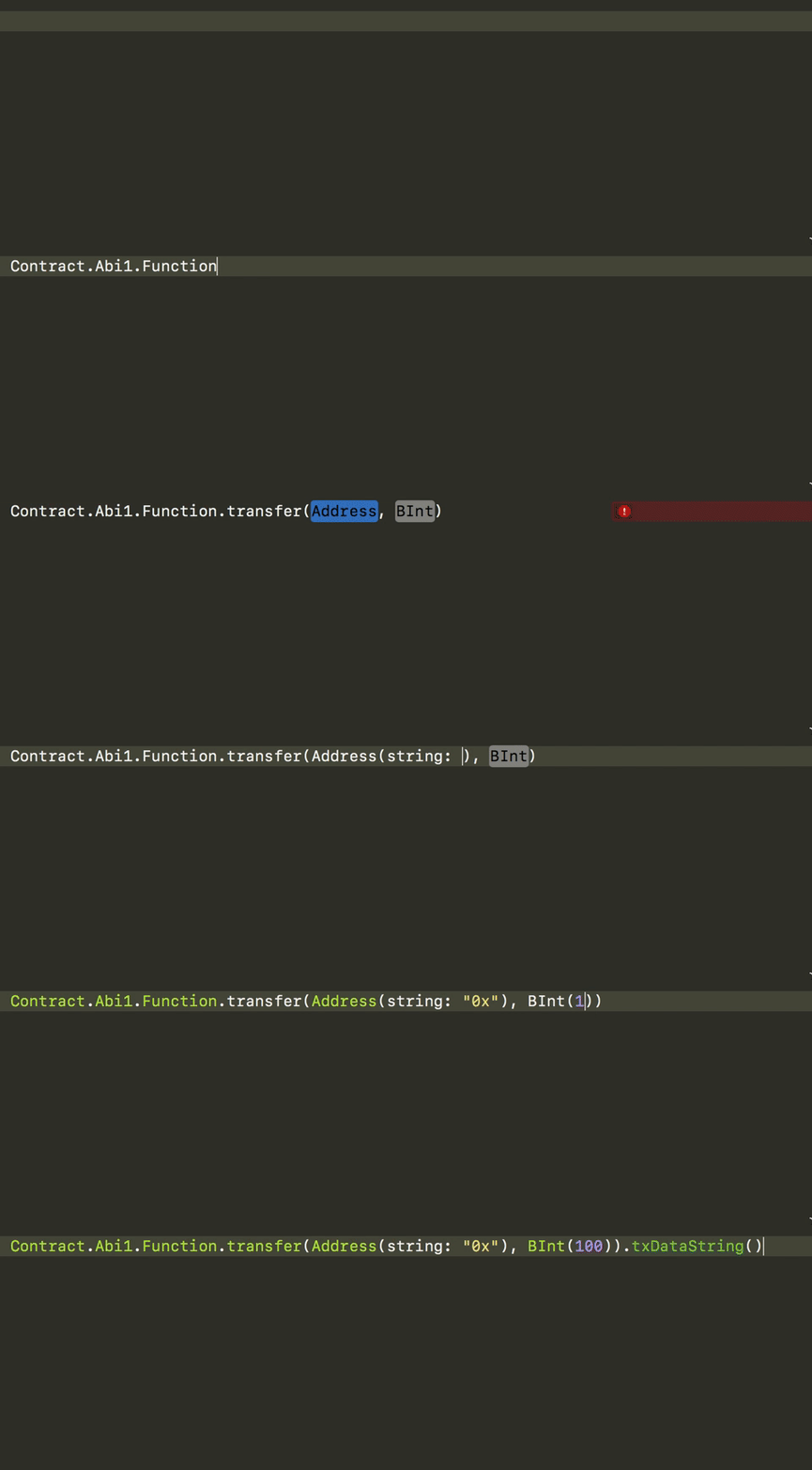
How to get transaction data parameter:
    Contract
        .Abi1
        .Function
        .transfer(Address(string: "0x5c66b0d82df26e8FE165Be6628F5f5e1f1bccD5C"), BInt("100000000000000")!)
        .txDataString()

    // => 0xa9059cbb0000000000000000000000005c66b0d82df26e8FE165Be6628F5f5e1f1bccD5C00000000000000000000000000000000000000000000000000005af3107a4000
Solidity type conversion
Currently supports:
bool=>Boolint8<16,32,64,128,256>=>BIntuint8<16,32,64,128,256>=>BIntaddress=>Addressstring=>Stringbytes=>Databytes1<2,4,8,16,32>=>Data
Installation
Currently supports CocoaPods.
Basically, ContractSwift needs ABI json files in specific directory.
- $SRCROOT
    - abi
        - Contract1.json
        - Contract2.json
        - ...
Name of json file will be its contract name in swift.
struct Contract {
    struct Contract1 {
        ...
    }
}
// => Contract.Contract1.Function.transfer...
- Add
pod 'ContractSwift'to your Podfile and runpod install - Add a New Run Script Phase in Xcode.
- Paste the folowwing script(first argument is an input directory, second is output):
"$PODS_ROOT/ContractSwift/contractswift" generate "$SRCROOT/abi" "$SRCROOT"
- Build your project, then you'll see
Contract.generated.swiftfile in the$SRCROOTdirectory. - Add
Contract.generated.swiftinto your project.
License
ContractSwift is available under the MIT license. See the LICENSE file for more info.
Metadata
26
Stars
3
Forks
Watchers
Owner
 daisuke310vvv
Metadata
Fully typed, autocompleted Ethereum Smart Contract in Swift