
CalcUS
 CalcUS copied to clipboard
 cyllab
Add download options to the project folders
Is your improvement related to a problem? Please describe.
Currently, ensembles can be "flagged" to specify that they are important. Flagged ensemble will end up in the folders of the project (/projects/<project.id>/<project.name>/folders/). The data organized in the folders can then be downloaded all at once:
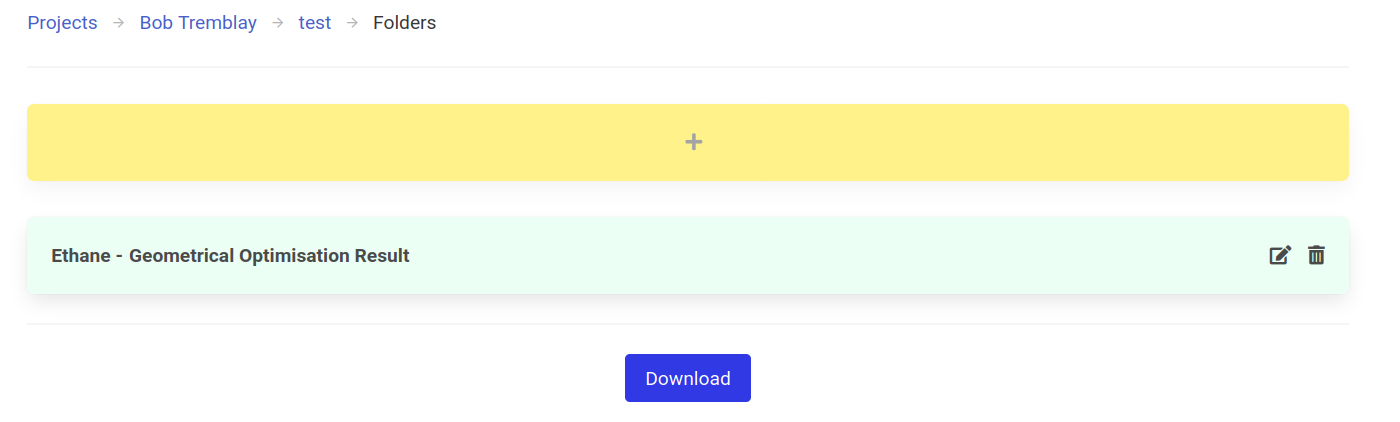
However, there are no download options when downloading this way.
Describe the solution or change you'd like
Download options similar to the "Download Project" page should be added for folders:
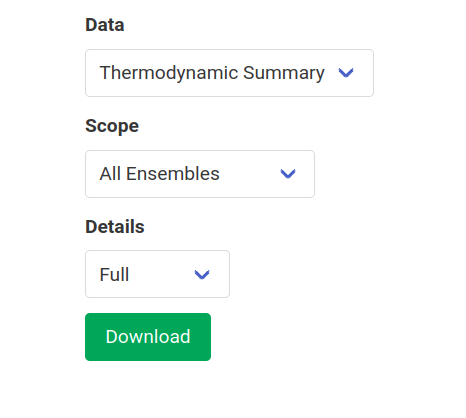
These options should be parsed by the server, similar to the download_project_post function in frontend/views.py, in order to send back the proper data.


Hey @RaphaelRobidas. Sorry for delay. I just want to ask are the options does download folder page will have ? Are they going to be exactly the same as download project ?
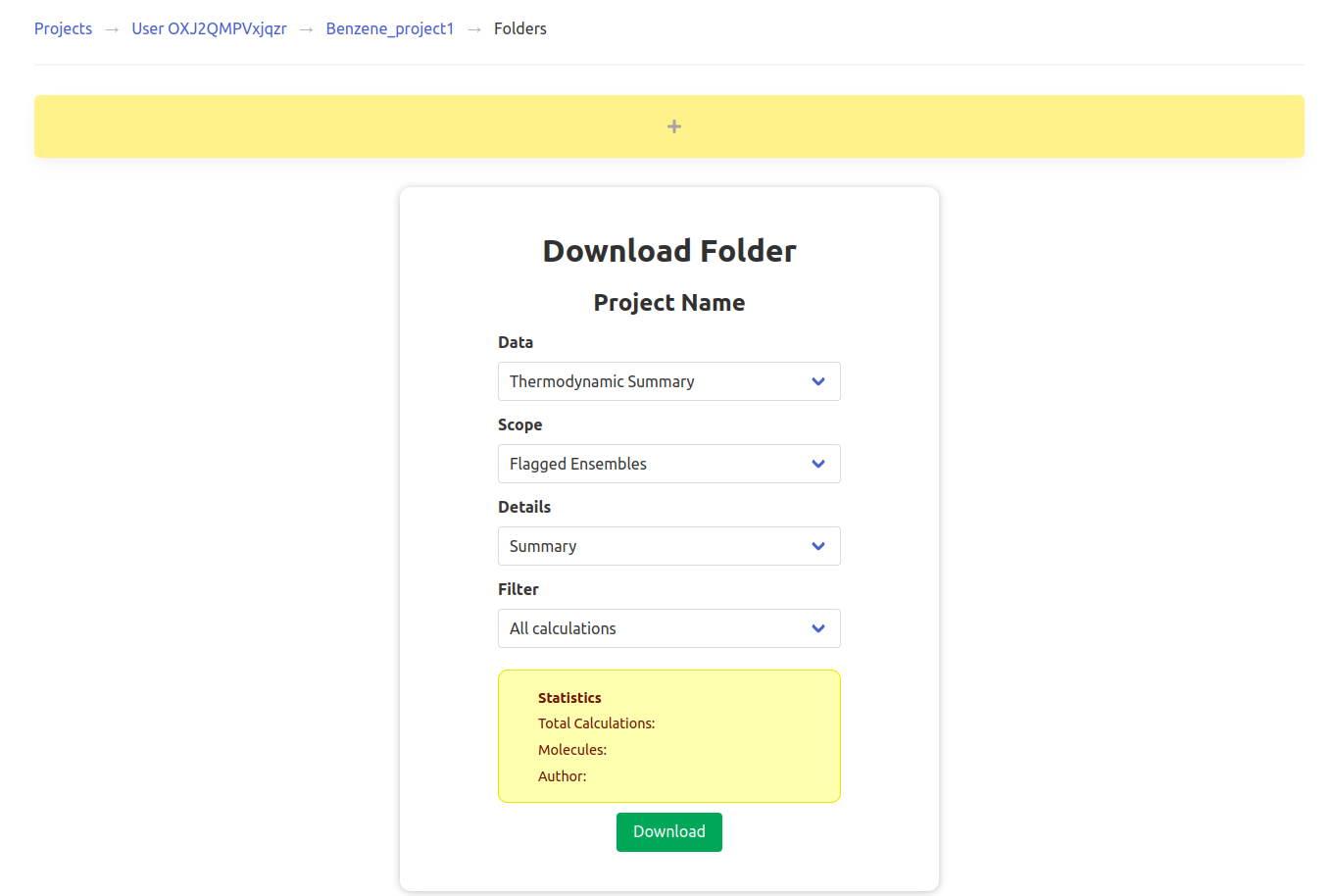
Hey @RaphaelRobidas I have updated the UI for download_folder !
Can you explain me more about how to parse the option, similar to the download_project_post function in frontend/views.py, in order to send back the proper data.

Hello @Omkar0803,
I just realized that there is currently no filtering code for the folder data like there is for project data. What should be done is refactor download_project_logs in order to work for both folders and projects. It could take as first parameter a list of ensembles. In the case of a project, the list would be all the ensembles of all the molecules of the project, while it would be all the ensembles in the folder (and subfolders) in the other case.
Then, there should be a new view download_folder_post which parses the different options like download_project_post and uses the refactored function to get the proper data.
It more challenging than I anticipated and this part of the code is a bit messy, but if you're up for a challenge, it would be very helpful!
Yeah! Want to dig in this challenge hole. It will be difficult, but more interesting.
@Omkar0803 Great! Let me know if you need clarifications and some help along the way.
@RaphaelRobidas Is their any way so that we can check the data base locally? Want to know data base structure and mappings of CalcUS.
@Omkar0803 You can use DBeaver (https://dbeaver.io/download/) to connect to the local database. You will have to open the PostgreSQL port by adding these lines under postgres: in dev-compose.yml:
                ports:
                        - "5432:5432"
The database user and name are calcus. The password is found in your .env. The hostname for the connection will be 0.0.0.0.
@Omkar0803 The folder field of the Ensemble instance points to the folder instance that contains it. You can then get the ensembles in a given folder by using the ensemble_set.all() query (such as my_folder.ensemble_set.all()).
I am interested in this project, but could you explain more about where I found code files or specific folders in this repo? I mean where I should start?

Thanks for the interest @karan-gander !
Firstly, make sure you can run CalcUS without any modification in developer mode (using start_dev.sh on Linux and Mac or start_dev.bat on Windows). See the documentation for all the instructions: https://calcus.readthedocs.io/en/latest/installation.html
Then, look at the main views file, frontend/views.py. The main view related to this issue is download_folder. This is the backend code. The frontend code (the HTML/JS/CSS code) is found in frontend/templates/frontend/project_folders.html.
Also take a look at the contribution guidelines for general information about contributions.