
KiTTY
 KiTTY copied to clipboard
 cyd01
cyd01
Handling "ssh://" URLs from browser and WinSCP broken?
Kitty_portable 0.74.2.3
Launching ssh://address from a browser yields no results. After doing kitty_portable.exe -sshhandler everything seems to be correct in the registry.
Ways to replicate:
- Start cmd.exe and launch kitty_portable.exe ssh://address - Session launches correctly
- Start a browser and type in the same ssh://address - After confirmation dialog nothing happens
- Add kitty_portable.exe as default ssh client in WinSCP
- Register WinSCP as the default app
- Launching ssh://address from a browser yields no results once again

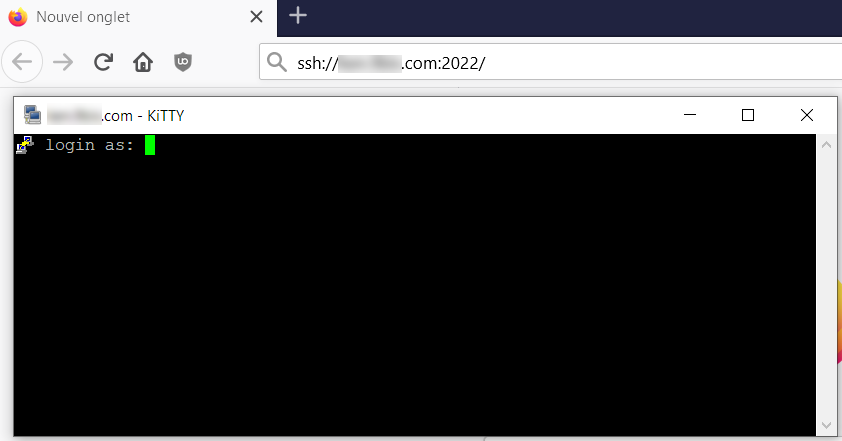

Both vanilla putty and winscp associations work correctly. Also, setting anything in CLASSES_ROOT doesn't work for me. The app isn't launched, nor does show up in the default apps for this protocol. I have tried these locations for protocol associations: CLASSES_ROOT HKEY_LOCAL_MACHINE\SOFTWARE\Classes HKEY_CURRENT_USER\Software\Microsoft\Windows\Shell\Associations\UrlAssociations and setting kitty as the terminal client in Integration->Applications
Tested from both Chrome and IE.
After unregistering WinSCP and setting Kitty as the default handler in all the above places, the client doesn't even start.
When Kitty is set as the default terminal app in WinSCP, opening a like makes the Kitty config panel appear, without any session information.
I would like to point out again that it's a portable version of kitty.
I think I have the same/a similar issue.
I want to open ssh:// links with kitty. (Win10, Chrome)
But when I click such a link Putty still opens.
I did kitty -sshhandler (normal and as Admin)
The Registry looks correct to me:
Windows Registry Editor Version 5.00

[HKEY_CLASSES_ROOT\ssh]
@="URL:SSH Protocol"
"URL Protocol"=""
"EditFlags"=dword:00000002
"BrowserFlags"=dword:00000008
"FriendlyTypeName"="@ieframe.dll,-907"

[HKEY_CLASSES_ROOT\ssh\DefaultIcon]
@="C:\\ProgramData\\chocolatey\\lib\\kitty\\tools\\kitty.exe,0"

[HKEY_CLASSES_ROOT\ssh\shell]
@=""

[HKEY_CLASSES_ROOT\ssh\shell\open]

[HKEY_CLASSES_ROOT\ssh\shell\open\command]
@="\"C:\\ProgramData\\chocolatey\\lib\\kitty\\tools\\kitty.exe\" %1"
I restartet Chrome, tried Firefox and Windows "Run". ~~Is a reboot necessary?~~
EDIT: Tried another PC and rebooted. No success.

Looks like Windows 10 is to blame. 😠 You can define a default app in the settings GUI, which seems to ignore the registry.
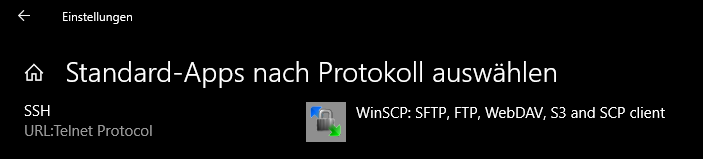
I guess @HighPriest has WinSCP not installed. so there is no app linkd to the ssh protocol in the windows setting.
I had WinSCP installed. Now I changed the settings there:
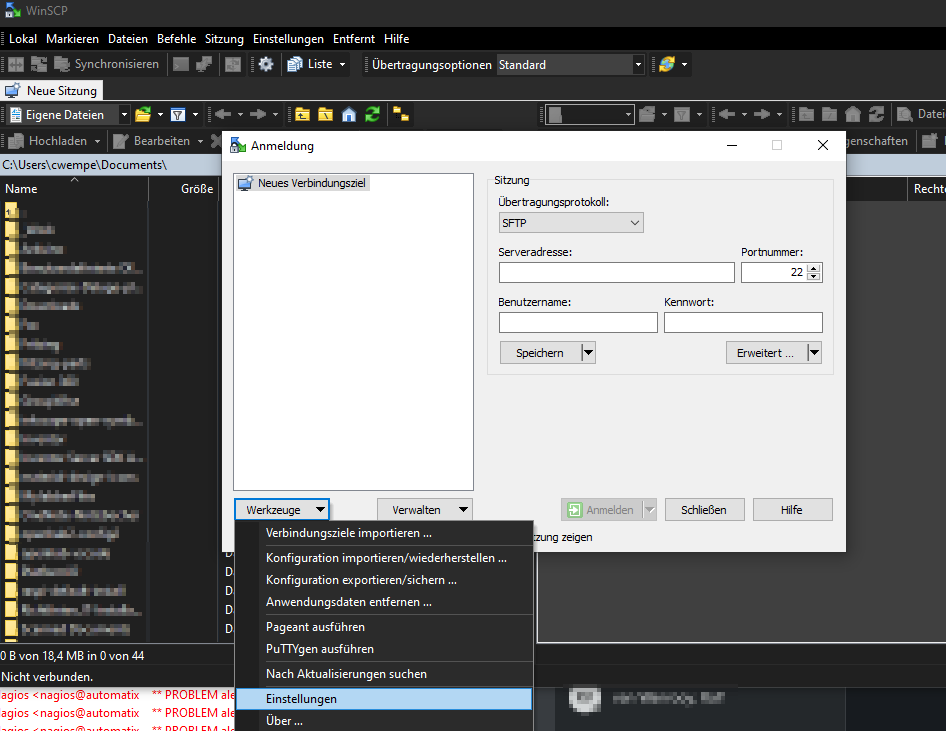
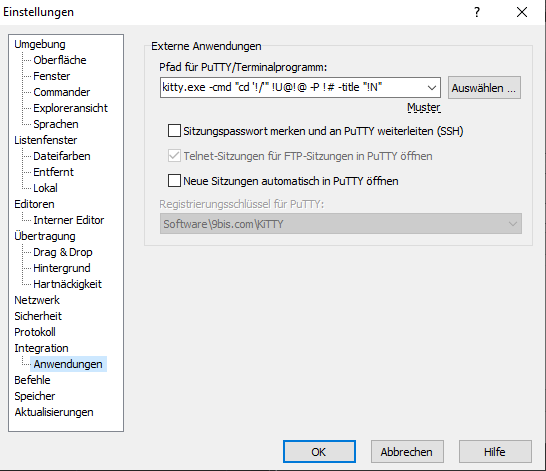
The correct command was already present in the dropdown menu.
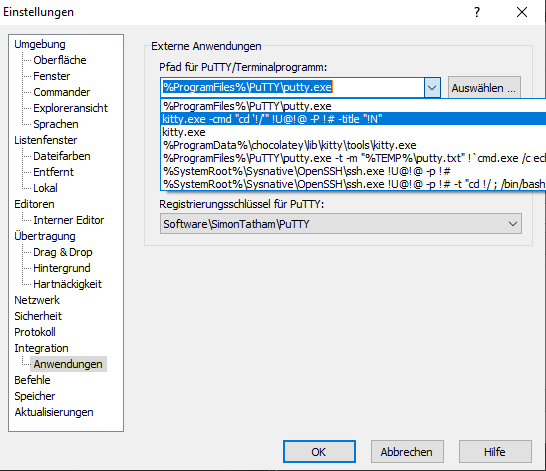
kitty.exe -cmd "cd '!/'" !U@!@ -P !# -title "!N"
Now it works for me! 👍
I noticed you might want to edit the command in WinSCP, because there are some parameters (like -cmd "cd '!/'" and -title "!N") you do not need and can cause problems.
This should be enough. But I did not test it yet.
kitty.exe !U@!@ -P !#