

 croneter
Kodi Library not Updating Correctly
Help yourself
- I did try to restart Kodi :-) Yes
- I checked the PKC Frequently Asked Questions on the PKC wiki Yes
- I did try to reset the Kodi database by going to
PKC Settings -> Advanced -> "Reset the database and optionally reset PlexKodiConnect"and then hitting YES, NO Yes - I did check the existing issues on Github Yes
Describe the bug
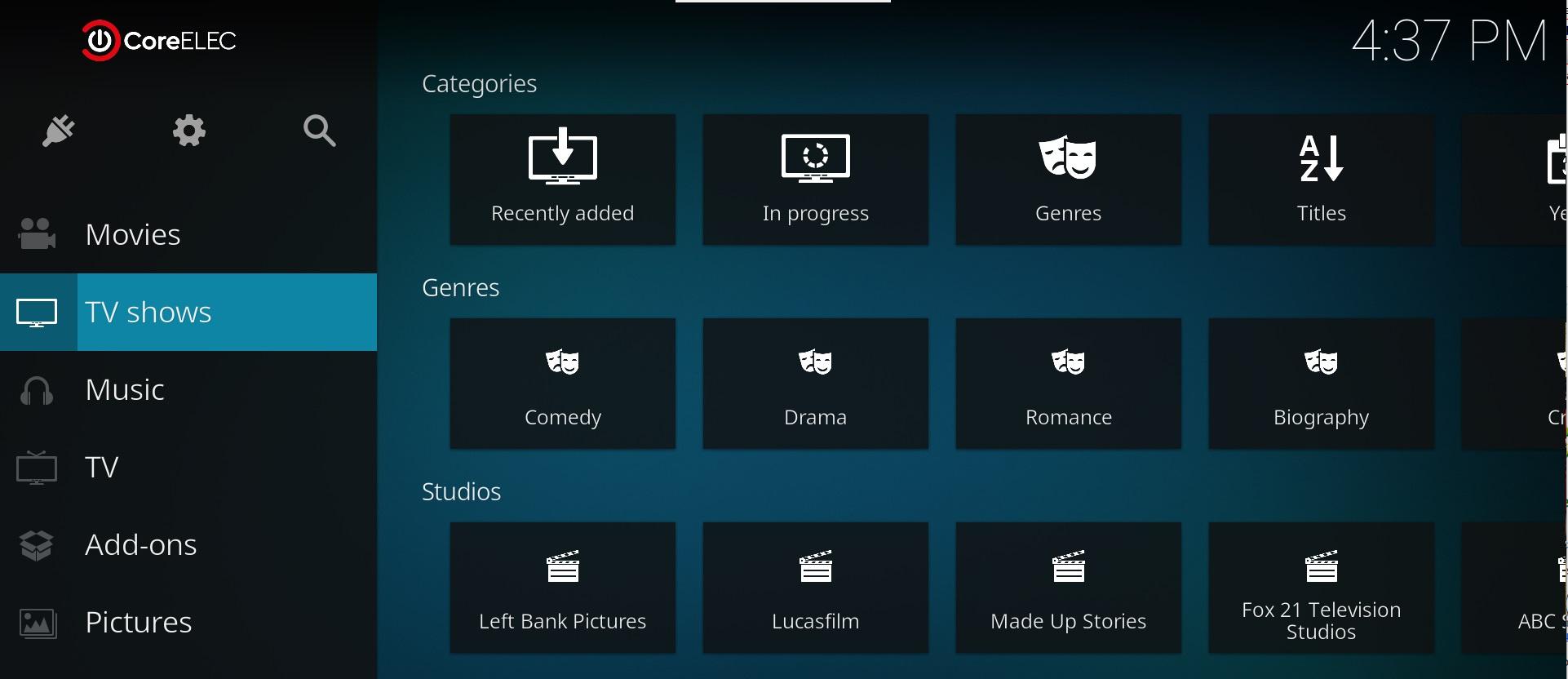
I’m finding when new Movies or TV Shows are added they do not appear in the Kodi Library until PKC does its full library sync (60 minutes), even though background sync is enabled.
It will however appear in the categories.
But not in the main library screen. (See screenshots)
To Reproduce
Steps to reproduce the behavior:
- Add a Movie or TV Show to PMS
- Wait 5 mins
- Check if the added item is in the Categories, it will be, but not in the Main Library Window.
- Wait for the PKC to do it's Library Sync.
- Note the added item is now in the Main Library Window.
Expected behavior
Added item should appear in the Main Library Window without having to wait for PKC to do a Library Sync.



Hello
I don't know if my issue is similar or the same:
I have been using Kodi Leia in connection with Plexkodiconnect (latest version 1.15) for about 2 years now. Everything worked very nicely.
Now I have the impression that for a while Kodi wouldn't retrieve the new movies on Plex anymore. Has anyone had the same experience? Could this be linked to an update for Plex? What version would I need to downgrade Plex to for Kodi to be able to read the new movies again?
Thank you for your help!
moses

How about a DEBUG log file, @moserroger ? See https://github.com/croneter/PlexKodiConnect/wiki/How-to-Report-A-Bug Enable debug logging, then make sure that a new video is added to Plex, wait a few minutes, then grab the log file

Hello croneter
Thank you for the reply.
Here is my log file, after adding a new movie to Plex. kodi.log
One more update: The movies have been scanned.
I rebooted the Raspberry Pi. Procedure the machine should do by itself on a weekly basis. The Raspberry Pi then starts up in kiosk mode to show Kodi.
For a while now this process ended up at a screen where PlexKodiConnect wanted me to chose the Plex server. An action I had already taken at the initial set up and which I didn't have to do for a while untill something changed and I had to always confirm the server after start up.
So now I restarted the Pi and instead hitting the "back" button on the remote I actualy klicked on the server in the above mentioned screen. This seems to make another kind of connection which allows Kodi to scan the files. I rebooted the Pi twice after that and interestingly enough the mentioned selection screen didn't come up anymore. I have to add however that I had selected the Plex server many times before and that only after a while I had started to hitting the "back" button.
Thank you for your help everyone. It seems to work now.
moses