

 creativetimofficial
Issue with change event inside a form
Prerequisites
Add below code to see the unexpected behavior
$(document).on('change', '.form-control', function(){
console.log(1);
});
Expected Behavior
With below code Expected Behavior is to get the console every time on value change (change event)
$(document).on('change', '.form-control', function(){
console.log(1);
});
Current Behavior
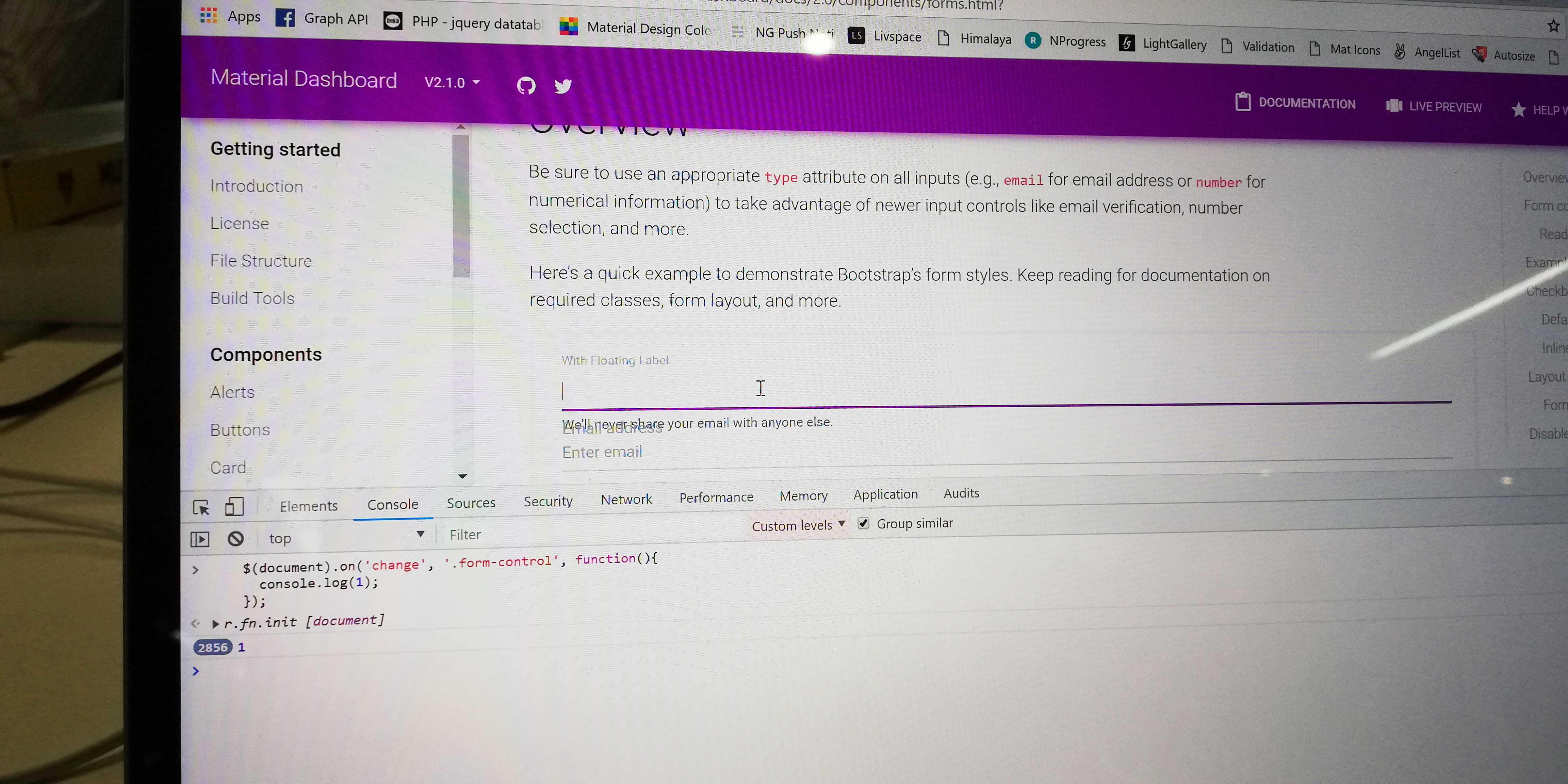
But getting the console log infinite times on focus of the element even without the value change. This is happening with every element(like textbox, textarea, radio, checkbox and every element) inside a form which is bind with "change" event.
$(document).on('change', '.form-control', function(){
console.log(1);
});
Failure Information (for bugs)
On adding "change" change event with form element inside a form causing issue. Event triggered infinite times just focusing on the element. Its is working fine without the form tag.
Steps to Reproduce
- Open https://demos.creative-tim.com/material-dashboard/docs/2.0/components/forms.html
- Open browser console and run below code
$(document).on('change', '.form-control', function(){ console.log(1); }); - Now focus on first input control. Actually in documentation first two sections( "Overview" & "Form controls") are inside a form. So check within these blocks, you will get the raised issue.


setInterval(function(){n.each(function(t,e){var n=ir(e);n.val()!==n.attr("value")&&n.trigger("change")})},100)})
this is the code that cause infinite loop because the input doesn't have attribute "value" in html

Hello there,
Thank you for using our products, if you will initialize the function like this:
  $('body').bootstrapMaterialDesign({
    autofill: false
  });
the problem of infinite loop onChange will be solved.
Best, Stefan

Hello there,
Thank you for using our products, if you will initialize the function like this:
  $('body').bootstrapMaterialDesign({
    autofill: false
  });
the problem of infinite loop onChange will be solved.
Best, Stefan
It worked for me, only when I edited bootstrapMaterialDesign function initialization directly in my project file material-dashboard.min.js

$(document).on('input', '.form-control', function(){ console.log(1); });
By using the input event, the console log will only be triggered when the value of the input element actually changes, preventing the infinite loop when focusing on the element without any value change.
