

 creativetimofficial
Can't fill datatable.net with ngFor (1.2.0)
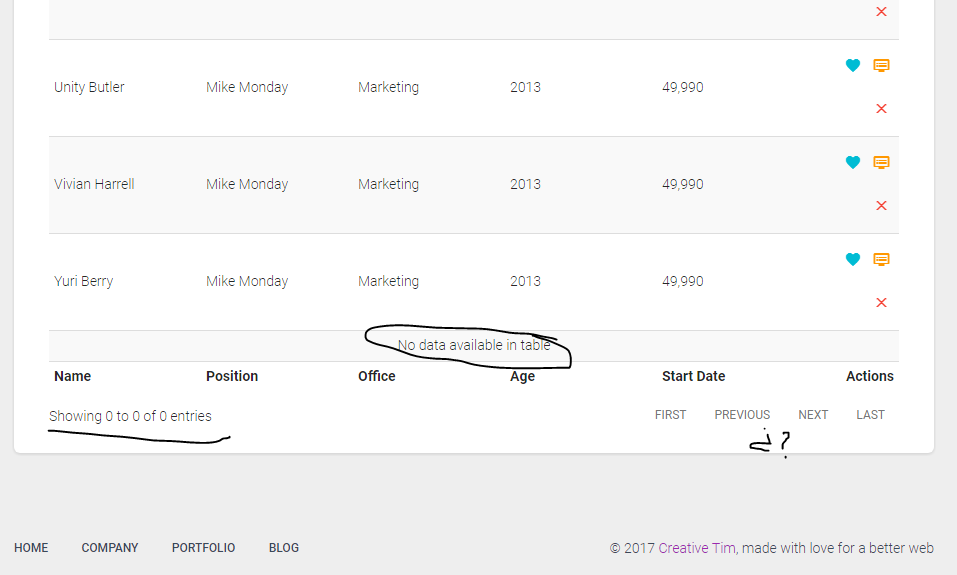


Hi, i had the same problem, i solved just doing this: In the code where you load the datarows, do something like this
var self=this;
this.dataTable.dataRows= data;
setTimeout(function(){
 self.initTable();
}, 10);

private initTable(){
var table =$('#datatables').DataTable({
            "pagingType": "full_numbers",
            "lengthMenu": [[10, 25, 50, -1], [10, 25, 50, "All"]],
            responsive: true,
            language: {
                search: "_INPUT_",
                searchPlaceholder: "Buscar sucursales",
            }

        });
//Another code here of init table here
}
And don´t call initTable before get the data
You can read this comment #31

Hi, @jamper91 and @serweck! Thank you for using our product. I checked the solution from @jamper91 and I think it's the right one. @serweck, did you have time to test it?

I tested it and it's work, but when i want to reload the data, i can't do it.
Like a filter for search:
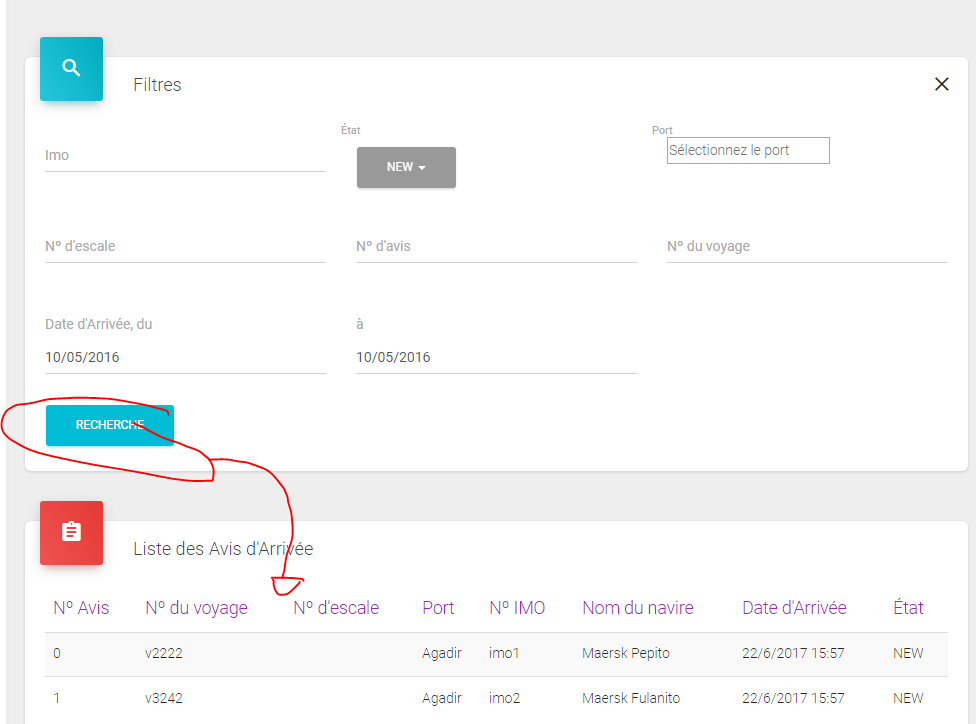
I am facing the same problem @serweck had in 13jul. Is there any solution to do it?

@lmoreira1987 and @serweck can you please send us a link to your web app so we can check on the live example the issue?
Best, Alex

I'm facing the same issue, @serweck did you find a solution for this issue? @alexandru-paduraru

I found a solution but i don't like it becouse the table blink:
reserach() { const self = this;
    this._noticeArrivalService.getNotices()
      .subscribe(
      function (branchs) {
        self.data = branchs;
        if (self.tableWidget) {
          self.tableWidget.destroy()
          self.tableWidget = null
        }
        setTimeout(
          function () {
            self.initDataTable();
          }, 100
        );
      });
  }
https://www.beyondjava.net/blog/how-to-use-a-javascript-datatable-in-an-angular-application/
@serweck can you please let me know which was your email? I don't think we got anything regarding this.
Maybe you should clear data and add a new set, like how it is presented here: https://datatables.net/forums/discussion/12060/change-the-data-set-in-javascript-and-update-data-table-with-new-values inside your setTimeout function.
Best, Alex
@serweck I've seen your email and it seems to work fine. I search something after I press on "Reserach" button it is giving me the whole list. Is this the normal behavior? Or what should happen when you press the blue button?
Best, Alex
when you push blue button, it calls to service and return more data. it's correct, but the table doesn't update really:
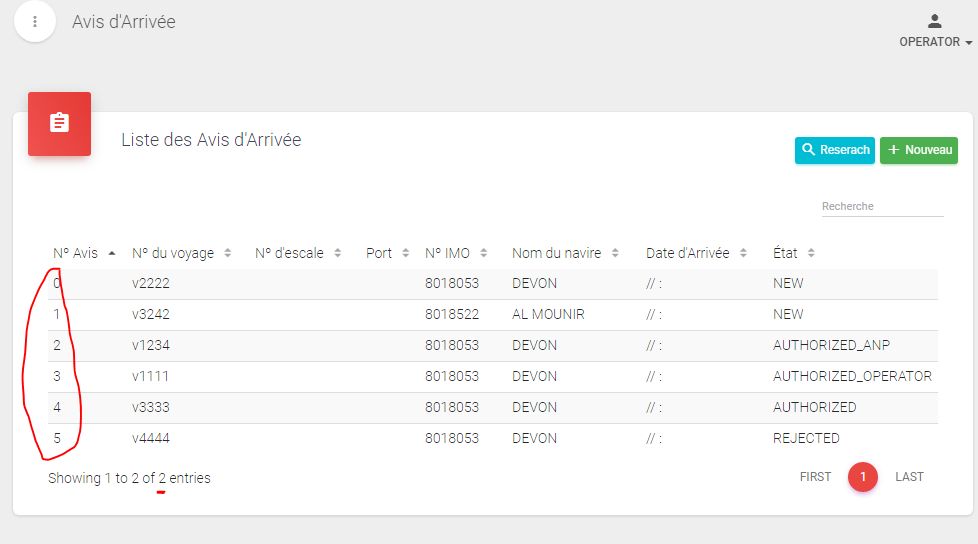
show 2 instead of 6
@serweck got it, please send us the ts file where you update the data table and we will try to reproduce the issue on our end. I will add my colleague Ciprian so we can assist us.
@chelaruc , @alexandru-paduraru is this issue has been fixed? If yes, could you please let me know how to fix this.
@serweck did you try to reload the table after you complete it with getNotices()? Like how it is presented here: https://datatables.net/forums/discussion/38969/reload-refresh-table-after-event
yes, but it isn't work.
I sended to Ciprian two file to replace your project and test it but i didn't get answer
EDITED N2
I eliminate the blinking and found a way to reload the data from the refreshed DOM (refreshed by angular when client field changes on ClientComponent)
new clients.component.ts
ngAfterViewInit(): void {
        this.initDataTable();
        this.clientService.clientsObservable.subscribe(
            clients => {
                this.clients = clients;
                this.refreshDataTable();
            });
        this.getClients();
    }

    private refreshDataTable() {
        let dataTable = $('#datatables').DataTable();
        dataTable.clear();
        dataTable.rows.add(this.clients.map(
            (client) => {
                return {
                    0: client.name,
                    1: client.lastName,
                    2: client.mainContactInfo ? client.mainContactInfo.email : '',
                    3: client.mainContactInfo ? client.mainContactInfo.phone : ''
            }
        ));
        dataTable.draw();
    }
And remove the
** Note that I'm using version 1.4.5
EDITED N1
Bad news, it reloads the data, but filters, pagination, and other functions stop working.
ORIGINAL
Hi everyone, I think I found a better solution that the one provided by @serweck to reinitialize the datatable (at least in my case it produces a unwanted blink over the table). In summary, the approach is to make a service for the data (in my case the same that is in charge of getting the data from the server), and subscribe the table data to that service. ** I take the idea from here that comes up when I was launching a modal dynamically.
First we need an interface, in my case Client and ContactInfo:
export interface Client {
  name?: string;
  lastName?: string;
  mainContactInfo?: ContactInfo;
}
export interface ContactInfo {
  phone?: string;
  email?: string;
}
When we have the basis, we modify our service (if you aren't working with a server for the data, just create one) to have a private BehaviorSubject and a public Observable (we'll subscribe to this observable)
client.service.ts
declare const emptyClient: Client = {}; // fill it with your default initial data if you want

export class ClientService {
   ...
   private clientSubject = new BehaviorSubject<Client>(emptyClient);
   ....
   clientObservable: Observable<Client> = this.clientSubject.asObservable();
   ...
   getClients(): void {
        ClientService.fromPromise(this.api.getClients())
            .map(response => response.result.items)
            .subscribe(clients => {
                this.zone.run(() => {
                    this.setClients(clients);
                });
            });
    }

    setClients(clients: Client[]){
        this.clientsSubject.next(clients); // notify subscriptors
    }
On client component we need to suscribe to the observable, so the data get updated from the service
clients.component.ts
declare const $: any;
export class ClientsComponent implements OnInit, AfterViewInit {
    private tableWidget: any;
    private clients: Client[];

    constructor(private clientService: ClientService,
                private router: Router,
                private zone: NgZone) {

    }

    ngOnInit(): void {
        // here we subscribe to the observable
        this.clientService.clientsObservable.subscribe(clients => this.clients = clients);
        // trigger an initial load of the data
        this.getClients();
    }

    ngAfterViewInit(): void {
        this.initDataTable();
    }

    private initDataTable() {
        let dataTableId: any = $('#datatables');
        this.tableWidget = dataTableId.DataTable({
            select: true,

        });
    }

    getClients(): void {
        this.clientService.getClients();
    }
}
*In my case I'm using getClients() (this.clientService.getClients();) to trigger the data get loaded from the server, but you can tested with a button:
clients.component.html
<table id="datatables" class="table table-striped table-no-bordered table-hover"
       cellspacing="0" width="100%" style="width:100%">
    <thead>
    <tr>
        <th>Name</th>
        <th>Last Name</th>
        <th>Email</th>
        <th>Phone</th>
    </tr>
    </thead>
    <tr *ngFor="let client of clients; let i = index;">
        <td>{{client.name }}</td>
        <td>{{client.lastName}}</td>
        <td>{{client.mainContactInfo?.email}}</td>
        <td>{{client.mainContactInfo?.phone}}</td>
    </tr>
</table>

<button type="button" (click)="setClients()">Set Clients</button>
And adding this to the clients.component, just for testing
    setClients(){
        let clients: Client[] =[{name:'Juanito', lastName:'Perez'}];
        this.clientService.setClients(clients);
    }
@serweck and @norujlu I mention to get notified of this approach, hopefully it helps you
