

 craftcms
Can't scroll inside "Create a new tax zone" window
Description
When you have added enough countries/states to a tax zone for the window to be scrollable, you can't scroll down to the save button.
Steps to reproduce
- Go to a Tax Rate
- In the Tax Zone field, click "New tax zone"
- Add as many countries/states as you can
- Try and scroll down the save button
Running the latest version of Chrome on the latest version of OS X.
Additional info
- Craft CMS version: Craft CMS 3.7.8
- Craft Commerce version: Craft Commerce 3.4.1

@jamiewade Can you post a screenshot of your layout? Not sure what you are referring to. On that page the Save button is on the upper right section so you don't need to scroll down to click on the save button.

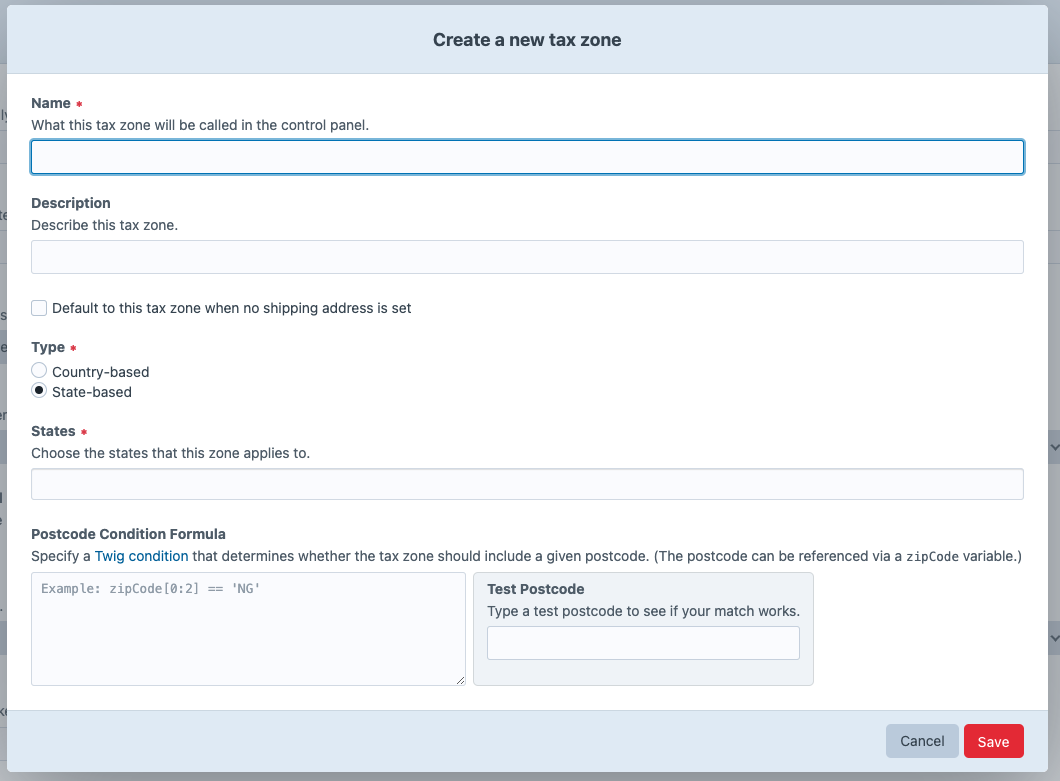
@pdaleramirez See the "Steps to reproduce"; this is referring to the modal window for adding a new tax zone when you are editing a tax rate:
And you can see here how the layout breaks when many countries are added:
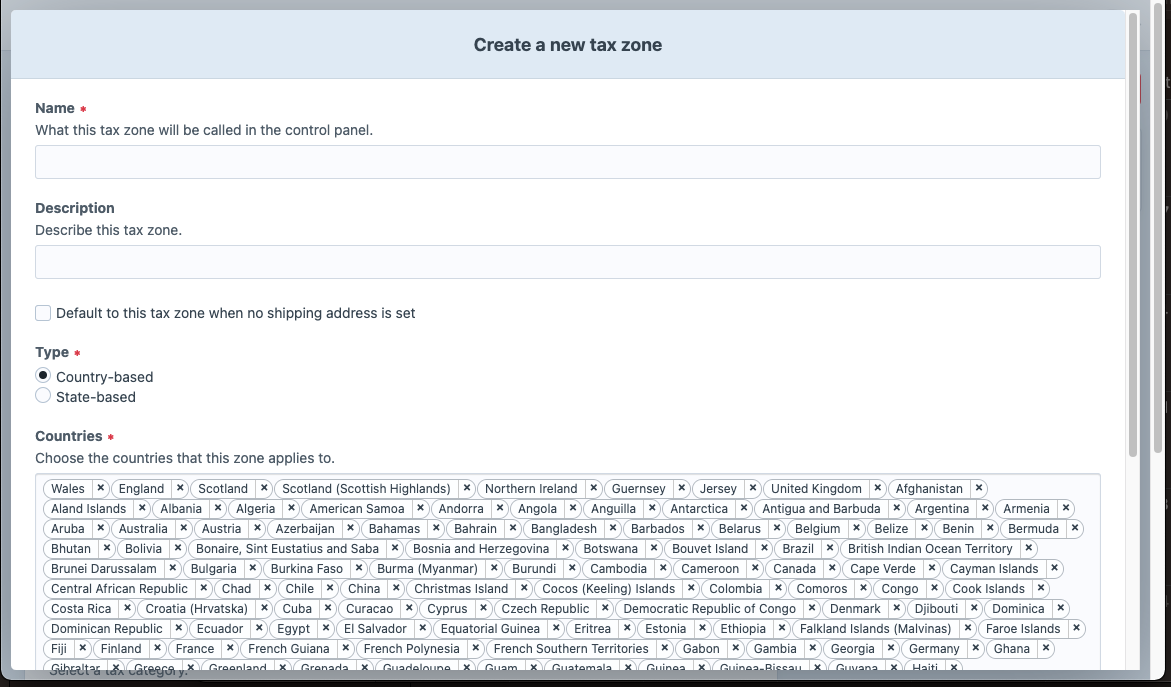
Once the Save button disappears from view, you cannot scroll down to it.