corona-warn-app
The scan purpose should be transparent
Current Implementation
The CWA can scan paper vaccination certificates to import them into the App. This is absolutely legitimate. However, there is still confusion between the CWA and the CovPassCheck app, which is used to scan and validate the vaccination certificates stored in the CWA. There is plenty of anecdotal evidence that the CWA is used (incorrectly) to validate vaccine certificates (be they CWA, paper, Wallet, or other apps) and this results in all certificates, including the embedded data, that are scanned by the venue being imported into the scanner's app.
The certificate contains sensitive information, such as name and birth date, which may not be stored on the device without explicit permission of the user.
On the formal side, I understand that there are laws prohibiting retrieving digital information from a user (e.g. the restaurant/brothel/concert visitor) without the visitor being informed of the purpose of the retrieval and specifying what data will be retrieved (as is done when the Personal-Ausweis is read with the AusweisApp2 on the PC). Since medical data is involved, the laws are even stricter.
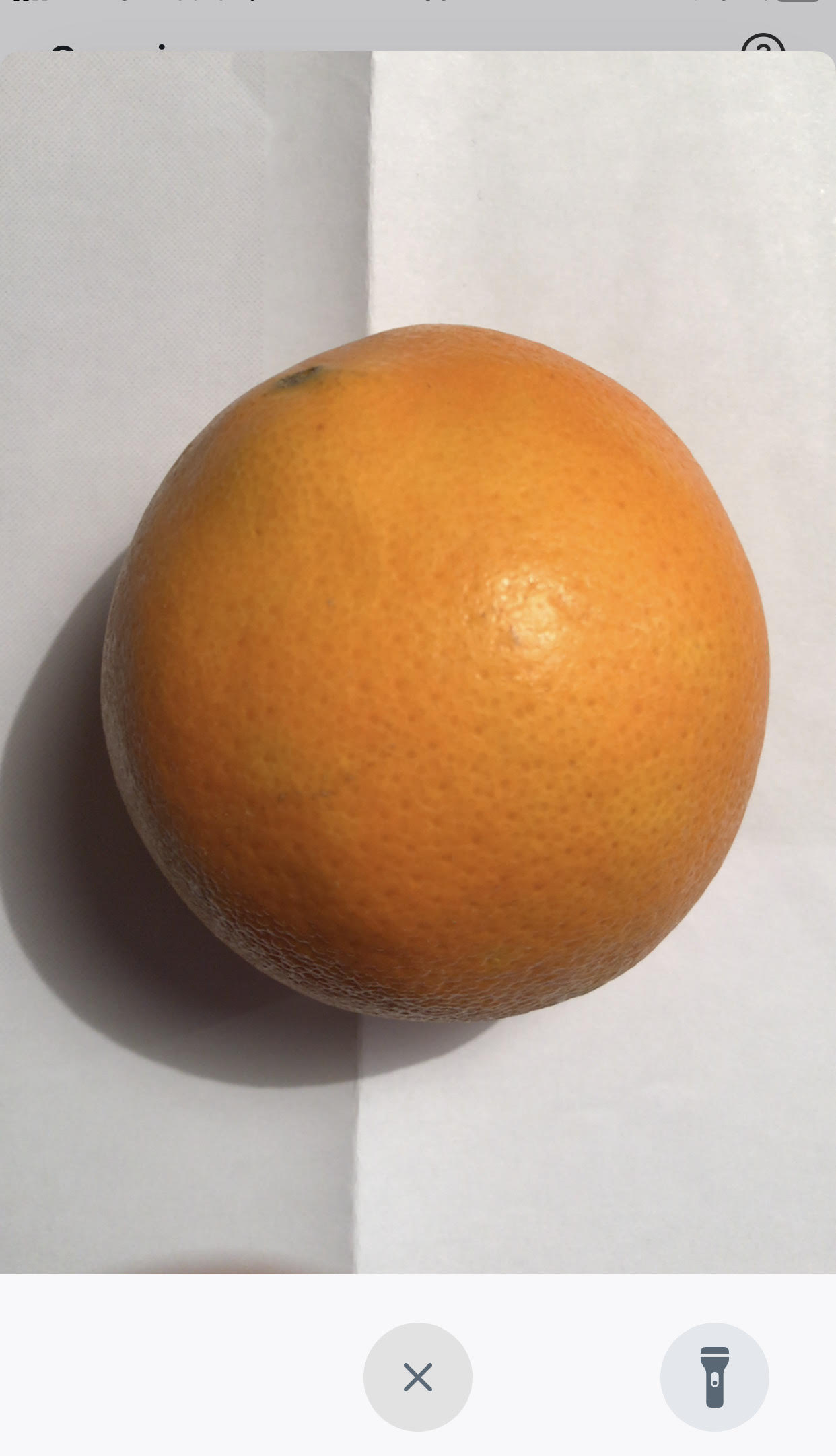
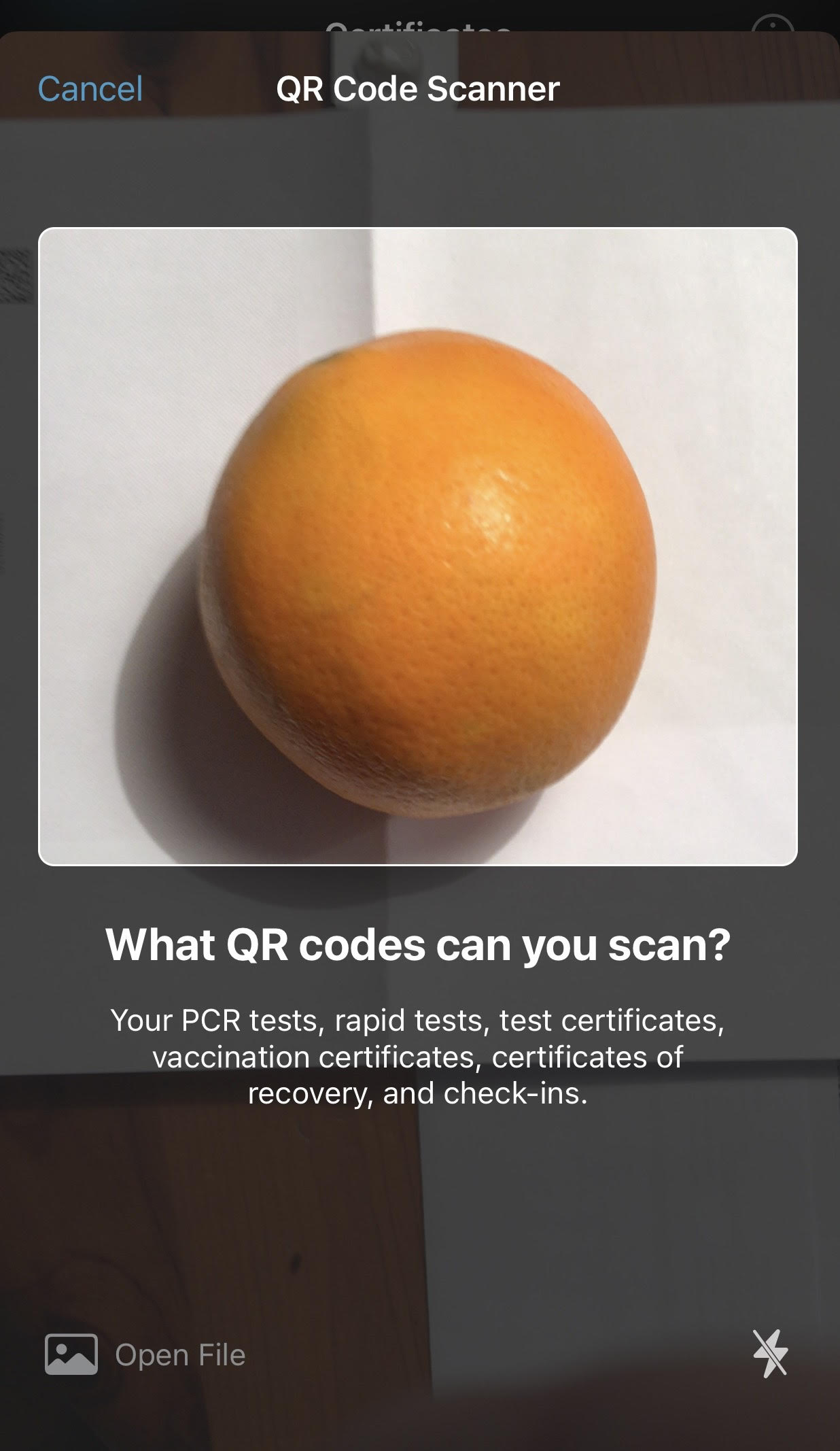
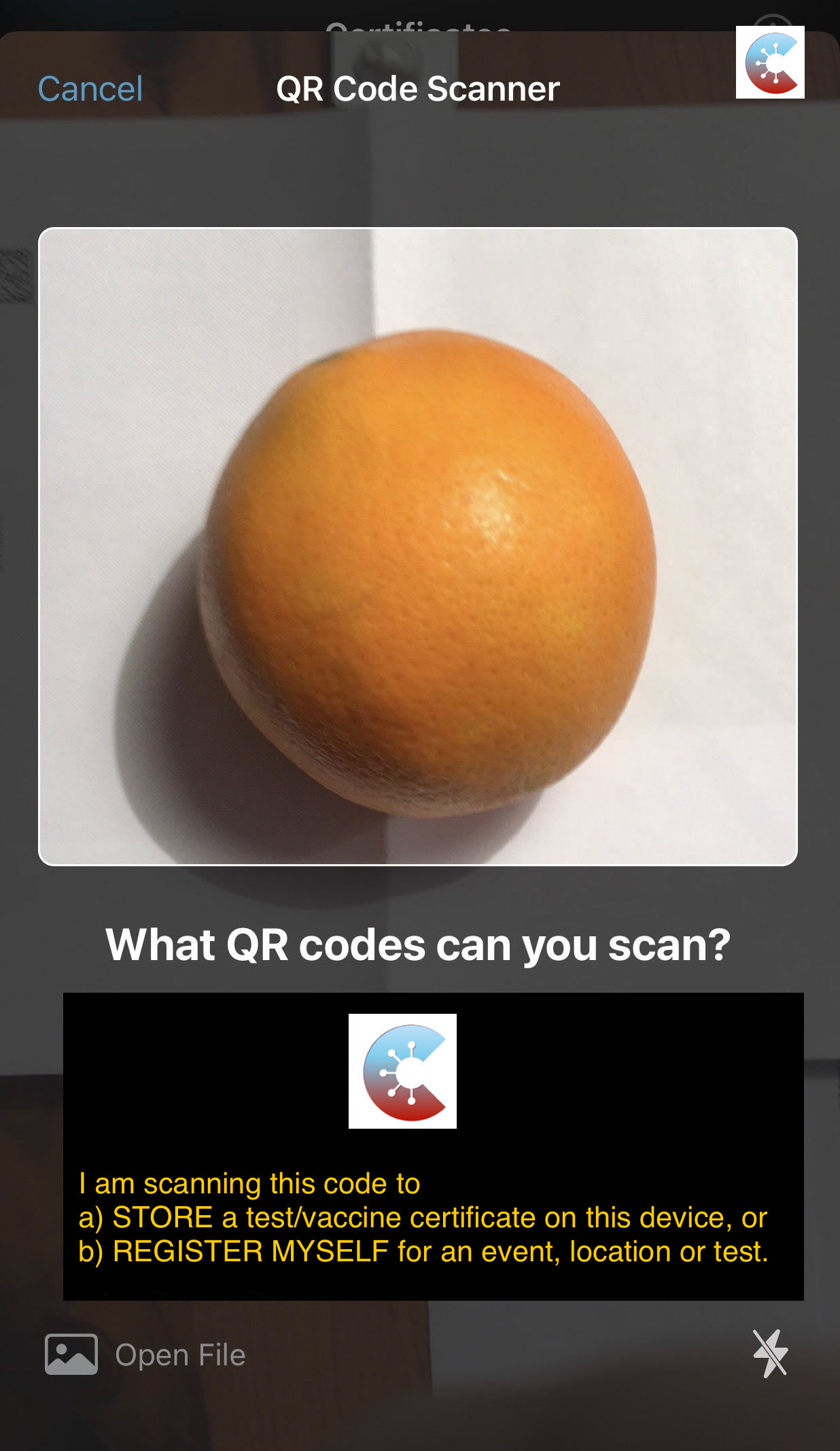
The scan screen of the CWA does not inform the user of its purpose.
It should be made clear to the visitor during the scan if the venue is using the CWA to import certificates, so that the visitor can object. Currently, it is not possible for the vistor to determine at a glance the purpose of the CWA screen on the CWA scan-screen. This should be explicit and transparent.
The screenshots show the CWA and the CovPassCheck scan screens (with an orange instead of a qr-code)
Suggested Enhancement
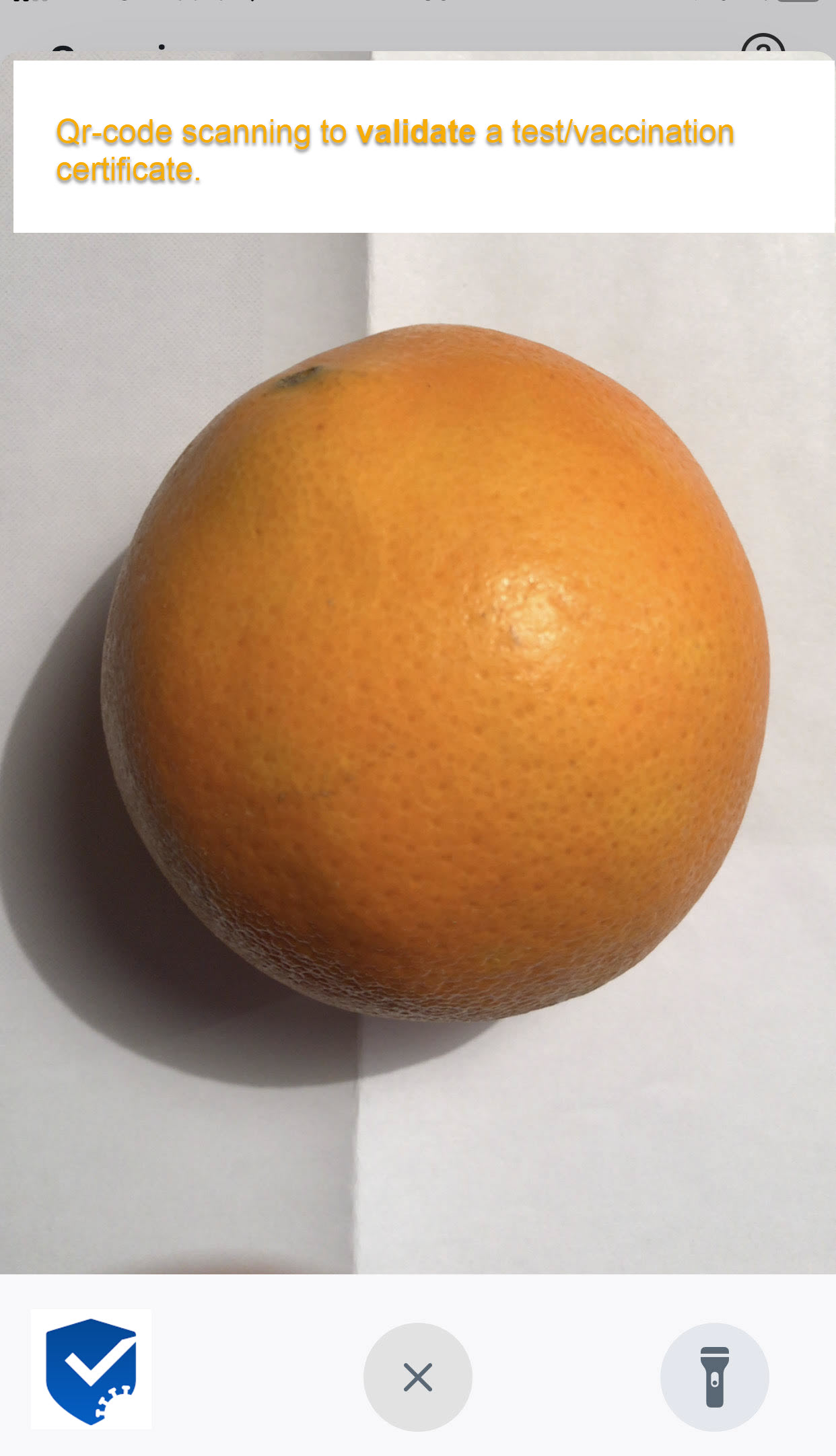
Ideally, the RKI CovPassCheck App scan screen should display text and logos to make the purpose clear, and make this easily recognizable before and during the scan. There is no functional way of giving feedback to have this corrected by the RKI, so at the very least the scan-screen of the CWA could be improved to support this transparency and prevent accidents or deliberate abuse. It should include additional text, but also the CWA logo.
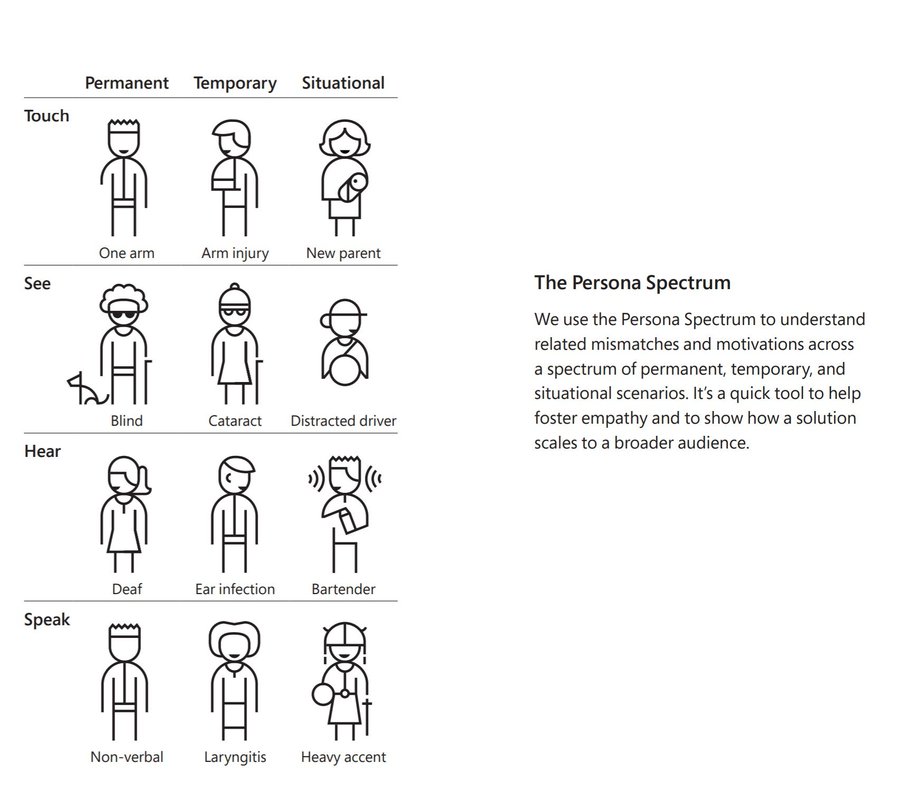
Use sound and flash to support accessibility.
Expected Benefits
Trust. Legal requirements met. Accidents avoided.
Internal Tracking ID: EXPOSUREAPP-10763 Internal Tracking ID: EXPOSUREAPP-10699 Internal Tracking ID: EXPOSUREAPP-10770

Related: https://github.com/ehn-dcc-development/hcert-spec/issues/107 (solution 1)


Related: https://github.com/ehn-dcc-development/hcert-spec/issues/107 (solution 1)
My understanding, 107 prevents abuse of certificates stored in the CWA, whereas 698 reduces abuse by the CWA for certificates stored elsewhere.
They'd complement each other snugly.
@alanrick the solution 1 (adding the DNI-Tag) is the solution for the same problem like 698, whereas solution 2 is the solution for a bit other problem.
And yeah I would also implement #698, cause it's way easier to do it (cause it does not change the spec)
698 only helps prevent the CWA being abused to import visitor certificates, e.g. from a restaurant visitor using CWA or Austria's GreenApp or original paper certificate.
But I thought 107 prevents a CWA certificate being imported into a foreign App. E.g, CWA certificate can be uploaded into the Croatian locator-form, where it CANNOT be "recycled" by a bad agent, but CAN be verified by the Croatian border authorities.
Right or wrong @jucktnich? Happy to accept your judgement as I don't want to waste your time by prolonging the discussion.
In 107 I proposed two solutions:
- HC3 doing approx the same thing like #698
- HC4 preventing any bad agents from reusing it (by shallow end of life date (eg 5 mins)).
Edit: I misread your post and corrected mine
Text improvement.
I am scanning this code to
a) import a test/vaccine certificate into this device, or
b) register myself for an event, location or test.
I also think a CWA Jingle or at the very least short voice statement would help the blind. Remember, the visitor is blind, but the scanner will not have a screen-reader enabled.
I'm optimistic about the improvement being useful, because in Ireland (the only place my certificate has been validated electronically... despite Baden-Württemburg's new rules 😡 ) it was always possible to see the scanner's screen.


I have mirrored the issue to Jira. Internal Tracking ID: EXPOSUREAPP-10770

I also think a CWA Jingle or at the very least short voice statement would help the blind. Remember, the visitor could be blind, but the scanner will not have a screen-reader enabled.
Inspired by this diagram, I've updated the description and I'm suggesting the CWA flashes once (using the camera flash, not screen) whenever importing. Or alternatively flashes once when displaying the qr-scan screen, but that would be cumbersome if the same scan screen is used for frequent procedures, such as participating in a test at a test-center.
The flash also takes care of situational accessibility.