
cornerstone3D
 cornerstone3D copied to clipboard
 cornerstonejs
ReferenceCursors new mouse behaviour
Hi, It appears that the default behaviour does not work quite as expected when I switch the series to another viewport (series) from 10. image in the first series. The active image changes during the transition because the reference cursors tool is listening for mouse movements. I believe it would be more accurate if we could have an option to move the cursor by pressing and moving the mouse button instead.
You can examine the viewers, like MedDream, Radiant etc. I believe it would be a healthier behaviour and feature.


You can use crosshairs for that use case. The referenceCusrsor is doing a different thing

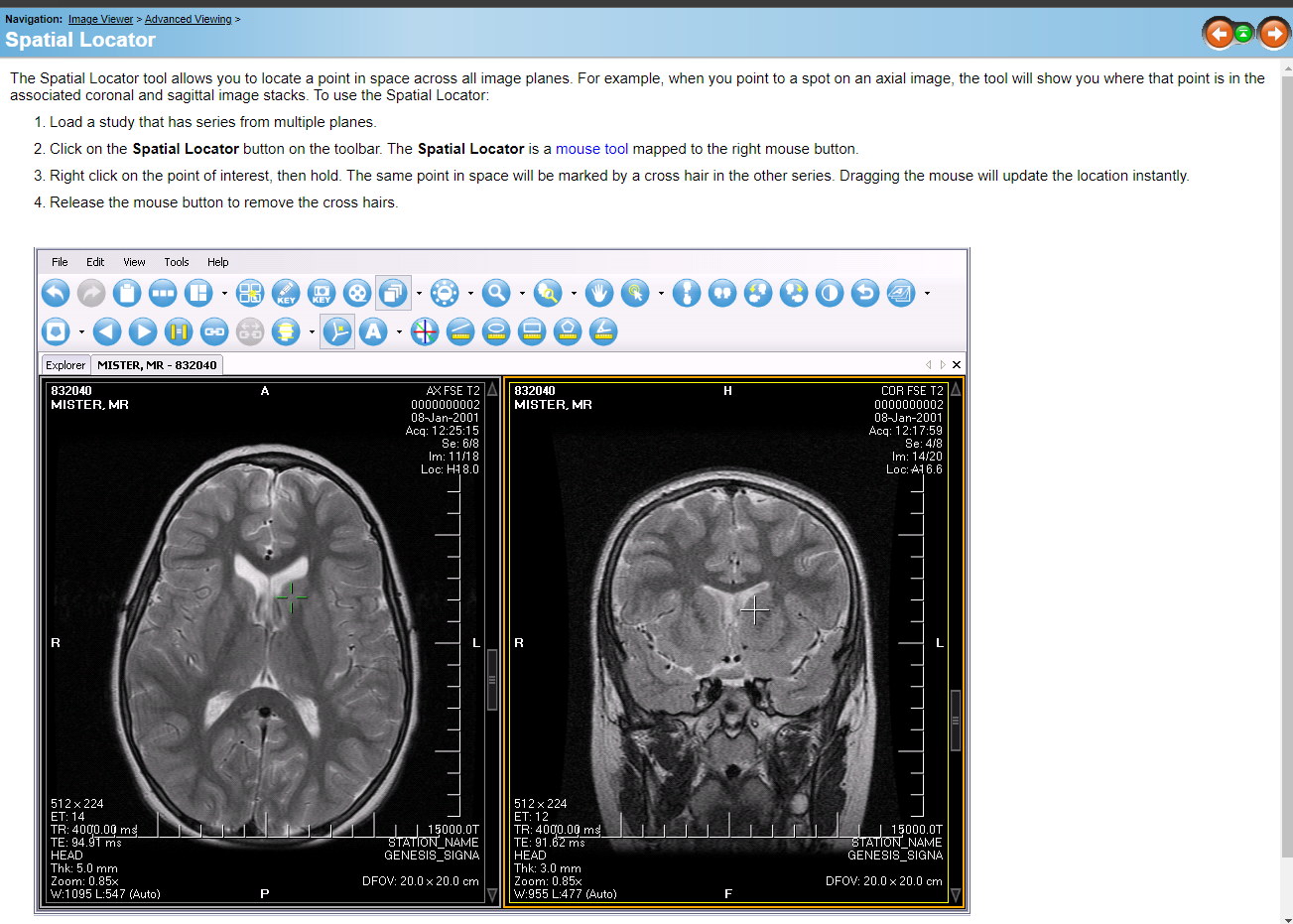
I think Serkan describes a working system like the "spatial location" tool in clearcanvas. It may not be a problem in the same planes, but when we open 3 different series (axial, sagittal, coronal), we will never be able to see the image we want in other series in series transitions. in series switch , other images will move continuously. I think it will be more useful if the option to keep the mouse button pressed and move is added for this tool.

can you record a video for it? maybe this tool can have a configuration to act on mouse drag instead of always? This was a community written tool, and we didn't write it, but I would be more than happy to review a PR for it if you make the necessary changes
You can use crosshairs for that use case. The referenceCusrsor is doing a different thing
I'm sorry for the mistake in the presentation. Actually, I used different series in a study. It's not the MPR approach. The spatial locator on MedDream is like a crosshair.
And @lambacini Thanks for explaining again. It was exactly what you said that I mentioned.
Hi @sedghi ,
We added an option for mouse drag in referenceCursor tool.
Here, It will be possible for them to use it as before without having to make any changes to it.

They will need to add configuration and mouse binding if they wish to use it like this. (For mouse down and dragging.)
toolGroup?.setToolConfiguration(ReferenceCursors.toolName, {
positionSync: true,
drawOnMouseDrag: true });
toolGroup.setToolActive(ReferenceCursors.toolName,
{ bindings: [{mouseButton: MouseBindings.Primary, // Left Click },] });

I will add a pull request if it is okay.
The current version does not contain these changes. Any suggestions on how to do this? I would also like to see such functionality as another use case. I see that there is a mouseDragCallback function but I can’t figure out how to use it. Maybe I need to use functions like in ReferenceCursor? Or maybe I need to do it like in ReferenceCursor (_activateModify, _deactivateModify, etc.)?
