

 conchoecia
make odp_nway_rbh plot a ribbon diagram
The species order can be set by specifying the order in the analyses section.

Made one change that @zolotarovgl requested. odp_nway_rbh now produces ribbon diagrams. This also will be useful to previous issues that other users faced, #27, #29, #21.
This feature uses the false discovery rate value calculated during nway-rbh instead of the pairwise Fisher's exact test used in the normal odp script.
One problem with this is that the random color generator that I implemented generates colors that look like the palette of Candyland.
Any ideas on how to make more appealing random colors, @beroe? Code in the link above.
Example attached
I think totally random colors are always going to be problematic, given the potential for overlap or getting lost on light backgrounds. You could clamp the generator so the numbers can range from say 44 to CC to avoid the oversaturation (definitely the high end should be constrained but maybe let the low go to 00.
Or you could hardwire a pick-list of good colors and draw from them sequentially (allowing for loop back). I don't think they all need to be totally unique as long as the repetition is sufficiently spaced out?
Saguaro from the National Parks palettes is nice, but it only has 6 colors...
 COLS25 has .. 25 discrete colors that look pretty good if you were to desaturate the red and lime green a bit...
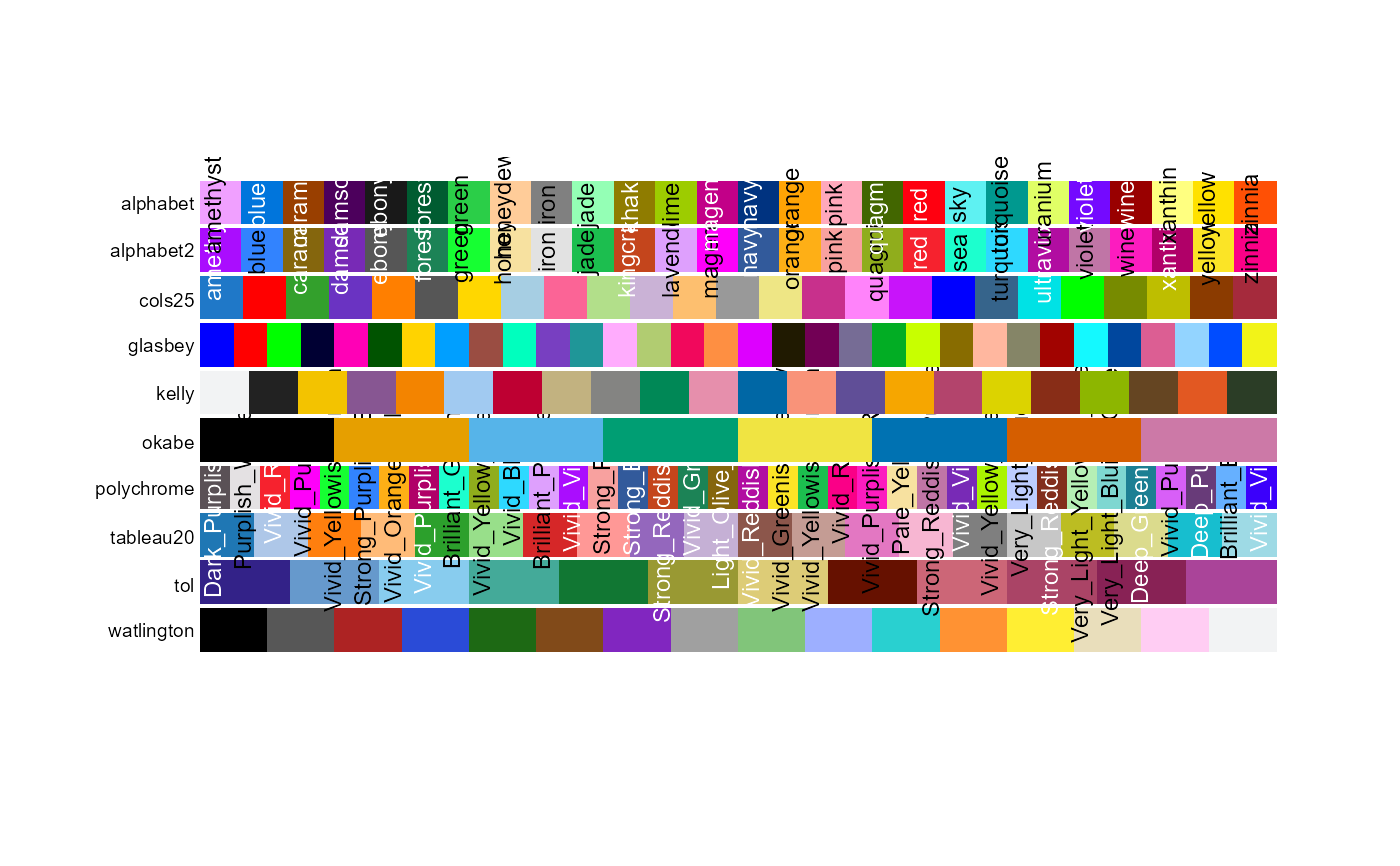 Tableau on that page is obscured by the labels, but looks quite nice.
The Stepped colors from that page look promising too... https://kwstat.github.io/pals/reference/discrete.html
Tableau on that page is obscured by the labels, but looks quite nice.
The Stepped colors from that page look promising too... https://kwstat.github.io/pals/reference/discrete.html

This is absolutely great, Darrin! I think, hard wiring a set of good colors with repetitions allowed should be the way to go.

FWIW, here are the hex tables for the two mentioned palettes (I lowered some of the fully saturated ones).
mypals25 = ["#1F78C8", "#DD0000", "#33a02c", "#6A33C2", "#ff7f00",
        "#565656", "#EEC600", "#a6cee3", "#FB6496", "#b2df8a",
        "#CAB2D6", "#FDBF6F", "#999999", "#EEE685", "#C8308C",
        "#FF83FA", "#C814FA", "#0000DD", "#36648B", "#00E2E5",
        "#00FF00", "#778B00", "#BEBE00", "#8B3B00", "#A52A3C" ]

 mytableau20 = ["#1F77B4","#AEC7E8","#FF7F0E","#FFBB78","#2CA02C","#98DF8A","#D62728",
 "#FF9896","#9467BD","#C5B0D5","#8C564B","#C49C94","#E377C2","#F7B6D2",
 "#7F7F7F","#C7C7C7","#BCBD22","#DBDB8D","#17BECF","#9EDAE5"]
@conchoecia I found the call to grc. Where should I put the code to generate a vector of colors. You can define a color palette as above, then use:
color_pal = mytableau20   # just an example. could use mypals25 or other list
color_count = len(color_pal)
total_count = len(ribbons)     # not sure where the index of ALG count is stored
color_list = [color_pal[i%color_count] for i in range(total_count)]
@beroe The function that is called is here: generate_random_color() https://github.com/conchoecia/odp/blob/5f147cba32d5329f51031b1173b7dc46e4acbf00/scripts/odp_color_manager.py#L314
The only place it is called now is here, I think: https://github.com/conchoecia/odp/blob/5f147cba32d5329f51031b1173b7dc46e4acbf00/scripts/odp_nway_rbh#L565
The function generate_random_color() returns hex values of random colors that are constricted based on brightness and saturation. Maybe you could provide a list of colors and a yield function, then we could make a flag parameter for generate_random_color() to use the curated color list. Not sure how this would work with the apply function that is being called now.