
openpilot
 openpilot copied to clipboard
 commaai
Simulator: update image output to NV12 from YUV420
Describe the bug
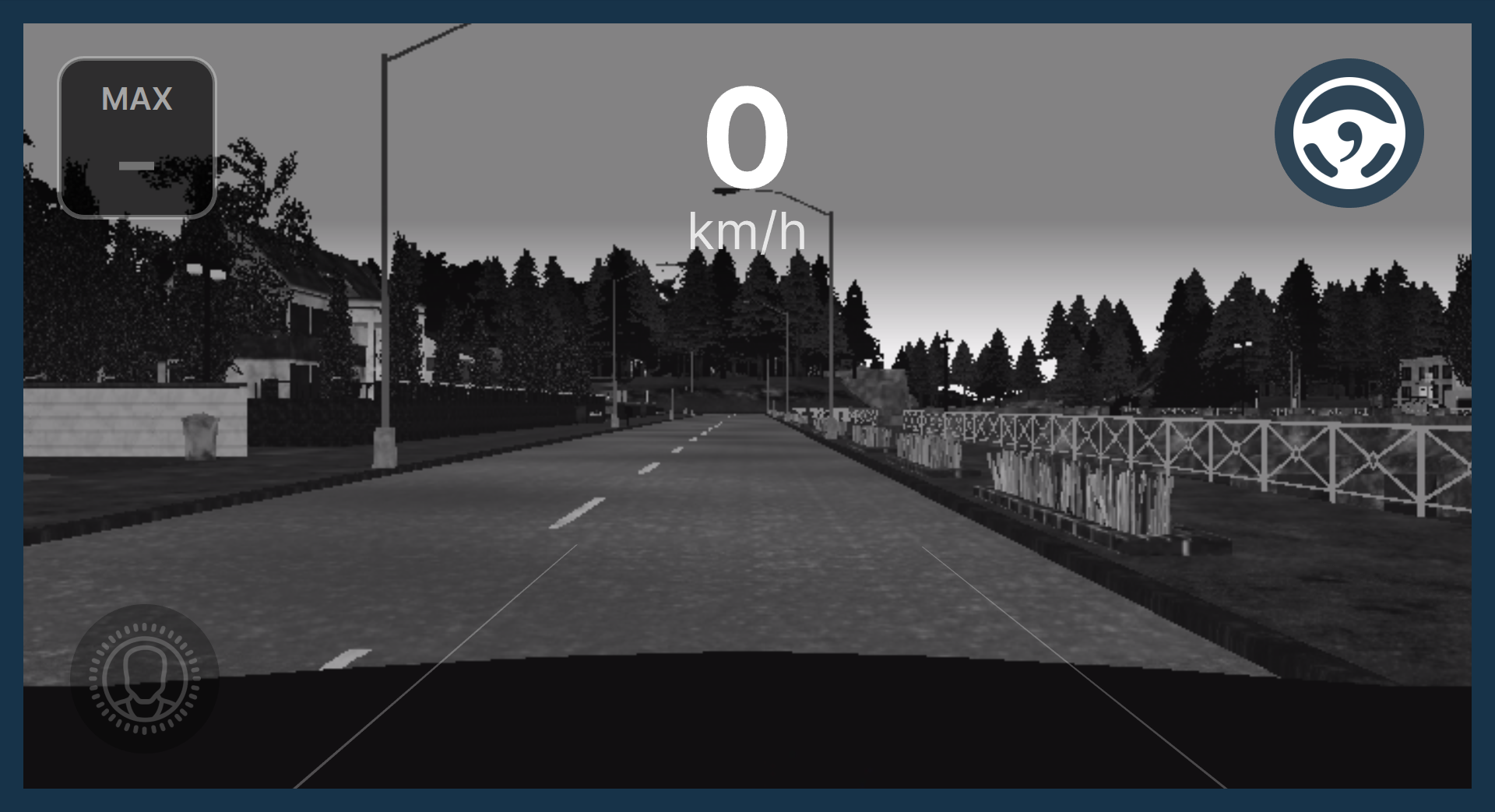
I noticed that since commit ea5b8cd (nv12: encoderd avoids a full frame copy) the simulator is displaying in grayscale. Also a black oval shape appears at the bottom of the screen. See the image below.
Is this supposed to happen after these changes, or is there maybe some configuration/installation or graphics driver issue what I might be facing? CARLA itself (/opt/carla-simulator/CarlaUE4.sh) runs in color just fine. It's the image stream coming from openpilot that's in grayscale. I also re-installed Ubuntu 20.04 and openpilot, but the issue was not resolved. I am running the current latest version of openpilot.
If this is the expected side effect, is there a way to get it in color again? And would this be an easy or difficult fix? I am happily willing to look into this issue, but I have no idea where to look or where to even start.
OS Version
Ubuntu 20.04
openpilot version or commit
3fc001c945bb5e9092050bac1e55267dab63b9eb
Additional info
- CPU: AMD Ryzen 9 5900x
- GPU: NVIDIA RTX 3070
- Driver Version: 515.65.01

The CARLA bridge is still outputting images in YUY420; it just needs to be updated to NV12.
