

 codota
Estimates are wrong
- OS version: Win 10
- Editor: Atom editor
- Editor version: 1.58
- Programming language: php, html, js
- TabNine extension version: 4.0.7
- Engine version (could be located within Tabnine Hub): 4.0.4-46
Estimates are wrong. For example, when I want to create a div, it gives ridiculous results or completes the codes incompletely. So I have to write more code. Is the pro version like this too?


 atom editor default foreach

gz#8762

Hi @durancanyilmaz
We're sorry for the poor experience!
Looks like you're not receiving Tabnine's deep (i.e AI generated) completions, but only our "vanilla" completions - which can be thought of as a fallback source of completions.
It can happen if you're working on a very small project / single file / file with no extension (i.e .js etc.) - is that the case by any chance?
In addition, to better understand what's going on, would be great if you could provide us with the following:
- Tabnine logs:
To get Tabnine’s log, in your IDE, open: Help -> Edit Custom Properties...
and insert:
TABNINE_LOG_FILE_PATH=<some path to a file>Then restart IDE and wait for poor completions to re-appear. After that, you should find the log file in the location you configured, in the following format:<file name>_rCURRENT<extension>-<pid>(for example, if my path is/path/to/logs/log.txt, I should find a file namedlog_rCURRENT.txt-24360) - A screenshot of your "installation info" section from the Hub
- Your config file - the path of which can be found in the Hub->installation info->config file path
Kind regards, Yoni

Hi @yonip23 ,
Tabnine logs:
To get Tabnine’s log, in your IDE, open: Help -> Edit Custom Properties...
and insert:
TABNINE_LOG_FILE_PATH=<some path to a file>
Did you mean "config.cson" ? I dont have Edit Custom Properties in Atom editor.
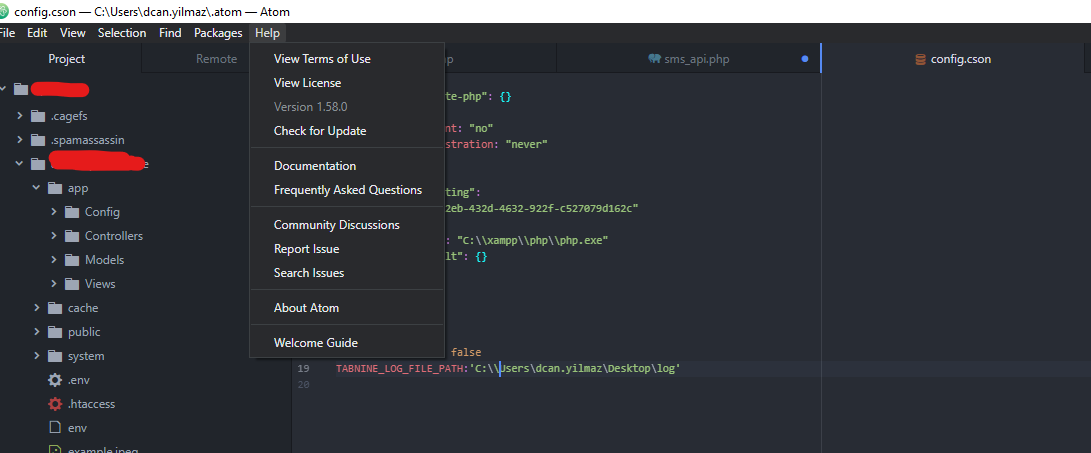
@durancanyilmaz sorry for the wrong instructions, can you check if there are log files now in the path you set?
This issue has been automatically marked as stale because it has not had recent activity. It will be closed if no further activity occurs. Thank you for your contributions.
![stale[bot] avatar](https://avatars.githubusercontent.com/in/1724?v=4 "Published by a pub.dev verified publisher")