

 codota
It is not possible to click on Register and login using WSL2
please complete the following information:
- OS version: [Win 10 - WSL2 Ubuntu]
- Editor: [vscode,]
- Editor version:
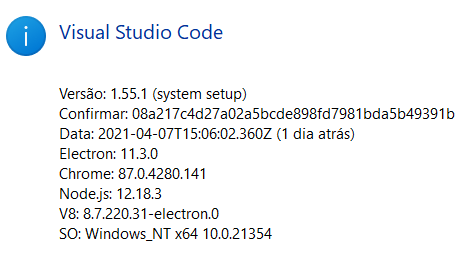
- Programming language: [All]
- TabNine extension version: 3.2.17
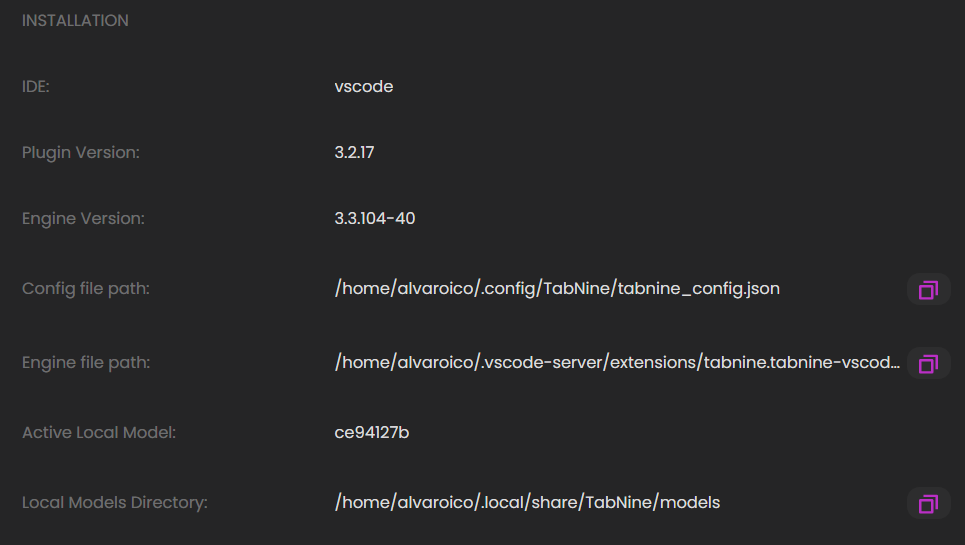
- Engine version (could be located within Tabnine Hub): 3.3.104-40
Issue Details: It is not possible to click on Register and login using WSL2 not generating the link to open in the browser


Hi can you send the log? open Tabnine extension settings and enter a path in ‘Tabnine: Log File Path’ Then restart the IDE and wait for the problem to happen

Hi i wanted to share the problem is still present but however there is a work around i will post a youtube link soon

@alvaroico @maya-tabnine
a workaround i found in 5-10 minutes
https://youtu.be/rRx98j4To0k
Hi there,
i had the same issues. The workaround from @Staninna really worked without any issues! :)

@Staninna Hello with WSLg to install a browser there the extension can open
@alvaroico @maya-tabnine
a workaround i found in 5-10 minutes
https://youtu.be/rRx98j4To0k
Successfully used this workaround on Ubuntu 20 as well. Thank you @Staninna

end the log? open Tabnine extension settings and enter a path in ‘Tabnine: Log File Path’ Then restart the IDE and wait for the problem to happen
saved my life, thank you!

This issue has been automatically marked as stale because it has not had recent activity. It will be closed if no further activity occurs. Thank you for your contributions.
![stale[bot] avatar](https://avatars.githubusercontent.com/in/1724?v=4 "Published by a pub.dev verified publisher")


Hy. I installed on my wsl2 the google-chrome GUI and its done.
Tutorial for install and run google-chrome GUI on wsl2
https://learn.microsoft.com/en-us/windows/wsl/tutorials/gui-apps#install-google-chrome-for-linux
Only install, and run the google-chrome and click on you tabnine button and a new window is open on chrome. For some reason, the 127.0.0.1 is not recognized on chrome in windows side.


Had this issue trying to log in to Tab9 on VS Code today. Also seeing a lot of GET request errors on port localhost:1123 that went away after following @Staninna guide (https://youtu.be/rRx98j4To0k) for pasting the link to login directly into browser from Dev Tools.
To summarize:
- Navigate to Tab9 from VS Code (I'm using WSL - Ubuntu 23.04)
- Test links (most likely broken if you are here)
- Launch DevTools (Help > Toggle Developer Tools)
- Navigate to Network tab
- Filter by string "event"
- Click on "Register / Login" in the Tab9 Hub
- The most recent event should now have a "Request URL" that you can copy directly to a browser to take you to the locally hosted Tab9 server (http://127.0.0.1:1123/sec-gvsldpoznlbgfgxsrrsx/event in my case but yours will be different)
- Login via the web GUI for the application
- Code with Tab9 AI assistance! (bottom status bar no longer has "tabnine starter")


i tried this but got response "invalid secret", is there anyone met the same question?
