codota
Extremely high memory and CPU usage
I use TabNine in vim.
When I start vim (with simply vim, empty editor), the TabNine process is created and consumes 1.37 GB of memory.
That seems insane already.
For every couple seconds spent "editing" (typing random english sentences that pop into my head into the file), the memory usage increases by 0.05 GB.
Also the CPU usage is consistently >600% while editing.
Here's a video of me spewing stream of consciousness:
https://youtu.be/FgMe6ejqkhQ
Whirring fans is annoying. I have only used tabnine for less than a day so am not completely familiar with its problems, but these couple things were glaringly obvious to me once my computer became generally unresponsive by simply leaving a couple vim sessions open in the background.

It seems reasonable as the local model is larger than 600MB, running such a model in a local environment that requires 1.37GB memory seems not very weird.

I'm also getting >800% CPU spikes on a 12 core machine and ~1.6Gb memory use in VSCode :
Version: 1.38.1 Commit: b37e54c98e1a74ba89e03073e5a3761284e3ffb0 Date: 2019-09-16T10:22:16.623Z Electron: 4.2.11 Chrome: 69.0.3497.128 Node.js: 10.11.0 V8: 6.9.427.31-electron.0 OS: Linux x64 4.14.149-1-MANJARO


Disabling TabNine local just stops TabNine from working at all, it's forever Establishing connection to TabNine Cloud...
Oh, because of #120

I also want to jump in. I absolutely love this plugin. It's amazing! But it does take up a lot of memory and it sometimes makes VSCode feels slow even on my 16GB memory machine. I know it's not easy to just waive a hand and say "well, let's just get something that uses less memory" but it definitely is an issue. In the meantime, I'll still be using this plugin, but would love an option to use less memory even at an accuracy cost (again easier said than done).
Thank you!
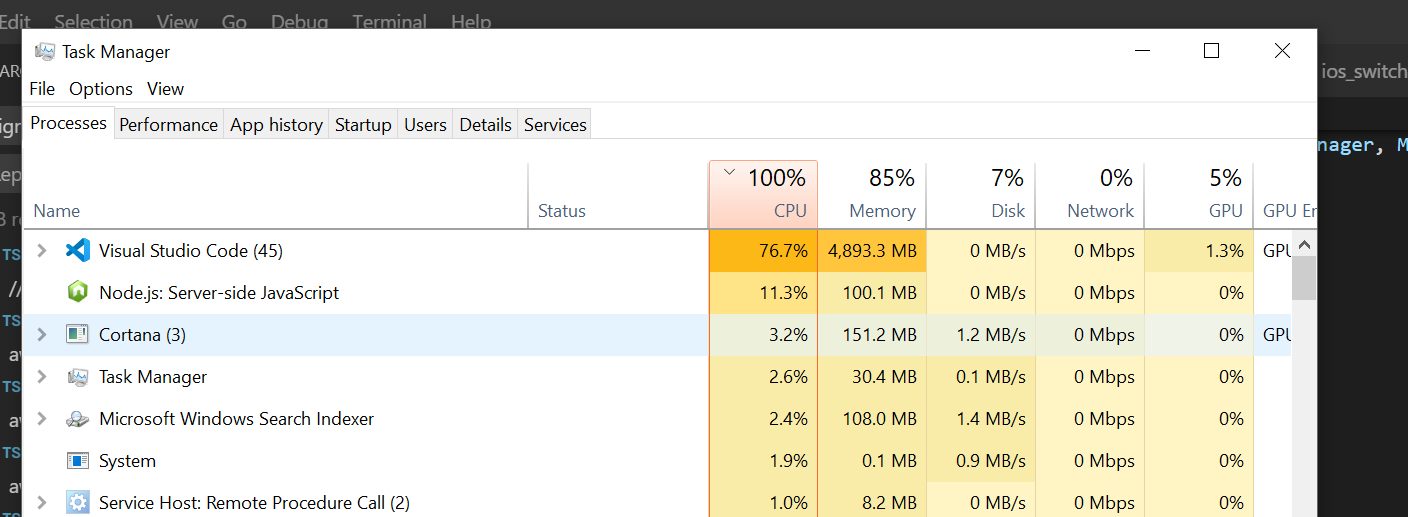
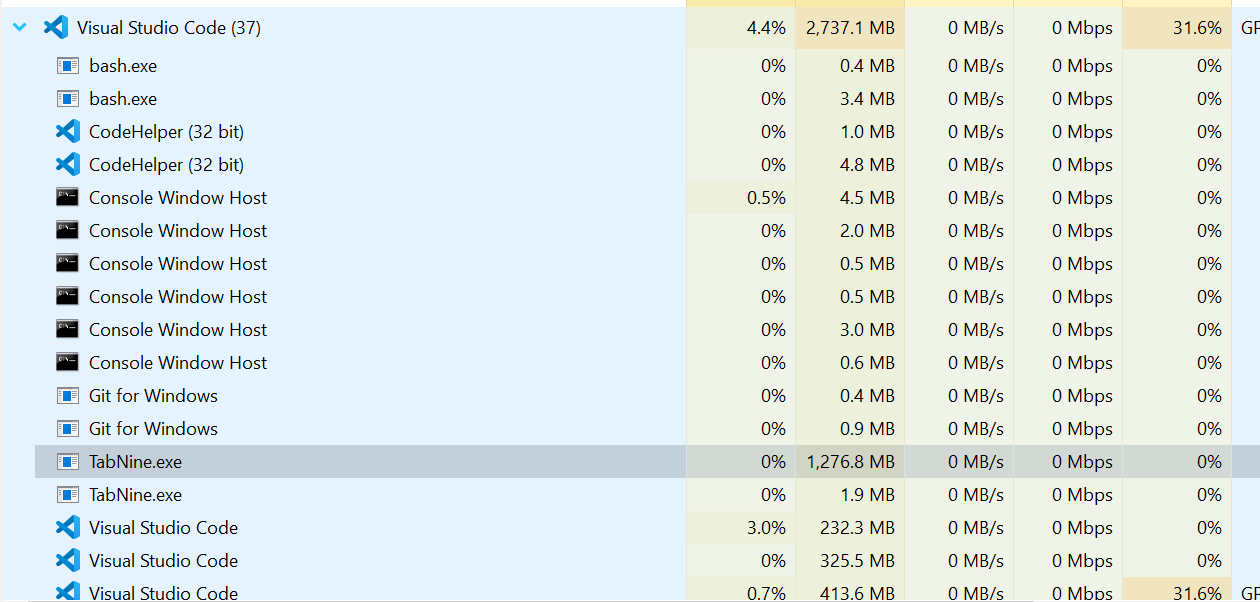

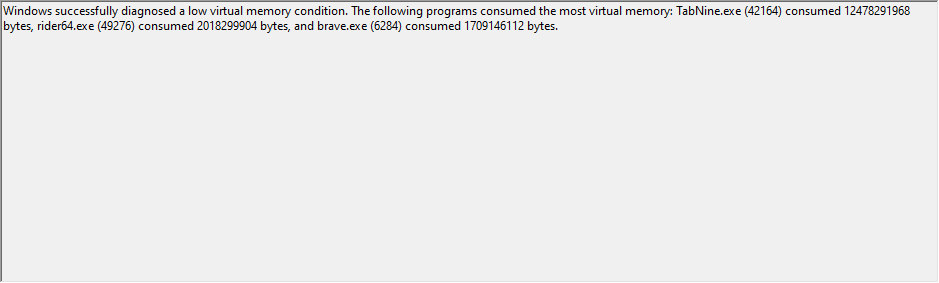


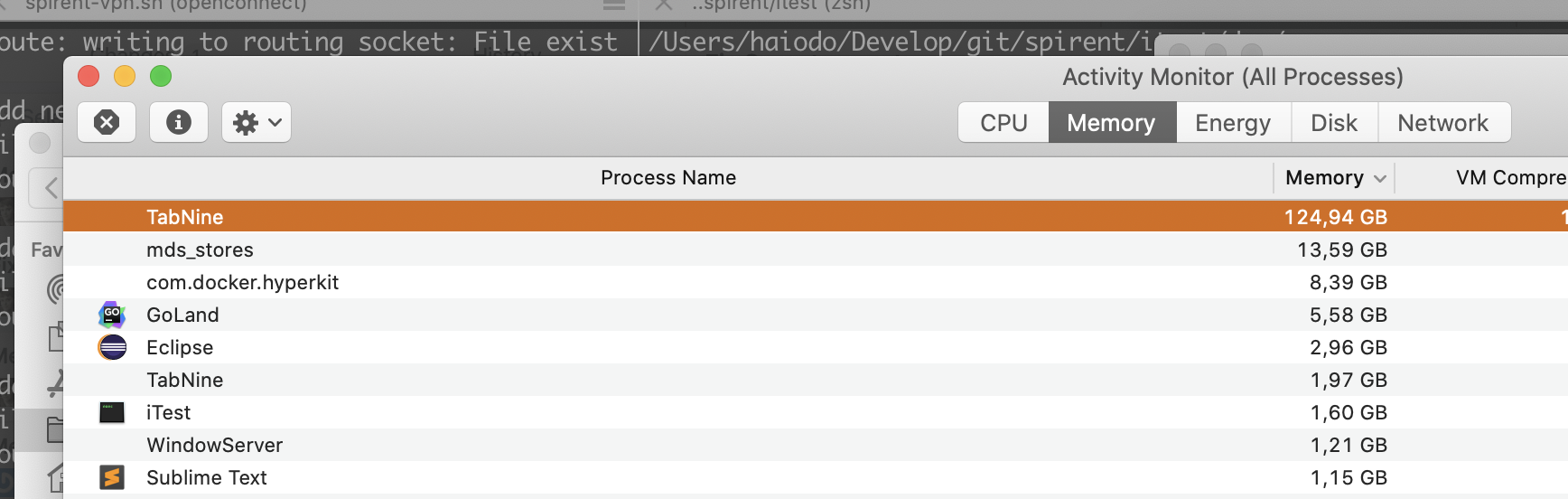

Hi All, we have a fix in beta (version 2.3.4) for excessive CPU and memory consumption by TabNine. We'd appreciate it if you try it out and let us know if it solves the issue for you. To try the fix, you have to enable the beta version. Just open TabNine's config by typing TabNine::config in your editor, and then check both Update TabNine automatically and Receive beta releases of TabNine Then, restart your editor, and press TabNine::confiig to verify you have TabNine 2.3.4. or newer. Please let us know if this version solves the problem for you. We plan to make it available to all users in a couple of weeks.


It is now released to all users and should update automatically.
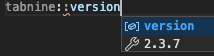
Type TabNine::version to see your version number - It should be 2.3.7 or later. See screenshot:
Hi, everyone who wrote on this issue.
We have since released a version that should improve TabNine's cpu and memory consumption. Would really appreciate your help in trying it out and seeing if the situation improved.
Thanks a lot!

As you can see my version:

Memory consumption:

Environment: Ubuntu 19.10 Vscode: Version: 1.43.2 Commit: 0ba0ca52957102ca3527cf479571617f0de6ed50 Date: 2020-03-24T07:52:11.516Z Electron: 7.1.11 Chrome: 78.0.3904.130 Node.js: 12.8.1 V8: 7.8.279.23-electron.0 OS: Linux x64 5.3.0-42-generic

perhaps the modes of TabNine should provided two version,large for huge memory machine, and smaller for lower machine. or optimize the mode to make it smaller.

@Xunjin and @shuxiao9058 Thank you for your feedback.
Memory footprint of 1.7GB is not uncommon when TabNine local is enabled. In fact, it can grow up to 2.5GB (depending on project size), but it should not grow much beyond that. Before it could grow without bounds, as one of the reports above shows ~124GB (!!) RAM.
If you do not wish to use that much RAM, you can disable deep TabNine local, which is responsible for most of the memory usage. If you still wish to receive deep suggestions, you can choose to use TabNine cloud (a paid option).
@amircodota No problem, just saw that you tagged a help wanted, so came for help (I guess).
IMHO the tools seems way better than before, In the past had some huge CPU spikes which doesn't happen quite often.
@shuxiao9058 pointed in other issues that could be other optimizations, it's not everybody who has powerful machines or/and have available 2.5 GB just for TabNine... Maybe it's worth looking for it ?!
Well, that's my 2 cents :)
@Xunjin Thanks for the feedback.
We are definitely looking into ways of reducing the memory footprint. Stay tuned...
Got this issue, after upgraded to the latest MacOS 10.15.4.
Only open one VS code window and one project. It will get high MEM while typing several code lines. Hope it will be fixed.
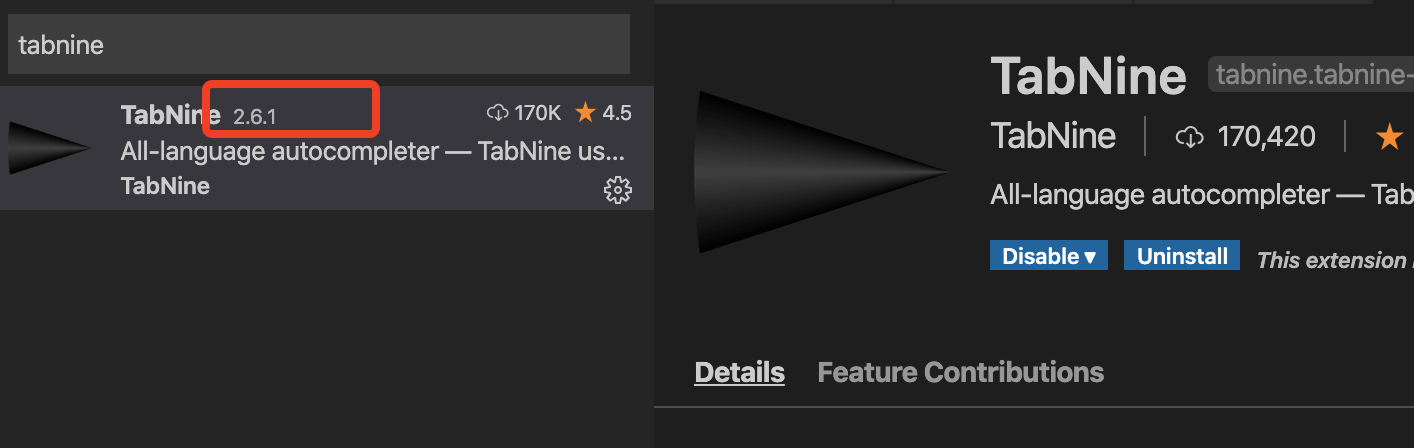


@amircodota if any solution for it, my highly configured Mac is running with high MEM.
This is still an issue. I have node_modules listen in .gitignore but it still chonks up my CPU and RAM like crazy. And by CPU Usage I mean 100% CPU usage every time I try to write. This doesn't occur when I'm working with non-npm/node projects.

@HenrijsS
A few questions:
- What editor are you using?
- Do you have tabnine local enabled? If so, can you disable and see if it still reproduces?
- Is your project open source by any chance? Would love to get the code and try to reproduce
@HenrijsS
A few questions:
- What editor are you using?
- Do you have tabnine local enabled? If so, can you disable and see if it still reproduces?
- Is your project open source by any chance? Would love to get the code and try to reproduce
- Visual Studio Code
- I only use TabNine local because I'm currently a free user.
- Unfortunately no, it is a private project for a client.
@HenrijsS would it be possible for us to get the package.json file only, along with relevant lock files (yarn.lock or package-lock.json), so that we can create a similar project?
How do I disable it per project? I only need auto complete on my "main" the other VScode instances are just to browse code. That would fix the insane memory hogging for me

Is there any progress on reducing RAM usage for TabNine? I'm on 2.8.1 and it normally used between 1.2gb and 1.5gb. Using Atom
Thanks Dom

I really enjoyed the tabnine concept, but as well pointed here, it is a huge memory hog. I have 16gb of ram, but as a developer we keep so many things opened which has a huge impact. I've disabled it for not (haven't uninstalled) hopping this issue could be addressed.

After thinking my problem was too many Google Chrome windows/tabs open I started looking into my Neovim/Vim as the culprit because my machine ends up becoming unresponsive when editing code. I'm thinking this is hitting me pretty hard and I'm finding it pretty much a killer for my productivity, outweighing the benefits. Seems like there should be a way to restrict the amount of CPU it can use.