
vscode-coder
 vscode-coder copied to clipboard
 coder
coder
feat: Align remote ssh naming with coder cli
coder's cli tool allow users to configure ssh conection to their remote hosts. as part of it's configuration, he generate ssh config host to the dedicated user's machine. The patten used by the cli tool, is not align with the one user by the vscode extension. This mismatch between coder cli and the vscode extension, cause errors when trying to connect to remote host.
Key differences:
- the host pattern generated by the coder cli is
coder.<workspace-name>.<agent>. currently the default agent is main the vscode extension is expecting the patterncoder-vscode--<workspace-owner>--<workspace-name>--<agent?> - owner / user is not encoded in the ssh host name genereated by coder cli
- the cli allows the user to set different prefix other then
coder
This PR is set to close the gap between the 2 and make sure hosts created by the cli can be connected from the vscode extension

The reason for that is the ability to use the vscode extension to connect to workspaces that was configured using the config ssh option. For example. I have a workspace that I'm connected to using ssh that I already configured via the cli. I want to seamlessly be able to connect to it and work.with it using the extension.
The reason for that is the ability to use the vscode extension to connect to workspaces that was configured using the config ssh option. For example. I have a workspace that I'm connected to using ssh that I already configured via the cli. I want to seamlessly be able to connect to it and work.with it using the extension.
Currently as Kyle mentioned, the cli and the vscode extension are intentionally writing different ssh config blocks. These blocks should never be written to by the user, and if custom options are needed, there is flags on the cli and extension settings in the extension to add/remove ssh config options.
Keeping these distinct from each other means we can define custom behavior of the ssh, which is currently just SetEnv CODER_SSH_SESSION_TYPE=vscode. This custom behavior is how we can keep track of what type of connection is being made to the agent.
The reason for that is the ability to use the vscode extension to connect to workspaces that was configured using the config ssh option.
In the extension, do you not just select a workspace? You do not select from a set of configured ssh hosts. You choose the workspace itself. So the ssh config logic is never exposed to the user.

If you are using VSCode-Remote instead, and selecting the ssh host, then you are not using the Coder extension. In that case, you can select any config-ssh host you would like from either configuration block.
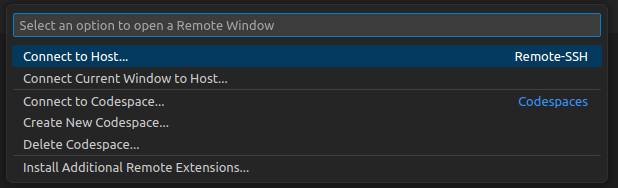
I am curious what your workflow is that the two different ssh host namings are being presented to the user.

Closing as stale, but happy to reopen and take another look if this becomes active again.
