

 coder
coder
UX: disabling autostart is difficult
Problem
The user does not have a simple way to disable the Schedule and there may be errors associated with the changes to the schedule.
Definition of Done
A user should be able to quickly and obviously disable auto-start in the UI otherwise they may end up incurring infrastructure costs unintentionally.
https://user-images.githubusercontent.com/5375600/179861769-3bf706fa-0077-4eb2-9932-ef77e6f443e3.mov
Disabling autostart in the web UI is a bit painful. In order to do it, I need to
- Focus on Start Time Hours, hit backspace
- Focus on Start Time Minutes, hit backspace
- Focus on Start Time AM/PM, hit backspace
- Untick Monday
- Untick Tuesday
- Untick Wednesday
- Untick Thursday
- Untick Friday
- Submit
Also, after step 1 and before step 8, the field is marked as an error. This makes discoverability really low because I'm discouraged at step 1 from continuing on my journey to my goal, which is to disable autostart.
Possible solution
Top level checkbox for autostart. If I uncheck it, Start Time, Time Zone, and Days of the Week all go gray and uneditable.
Related issues for the errors are here: #1943 and #3097

Some ideas for improvement:
- add a clear field button next to the
Start Timeinput that would strip hours, minutes, and meridiem. - add a 'Select All/Deselect All' checkbox
- change validation such that it shows not on field dirtying, but rather on submit. So a user would see no errors until they hit submit, then validations would show, if applicable, after submit had failed.
@spikecurtis @BrunoQuaresma thoughts?

Those are improvements, but I worry that we're missing an "affordance" --- if my goal is to disable autostart, it's not clear looking at the screen that I should take the actions
- Clear start time
- Clear days of the week
to accomplish my goal. Something that actually says "disable autostart" or an "autostart" checkbox I can unclick, or some other way that I know by looking how to accomplish what I'm trying to do.
Yeah, maybe we move those fields closer to one another and put them under a label called 'autostart'. Perhaps days of the week doesn't even show up as a field unless a start time is populated.
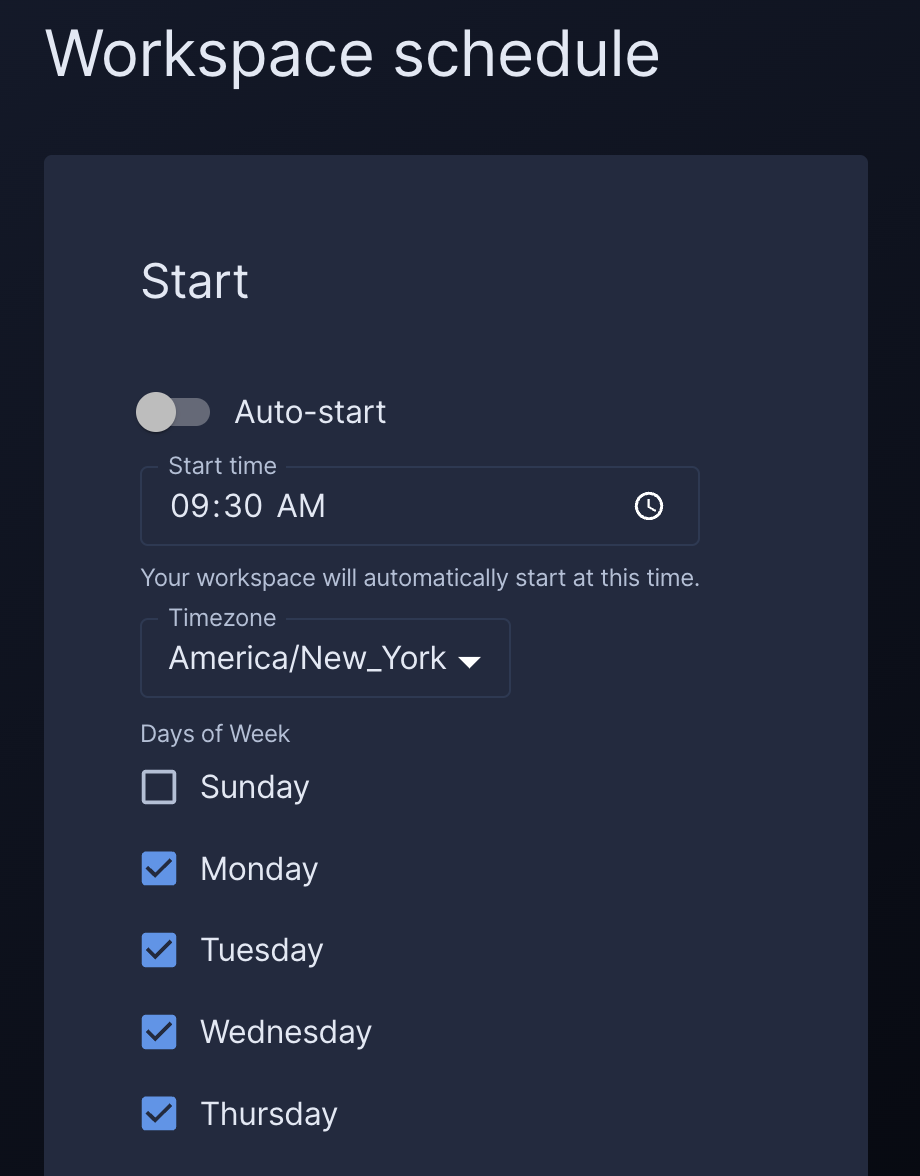
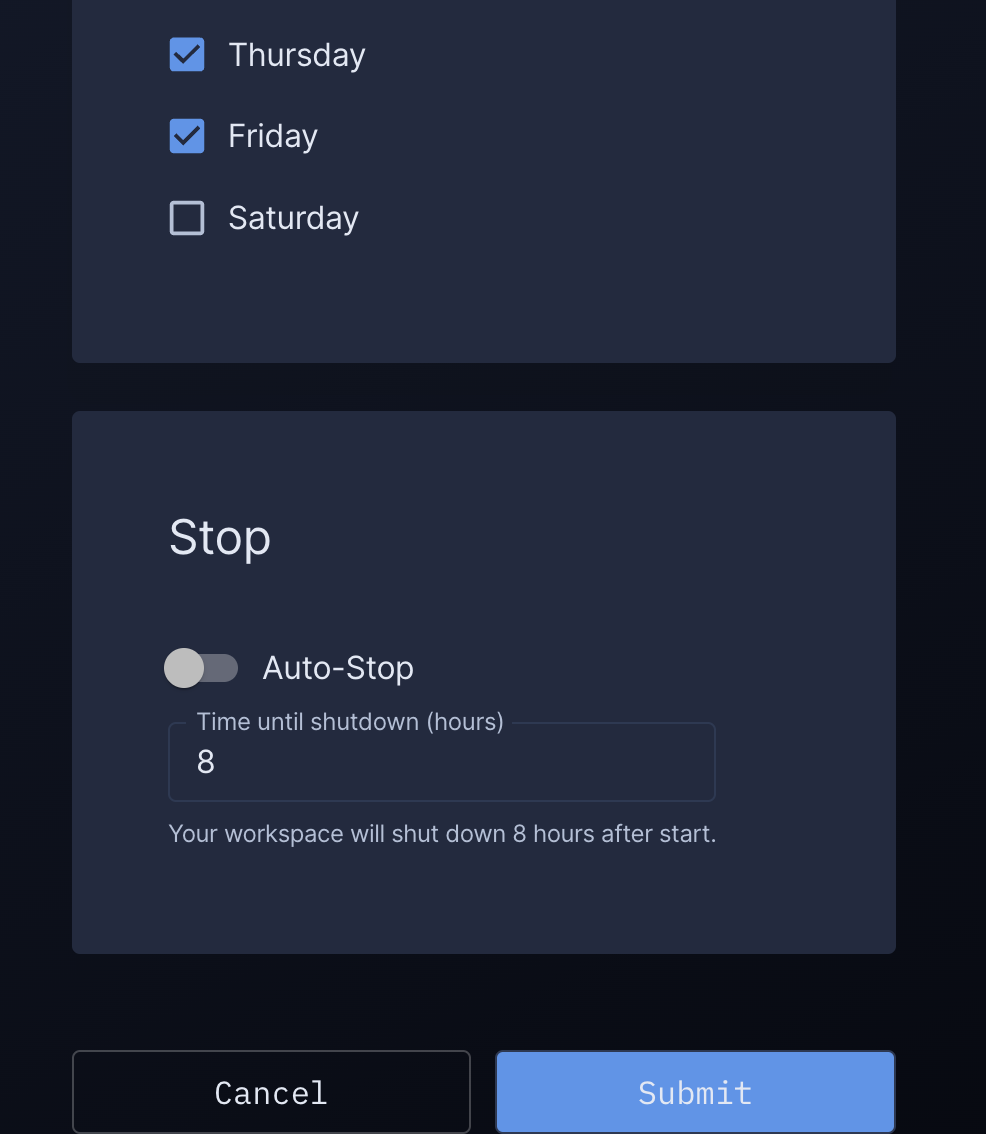
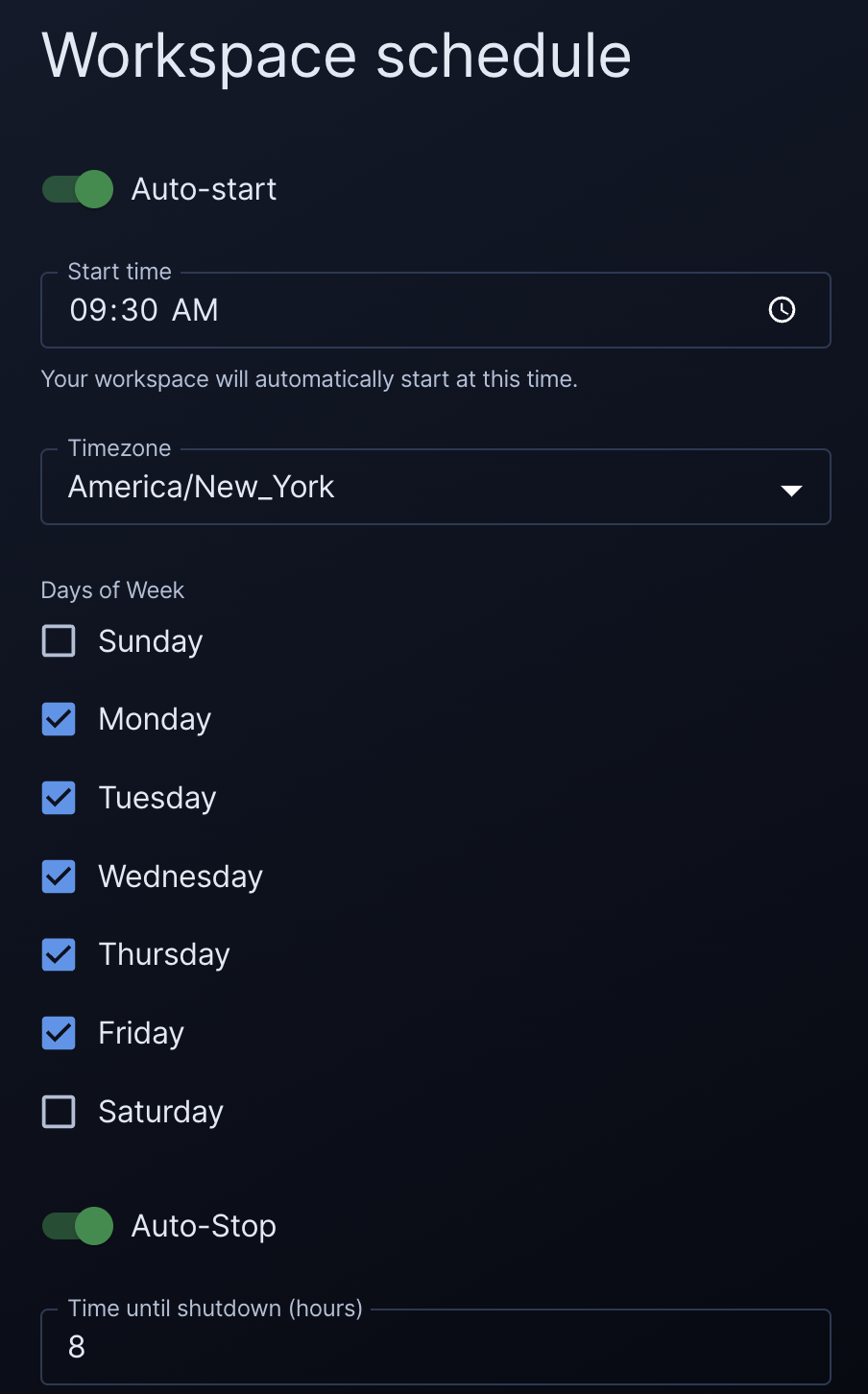
I propose we separate auto-start and auto-stop into sections, and have a toggle at the top of the auto-start section, and disable all auto-start controls if the toggle is in the off state.

Here it is with switches (apparently toggles are something different in MUI) both with and without sections. @bpmct @BrunoQuaresma @kconley-sq
With sections:
Without sections:
lgtm, but I think you could probably just assume local time and drop the timezone selection.

@presleyp I think it looks great! Of the two styles I think I prefer the look of the "With sections" option.
In that "With sections" screenshot you shared where "Auto-start" is disabled, is it possible to make it clearer that the associated auto-start controls (such as the "Start time" text box, "Days of week" checkboxes, etc.) are disabled, e.g. by graying them out and making them uneditable?

I recommend keeping the timezone picker because of travel.
I agree with @kconley-sq 's proposal for disabling the controls; we can also hide the section.

Oh yeah, I meant to show it all enabled because I hadn't coded up the disabling yet, but it's definitely needed! I considered hiding controls that are disabled, but I think it's better to show them so that users can see what's possible.