

 coder
coder
[Bug]: Docker image is missing libsecret-1.so.0
Is there an existing issue for this?
- [X] I have searched the existing issues
OS/Web Information
- Web Browser: Chrome 111
- Local OS: Windows 10
- Remote OS: Debian 11
- Remote Architecture: x64
code-server --version: 4.11.0
Steps to Reproduce
- Install code-server docker image (x64)
- Check logs
Expected
To have libsecret included in the docker image.
Actual
The following appears in the log:
[14:40:22] [172.19.0.1][e6944a03][ManagementConnection] New connection established. [14:40:22] Using the in-memory credential store as the operating system's credential store could not be accessed. Please see https://aka.ms/vscode-server-keyring on how to set this up. Details: libsecret-1.so.0: cannot open shared object file: No such file or directory
Logs
[14:40:22] [172.19.0.1][e6944a03][ManagementConnection] New connection established. [14:40:22] Using the in-memory credential store as the operating system's credential store could not be accessed. Please see https://aka.ms/vscode-server-keyring on how to set this up. Details: libsecret-1.so.0: cannot open shared object file: No such file or directory
Screenshot/Video
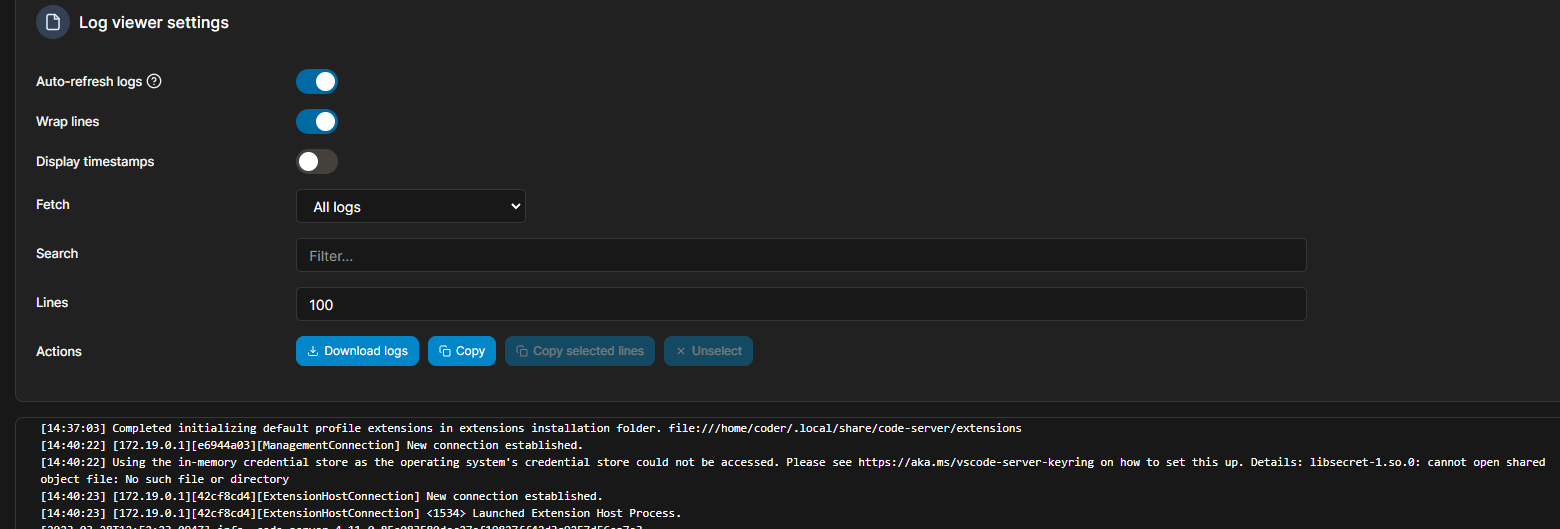
Does this issue happen in VS Code or GitHub Codespaces?
- [X] I cannot reproduce this in VS Code.
- [X] I cannot reproduce this in GitHub Codespaces.
Are you accessing code-server over HTTPS?
- [X] I am using HTTPS.
Notes
No response

This will be an interesting one because if we do install libsecret we will also need to run dbus and provide a way to unlock the keychain (or somehow unlock it on start, maybe using the same password code-server uses if provided).
I am also not sure where the keychain puts secrets so possibly we would need to recommend another volume mount unless we can change the path or those secrets would be lost when the container restarts anyway.
