

 coder
coder
[Feat]: Web-based GPG pin entry for signing git commits
What is your suggestion?
When signing git commits with GPG, where the GPG key exists on the server, display a prompt that allows for entry of the GPG pin.
Why do you want this feature?
If you currently try to commit from the UI when using GPG signing, you get an error:

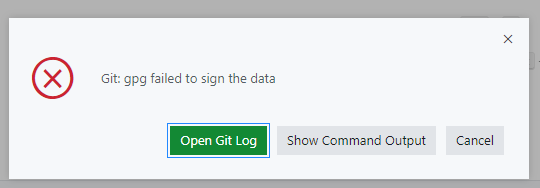
error: gpg failed to sign the data
fatal: failed to write commit object
...but if you use the terminal, it works fine:
git commit -m "My Commit Message"
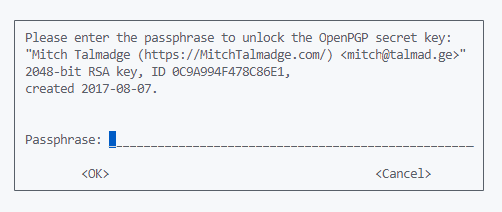
This requires me to open the terminal every time I want to commit. I would prefer to use the nice UI.
Are there any workarounds to get this functionality today?
Not that I know of. I could just be doing something entirely wrong.
Are you interested in submitting a PR for this?
I wouldn't really know where to begin here, unfortunately, and lack the time at the moment to figure it out.


Is this a bug? Does this happen in VS Code/Codespaces?
Native VS Code triggers pinentry program from system. In case of code server, it would be cool if it would have a web-based fallback for it.
Right now my workaround for this is to unlock the signing key with some command in the terminal (like gpg --clearsign) and then committing my changes in code's UI

@code-asher any suggestions for workarounds? also any ideas how difficult this would be to patch/fix?
Agreed that it would be cool to handle this in the UI and it should be pretty straightforward, we just need to implement a pinentry script that talks to code-server via the IPC socket. Probably involves adding some new message types but I think it would be relatively easy.
Likely this reproduces in Codespaces though so I would lean toward raising this upstream.
No workarounds other than the ones mentioned come to mind unfortunately.

Just to be sure, tried to reproduce it in Codespaces, and it has exactly the same behavior.
Seems like upstream has a related issue already: https://github.com/microsoft/vscode-remote-release/issues/1022 (not exactly the same issue, but assumes implementing a proper pinentry fallback in VS Code) There's also a nice workaround that suggests using this extension, mentioned in comment https://github.com/microsoft/vscode-remote-release/issues/1022#issuecomment-1123209855