
react-native-dark-mode
 react-native-dark-mode copied to clipboard
 codemotionapps
Detect dark mode in React Native
react-native-dark-mode


⚠️ DEPRECATED ⚠️
Please upgrade to React Native 0.62 and react-native-dynamic  (in 1.0.0 all high level APIs are available, intentionally undocumented, will be removed in 2.0.0).
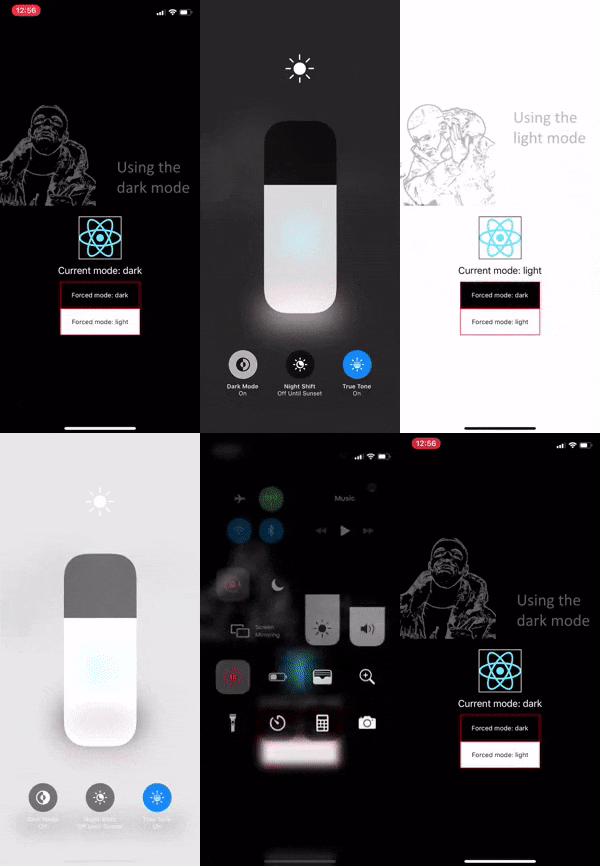
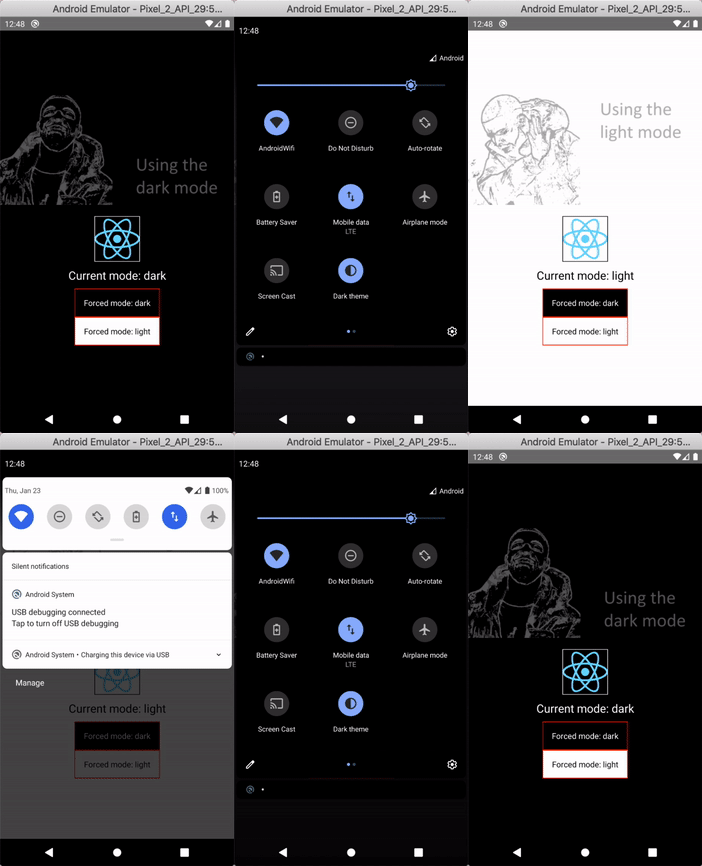
Installation
Prevent Android app from restarting when dark mode changes
You must append |uiMode to the android:configChanges prop of <activity> in AndroidManifest.xml. Example:
diff --git a/android/app/src/main/AndroidManifest.xml b/android/app/src/main/AndroidManifest.xml
--- a/android/app/src/main/AndroidManifest.xml
+++ b/android/app/src/main/AndroidManifest.xml
@@ -13,7 +13,7 @@
                <activity
                        android:name=".MainActivity"
                        android:label="@string/app_name"
-                       android:configChanges="keyboard|keyboardHidden|orientation|screenSize"
+                       android:configChanges="keyboard|keyboardHidden|orientation|screenSize|uiMode"
                        android:windowSoftInputMode="adjustResize">
                        <intent-filter>
                                <action android:name="android.intent.action.MAIN" />
(iOS) Make sure you don't have UIUserInterfaceStyle in Info.plist
In iOS you can force the operating system to display your app always in light mode or dark mode by specifying it in Info.plist. If you did that in the past this module will not work.
React Native 0.60 or above
npm install react-native-dark-mode
cd ios && pod install # for iOS
React Native 0.59
npm install react-native-dark-mode
react-native link react-native-dark-mode
Usage
High level APIs
useDarkMode
Returns a boolean. true when dark mode is on.
import { useDarkMode } from 'react-native-dark-mode'

function Component() {
	const isDarkMode = useDarkMode()
	return <View style={{ backgroundColor: isDarkMode ? 'black' : 'white' }} />
}
useDarkModeContext
Returns dark or light.
import { useDarkModeContext } from 'react-native-dark-mode'

const backgroundColors = {
	light: 'white',
	dark: 'black',
}

function Component() {
	const mode = useDarkModeContext()
	const backgroundColor = backgroundColors[mode]
	return <View style={{ backgroundColor }} />
}
DynamicStyleSheet, DynamicValue and useDynamicStyleSheet
Just like StyleSheet but with support for dynamic values.
import { DynamicStyleSheet, DynamicValue, useDynamicStyleSheet } from 'react-native-dark-mode'

const dynamicStyles = new DynamicStyleSheet({
	container: {
		backgroundColor: new DynamicValue('white', 'black'),
		flex: 1,
	},
	text: {
		color: new DynamicValue('black', 'white'),
		textAlign: 'center',
	},
})

function Component() {
	const styles = useDynamicStyleSheet(dynamicStyles)

	return (
		<View style={styles.container}>
			<Text style={styles.text}>My text</Text>
		</View>
	)
}
DarkModeProvider
Allows you to set a specific mode for children.
import { DarkModeProvider } from 'react-native-dark-mode'

function MyScreen() {
	return (
		<>
			{/* will be rendered using dark theme */}
			<DarkModeProvider mode="dark">
				<Component />
			</DarkModeProvider>

			{/* will be rendered using light theme */}
			<DarkModeProvider mode="light">
				<Component />
			</DarkModeProvider>

			{/* will be rendered using current theme */}
			<Component />
		</>
	)
}
It is recommended to wrap your application in a DarkModeProvider without a mode prop to observe a performance improvement.
function App() {
	return (
		<DarkModeProvider>
			{/* ... */}
		</DarkModeProvider>
	)
}
useDynamicValue
Returns the appropriate value depending on the theme. You can either pass a DynamicValue or just two arguments.
import { DynamicValue, useDynamicValue } from 'react-native-dark-mode'
const lightLogo = require('./light.png')
const darkLogo = require('./dark.png')
const logoUri = new DynamicValue(lightLogo, darkLogo)

function Logo() {
	const source = useDynamicValue(logoUri)
	return <Image source={source} />
}
import { useDynamicValue } from 'react-native-dark-mode'

function Input() {
	const placeholderColor = useDynamicValue('black', 'white')
	return <TextInput placeholderTextColor={placeholderColor} />
}
Low level APIs
initialMode
This is the initial mode that the app started in.
import { initialMode } from 'react-native-dark-mode'

console.log('App started in', initialMode, 'mode')
eventEmitter
Allows you to subscribe to changes in the mode.
import { eventEmitter } from 'react-native-dark-mode'

eventEmitter.on('currentModeChanged', newMode => {
	console.log('Switched to', newMode, 'mode')
})
Requirements
iOS
- Xcode 11
- React Native 0.59.9 or higher
- iOS 13 to see it in action
Android
- Android 10 or Android Auto to see it in action
 codemotionapps