
cocos-engine
 cocos-engine copied to clipboard
 cocos
cocos
Disabling loose mode greatly affects performance on Web Mobile platform
Cocos Creator version
3.6.3, 3.7.1
System information
Android 10 on OnePlus 5, Vivo v11, Xiaomi Redmi Note 8 Pro, iOS 16.3.1 on iphone 11
Issue description
Disabling loose mode greatly affects performance on Web Mobile platform on mobile devices (Android, iOS).
The bug seems to appear only on mobile devices and doesn't affect desktop browsers (or I didn't notice it).
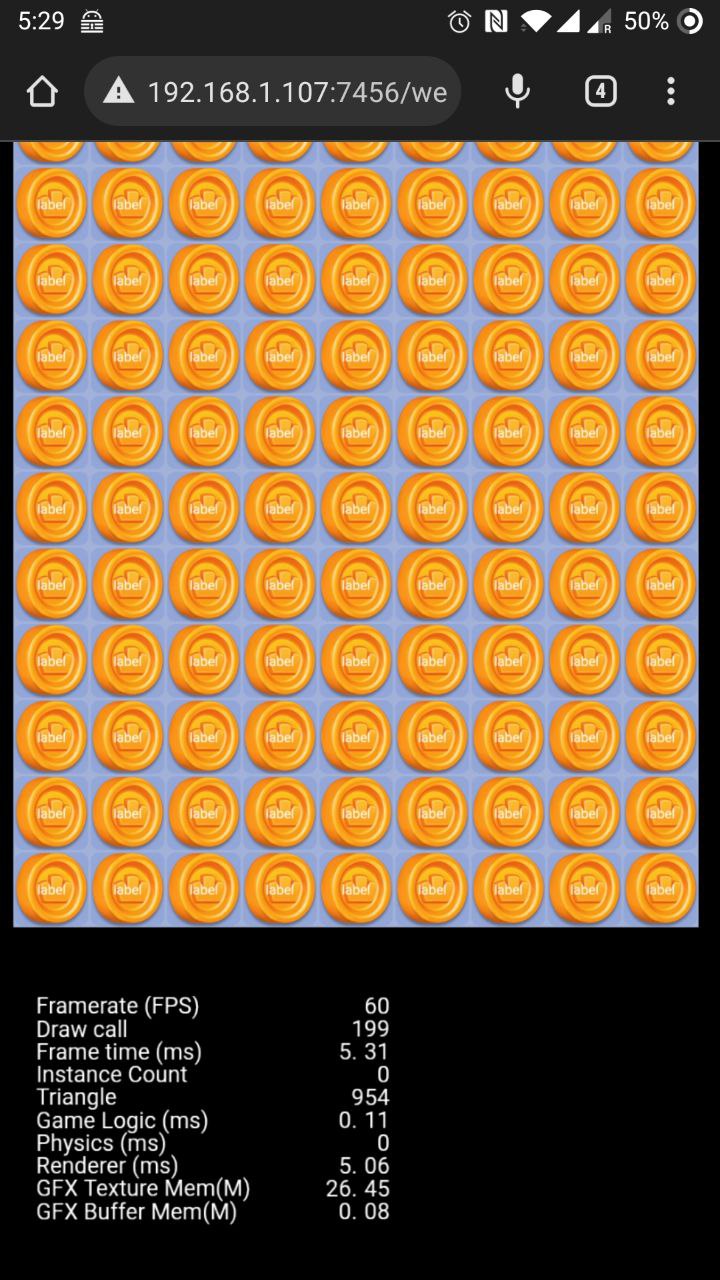
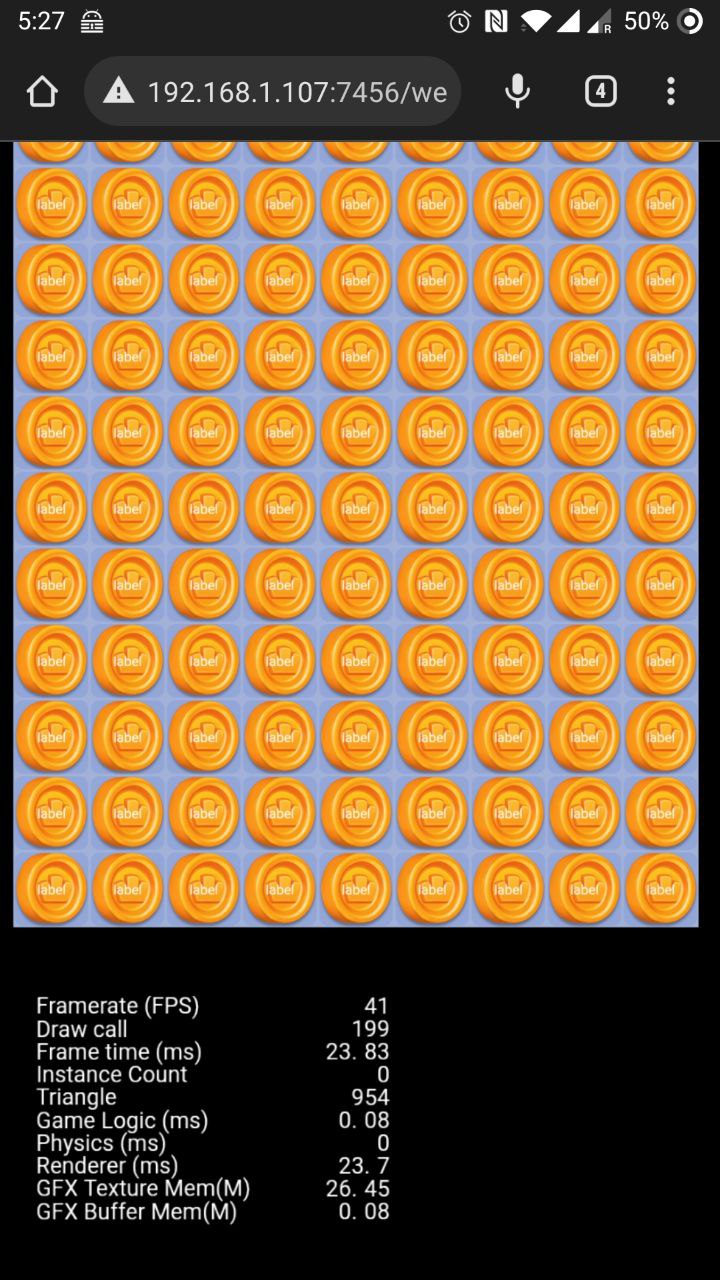
Below is the screenshots of test project run on Chrome on OnePlus 5 phone. The first one was build with loose mode on. The second one with loose mode off (the strict mode).
As you can see, renderer time was increased from 5ms to 23ms and FPS drops from 60 to 41 (or even worse).
Run with loose mode on:
Run with loose mode off:
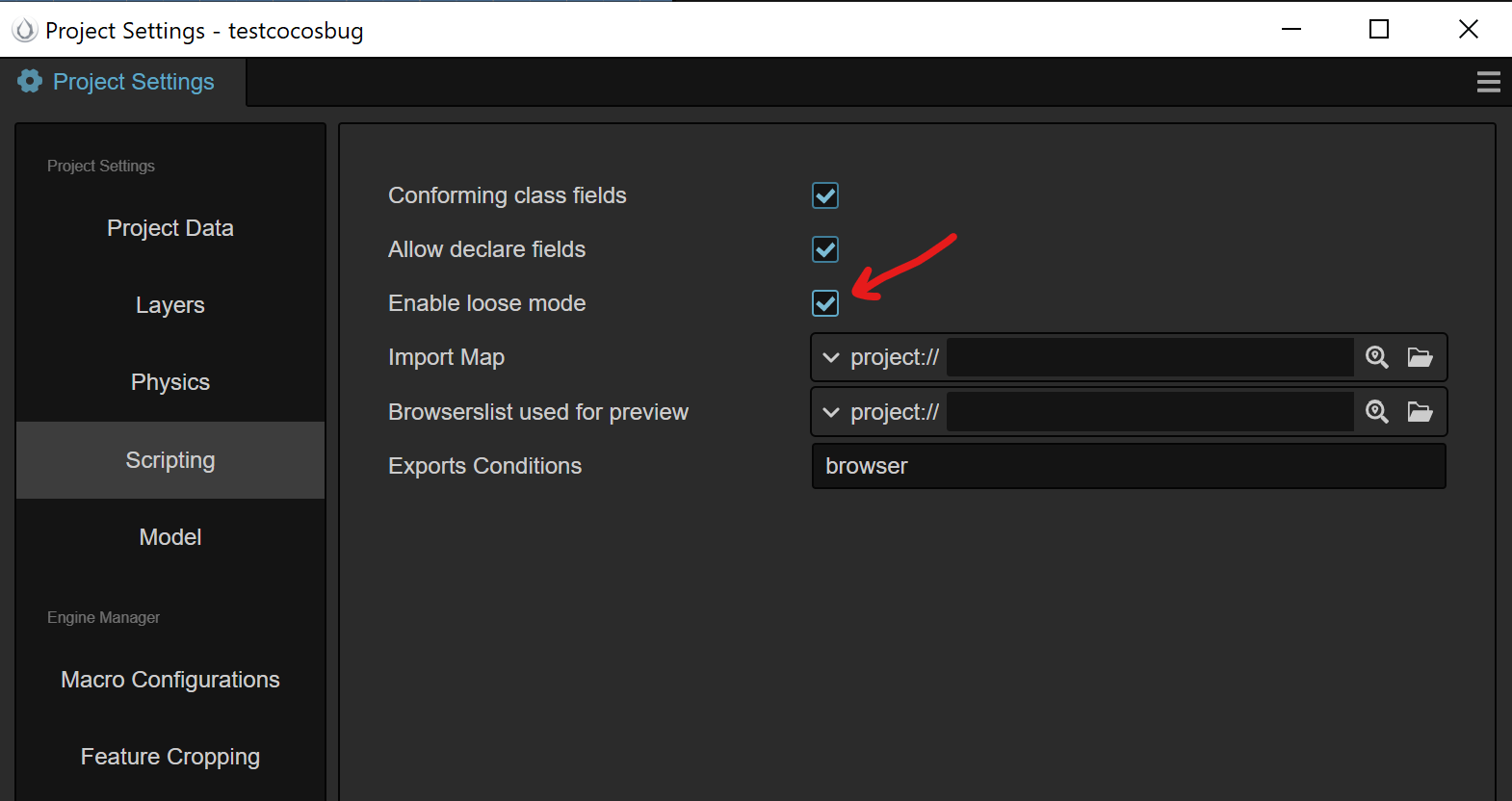
The loose mode checkbox:
Relevant error log output
No errors were found
Steps to reproduce
- Unpack and open attached test project
- Open Project Settings / Scripting and check or uncheck "Enable loose mode" checkbox
- Build project for Web Mobile platform
- Run the build on mobile device
Minimal reproduction project
The test project is a grid of sprites mixed with text to make some load for the browser. There are no something special inside.

Hi @winmain , thanks for your feedback. What browser did you use on your oneplus5 cell phone? Did you try it on other android phones?

I think loose configuration should be configured with sub items rather than just a on/off global switch.