

 cocos
cocos
CC 3.5.2 - The Asset Is Missing! Which asset?
Use Case
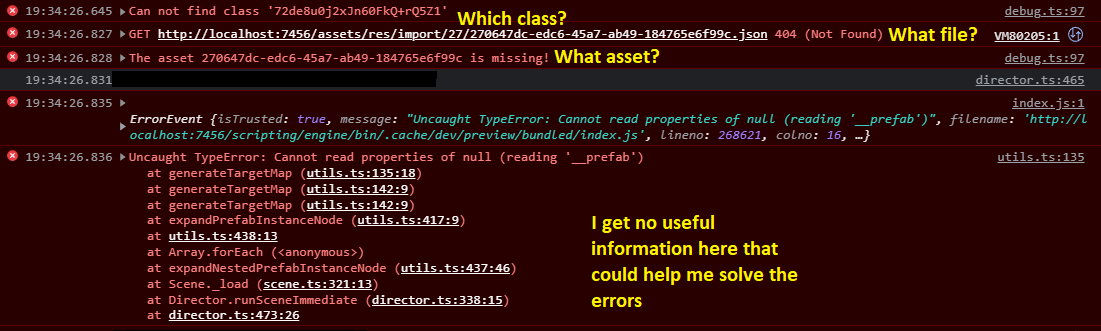
When you remove and clean up your project and by mistake remove an asset which is in use, you will receive an error like this

Problem Description
This is very good that Cocos reports that something isn't right, but having an UUID for a missing file, doesn't really tell you anything. Since you removed the file, you cannot search for the UUID and since Cocos doesn't give the name of the file you have no clue what file that was.
Proposed Solution
Could Cocos somehow store the name and UUID of the files attached to be able to present to the user the Name of the missing asset instead of the UUID, because UUID doesn't help you at all.
How it works
No response
Alternatives Considered
Maybe some way in the editor to:
- Scan for unused files
- Scan for issues (places where missing files exist), Now I have to click through all prefabs and scenes to find them
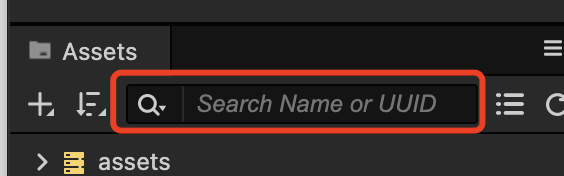
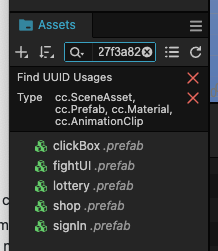
- An easier way to "find UUID usage" as well, since it requires so many clicks to search for a file if it is used and then click away all the "x"-marks in the search box and then move into the next search. It's just cumbersome and slow. Maybe an additional window that you can open to show where this file is used just by clicking on it in the assets window.
Additional Information
No response


Thanks for your response @minggo!
There are many things listed in this ticket, but what you are suggesting is searching for an UUID. If an asset is removed, so will the meta file including the UUID be. If the link is still setup and you'll get a missing file, you won't be able to find the file by UUID. That's why there needs to be a name linked as well in addition to the UUID.
The other feature suggestions I mentioned is a separate window that you could immediately see "find usage". Just by clicking on an asset in the asset window, the other "find usage"-window would show in which scena or prefabs the asset is used.
The third thing mentioned is "find unused assets". A way to easily locate every asset in a project that has no linking to any scene or prefab. This would make it very easy to clean up a project from uneccesary files.
There isn't either a way to locate scenes and prefab errors, you have to click through them all to get error in the logs to find where the missing asset linking is. It's just complicated and manual, when it doesn't need to be.
@Ronsku sorry, i have not idea about these suggestions. @jareguo could you please take a look?
@Ronsku Thanks for the report. This is indeed a legacy issue that we will address as soon as possible. We suggest you use this method to search for resources that use a uuid:
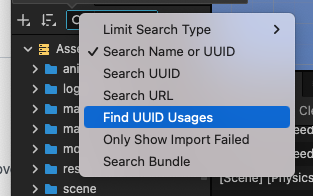
- An easier way to "find UUID usage" as well, since it requires so many clicks to search for a file if it is used and then click away all the "x"-marks in the search box and then move into the next search.
Is this the interface you are talking about?

I will create a demo where you can replicate all the cases in this ticket to understand it better 👍
I'm on vacation, I will create the demo after returning back to work after 5.9
I'm not sure if we need a demo project more than this. Broken link and this is the error you get
Thanks! Tracking of this issue has been established, and these information will be further optimized.
@Ronsku Hi, the missing asset error has been optimised in version 3.9, thank you for your feedback.

@Ronsku Hi, the missing asset error has been optimised in version 3.9, thank you for your feedback.

That's amazing! Thank you so much, big improvements! 💪😊