

 cntools
Position Tracking outside of Lighthouse Range
I'm testing using this library in a fairly large space with 4 lighthouses setup. It seems like the poser/tracker assumes that all calibrated lighthouses should be in range at all times, and as soon as it exits the range of one lighthouse, it recalibrates and starts giving garbage position data. Am I correct that the library assumes it should see all lighthouses at all times? Is there a way to override this behavior, having the tracking use only available lighthouses and still returning poses? Or would that require writing a custom poser?
Any thoughts or help would be appreciated!

That should work actually; It doesn't assume it can see all lighthouses at once and should be fine with switching between in and out of FOV's. I've tested pretty extensively with recalibrating on the fly and dropping lighthouses and it works in my space; but I'm sure there are edge cases.
I could see it sort of losing it's mind if it comes up, sees one LH, figures out where that is, and then swaps to another lighthouse solely without a chance to calibrate it's position. The calibration process for when you can't be in view of all lighthouses at once for the initial positioning is to keep it in line of sight with a LH with a known position, and set it down when in field of view of an unknown position. In this way you can sort of chain together the information. I believe that it wants to be stationary for a second before it will attempt to acquire a new lighthouse.
What device are you using? I might need an active recording from the space to help figure out what is going on. Its possible if it can't capture OOTX data for some lighthouses that messes stuff up in a weird way; but I can't think of why offhand.
You might also pass in --globalscenesolver as a command line argument. This is a pretty experimental feature; but everytime an object stands still, it'll take a snapshot of what it can see and redo lighthouse positions in light of that new information. The major downside to this approach right now is that if a LH moves while it's running it doesn't handle that well and will start giving bad results.

I'm using a Vive Tracker and Vive Lighthouse Gen 2. I recalibrated at the start of each test because some tests ended with very poor calibration
Here is a recording of me doing a lap in the space:
normal.rec.gz
Red path is approximately where I walked:
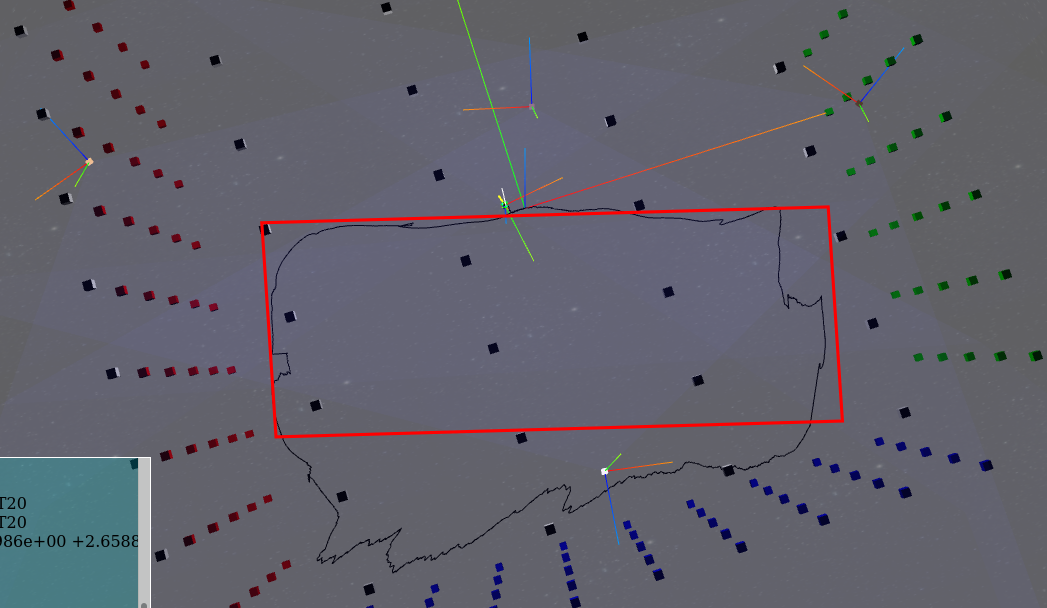 Config:
normal.rec.gz.json.gz
Config:
normal.rec.gz.json.gz
With --globalscenesolver enabled:
gss.rec.gz
Path:
 You can see here that it recalibrated and the lighthouse 3 position isn't close to where it should be.
Config:
gss.rec.gz.json.gz
You can see here that it recalibrated and the lighthouse 3 position isn't close to where it should be.
Config:
gss.rec.gz.json.gz
I think this could be a calibration issue, looking at the calculated poses, they aren't quite the same as the measured distances (but fairly close). The positions are calibrated from the tracker stationary in front of lighthouse 2. Is there a way to get more accurate calibration (possibly by using more points)? Generated Config: config.json.gz For reference, the distance between lighthouse 0 and 2 is about 6.08 meters, and between 2 and 1 is 5.28 m.
Is there a reason dynamic recalibration of lighthouses is needed? In my setup, the lighthouses are mounted on the wall and aren't going to move. Can recalibration be disabled? Having the tracker have to be kept immobile to recalibrate whenever it goes to one end of the area wouldn't work for my use case.
The dynamic recalibration thing is probably mostly at fault here; disable it completely with --no-light-error-for-lh-confidence. I'll run the recording when I get a chance to see if it tells me more.
For a space this size; calibration from a single location is going to be off significantly for base stations which are far away -- noise starts to do some real damage at distance. This is basically why the global scene solver exists though. Basically you'll want to do a good calibration run with setting down the tracker in a bunch of different locations and the global solve will do the right thing. After you do the good calibration run -- and I recommend recording that so you can replay it for future releases / bug fixes; I also wouldn't mind having it to test with -- always pass in --no-light-error-for-lh-confidence (but NOT --globalscenesolve) and it shouldn't recalculate LH positions ever.
Thanks for the advice.
I've done a calibration using --globalscenesolve which seems to be more accurate. It took a few tries, it seems like the calibration would get stuck, and would always fail if the device wasn't set down for recalibration in view of all four lighthouses. This meant I had to stay pretty much within the region visible by all four lighthouses, which probably means that the calibration isn't as good as it could be.
gss_cal2.rec.gz
gss_cal2.rec.gz.json.gz
The --no-light-error-for-lh-confidence is definitely preventing recalibration, but the tracker seems to fail as soon as it leaves the range of one of the lighthouses (and definitely fails after coming back).
no_recal.rec.gz
no_recal.rec.gz.json.gz
I should have said this -- the global scene solver requires you to put the device down; not just go slow. It'll drop a little sphere in the viz tool when it uses the measurement. It is basically looking at the IMU for absolutely no movement. This is overly conservative and probably should be tuned so you can do it with just holding it in hand. Even so, I got this:
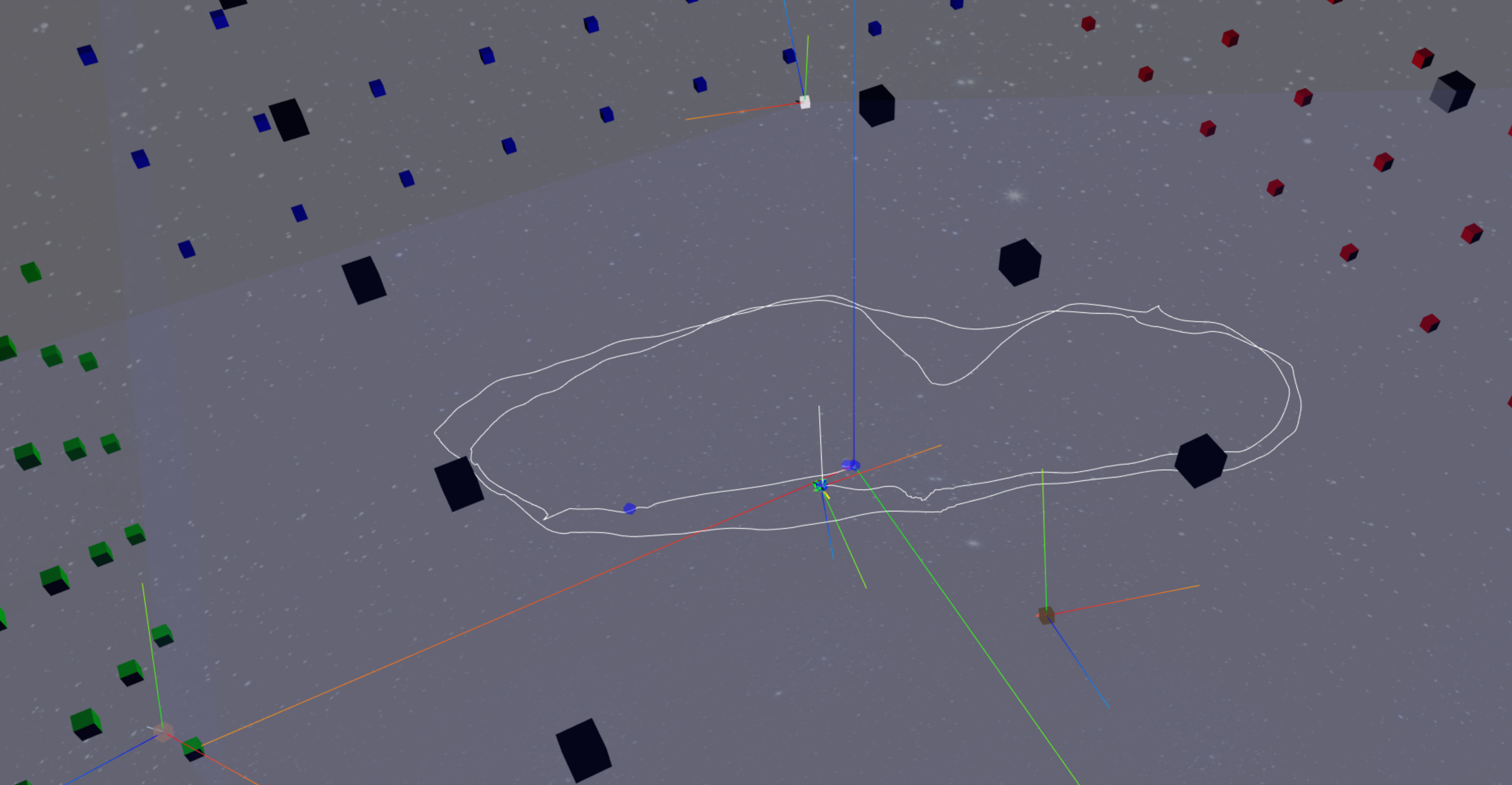
which seems right to me. There is one little blip in that, but other than that it seems reasonable.
I think the actual thing you are seeing is a straight bug in the code. The pattern of the gen2 lighthouse planes makes a sort of hourglass shape; it has a cone coming out the top and bottom that are effectively not swept with the light. It looks to me like when you get too close to that boundary, it breaks tracking while you are near it. There are two possible issues here: It might be that just being close to that deadzone spikes some measurement deviation values through the rough and the tracking loses its mind. It might also be that being near the edge is exposing bad handling of the sweeps, and it is swapping the axis values out -- which would cause what we are seeing.
I'll play with it and see if I can get it to act sensibly in the playback. If I can get it ironed out; do you mind me rolling that into the integration tests?
To clarify, I did set the tracker down and stop movement. But when I did that in a position that was not in range of all lighthouses, it would never complete the recalibration (always returning an error of too few measures for the out of range lighthouse).
Feel free to use any and all recordings for tests, I'm glad to provide anything to help improve the library!
I think the not enough measurement issues tend to apply to that scene; but it should be that if you have at least one scene with enough measurements for that lighthouse it'll integrate it all and give all lighthouse positions.
I think your issue is fixed in latest master branch. The issue was that the beginning of one sweep overlaps the end of another by a few degrees, so if you got to close to the fov extremes it would misreport a bunch of data as being at the wrong extreme of the wrong axis, and the resulting craziness is it trying to satisfy those wrong measurements.
Now when it is near that border, it keeps track of where it came from and determines the axis accordingly. Everything seems sane from the recordings I saw; hopefully you can reproduce that
Sounds great! I'll try again tomorrow and report back with new recordings.
Updated to the latest today (6cb6cdd).
Calibration went much smoother today, especially when crossing the edges of lighthouse ranges. gss_update.rec.gz gss_update.rec.gz.json.gz
Tracking is much more stable, but does have some issues:
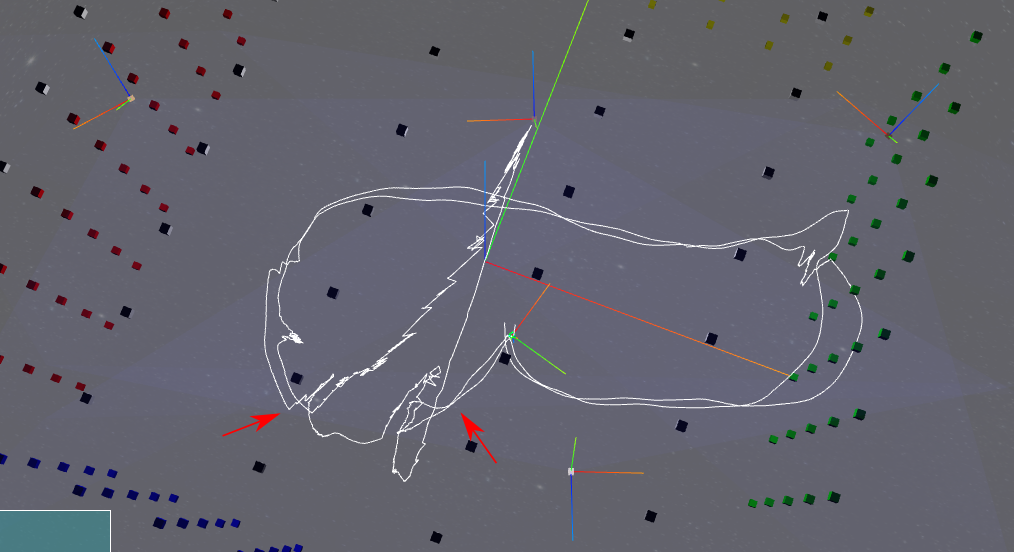 (For note, I moved counterclockwise).
It seemed like the position pointed at by the left arrow caused the tracker to lose positioning, resulting in large movements. Only once I moved back into range at the right arrow did this pick up again. I think this region is beyond the edge of lighthouse 3, and beyond the range (or at the limit) of lighthouse 1.
(For note, I moved counterclockwise).
It seemed like the position pointed at by the left arrow caused the tracker to lose positioning, resulting in large movements. Only once I moved back into range at the right arrow did this pick up again. I think this region is beyond the edge of lighthouse 3, and beyond the range (or at the limit) of lighthouse 1.
Eventually, from pushing the boundaries of the space, I got a lot of errors of Too many errors for T20; resetting calibration. Once this happened, the tracker never recovered and started flying all over.
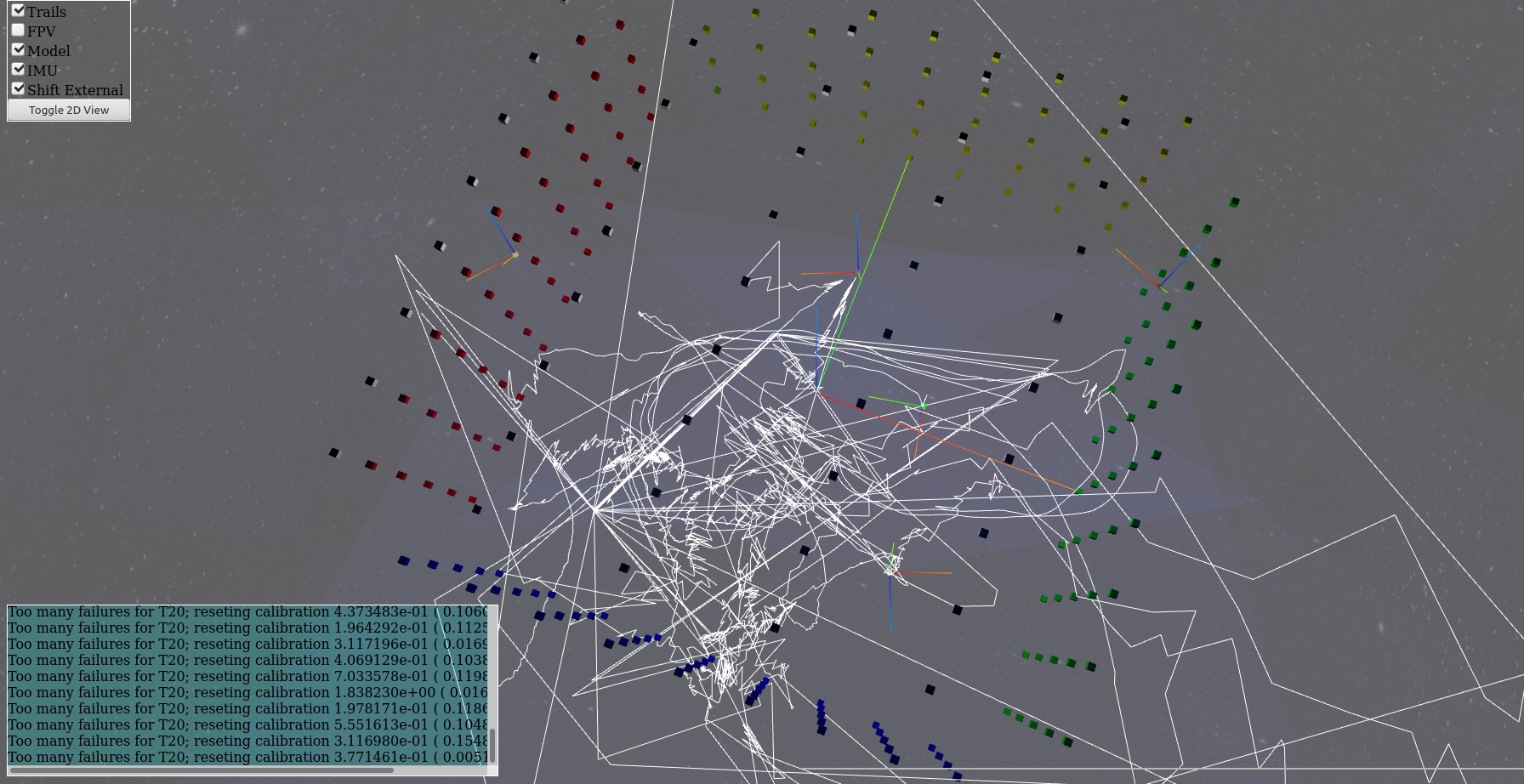
I unfortunately forgot to record that one, but here is another recording with similar issues:
Issues when crossing boundaries.
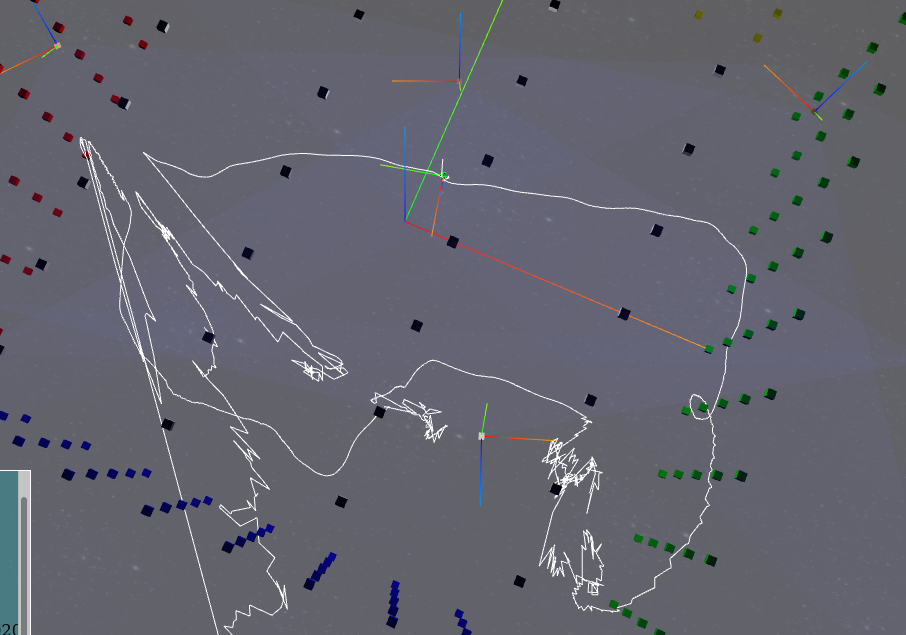 Resetting calibration wildness:
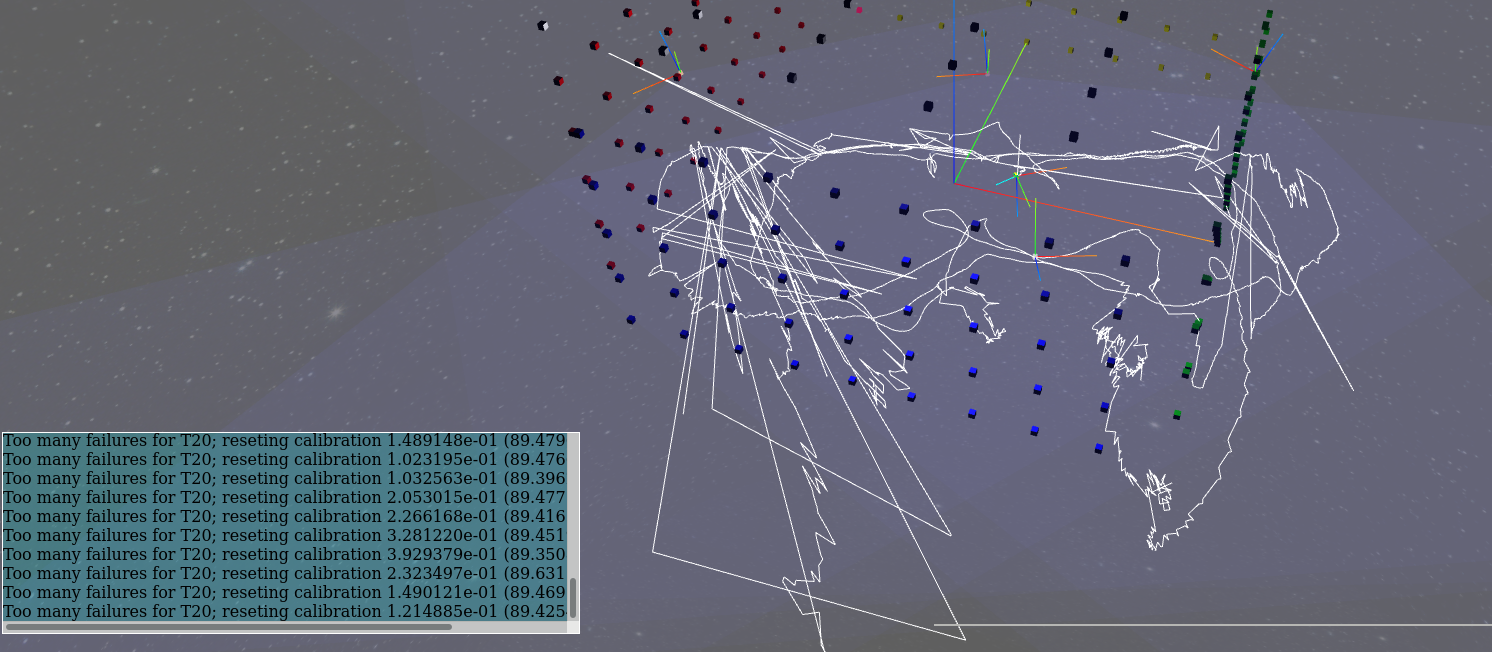 Although in this recording, it recovered eventually each time.
The resetting calibration doesn't seem to happen in most of the areas of the space, only when I start pushing far into an edge of the range (where there is almost definitely only two, maybe only one lighthouse). This doesn't seem as big an issue, though is there a way to know using the API that we've entered this state (to ignore this data)? update.rec.gz update.rec.gz.json.gz
@jdavidberger Have you had a chance to look at the new data? Any updates or advice?