
cmder
 cmder copied to clipboard
 cmderdev
Cursor Bug
Version Information
Cmder version: v1.3.20
Operating system: Win11
Cmder Edition
Cmder Mini
Description of the issue
cursor not go ahead on first space key(display) ,need space key double hit 。
version 1.3.17 is ok!
How to reproduce
- win10
- default config
- type ……
Additional context
No response
Checklist
- [X] I have read the documentation.
- [X] I have searched for similar issues and found none that describe my issue.
- [X] I have reproduced the issue on the latest version of Cmder.
- [X] I am certain my issues are not related to ConEmu, Clink, or other third-party tools that Cmder uses.

This sounds like all the other reported issues with the Lambda prompt symbol, combined with Chinese or CJK codepage, and possibly the specific font being used.
Try searching closed issues for "lambda", and several of the issues will have suggestions how to resolve the issue.

I'm wondering what's the difference between 1.3.17 and 1.3.20 that would cause this issue.
@wolaiba Can you please download a fresh 1.3.17 from link below, and confirm if there is no problem?
- https://github.com/cmderdev/cmder/releases/tag/v1.3.17
If there is no problem with 1.3.17, please also download and test 1.3.18 and 1.3.19, so we can narrow down the issue to a specific version.
Otherwise, please check some of these issues first, as @chrisant996 mentioned: https://github.com/cmderdev/cmder/issues?q=lambda+CJK
Thanks

windows 10 pro 21H2 CJK
1.3.19 works fine.
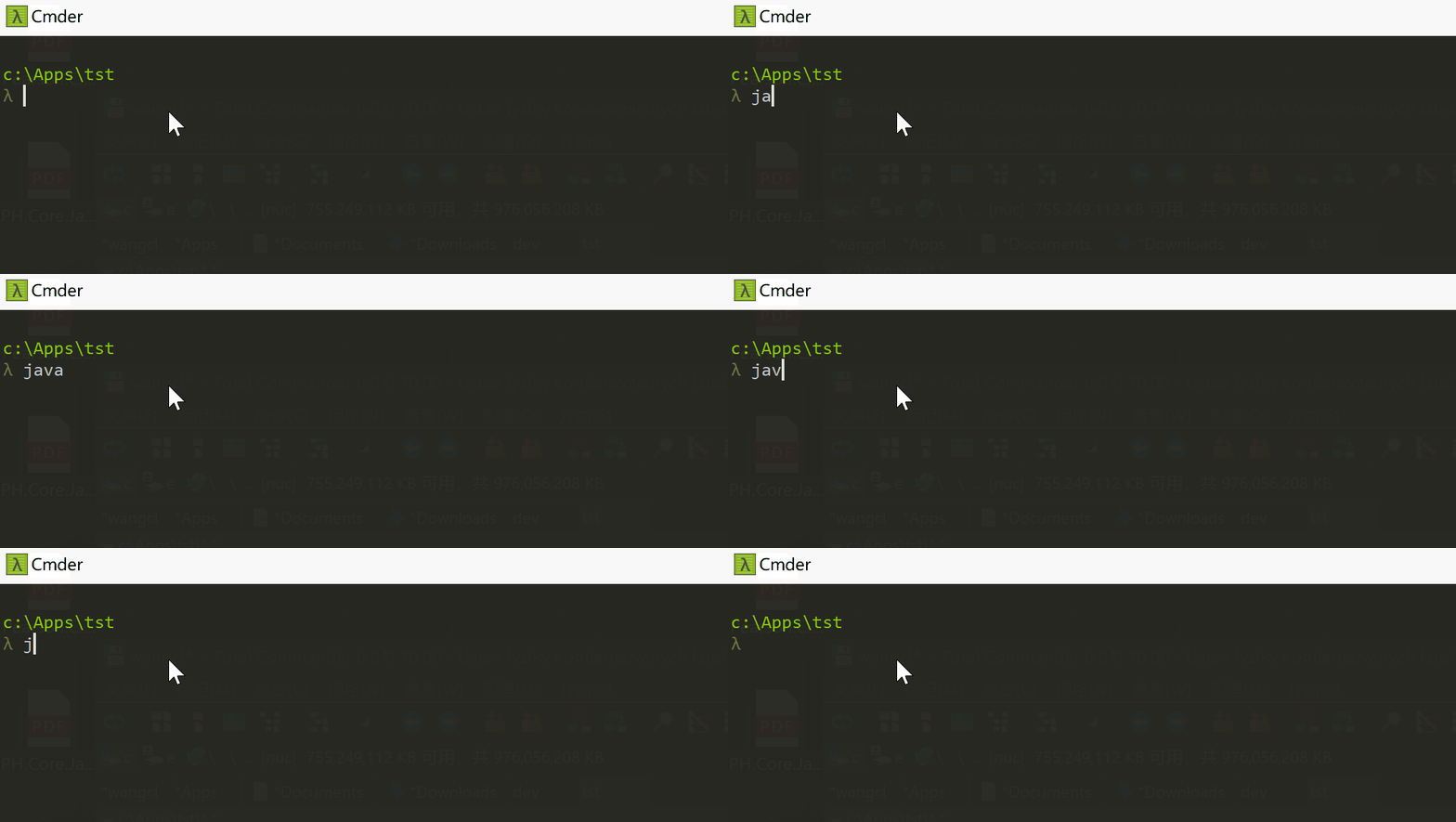
1.3.20 the first space does't work, you have to click the space key twice to move the cursor for one space. but I noticed the first space generated a space BEFORE the command letters, just after the 'λ' letter. 1.3.19 doesn't.
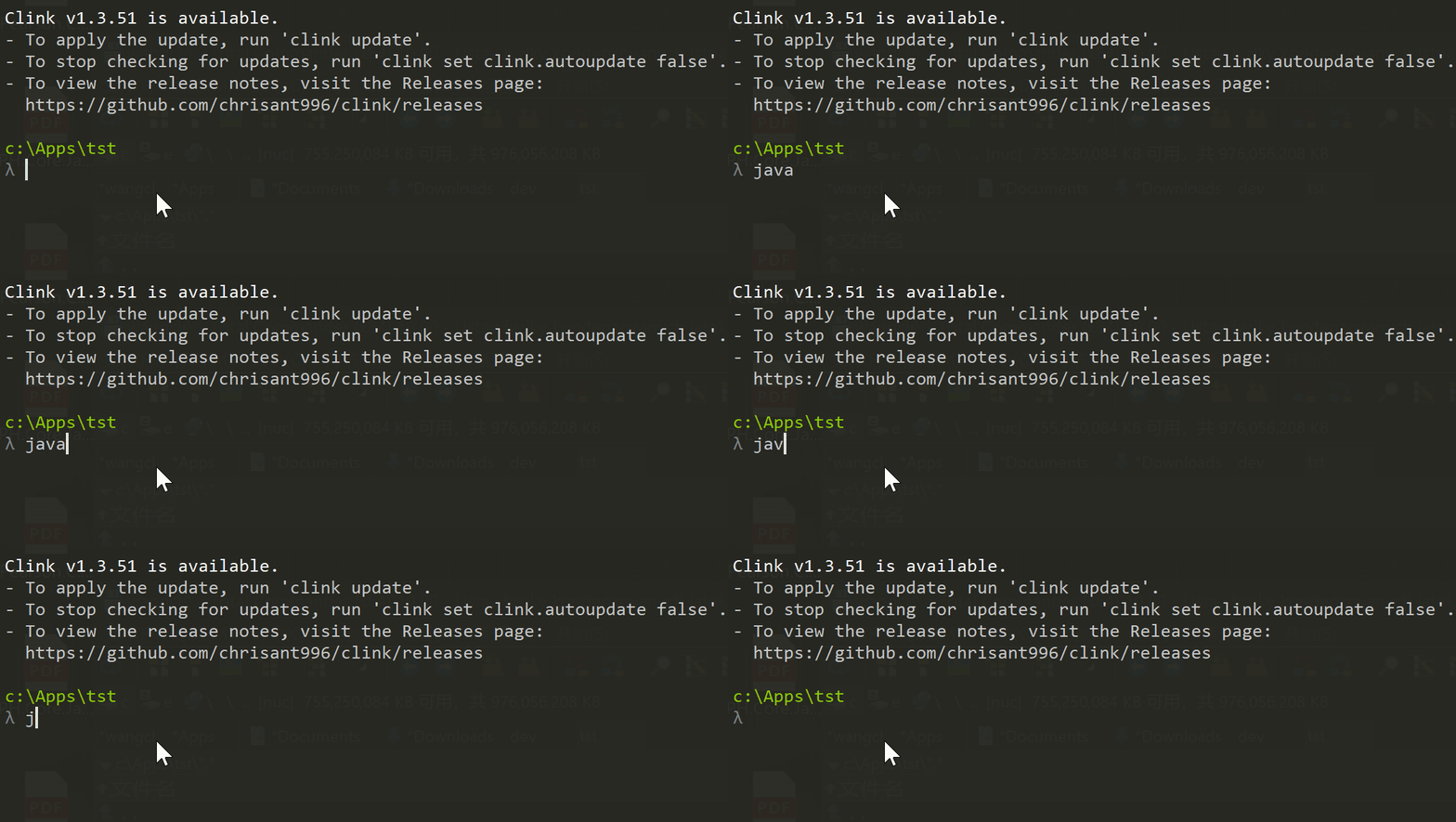

windows 10 pro 21H2 CJK 1.3.19 works fine. 1.3.20 the first space does't work, you have to click the space key twice to move the cursor for one space. but I noticed the first space generated a space BEFORE the command letters, just after the 'λ' letter. 1.3.19 doesn't.
and when I run 1.3.20 as administrator, the space key works fine, but the 'backspace' key works incorrectly, seems it deleted the letter just before the correct one. you can also move the cursor just after the letter 'λ', but there should be a space in 1.3.19.
If you use cmder 1.3.19 and copy clink 1.3.51 into the %cmder_root%\vendor\clink directory, does the problem start happening in cmder 1.3.19?
I expect it will.
If you track down which version of Clink first has the different behavior, it may be possible to identify more specifically what changed that has made the issue appear more easily (you'll still be able to reproduce similar problems in cmder 1.3.17, but the steps will be a bit different and might involve long lines that wrap, and making different kinds of edits within a line).
But, ultimately, this is the same Lambda problem as all of the other cases.
- Cmder uses a lambda as the prompt character.
- CJK codepages believe the lambda is two character cells wide.
- The OS real console believes the lambda is two character cells wide.
- ConEmu is drawing the lambda as only one character cell wide, which may be due to some ConEmu config options or the font that's being used.
- The mismatch between two and one character cells wide causes cursor placement problems. And the bash shell has the same kind of problems, if you make the prompt in bash start with a lambda character on a computer with CJK Windows using a CJK codepage. And various other command line programs -- because the issue is a mismatch between how the OS expects the terminal to draw the text, versus how the terminal actually draws the text.
Here is a summary of some of the things you can try that may or may resolve the problem, depending on other configuration that may exist:
- Maybe change the Cmder prompt symbol to use something else instead of a lambda.
- Maybe run
chcp 65001to use UTF8 as the codepage in the terminal window. - Running
clink set terminal.east_asian_ambiguous 1or2might be able to work around the problem. - Maybe find a different font where the lambda character is two character cells wide, as the OS expects.
If you use cmder 1.3.19 and copy clink 1.3.51 into the %cmder_root%\vendor\clink directory, does the problem start happening in cmder 1.3.19?
I copy clink 1.3.47 (used in cmder 1.3.20) into the %cmder_root%\vendor\clink directory of cmder 1.3.19, and the proplem does start happening.

My guess is that probably Clink <= v1.3.42 will exhibit the problem rarely, and Clink >= v1.3.43 will exhibit the problem more often.
v1.3.43 is when I rewrote the display, and now it uses absolute positioning so that results are consistent, instead of using relative positioning which can lead to weird garbled display, but will hide this particular CJK character width inconsistency when the display only changes by a letter or two at a time, as long as the cursor doesn't wrap around the right or left margin.
Clink v1.4.8 looks like it may have solved the width problems with the lambda character in the prompt.
Well, maybe the lambda problem isn't entirely solved: the input line no longer gets garbled, but also there is no longer a space after the lambda. There's nothing Clink can do about that.
However, Cmder could potentially hack that into working better: Cmder's prompt script could check for CJK codepages (run chcp and look for 932, 936, 949, and 950) and then add an extra space to the end of the prompt. But that will backfire if an unambiguous character is used instead of lambda (e.g. a dollar sign).
So, I guess I spoke too soon. Clink v1.4.8 has improved the experience, but it's still not right, and it's still due to the OS / codepage / terminal program / font mismatch.
#2694 This may help you. It can resolve the most problems about character displaying.

Clink v1.4.12 is even better about these kinds of cases. Maybe upgrading will help.
But, ultimately it is still a mismatch between the OS, the terminal program, the font, and a CJK code page. Clink tries its best to compensate, but in some cases it just can't automatically compensate.
Is this the same issue I'm getting? I type "dit", realise I screwed up, hit backspace, and now I get:

Brand new install, Version 1.3.20.151, first time user, will be throwing this app away and looking for another option which can backspace correctly.

Is this the same issue I'm getting? I type "dit", realise I screwed up, hit backspace, and now I get:
Brand new install, Version 1.3.20.151, first time user, will be throwing this app away and looking for another option which can backspace correctly.
Yes. Run clink update.