

 cloudnative-pg
Cluster fails to ready on initdb.
I'm unable to get a Cluster to ready on my baremetal k3s cluster with some basic options. The error I'm getting is:
{"level":"error","ts":1662668796.8657594,"msg":"PostgreSQL process exited with errors","logging_pod":"cloudnative-pg-01-2","error":"signal: bus error (core dumped)","stacktrace":"github.com/cloudnative-pg/cloudnative-pg/internal/cmd/manager/instance/run/lifecycle.(*PostgresLifecycle).Start\n\tinternal/cmd/manager/instance/run/lifecycle/lifecycle.go:99\nsigs.k8s.io/controller-runtime/pkg/manager.(*runnableGroup).reconcile.func1\n\tpkg/mod/sigs.k8s.io/[email protected]/pkg/manager/runnable_group.go:219"}
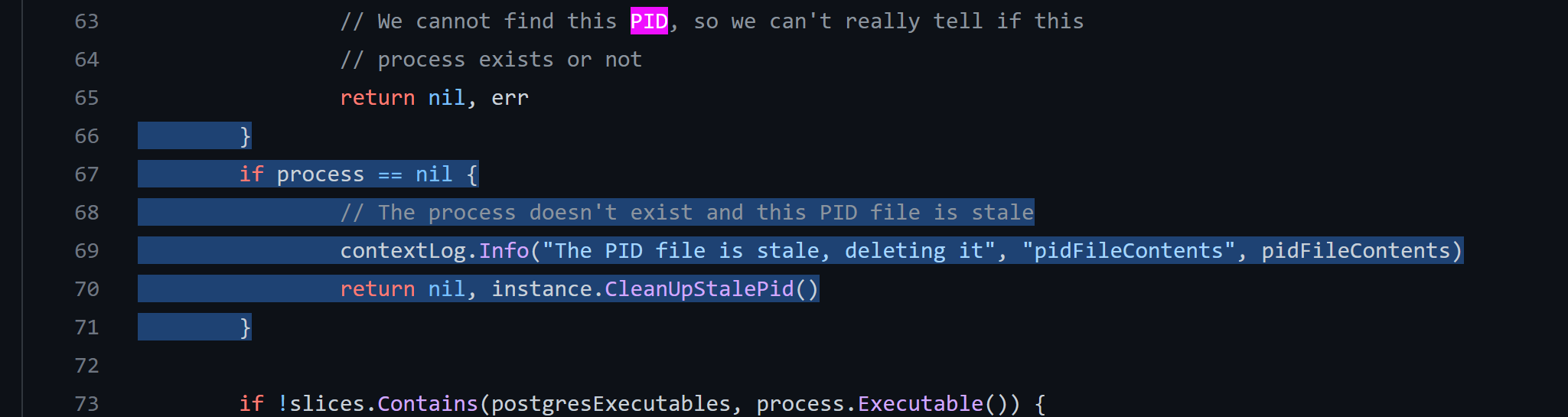
I believe this begins the chain of errors:
Here's the Cluster resource manifest:
apiVersion: postgresql.cnpg.io/v1
kind: Cluster
metadata:
  name: cloudnative-pg-01
  namespace: cnpg-system
spec:
  bootstrap:
    initdb:
      database: app
      owner: app
      secret:
        name: cnpg-app-user
  instances: 3
  primaryUpdateStrategy: unsupervised
  resources:
    requests:
      memory: 2Gi
      cpu: "1"
    limits:
      memory: 4Gi
      cpu: "2"
  storage:
    size: 8Gi
    pvcTemplate:
      accessModes:
        - ReadWriteOnce
      storageClassName: local-path
      volumeMode: Filesystem
  superuserSecret:
    name: cnpg-superuser
  monitoring:
    enablePodMonitor: true
  backup:
    retentionPolicy: 30d
    barmanObjectStore:
      destinationPath: "s3://cnpg/cnpg/"
      s3Credentials:
        accessKeyId:
          name: cnpg-s3
          key: ACCESS_KEY_ID
        secretAccessKey:
          name: cnpg-s3
          key: ACCESS_SECRET_KEY
I also attached the pod logs that fails.

This has been sorta solved, though I think there's room for improving the helm chart or operator regarding handling of huge_pages support.
Currently, the simple steps to solve this are...
sudo vi /etc/systemctl.conf
Then if vm.nr_hugepages=0 is not at 0, set it at 0, or append the entire line to the conf.
Afterwards, run...
sudo sysctl -p
This 4-year old issue saved my ass: https://github.com/kubernetes/kubernetes/issues/71233
For the record, this is not optimal. Seems that running this on baremetal nodes with huge pages support enabled results in having to pick form these solutions, some are fine, some are not fine.
- Modify each node to set
huge_pages = off - Modify the docker image to be able to set
huge_pages = offin /usr/share/postgresql/postgresql.conf.sample before initdb. - Modify fallback mechanism where
huge_pages = tryis set by default. - Modify the k8s manifest to enable huge page support (https://kubernetes.io/docs/tasks/manage-hugepages/scheduling-hugepages/ - not possible using the helm chart).
- Modify k8s to show that huge pages are not supported on the system, when they are not enabled for a specific container.
Not sure this should be closed without some thought to these solutions; if needs be, I can start a request with the helm chart maintainers regarding huge page support through that.
Any input appreciated.
being able to configure huge_pages from the operator or any pod run by it would mean requiring a privileged pod, which we don't want, so I'd say options 1, 2 or 3 are to be discarded or could at most be mentioned in the docs and manually performed by the cluster administrator if required.
Option 4 sounds actually interesting and should be explored, as it looks like it could be achieved out of the box properly setting the volumes and resources in a new Cluster.

having option 4 would be great. Mayastor is a popular storage solution for high IOPS workloads such as postgresql but requires hugepages. For the default postgres image to work, resources limits for hugepages have to be set, see also this blog post.

You should already be able to set those parameters through Cluster's resources, would that be enough?
~~No, it seems like the hugepage limits need to be set on the container level (see the blog article). Even with hugepages enabled on the cluster, postgres fails to start. There is also an old related issue on the official docker image, https://github.com/docker-library/postgres/issues/451~~ @phisco Sorry I misunderstood and did not have the resources to try it out. I just tested it and indeed setting the CNPG cluster resources fixes this! Thanks a lot for your help.
For others with the same issue, e.g. adding limits like
  resources:
    limits:
      hugepages-2Mi: 512Mi
      memory: 512Mi
to the cluster manifest fixes the issue.

The workaround given isn't really sufficient if you don't want to use huge pages but do want/need to run Postgres on a node that is using huge pages for something else.
Postgres' behavior is weird here afaict: try means "use huge pages if they're enabled" with the caveat that if they're enabled yet there's not enough available, it'll result in the Bus Error.
What that means is that even with huge_pages = off in the clusters.postgresql.cnpg.io spec, the initdb container will fail since it doesn't get the custom config.
Is it practical to include the CNPG custom config as part of the initdb job? It looks like there's already stubs in there but I don't think it's present at runtime.
[Fwiw I'd probably argue for huge_pages = off by default but realize that might be more controversial -- if you do want to use it, turning it on explicitly is better since it'll ensure that Postgres will error out if your node doesn't have huge pages enabled. Besides, using it already requires setting limits as described in comment above & configuring your kernel properly, so it's not really practical as an "opportunistic" performance enhancement]

@milas you are right. I was talking with @mnencia about this issue with initdb configuration. We'll keep you posted.

We just ran into this. It's all a bit confusing as a new user of the operator, because it seems the fix should be huge_pages: off in the PostgreSQL parameters, but yeah, it doesn't appear to affect initdb.
Any timeline for a fix, or a workaround in the interim, at least?

Looks like @gbartolini and @mnencia where onto something here, reopening not to forget about this
We just ran into the same issue. Using Mayastor and CNPG on the same cluster. We set huge_pages to off and everything worked alright, because we moved from Zalando Postgres Operator to CNPG with importing the old DBs.
When bootstrapping a new one we ran into the same issue, because initdb does not respect huge_pages=off...

My workaround was to inject this into a container:
FROM ghcr.io/cloudnative-pg/postgresql:12.17
RUN id
USER 0
RUN id
RUN echo "huge_pages = off" >> /usr/share/postgresql/postgresql.conf.sample
USER 26
I don't like it...
