

 clientIO
Link disappears when filter applied
- jointjs version: 3.1.1
- Platform: macOS Mojave Google Chrome 83.0.4103.61
- Description:
I want to add some filter effects when I hover a link. So I add 'link:mouseenter' and 'link:mouseleave' listeners on the graph to change corresponding attrs. (I don't know whether this usage is recommended or not).
Links work well if they are not straight. But if I move a node to make the link horizontal or vertical, it will disappear after hover action.
Here is a example: jointjs-demo.zip (I'm sorry I can't provide an online reproduce link, so I wrote a html example to explain this question. )

Please see https://resources.jointjs.com/tutorial/links-patterns spec. Pure vertical and horizontal lines.

I read this section and define a custom connector which extends the built-in 'rounded' connector for this situation, then I find a new problem. The line won't disappear finally, but it gets slimmer after hover action. And the shadow seems not as obvious as a winding line acts. When I adjust the 'width' or 'height', the shadow changes along with the 'slope' change. More sloping, more obvious the shadow is. Like these:
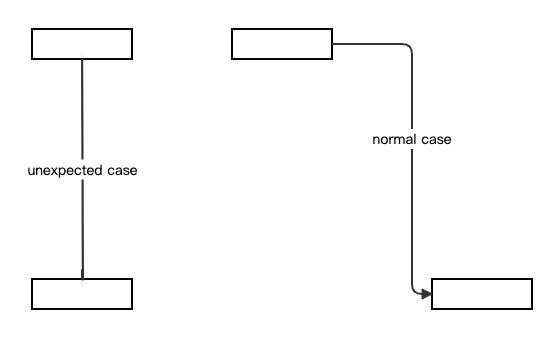
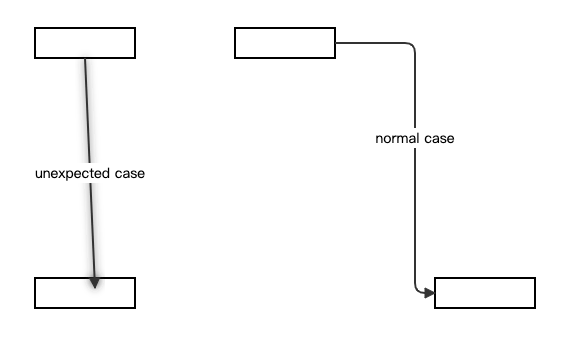
It seems not that perfect in a display scene. So Maybe I need to consider another way to solve this problem. However, Thanks for your reply 😊
Not find a better way, so I give up shadow filter and use stroke in replace.
Hi, sorry for late reply.
The problem is that we use objectBoundingBox for filterUnits here. That means the size of the shadow depends on size of the node it applies to.
From MDN:
objectBoundingBox In that case, x, y, width and height represent fractions or percentages of the bounding box on the referencing element.
I am marking this as a bug.
hi,
I have exactly the same problem with horizontal links. I use filters to make a double line link, but this bug happens. Is there a solution or alternative to make my double line?
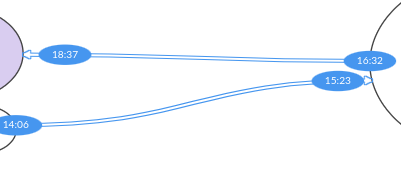
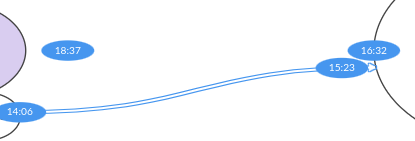
Thanks

Please see https://resources.jointjs.com/tutorial/links-patterns spec. Pure vertical and horizontal lines.
This is a workaround.
And joint.shapes.standard.DoubleLink is an alternative.
Update: this seems to work nicely:
link.attr('line/filter': {
    name: 'dropShadow',
    args: { dx: 2, dy: 2, blur: 3 },
    attrs: {
        filterUnits: 'userSpaceOnUse',
        // Reset to the default values
        x: '-10%',
        y: '-10%',
        width: '120%',
        height: '120%'
    }
});