

 ckeditor
Clicking on a column resize handle breaks table layout
📝 Provide detailed reproduction steps (if any)
- Open https://ckeditor.com/docs/ckeditor5/36.0.1/features/tables/tables-resize.html#demo
- Click on the first column handle (and release the mouse button without dragging).
✔️ Expected result
Nothing changes.
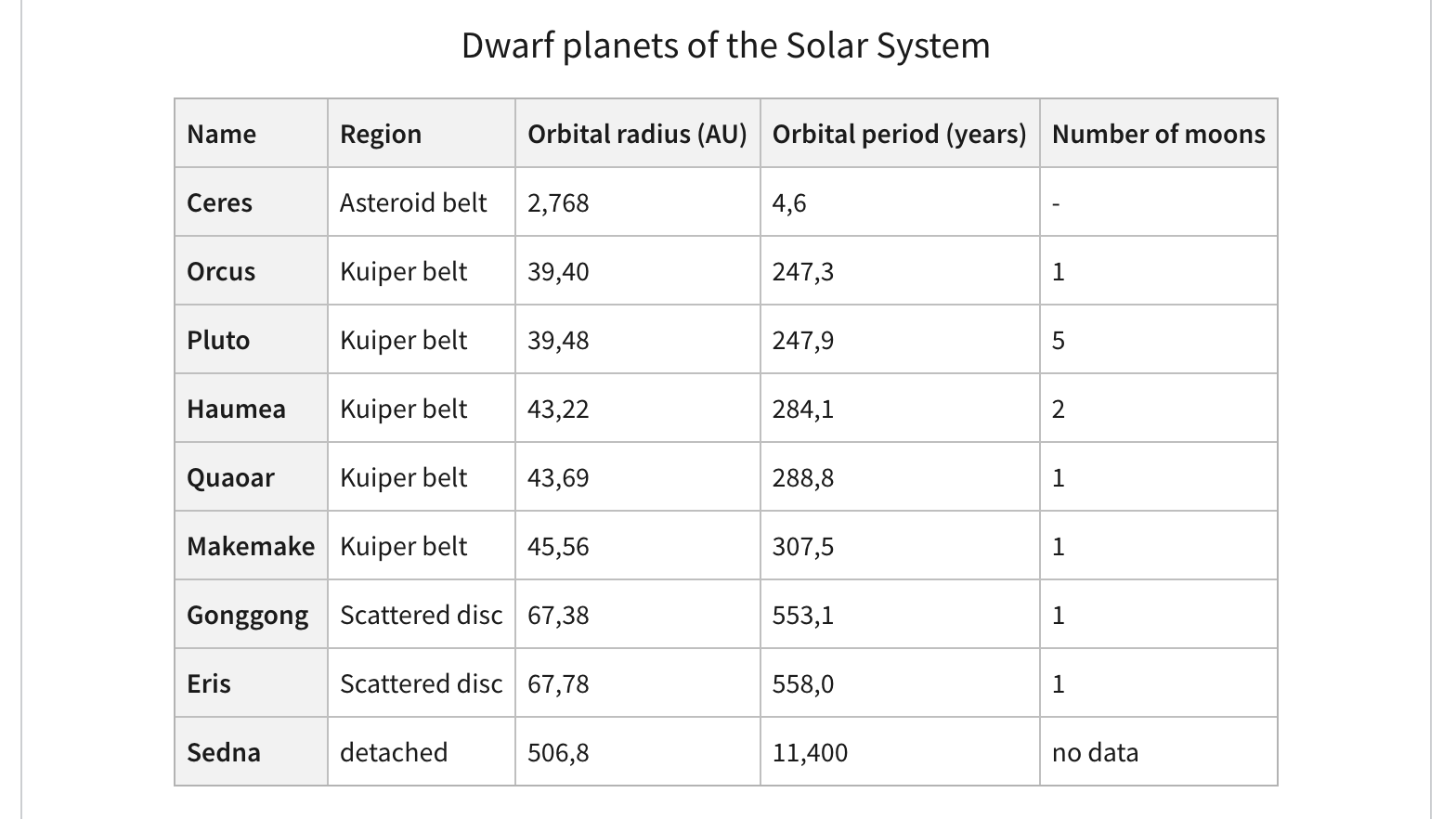
❌ Actual result
The text of "Makemake" is split into two lines.
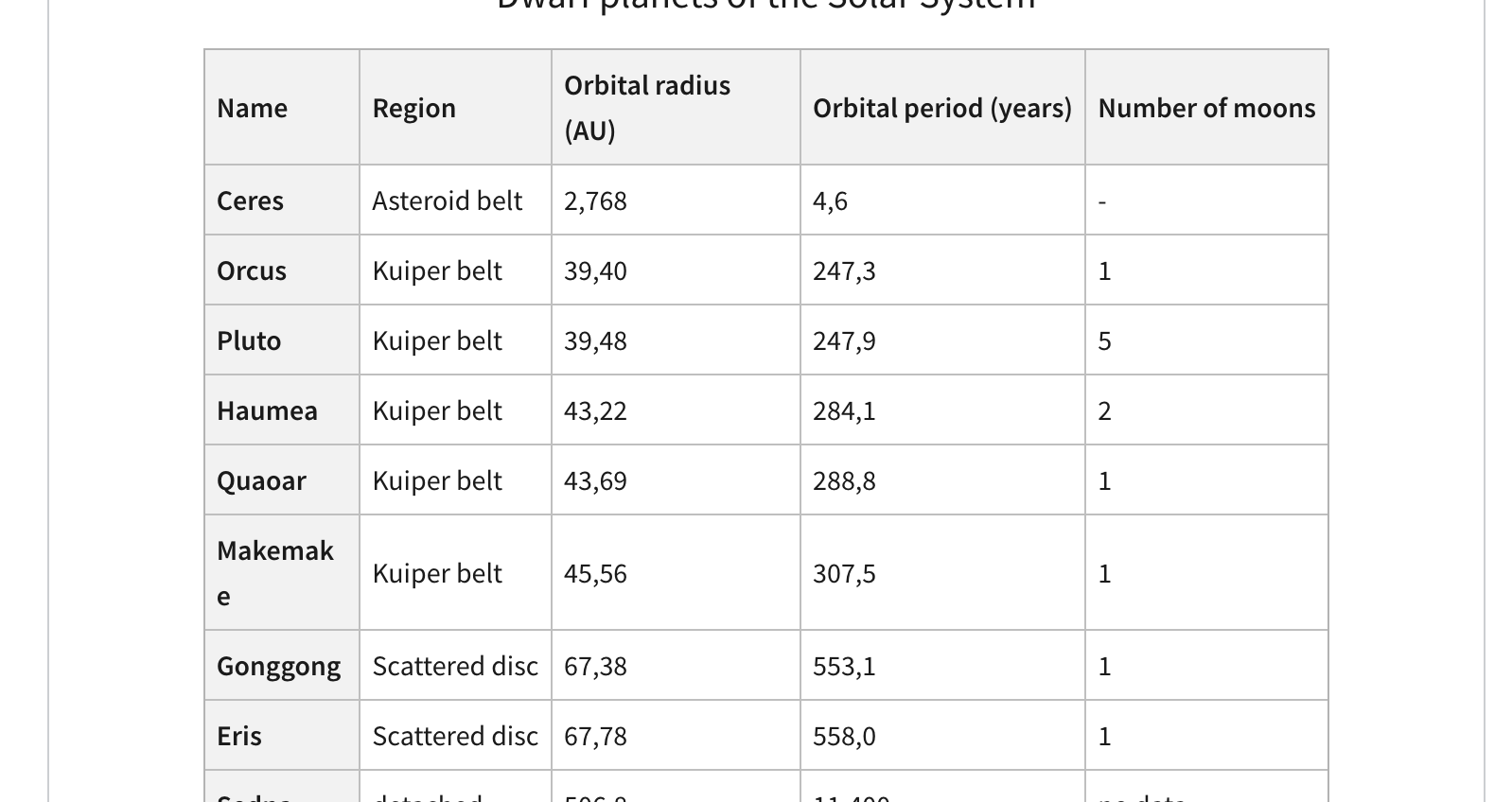
📃 Other details
- Browser: Chrome
- OS: macOS
More findings
This is the table before me clicking:
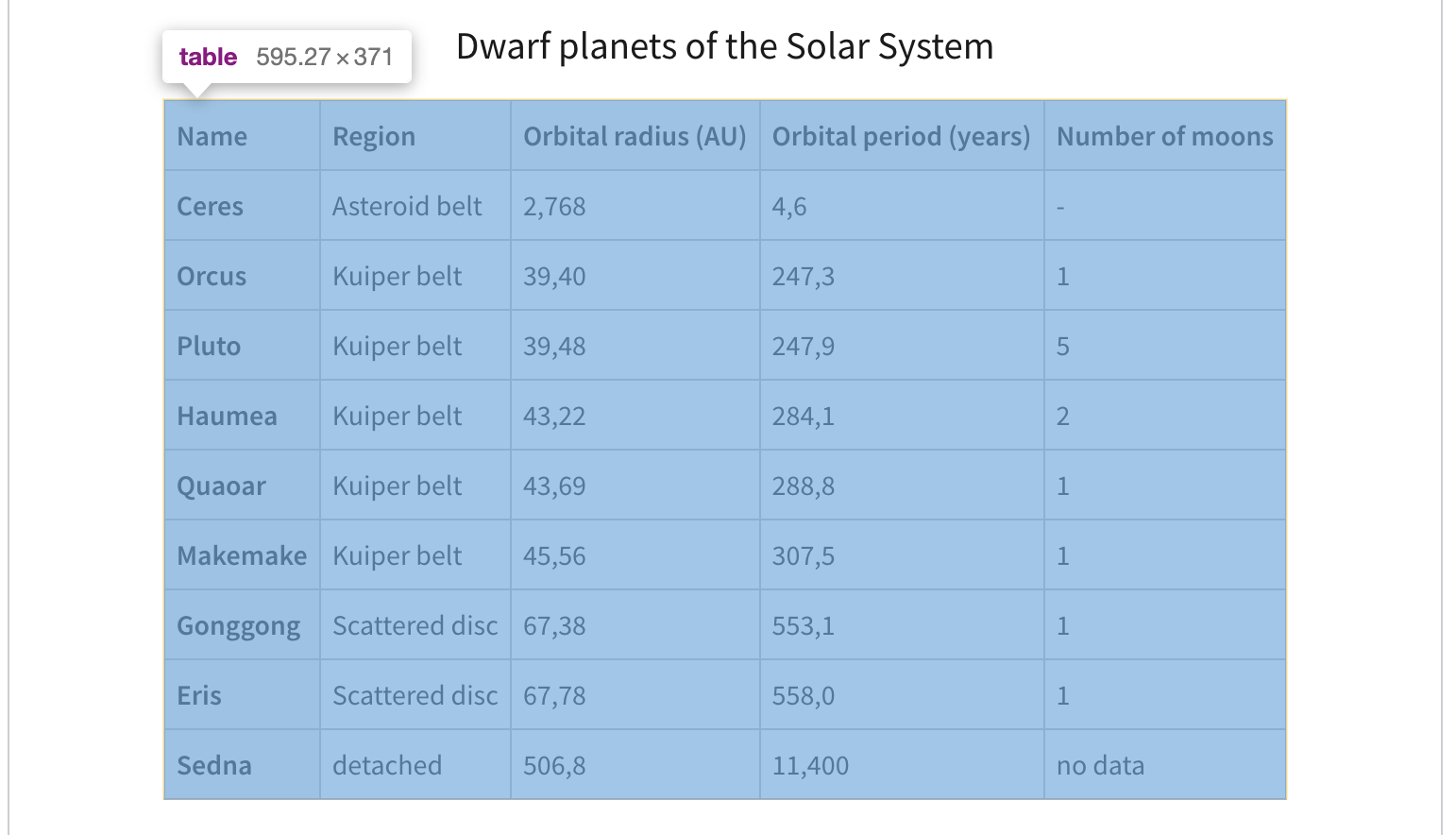
This is after:
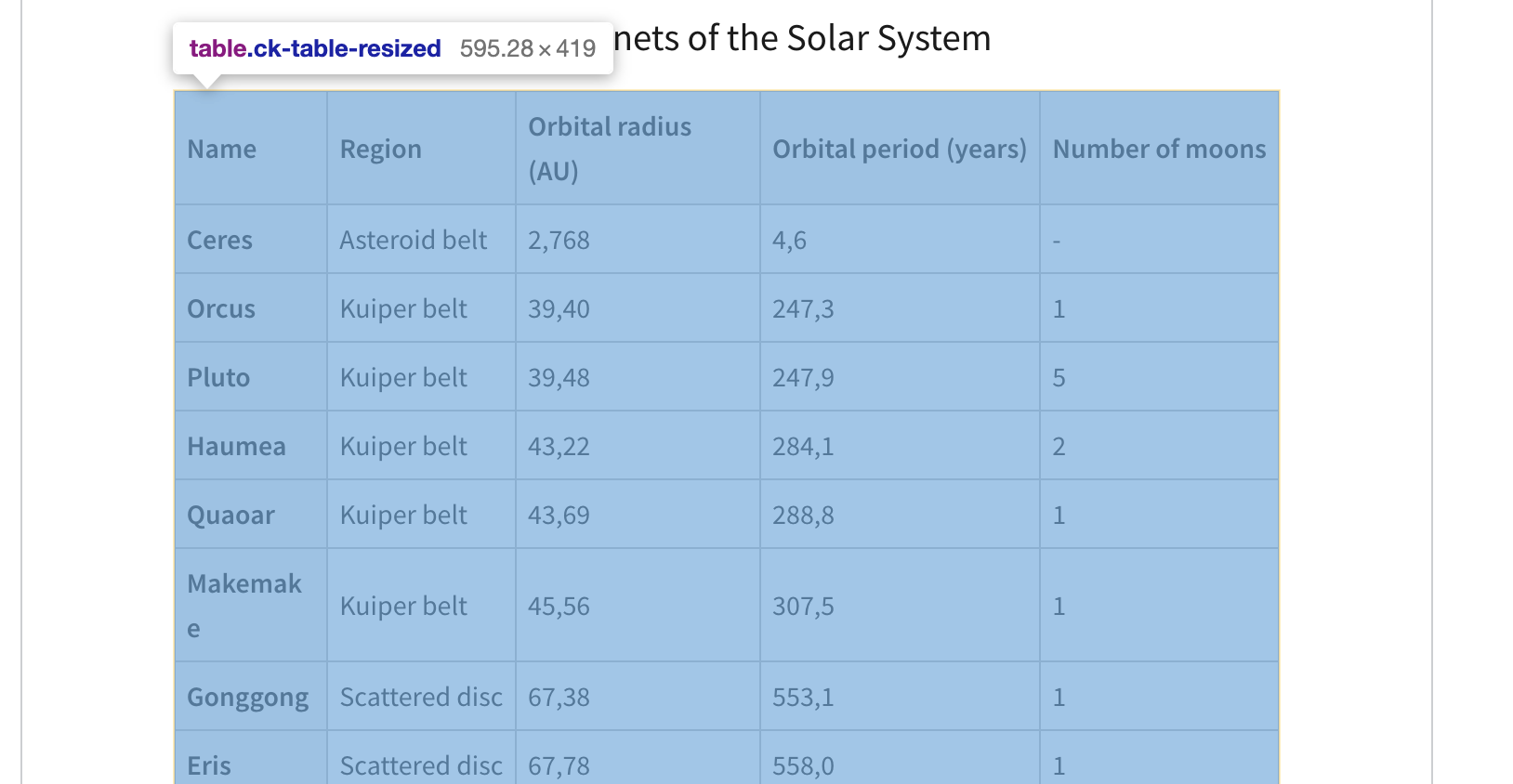
So the table actually grew :D
But the cell shrinked:
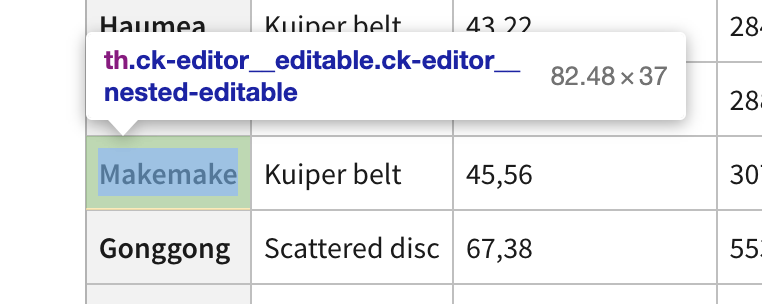
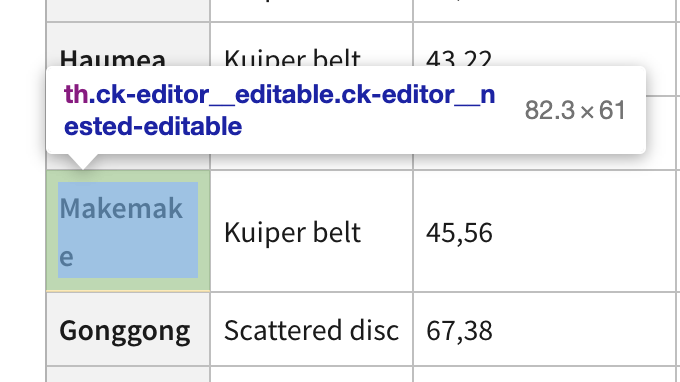
This is unfortunately some nasty rounding error.
If you'd like to see this fixed sooner, add a 👍 reaction to this post.

I think the issue here could be that upon this click we suddenly move from: "browser calculates all the sizes to create an optimal table layout" to "CKE5 reads it and saves as rounded variables".
But the rounding itself, IMO, is not a problem – we use really precise values there.
The problem is that a microscopic change in any width of any table cell makes at least one of the table cells 0.1px smaller and suddenly the text wraps. And such changes IMO cannot be avoided. The problem is that the browser calculates the width without any safety offset – no additional padding is added in such a case. So the percentage values calculated by us would have to be extremely precise and I don't think it's possible when we shift from px to percentage. Plus, it makes no sense for the col resize feature to use values with 10 fraction digits.
I'd see 2 options:
- Not resizing the table immediately on mousedown. It seems an edge case to have only mousedown, but the thing is it happened to me upon normal clicking and immediately got my attention that the table blows up. Once you start moving the mouse it'd not be such a surprise.
- When starting to resize a table that didn't have any size set (so followed the "let's calculate the minimal optimal size to fit all content" algorithm) round the table's overall width up to give it that 1px more. And then calculate all the col widths. This means that the non-optimal rounding of cell widths should "eat" from the additional space given by the entire table rounding up.
I have a feeling that combining these two options together would work best because the user will not be surprised by the 1px more added to the table cell (solution 2) upon mousedown. Because resizing would start on mousemove, so when they expect some changes.
There has been no activity on this issue for the past year. We've marked it as stale and will close it in 30 days. We understand it may still be relevant, so if you're interested in the solution, leave a comment or reaction under this issue.

We've closed your issue due to inactivity. We understand that the issue may still be relevant. If so, feel free to open a new one (and link this issue to it).