

 ckeditor
After screen refreshed ckeditor not loading
Editor.js
import { useState } from 'react';
import { CKEditor } from '@ckeditor/ckeditor5-react';
// NOTE: Use the edito r from source (not a build)!
import ClassicEditor from '@ckeditor/ckeditor5-editor-classic/src/classiceditor';
import Bold from '@ckeditor/ckeditor5-basic-styles/src/bold';
import Code from '@ckeditor/ckeditor5-basic-styles/src/code';
import Italic from '@ckeditor/ckeditor5-basic-styles/src/italic';
import Underline from '@ckeditor/ckeditor5-basic-styles/src/underline';
import Essentials from '@ckeditor/ckeditor5-essentials/src/essentials';
import Heading from '@ckeditor/ckeditor5-heading/src/heading';
import Link from '@ckeditor/ckeditor5-link/src/link';
import Paragraph from '@ckeditor/ckeditor5-paragraph/src/paragraph';
//import CodeBlock from '@ckeditor/ckeditor5-code-block/src/codeblock';
import Alignment from '@ckeditor/ckeditor5-alignment/src/alignment';
import BlockQuote from '@ckeditor/ckeditor5-block-quote/src/blockquote';
import Font from '@ckeditor/ckeditor5-font/src/font';
import Highlight from '@ckeditor/ckeditor5-highlight/src/highlight';
import HorizontalLine from '@ckeditor/ckeditor5-horizontal-line/src/horizontalline';
import List from '@ckeditor/ckeditor5-list/src/list';
import { Card, Col, Row } from 'antd';
const colors = [
{
color: 'hsl(168, 76%, 42%)',
label: 'Strong Cyan',
},
{
color: 'hsl(145, 63%, 49%)',
label: 'Emerald',
},
{
color: 'hsl(204, 70%, 53%)',
label: 'Bright Blue',
},
{
color: 'hsl(283, 39%, 53%)',
label: 'Amethyst',
},
{
color: 'hsl(210, 18%, 37%)',
label: 'Grayish Blue',
},
{
color: 'hsl(48, 89%, 50%)',
label: 'Vivid Yellow',
},
{
color: 'hsl(168, 76%, 36%)',
label: 'Dark Cyan',
},
{
color: 'hsl(145, 63%, 42%)',
label: 'Dark Emerald',
},
{
color: 'hsl(204, 64%, 44%)',
label: 'Strong Blue',
},
{
color: 'hsl(282, 44%, 47%)',
label: 'Dark Violet',
},
{
color: 'hsl(210, 29%, 24%)',
label: 'Desaturated Blue',
},
{
color: 'hsl(37, 90%, 51%)',
label: 'Orange',
},
{
color: 'hsl(28, 80%, 52%)',
label: 'Carrot',
},
{
color: 'hsl(6, 78%, 57%)',
label: 'Pale Red',
},
{
color: 'hsl(192, 15%, 94%)',
label: 'Bright Silver',
},
{
color: 'hsl(184, 9%, 62%)',
label: 'Light Grayish Cyan',
},
{
color: 'hsl(0, 0%, 87%)',
label: 'Light Gray',
},
{
color: 'hsl(0, 0%, 100%)',
label: 'White',
},
{
color: 'hsl(24, 100%, 41%)',
label: 'Pumpkin',
},
{
color: 'hsl(6, 63%, 46%)',
label: 'Strong Red',
},
{
color: 'hsl(204, 8%, 76%)',
label: 'Silver',
},
{
color: 'hsl(184, 6%, 53%)',
label: 'Grayish Cyan',
},
{
color: 'hsl(0, 0%, 60%)',
label: 'Dark Gray',
},
{
color: 'hsl(0, 0%, 0%)',
label: 'Black',
},
];
const editorConfiguration = {
plugins: [
Alignment,
Essentials,
Bold,
Code,
Italic,
Paragraph,
Link,
List,
Underline,
Heading,
//CodeBlock,
BlockQuote,
Highlight,
HorizontalLine,
Font,
],
toolbar: [
'heading',
'|',
'bold',
'italic',
'underline',
'|',
'numberedList',
'bulletedList',
'|',
'alignment:left',
'alignment:right',
'alignment:center',
'alignment:justify',
'|',
'fontSize',
'fontFamily',
'|',
'fontColor',
'fontBackgroundColor',
'|',
'link',
'horizontalLine',
'|',
],
heading: {
options: [
{
model: 'paragraph',
view: 'p',
title: 'Normal',
class: 'ck-heading_paragraph',
},
{
model: 'heading1',
view: 'h1',
title: 'Heading 1',
class: 'ck-heading_heading1',
},
{
model: 'heading2',
view: 'h2',
title: 'Heading 2',
class: 'ck-heading_heading2',
},
{
model: 'heading3',
view: 'h3',
title: 'Heading 3',
class: 'ck-heading_heading3',
},
{
model: 'heading4',
view: 'h4',
title: 'Heading 4',
class: 'ck-heading_heading4',
},
{
model: 'heading5',
view: 'h5',
title: 'Heading 5',
class: 'ck-heading_heading5',
},
{
model: 'heading6',
view: 'h6',
title: 'Heading 6',
class: 'ck-heading_heading6',
},
{
model: 'format',
view: 'pre',
title: 'Formatted',
class: 'ck-format',
},
{
model: 'address',
view: 'address',
title: 'Address',
class: 'ck-address',
},
{ model: 'div', view: 'div', title: 'Normal (DIV)', class: 'ck-div' },
],
fontSize: {
options: [
8,
9,
10,
11,
12,
13,
'default',
16,
18,
20,
22,
24,
26,
28,
36,
48,
72,
],
},
fontColor: {
colors: colors,
columns: 6,
},
fontBackgroundColor: {
colors: colors,
columns: 6,
},
link: {
defaultProtocol: 'https://',
},
},
};
const Editor = ({ onChange, data }) => {
const [showPreview, setShowPreview] = useState(true);
return (
<Row gutter={16} justify="center" className="pl-2">
<Col span={showPreview ? 11 : 24}>
<CKEditor
editor={ClassicEditor}
config={editorConfiguration}
data={data}
onReady={(editor) => {
const fontFamily = editor.commands.get('fontFamily');
fontFamily.execute({ value: 'Arial, Helvetica, sans-serif' });
editor.editing.view.change((writer) => {
writer.setStyle(
'height',
'300px',
editor.editing.view.document.getRoot()
);
});
editor.editing.view.document.on(
'enter',
(evt, data) => {
if (data.isSoft) {
editor.execute('shiftEnter');
} else {
editor.execute('shiftEnter');
}
data.preventDefault();
evt.stop();
editor.editing.view.scrollToTheSelection();
},
{ priority: 'high' }
);
}}
onChange={(_, editor) => {
onChange(editor.getData());
}}
/>
</Col>
{showPreview && (
<Col span={11} className="editor-preview">
<Card
style={{ height: '337px', overflowY: 'auto' }}
title={
<>
<i className="fa-solid fa-eye"></i> Preview
</>
}
>
<div
dangerouslySetInnerHTML={{
__html: data,
}}
></div>
</Card>
</Col>
)}
</Row>
);
};
export default Editor;
webpack.config.js
const nrwlConfig = require('@nrwl/react/plugins/webpack.js');
const { styles } = require('@ckeditor/ckeditor5-dev-utils');
const MiniCssExtractPlugin = require('mini-css-extract-plugin');
module.exports = (config, context) => {
  nrwlConfig(config);

  config.module.rules = [
    {
      test: /\.scss$/,
      use: [MiniCssExtractPlugin.loader, 'css-loader', 'sass-loader'],
    },
    {
      test: /\.css$/,
      exclude: /ckeditor5-[^/\\]+[/\\]theme[/\\].+\.css$/,
      use: ['style-loader', 'css-loader'],
    },
    {
      test: /\.(woff|woff2|eot|ttf|otf|svg)$/i, //to load the font woff file this regex added
      exclude: /ckeditor5-[^/\\]+[/\\]theme[/\\]icons[/\\][^/\\]+\.svg$/, //to fix affection of ckeditor svg issue
      type: 'asset/resource',
    },
    {
      test: /ckeditor5-[^/\\]+[/\\]theme[/\\]icons[/\\][^/\\]+\.svg$/,
      use: ['raw-loader'],
    },
    {
      test: /\.(js|mjs|jsx|ts|tsx)$/,
      exclude: /node_modules/,
      use: ['babel-loader'],
    },
    {
      test: /ckeditor5-[^/\\]+[/\\]theme[/\\].+\.css$/,
      exclude: /\.scss$/,
      use: [
        MiniCssExtractPlugin.loader,
        'css-loader',
        {
          loader: 'postcss-loader',
          options: {
            postcssOptions: styles.getPostCssConfig({
              themeImporter: {
                themePath: require.resolve('@ckeditor/ckeditor5-theme-lark'),
              },
              minify: true,
            }),
          },
        },
      ],
    },
  ];

  console.log(config);
  return {
    ...config,
    plugins: [...config.plugins, new MiniCssExtractPlugin()],
  };
};
package.json
"@ckeditor/ckeditor5-alignment": "^35.1.0",
    "@ckeditor/ckeditor5-basic-styles": "^35.1.0",
    "@ckeditor/ckeditor5-block-quote": "^35.1.0",
    "@ckeditor/ckeditor5-code-block": "^35.1.0",
    "@ckeditor/ckeditor5-core": "^35.1.0",
    "@ckeditor/ckeditor5-dev-utils": "^30.5.0",
    "@ckeditor/ckeditor5-editor-classic": "^35.1.0",
    "@ckeditor/ckeditor5-essentials": "^35.1.0",
    "@ckeditor/ckeditor5-font": "^35.1.0",
    "@ckeditor/ckeditor5-heading": "^35.1.0",
    "@ckeditor/ckeditor5-highlight": "^35.1.0",
    "@ckeditor/ckeditor5-horizontal-line": "^35.1.0",
    "@ckeditor/ckeditor5-link": "^35.1.0",
    "@ckeditor/ckeditor5-list": "^35.1.0",
    "@ckeditor/ckeditor5-paragraph": "^35.1.0",
    "@ckeditor/ckeditor5-react": "^5.0.2",
    "@ckeditor/ckeditor5-theme-lark": "^35.1.0",
    "@ckeditor/ckeditor5-ui": "^35.1.0",
    "mini-css-extract-plugin": "^2.6.1",
Actually am using nx mono repo so just modified existing webpack config
✔️ Expected result
It should load ckeditor after screen refreshing
❌ Actual result
While refreshing screen ckeditor again not loading

Hello @Rajesh-Thiyagarajan, Could you please describe some steps resulting in the issue? Did you have a working CKEditor 5 instance and after some changes/updates it stopped working correctly or it is the beginning of the integration process? Do you have errors in the console?
I would recommend taking a look at https://ckeditor.com/docs/ckeditor5/latest/installation/getting-started/frameworks/react.html and comparing example codes, following step by step the guide and then applying your changes, which might help you to isolate the issue.

Hi @dufipl
PFA.
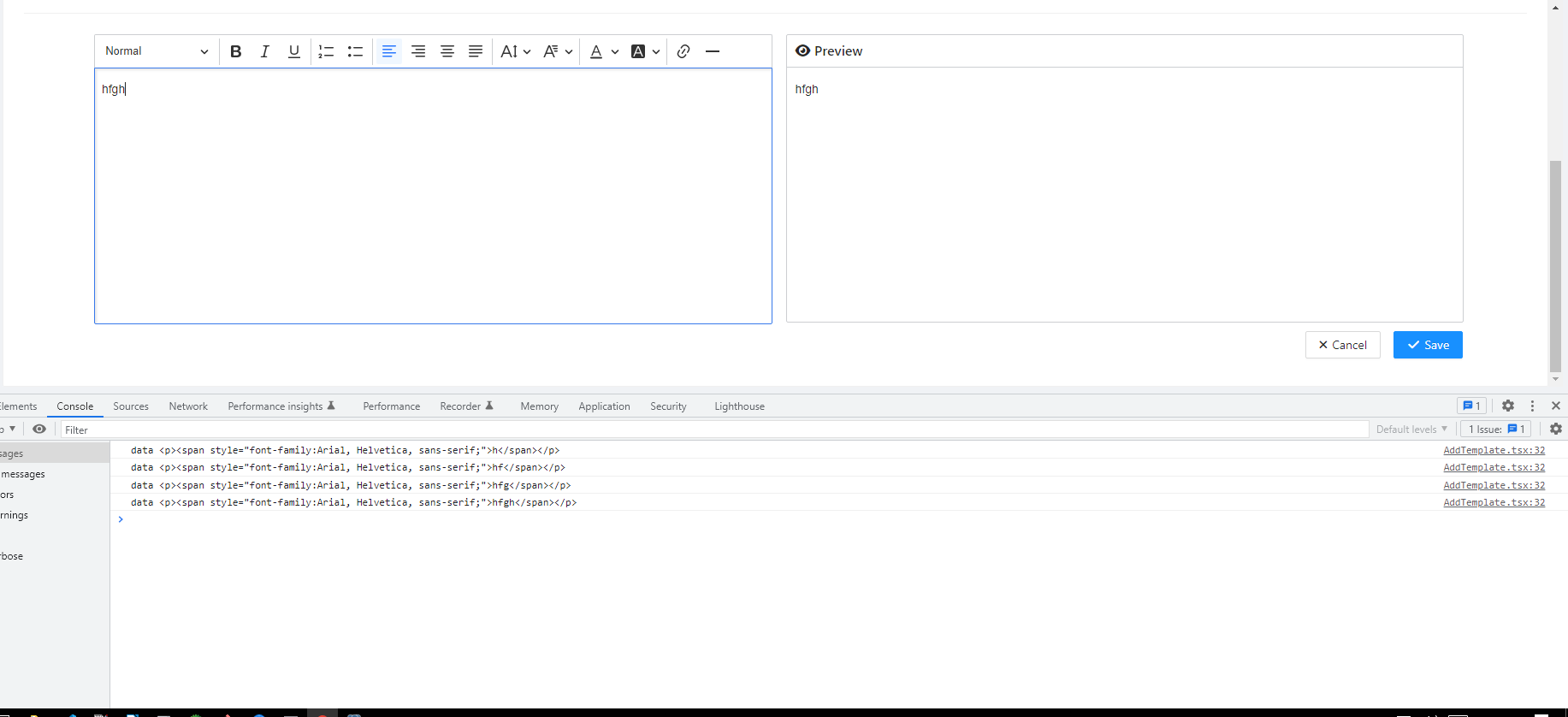
First ckeditor loaded successfully. No errors in console as well. am following below link only. But am created react app using nx command . https://ckeditor.com/docs/ckeditor5/latest/installation/getting-started/frameworks/react.html
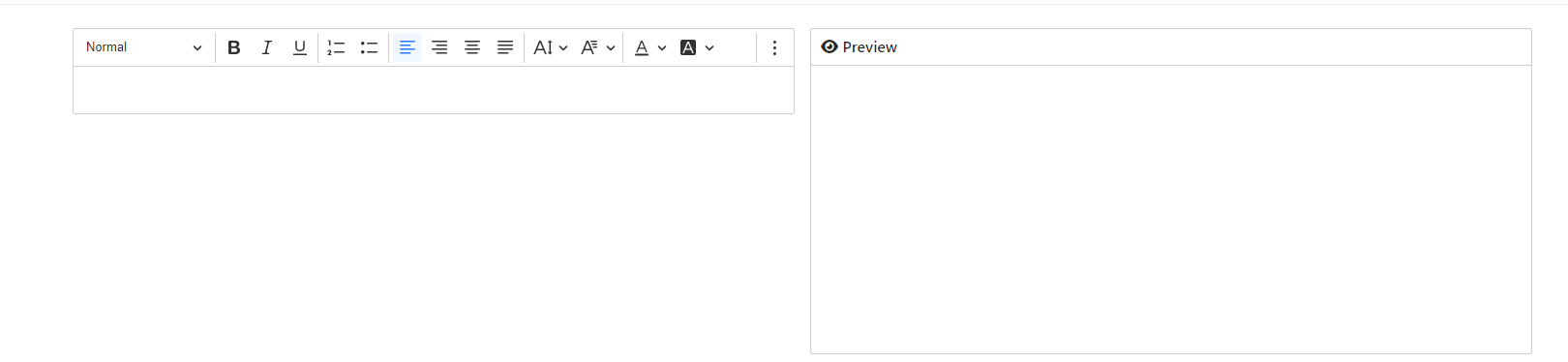
The one thing i finded here is in below screen shot ckeditor body wrapper tag not rendering after screen refreshed.

After screen refreshed onReady method also calling .
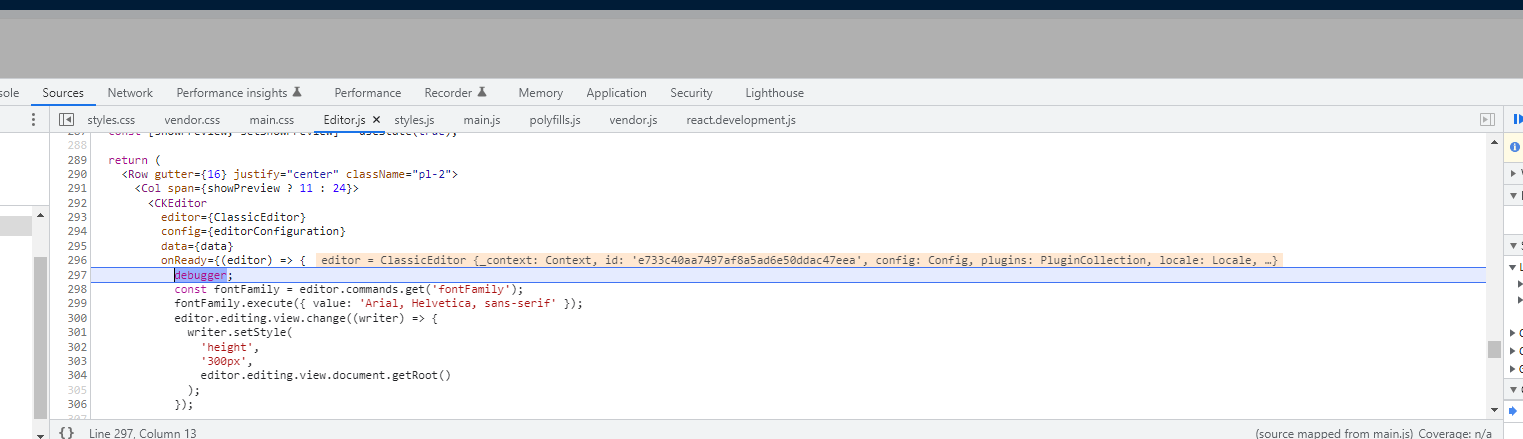
after screen refreshed am getting like below.

React app created using below command https://nx.dev/react-tutorial/01-create-application
and updated app package json line like below
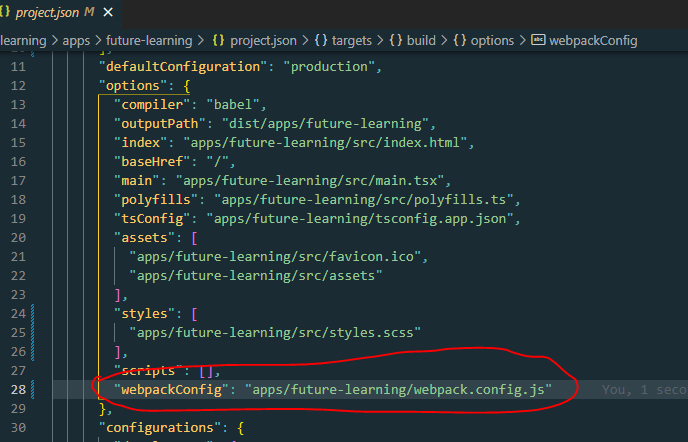
Please help me on this
Hello @Rajesh-Thiyagarajan,
Which version of React do you use?
Also, are you able to reproduce this issue using pure create-react-app?
From other things we can advise for the moment, you can try to downgrade our React component to version 4.*, which might resolve the issue on your side.
Hello @Rajesh-Thiyagarajan,
Which version of React do you use?
Also, are you able to reproduce this issue using pure
create-react-app?From other things we can advise for the moment, you can try to downgrade our React component to version
4.*, which might resolve the issue on your side.
Please find the below "react": "18.2.0", "react-dom": "18.2.0",
do i need to downgrade to ckeditor4 ?
No, you should still use CKEditor 5. I mean https://www.npmjs.com/package/@ckeditor/ckeditor5-react CKEditor 5 React component in version 4.*. You can try e.g. version 4.0.1 of it (https://www.npmjs.com/package/@ckeditor/ckeditor5-react/v/4.0.1).
No, you should still use CKEditor 5. I mean https://www.npmjs.com/package/@ckeditor/ckeditor5-react CKEditor 5 React component in version
4.*. You can try e.g. version4.0.1of it (https://www.npmjs.com/package/@ckeditor/ckeditor5-react/v/4.0.1).
Ok thanks. Will check and update
No, you should still use CKEditor 5. I mean https://www.npmjs.com/package/@ckeditor/ckeditor5-react CKEditor 5 React component in version
4.*. You can try e.g. version4.0.1of it (https://www.npmjs.com/package/@ckeditor/ckeditor5-react/v/4.0.1).Ok thanks. Will check and update
Hi, as u suggested it's been downgrade to 4.0.1
But now getting error when route the page first time itself. Below attached screenshot. After clicking the close icon am able to see two editor coming.

After clicked close icon
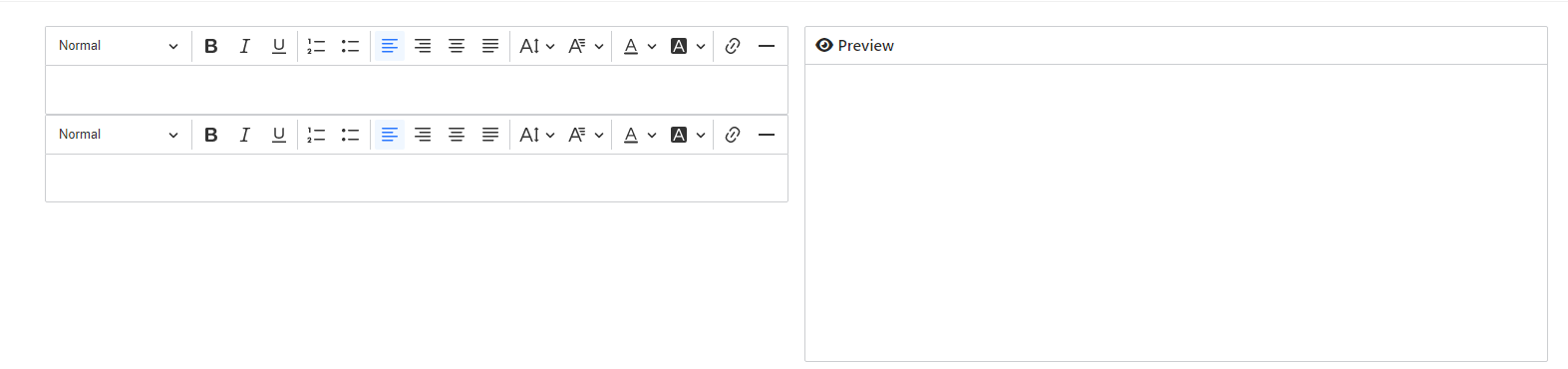
After refreshing screen am able to see the editor.
Hello @Rajesh-Thiyagarajan,
It is hard to advise anything without knowing your project so it would be very helpful if you create a repository with your project and step-by-step instruction on how to reproduce your issue and share those with us here.
However, we can't make any promise that we will be able to help you, but maybe someone from the community could help.
You can also post your question on StackOverflow.
Hi @dufipl
Please find the below repository link of ckeditor with nx configuations https://github.com/code-god-rajesh/third-party-impl
Steps
- yarn install
- yarn start ckeditor
- checkout http://localhost:4200/
Issue facing Sometime initially loading sometime not While refreshing screen rarely showing most of the ckeditor not showing

Hello, is this solved ? I have same issue like @code-god-rajesh..
For the first render, ckeditor works well on my pages

When I refresh the pages thats have a ckeditor component, the ckeditor component is missing.. So far i tried, the ckeditor component comes back when I move to other pages, and come back to the pages ckeditor..
im using: "react": "^18.2.0", "react-dom": "^18.2.0", "@ckeditor/ckeditor5-build-classic": "^35.2.0", "@ckeditor/ckeditor5-react": "^5.0.2", "@ckeditor/ckeditor5-upload": "^35.2.0",

Nvm, i've got the answer here: https://stackoverflow.com/questions/72974217/ckeditor-is-nullgone-when-i-push-f5-refresh-in-react
cheers 🍻
There has been no activity on this issue for the past year. We've marked it as stale and will close it in 30 days. We understand it may still be relevant, so if you're interested in the solution, leave a comment or reaction under this issue.

We've closed your issue due to inactivity over the last year. We understand that the issue may still be relevant. If so, feel free to open a new one (and link this issue to it).