

 ckeditor
Cursor jumps to beginning or end of document when navigating through a wrapped line with widgets
📝 Provide detailed reproduction steps (if any)
ck-simple-block-block-demo.zip
https://user-images.githubusercontent.com/33157375/184384473-e385cacd-0f0b-4043-8cbe-fbdd299dcc0f.mov
- Open index.html in sample (this is based on the CKEditor 5 demo)
- Narrow the screen width until the line with the blue blocks wraps
- Navigate with down arrow key from the top paragraph to the bottom
✔️ Expected result
Cursor should go to the next line
❌ Actual result
Cursor jumps to the end of the document
📃 Other details
- Browser: Chrome
- OS: macOS 11.6.8
- First affected CKEditor version: see demo
- Installed CKEditor plugins: see demo
If you'd like to see this fixed sooner, add a 👍 reaction to this post.

Most likely, this is a native behavior. We don't do much with arrow keys (as they are bloody hard to handle correctly).
You could check it with a similar markup to our widgets (contenteditable=false and similar styles) without CKEditor 5 to verify whether my guess is right.

@Reinmar Sorry that we dropped this issue and thanks for keeping it open. I'm taking a look again and it looks like you're right. It is related to how createContainerElement adds contenteditable=false. I tried setting contenteditable to true via the console and it works nicely but in trying to use writer.setAttribute('contenteditable', 'true', basicElement); it seems contenteditable does not change. How do you recommend we change the property?

The contenteditable="false" attribute is set by the toWidget() helper (not the createContainerElement()). You could remove the attribute inside the downcast converter:
conversion.for( 'editingDowncast' ).elementToElement( {
	model: 'simpleBlueBlock',
	view: ( modelItem, conversionApi ) => {
		const widget = toWidget( createSimpleBlueBlock( modelItem, conversionApi ), conversionApi.writer );

		conversionApi.writer.removeAttribute( 'contenteditable', widget );

		return widget;
	}
} );
After the above change selection is not jumping to the end of the document but still behaves slightly weird:
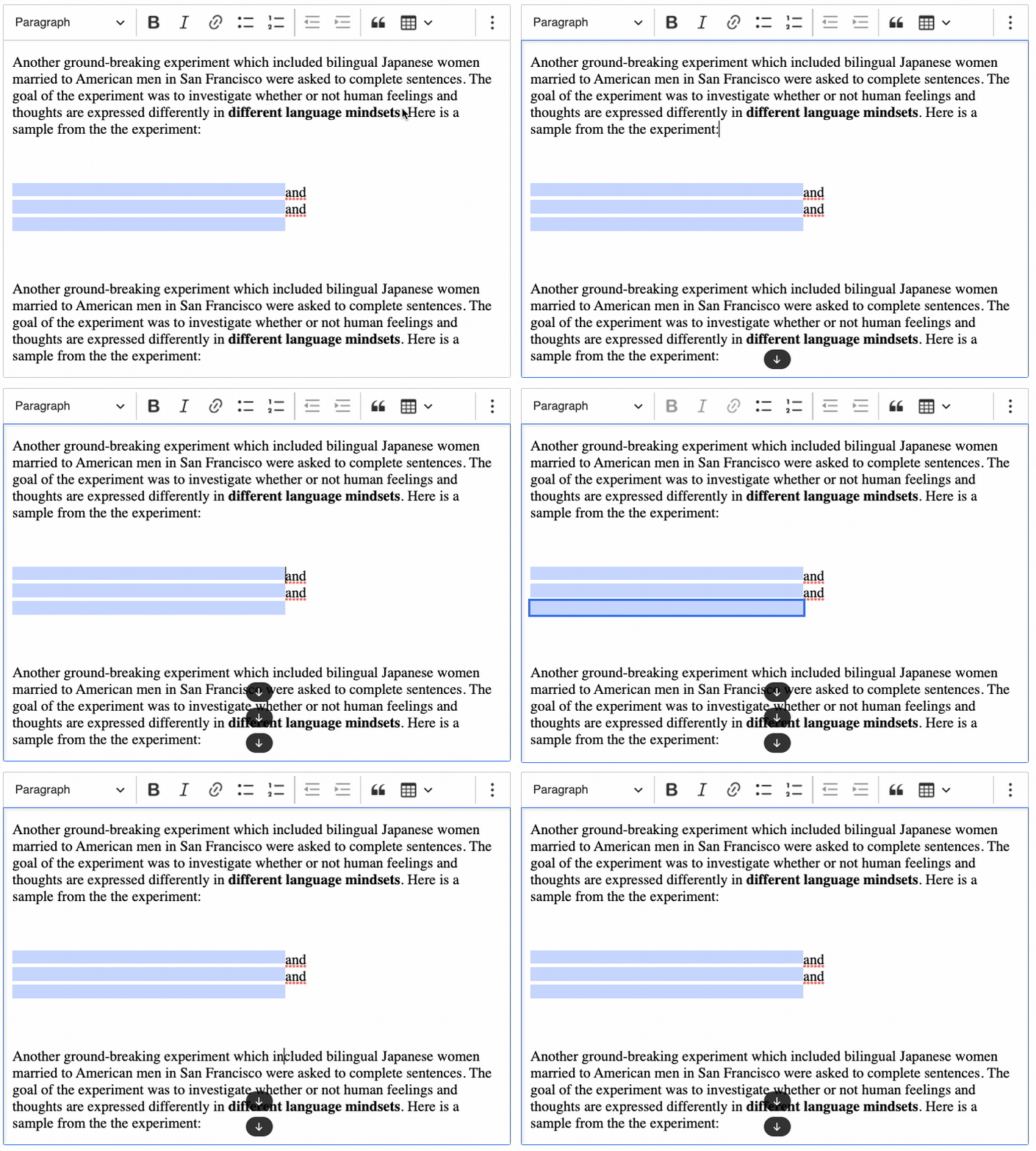
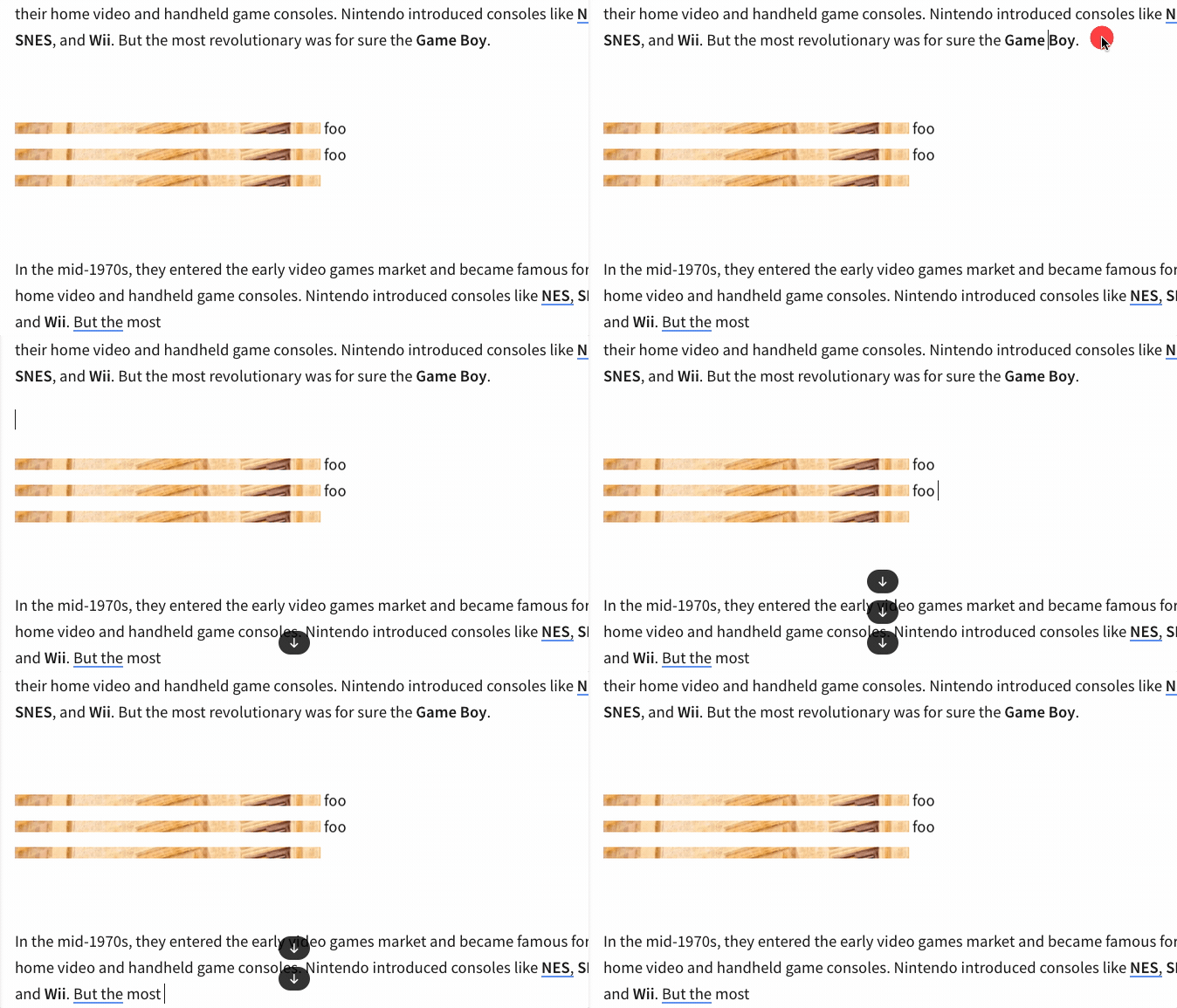
I noticed that this happens only when there is no text node after the last inline widget. Maybe we should solve this issue in the Renderer and use something similar to the inline filler. The same issue can be reproduced using inline images:

Thanks @niegowski for the help! I was able to follow your instructions and get our specific use case working. Although, I did have to add our own click handlers to get the anchor tag to behave predictably. Either way, the cursor movements make more sense now.
That said, our specific use case does not have any text nodes so we didn't run into any issues you mentioned. I suspect the concerns you pointed out are something we'll need to keep in mind if we ever have to add text nodes to our use case.
There has been no activity on this issue for the past year. We've marked it as stale and will close it in 30 days. We understand it may still be relevant, so if you're interested in the solution, leave a comment or reaction under this issue.

We've closed your issue due to inactivity. We understand that the issue may still be relevant. If so, feel free to open a new one (and link this issue to it).