
ckeditor4
 ckeditor4 copied to clipboard
 ckeditor
Newlines are added on applying justify in ENTER_BR mode
Type of report
Bug
Provide detailed reproduction steps (if any)
-
Configure CKEditor with the following settings. CKEDITOR.replace( 'editor', { enterMode : CKEDITOR.ENTER_BR, allowedContent : true });
-
Switch to Source Mode and paste the following html https://gist.github.com/tanmoyckeditor/d8e321512e0c77863539f1c0f790847e
-
Switch to WYSIWYG mode. Click on any line and click on center justify.
Expected result
The particular line gets centered.
Actual result
A newline is added after the selected line.
Other details
-
Browser: Any
-
OS: Windows
-
CKEditor version: 4.13.1
-
Installed CKEditor plugins: Attached sample CDN: https://gist.github.com/tanmoyckeditor/c56de6b0673d8a223a4e771881abb029
-
Debugging Findings: While parsing, a bogus
tag is added in some cases which needs to be removed later. Now if the
is along with a span element then it is not getting removed. The following modification to the functions to remove the previous and last br fixes this issue. But , if we click on the first line and indent then we see that the issue is not resolved. For all other lines, it seems to fix it.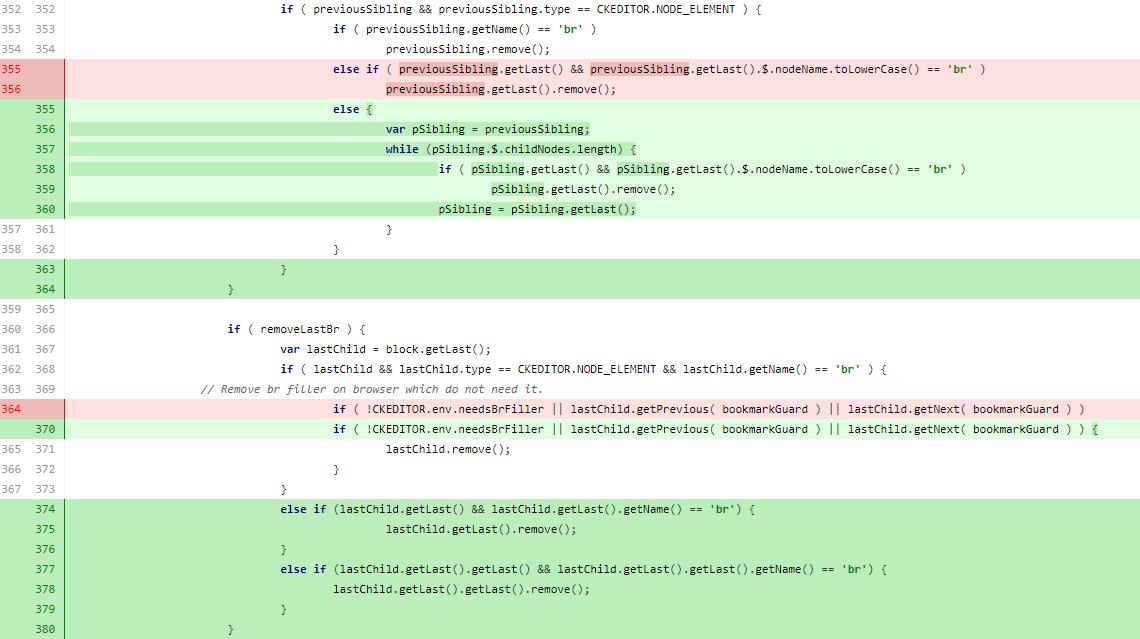

It seems to be working correctly for me. Are you sure the issue is not caused by some 3rd party plugin, some custom modification? Could you provide minimal demo allowing to reproduce the issue (e.g. using https://codepen.io or similar tool) with some gif image showing reproduction steps?
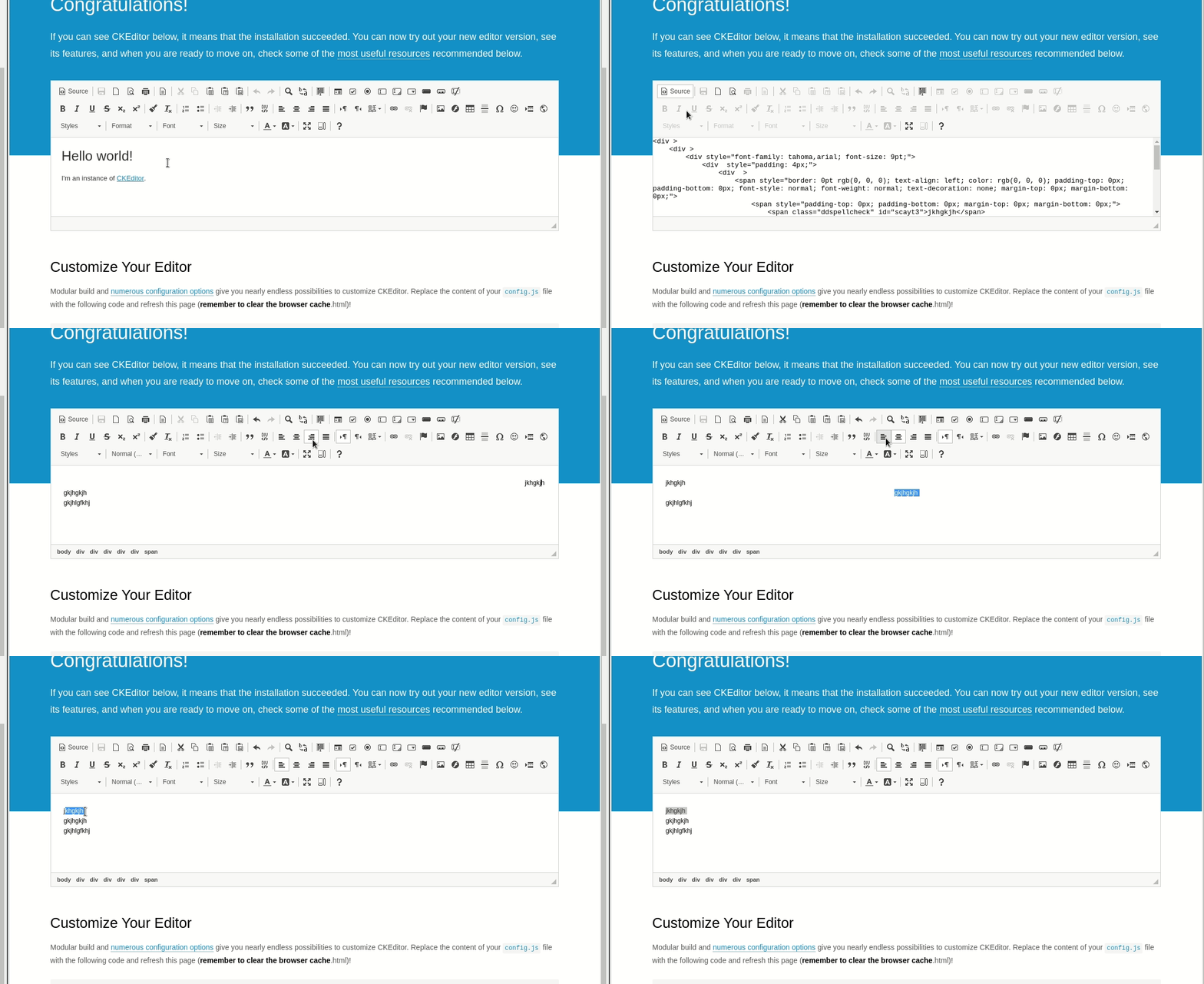

 Attached a video with basic ckeditor and recreation of the issue
It seems to be working correctly for me. Are you sure the issue is not caused by some 3rd party plugin, some custom modification? Could you provide minimal demo allowing to reproduce the issue (e.g. using https://codepen.io or similar tool) with some gif image showing reproduction steps?
No . We are not adding any 3rd party plugins.
Please, provide a demo application with the issue.
https://codepen.io/tanmoyckeditor/pen/PoqEozO
I have added it here. Please click on the first line and try to indent. You will be able to recreate the issue.
Thanks for the demo. I have broken down the given HTML into a more readable form and it looks like HTML structure is incorrectly split for specific nesting:
<div>
	<span>
		<span>foo</span>
		<br />
		<span>bar</span>
		<br />
		<span>baz</span>
	</span>
	<br />
	<span>quix</span>
</div>
You can also use https://codepen.io/jacekbogdanski/pen/oNXpMBb to reproduce the issue:
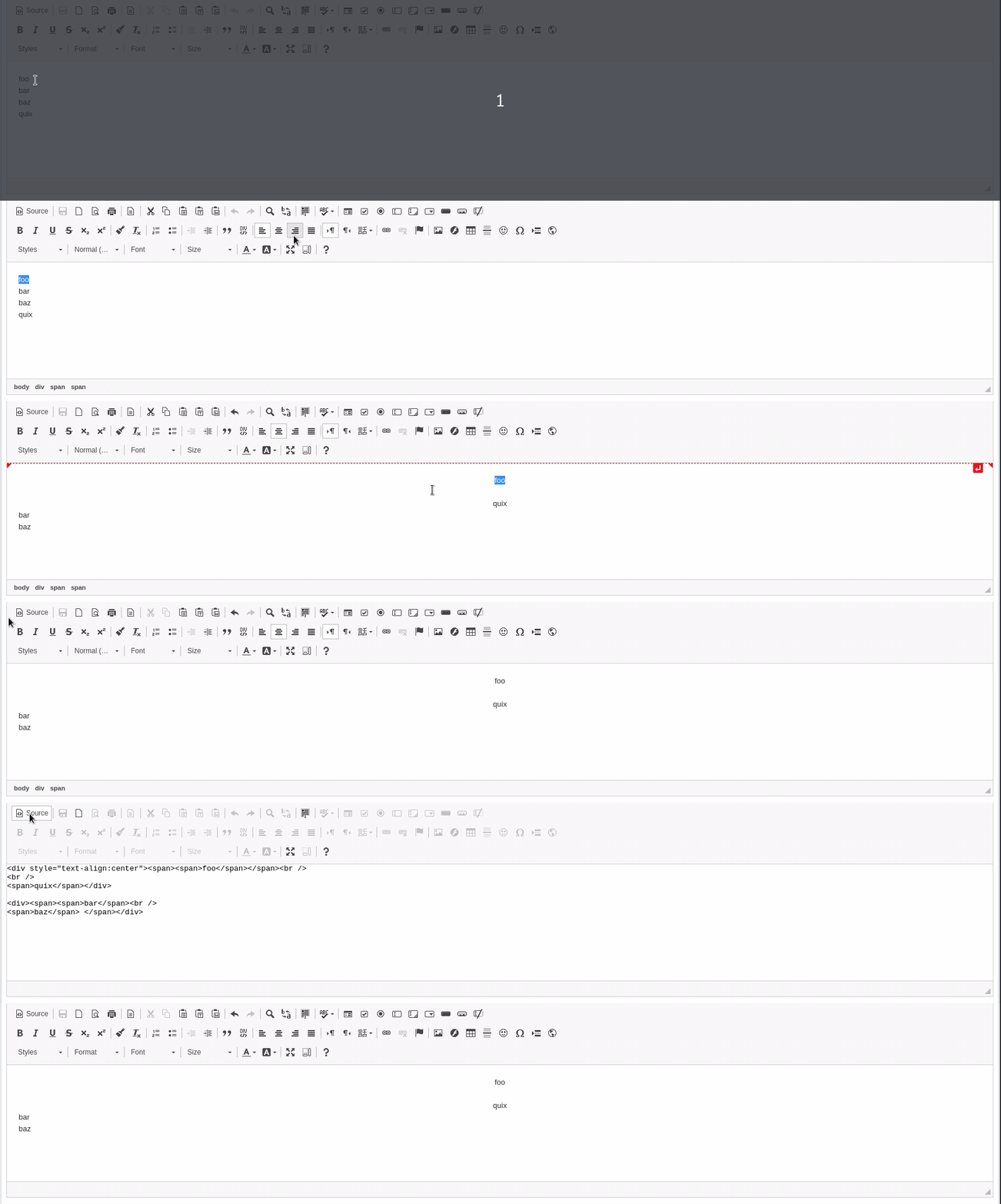
You can see empty line added on @tanmoyckeditor gif because HTML contains no breaking space character, but it can be replaced by any character which will be incorrectly merged with selected alignment.
Hello @jacekbogdanski, Any updates or pointers on how to solve this issue? This actually needs to be delivered to our clients and we are stuck because of this. Any help in this regard will be really appreciated. Thanks!
This issue is caused by the fact that justify plugin operates only on block elements. The plugin itself uses text-align style for aligning elements content which doesn't work with inline elements (since inline element width is the same as its content causing alignment to have no visible effect).
With ENTER_BR mode when inline elements are aligned, they are just wrapped inside divs with text-align style. In this particular scenario as @jacekbogdanski mentioned in https://github.com/ckeditor/ckeditor4/issues/3847#issuecomment-596980929 the wrapping results in duplicated br element and so:
<div>
	<span>
		<span>foo</span>
		<br />
		<span>bar</span>
	</span>
	<br />
	<span>quix</span>
</div>
after centering first line becomes:
<div style="text-align: center;">
	<span>
		<span>foo</span>
		<br>
	</span>
	<br>
	<span>quix</span>
</div>
<div>
	<span>
		<span>bar</span>
	</span>
</div>
:point_up: You can also see above that bar node was swapped with quix one which is not happening for sample shown in https://github.com/ckeditor/ckeditor4/issues/3847#issuecomment-588049032 above.
Unfortunately, I don't see any quick workaround for now as this issue is most probably related to a core functionality like traversing DOM and correctly splitting nodes with complex content inside. This means we need to further investigate what is the exact cause of this issue as it probably lays beyond justify plugin.
