

 ciur
ciur
Tags with 2.1.0a39
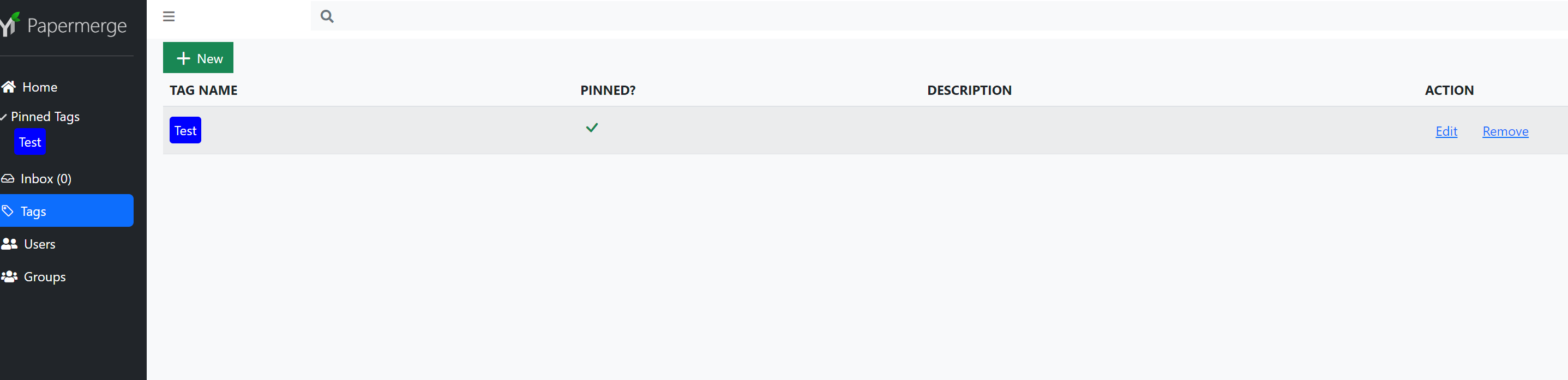
Description Hello, don't know if it's a bug or if it's just not implemented (yet). Currently I don't see the set tags anywhere, also the tags created under "Tags" can't be selected either.
Furthermore I get the message "TypeError: Cannot read properties of undefined (reading 'id')" when changing the tags of a document.
Also I can not click on the Pinned Tags.


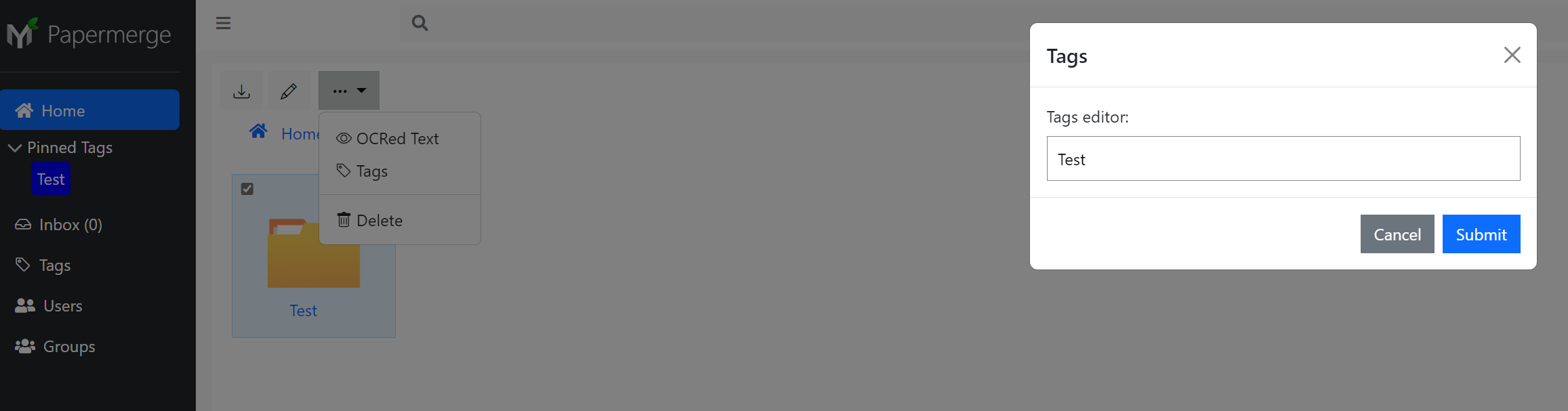
Expected Add/ Remove Tags on Folders + Documents and of course see this tags :)
Actual Tags couldn't be selected and are not visible.
Info:
- OS: Win 11
- Browser: Edge
- Database: Postgres 14
- Papermerge Version: 2.1.0a39

@w4tzmann, After you complete typing tag name ("Test" - in your example) you need press "Space" or "," (comma) character. Here is a animated example of adding tags (I press space key to "complete tag creation").


Also I can not click on the Pinned Tags.
Same here. That's a bug.
Furthermore I get the message "TypeError: Cannot read properties of undefined (reading 'id')" when changing the tags of a document.
Can you get more specific here? I cannot reproduce this part.
Fuck, I knew I had forgotten something.... Thank you!
After pressing Space the tags working (I have tried Enter and Tab.. my bad, sorry).
And maybe it would be good to add an case insensitve option.
Same here. That's a bug.
Opening the URL (https://papermerge-url/search?tags=Test), give me a white page, Edge Dev Tools reports Error 500 strict-origin-when-cross-origin
Can you get more specific here? I cannot reproduce this part.
Be stuipid like me 😁 : Enter a Tag (without space or comma) > Submit Now open it again and delte the "tag" and press Submit again
@w4tzmann, Now, I was able to reproduce it - thanks! In animated gif below I press "enter" key which sends server side "create tag" without tag name. Actually :thinking: when pressing enter it would be correct to create the tag - at least it would avoid confusion.
