

 citusdata
Error on creating extension in pipeline db
Hi,
I have installed pipeline (9.5.3) in my mac.
$ pipeline-ctl -V
pg_ctl (PostgreSQL) 9.5.3
 $
Also added the below in /usr/local/lib/pipelinedb/data/pipelinedb.conf which is an equivalent of postgres.conf.
shared_preload_libraries = 'pg_cron'            # (change requires restart)
cron.database_name = 'pipeline'
Did restart the pipelinedb using below
pipeline-ctl -D pipelinedb-data/ -l logfile restart
Still getting below error
 $ psql -p 5432 -h localhost pipeline
psql (9.5.3)
Type "help" for help.

pipeline=# CREATE EXTENSION pg_cron;
ERROR:  unrecognized configuration parameter "cron.database_name"
CONTEXT:  PL/pgSQL function inline_code_block line 3 at IF
pipeline=#

Make sure the options are actually being loaded in your conf file. I had the same error when using Docker with PG 11 with a mounted volume that wasn't loading the right conf.
Run this to show the loaded conf file and check the options are in there:
pipeline=# SHOW config_file;`

Same error , I have postgresql 11 , and when i try to create extension pg_cron, I checked the postgresql.conf file , but still same error
postgres=# Create Extension pg_cron; ERROR: unrecognized configuration parameter "cron.database_name" CONTEXT: PL/pgSQL function inline_code_block line 3 at IF

Same error, solution that works for me: https://stackoverflow.com/a/51797554

Make sure the options are actually being loaded in your conf file. I had the same error when using Docker with PG 11 with a mounted volume that wasn't loading the right conf.
Run this to show the loaded conf file and check the options are in there:
pipeline=# SHOW config_file;`
Thanks for the pointer. Helped me in solving the same problem.

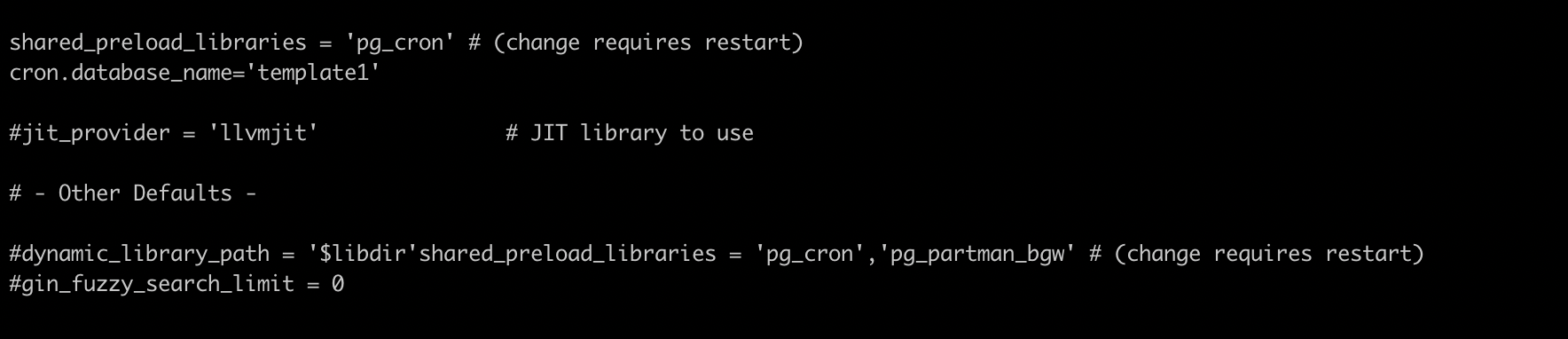
I'm facing the same error, I installed pg_partman successfully but pg_cron ain't working fine. here is my postgres.conf file -
Shared Library Preloading -
#local_preload_libraries = '' #session_preload_libraries = '' shared_preload_libraries = 'pg_cron' # (change requires restart) cron.database_name='template1' #jit_provider = 'llvmjit' # JIT library to use
Other Defaults -
#dynamic_library_path = '$libdir'shared_preload_libraries = 'pg_cron','pg_partman_bgw' # (change requires restart)
above postgres.conf path = /Users/shashankdwivedi/Library/Application Support/Postgres/var-14
config file loading into psql ( RESTARTED THE SERVER AFTER conf file changes FYI )
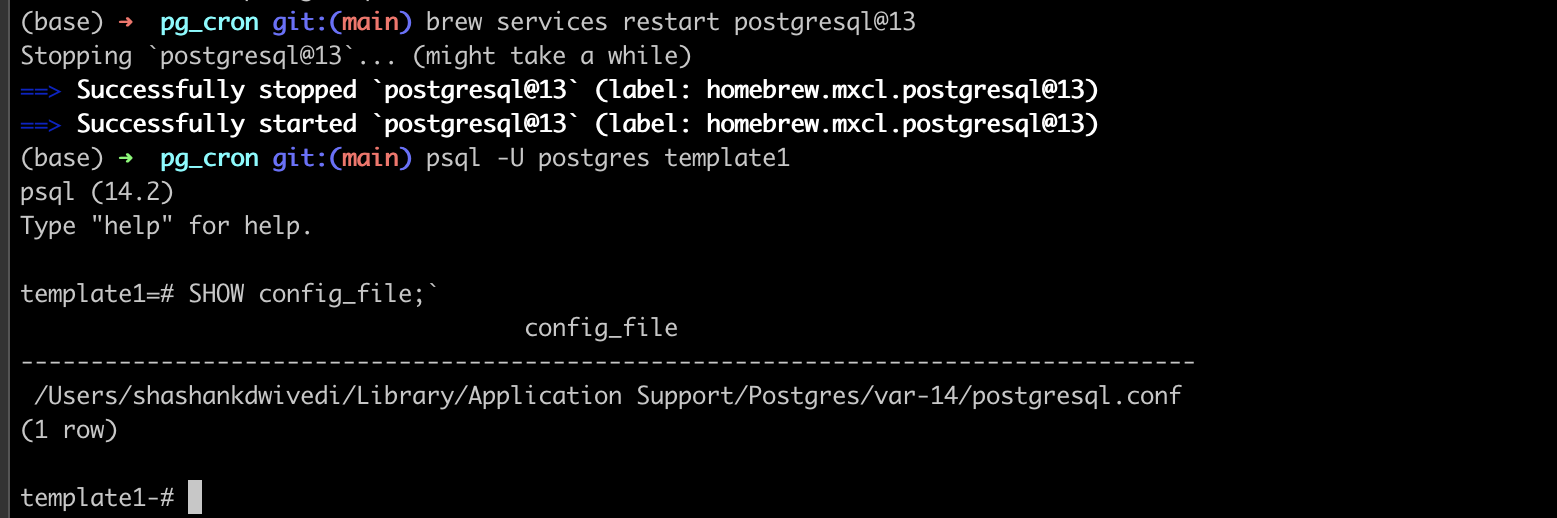
current_database in Use (template1) [ stated in cron.database_name ]

Still The Error -> while CREATE EXTENSION pg_cron;

Any help will be highly appreciated Thanks
