
sc2_imitation_learning
 sc2_imitation_learning copied to clipboard
 chscheller
StarCraft 2 Imitation Learning
StarCraft II Imitation Learning
This repository provides code to train neural network based StarCraft II agents from human demonstrations. It emerged as a side-product of my Master's thesis, where I looked at representation learning from demonstrations for task transfer in reinforcement learning.
The main features are:
- Behaviour cloning from StarCraft II replays
- Modular and extensible agents, inspired by the architecture of AlphaStar but using the feature-layer interface instead of the raw game interface
- Hierarchical configurations using Gin Config that provide great degree of flexibility and configurability
- Pre-processing of large-scale replay datasets
- Multi-GPU training
- Playing against trained agents (Windows / Mac)
- Pretrained agents for the Terran vs Terran match-up
Table of Contents
Installation
Train your own agent
Play against trained agents
Download pre-trained agents
Installation
Requirements
- Python >= 3.6
- StarCraft II >= 3.16.1 (4.7.1 strongly recommended)
To install StarCraft II, you can follow the instructions at https://github.com/deepmind/pysc2#get-starcraft-ii.
On Linux: From the available versions, version 4.7.1 is strongly recommended. Other versions are not tested and might run into compatibility issues with this code or the PySC2 library. Also, replays are tied to the StarCraft II version in which they were recorded, and of all the binaries available, version 4.7.1 has the largest number of replays currently available through the Blizzard Game Data APIs.
On Windows/MacOS: The binaries for a certain game version will be downloaded automatically when opening a replay of that version via the game client.
Get the StarCraft II Maps
Download the ladder maps and extract them to the StarCraftII/Maps/ directory.
Get the Code
git clone https://github.com/metataro/sc2_imitation_learning.git
Install the Python Libraries
pip install -r requirements.txt
Train Your Own Agent
Download Replay Packs
There are replay packs available for direct download, however, a much larger number of replays can be downloaded via the Blizzard Game Data APIs.
The download of StarCraft II replays from the Blizzard Game Data APIs is described here. For example, the following command will download all available replays of game version 4.7.1:
python -m scripts.download_replays \
  --key <API_KEY> \
  --secret <API_SECRET> \
  --version 4.7.1 \
  --extract \
  --filter_version sort
Prepare the Dataset
Having downloaded the replay packs, you can preprocess and combine them into a dataset as follows:
python -m scripts.build_dataset \
  --gin_file ./configs/1v1/build_dataset.gin \
  --replays_path ./data/replays/4.7.1/ \
  --dataset_path ./data/datasets/v1
Note that depending on the configuration, the resulting dataset may require large amounts of disk space (> 1TB).
For example, the configuration defined in ./configs/1v1/build_dataset.gin results in a dataset with the size of about 4.5TB,
although only less than 5% of the 4.7.1 replays are used.
Run the Training
After preparing the dataset, you can run behaviour cloning training as follows:
python -m scripts.behaviour_cloning --gin_file ./configs/1v1/behaviour_cloning.gin
By default, the training will be parallelized across all available GPUs.
You can limit the number of used GPUs by setting the environment variable CUDA_VISIBLE_DEVICES.
The parameters in configs/1v1/behaviour_cloning.gin are optimized for a hardware setup with four Nvidia GTX 1080Ti GPUs
and 20 physical CPUs (40 logical CPUs), where the training takes around one week to complete.
You may need to adjust these configurations to fit your hardware specifications.
Logs are written to a tensoboard log file inside the experiment directory.
You can additionally enable logging to Weights & Biases by setting the --wandb_logging_enabled flag.
Run the Evaluation
You can evaluate trained agents against built-in A.I. as follows:
python -m scripts.evaluate --gin_file configs/1v1/evaluate.gin --logdir <EXPERIMENT_PATH>
Replace <EXPERIMENT_PATH> with the path to the experiment folder of the agent.
This will run the evaluation as configured in configs/1v1/evaluate.gin.
Again, you may need to adjust these configurations to fit your hardware specifications.
By default, all available GPUs will be considered and evaluators will be split evenly across them.
You can limit the number of used GPUs by setting the environment variable CUDA_VISIBLE_DEVICES.
Play Against Trained Agents
You can challenge yourself to play against trained agents.
First, start a game as human player:
python -m scripts.play_agent_vs_human --human
Then, in a second console, let the agent join the game:
python -m scripts.play_agent_vs_human --agent_dir <SAVED_MODEL_PATH>
Replace <SAVED_MODEL_PATH> with the path to the where the model is stored (e.g. /path/to/experiment/saved_model).
Download Pre-Trained Agents
There are pre-trained agents available for download:
https://drive.google.com/drive/folders/1PNhOYeA4AkxhTzexQc-urikN4RDhWEUO?usp=sharing
Agent 1v1/tvt_all_maps
Evaluation Results
The table below shows the win rates of the agent when evaluated in TvT against built-in AI with randomly selected builds. Win rate for each map and difficulty level were determined by 100 evaluation matches.
| Map | Very Easy | Easy | Medium | Hard |
|---|---|---|---|---|
| KairosJunction | 0.86 | 0.27 | 0.07 | 0.00 |
| Automaton | 0.82 | 0.33 | 0.07 | 0.00 |
| Blueshift | 0.84 | 0.41 | 0.03 | 0.00 |
| CeruleanFall | 0.72 | 0.28 | 0.03 | 0.00 |
| ParaSite | 0.75 | 0.41 | 0.02 | 0.01 |
| PortAleksander | 0.72 | 0.34 | 0.05 | 0.00 |
| Stasis | 0.73 | 0.44 | 0.08 | 0.00 |
| Overall | 0.78 | 0.35 | 0.05 | ~ 0.00 |
Recordings
Video recordings of cherry-picked evaluation games:
Midgame win vs easy A.I.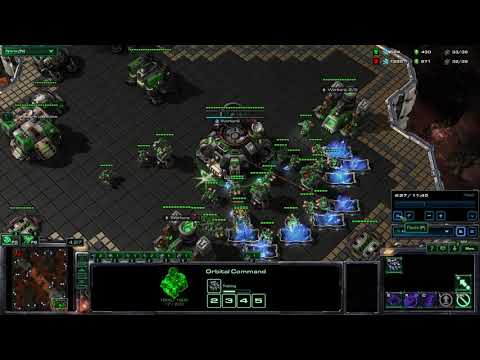
|
Marine rush win vs easy A.I.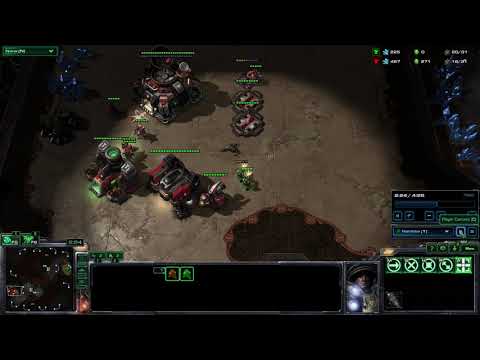
|
Basetrade win vs hard A.I.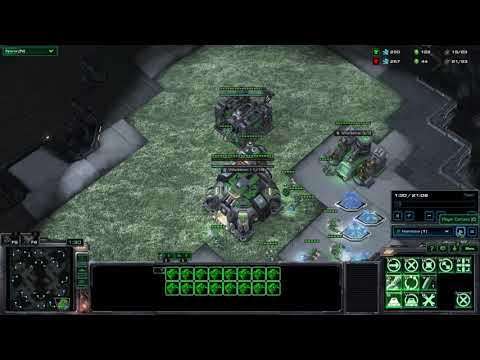
|
Training Data
| Matchups | TvT |
| Minimum MMR | 3500 |
| Minimum APM | 60 |
| Minimum duration | 30 |
| Maps | KairosJunction, Automaton, Blueshift, CeruleanFall, ParaSite, PortAleksander, Stasis |
| Episodes | 35'051 (102'792'317 timesteps) |
Interface
| Interface type | Feature layers |
| Dimensions | 64 x 64 (screen), 64 x 64 (minimap) |
| Screen features | visibility_map, player_relative, unit_type, selected, unit_hit_points_ratio, unit_energy_ratio, unit_density_aa |
| Minimum features | camera, player_relative, alerts |
| Scalar features | player, home_race_requested, away_race_requested, upgrades, game_loop, available_actions, unit_counts, build_queue, cargo, cargo_slots_available, control_groups, multi_select, production_queue |
Agent Architecture

 chscheller