

 chrisdill
[Core] Support multiple windows
Before submitting a new issue, please verify and check:
- [ ] The issue is specific to Raylib-cs and not raylib
- [x] I checked there is no similar issue already reported
- [x] My code has no errors or misuse of Raylib-cs
Issue description
I can't make multiple windows in raylib-cs without recompiling raylib and then recompiling raylib-cs to use it
Please support creating multiple windows with https://github.com/raysan5/raylib/wiki/Use-multiple-windows.
Environment
KDE Neon 5.25 OpenGL version string: 4.6 (Compatibility Profile) Mesa 21.2.6 Raylib-cs 4.0.0.1 Ryzen 7 Apu
Issue screenshot
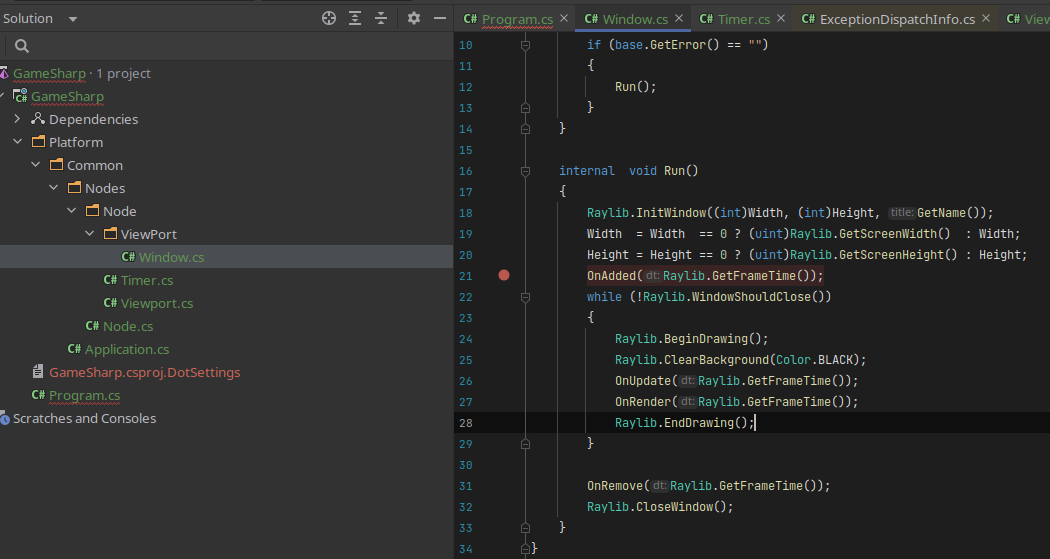
Code example
public class Window : Viewport
{
    protected override void    OnAdded(float dt)
    {
        base.OnAdded(dt);
        BackColor = 0xff00ffff;
        if (base.GetError() == "")
        {
          Raylib.InitWindow((int)Width, (int)Height, GetName());
          Width  = Width  == 0 ? (uint)Raylib.GetScreenWidth()  : Width;
          Height = Height == 0 ? (uint)Raylib.GetScreenHeight() : Height;
          OnAdded(Raylib.GetFrameTime());
          while (!Raylib.WindowShouldClose())
          {
              Raylib.BeginDrawing();
              Raylib.ClearBackground(Color.BLACK);
              OnUpdate(Raylib.GetFrameTime());
              OnRender(Raylib.GetFrameTime());
              Raylib.EndDrawing();
          }

          OnRemove(Raylib.GetFrameTime());
          Raylib.CloseWindow();
        }
    }
}

We currently package the official release builds of raylib in the NuGet package. (as provided by raylib GitHub Releases)
If there were a PR to import Raysan's GitHub Actions Scripts (or similar solution) but with a different build configuration, I would be happy to update the NuGet package to use this custom build. As it stands, we do not have a clear solution for making custom raylib builds as we don't want to duplicate work or make more work for ourselves then required.
We do not want to package an unofficial build that we don't have control over. (though you can grab one yourself from this project, which I believe has most optional features enabled)
As a workaround, you can remove the Raylib-cs NuGet package and reference the raylib-cs dll directly, then copy the raylib so/dll to the output folder (or corresponding platform folder)

Since the last update work has been done on local builds with Raylib-cs.Native. In theory this allows users to apply patches to raylib for custom features.
I don't mind including patches for small features but multiple windows is too complex to include, even more so with the platform split in raylib 5.0+.
