

 chhoumann
[FEATURE REQUEST] Date Picker
It would be really interesting if you could implement a Date Picker (Similar to the one in Notion) to pick specific Dates or set time-periods. Just a little niche thing, but still a cool addition.
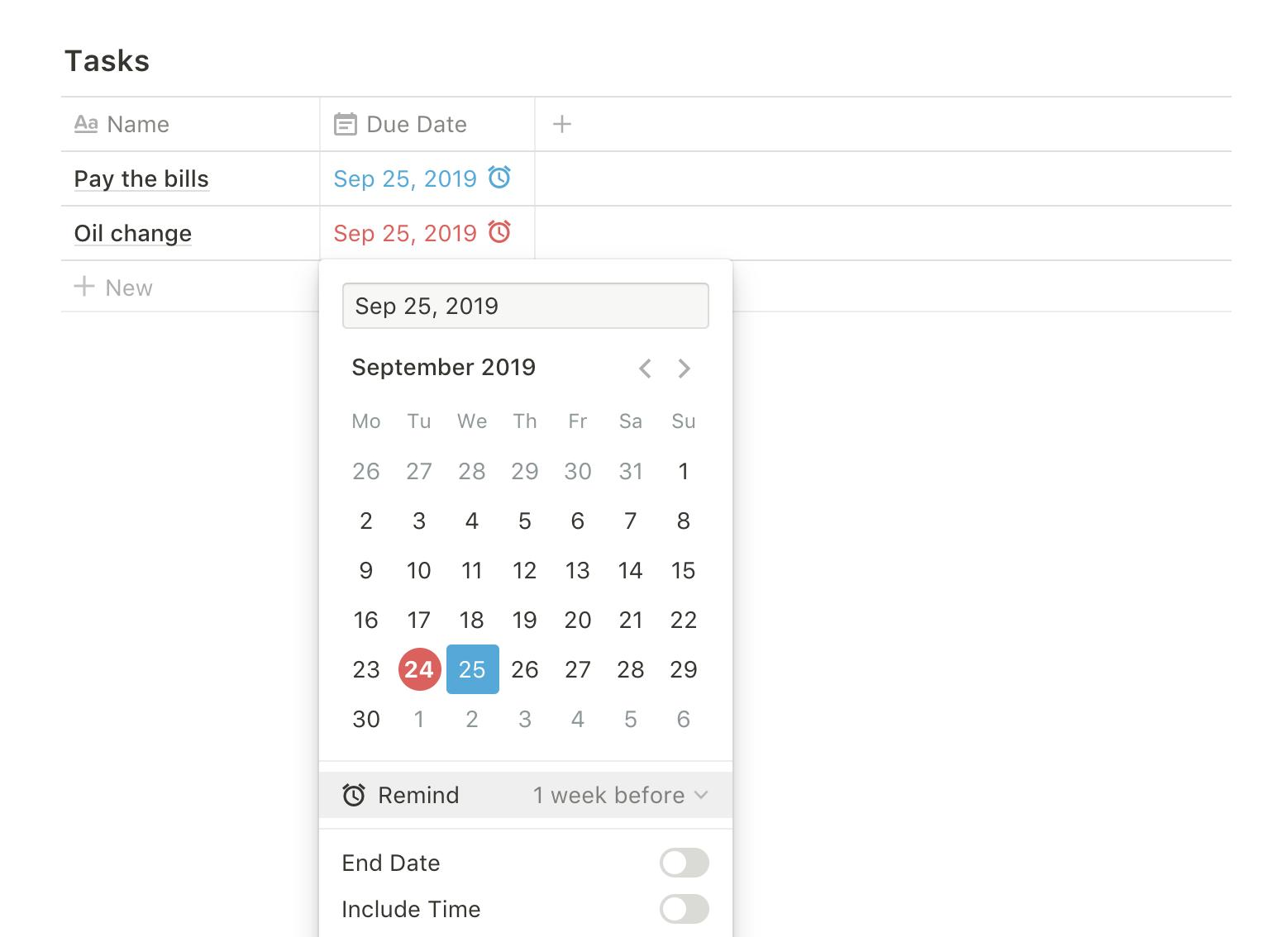

For anyone wondering, there's some ways to ask for dates if you ask using a script.
    // Prompt for something (datePromise for now is a pending Promise)
    const datePromise = QuickAdd.quickAddApi.inputPrompt('Date:');

    // Before awaiting for the promise, find the input and change its type to date.
    document.querySelector('div.quickAddModal input').type = 'date'

    // Await for the user input and do whatever you want with it
    const date = await datePromise
Since Obsidian runs on a web engine, date inputs come with a little datepicker. And you can even put a default date there, and min/max constraints. It also does some rudimentar validation. Dates coming from these inputs will always be formatted as YYYY-MM-DD but will be displayed according to your locale. It should work on Mobile too with the benefits of a native datepicker.
A datePrompt function that does this would be a good candidate for an enhancement in my opinion.

Thanks @gregoricavichioli - this is great. I'm a javascript novice - would mind showing me how to set a default date?

If you're using the snippet I posted above, you can set a default date just before awaiting for the datePromise. Something like this:
    // Prompt for something (datePromise for now is a pending Promise)
    const datePromise = QuickAdd.quickAddApi.inputPrompt('Date:');

    // Set the input into a const to be referenced more times
    const picker = document.querySelector('div.quickAddModal input')

    // Before awaiting for the promise, change the input type to date
    picker.type = 'date'

    // Then set a default date (in this case it will be today)
    picker.value = QuickAdd.quickAddApi.date.now()

    // Await for the user input and do whatever you want with it
    const date = await datePromise
Remember that this is running common javascript. You can manipulate the DOM as you wish in the same way you can do it to any webpage.