

 chhoumann
[BUG] cannot capture to the cursor position of an active file
Describe the bug
A clear and concise description of what the bug is.
setting:

when using capture to active file, the capture function will produce error
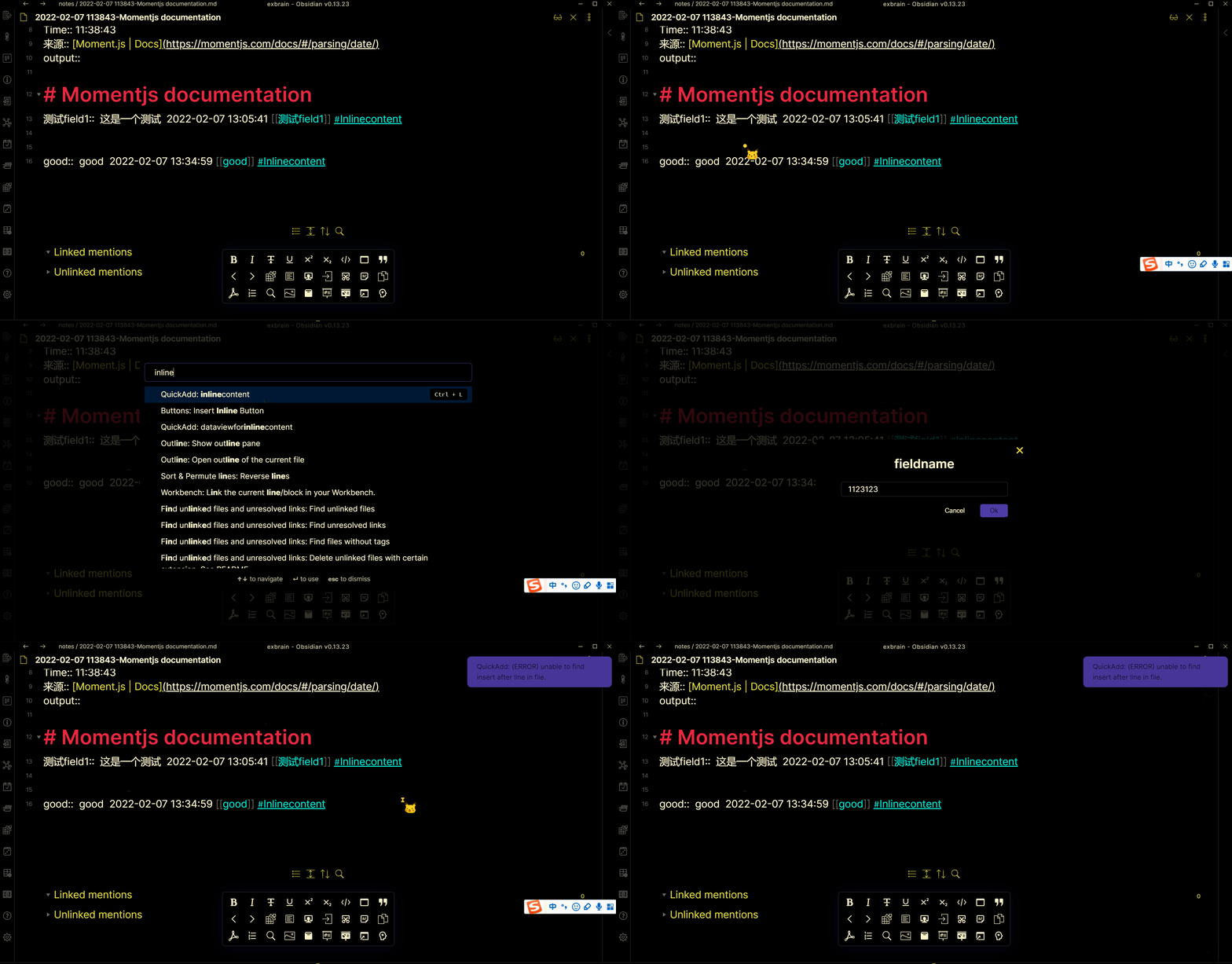
To Reproduce Steps to reproduce the behavior:
- add an quickadd capture option like in the previous section
- ctrl+p and search for the command
- write any thing and press enter
- See error
Expected behavior
A clear and concise description of what you expected to happen.
to put the thing you write to the current cursor position
Screenshots
If applicable, add screenshots to help explain your problem.

Desktop (please complete the following information):
- OS: [e.g. iOS]
- Browser [e.g. chrome, safari]
- Version [e.g. 22] windows 0.13.23 Smartphone (please complete the following information):
- Device: [e.g. iPhone6]
- OS: [e.g. iOS8.1]
- Browser [e.g. stock browser, safari]
- Version [e.g. 22] not test on mobile device Additional context Add any other context about the problem here.

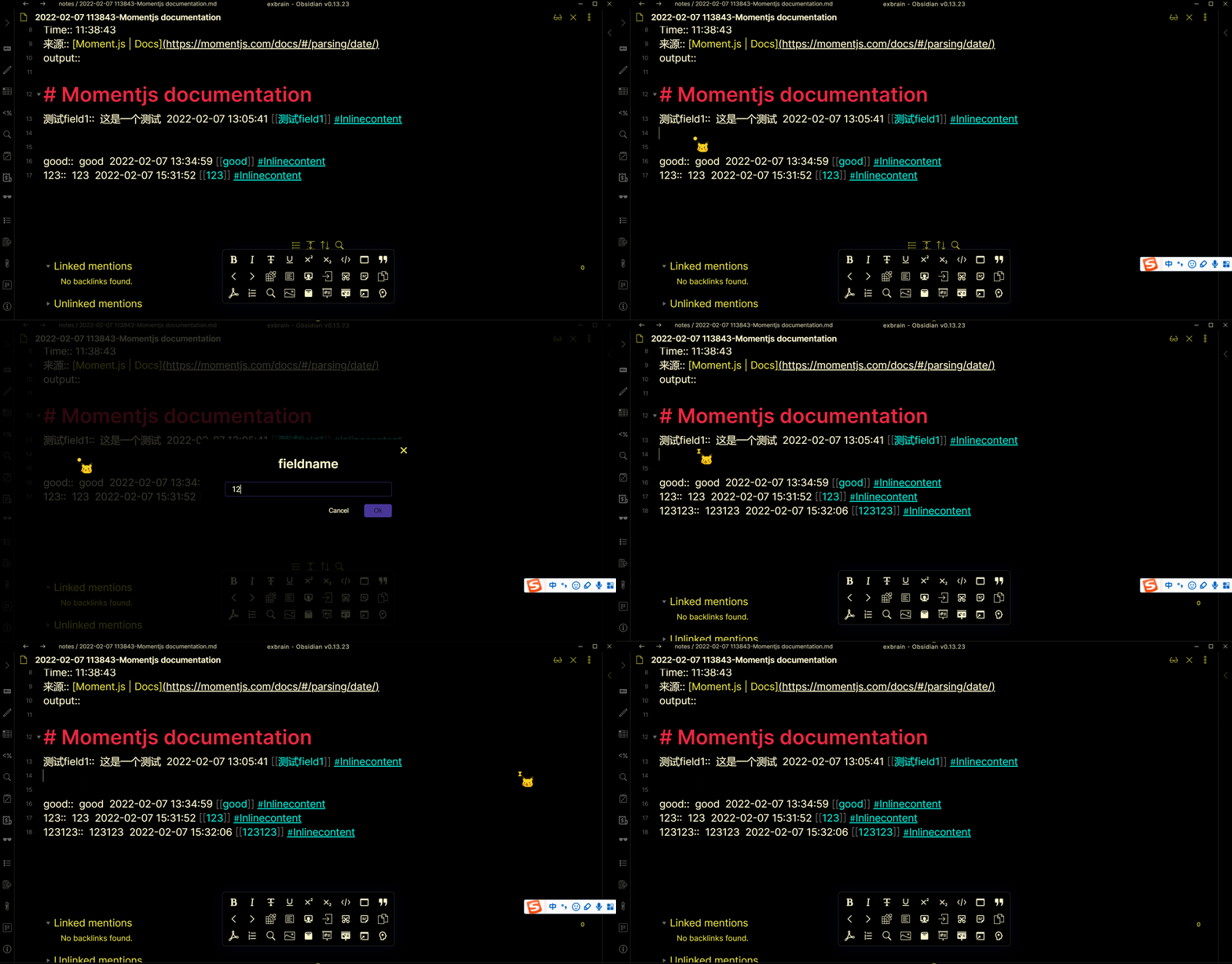
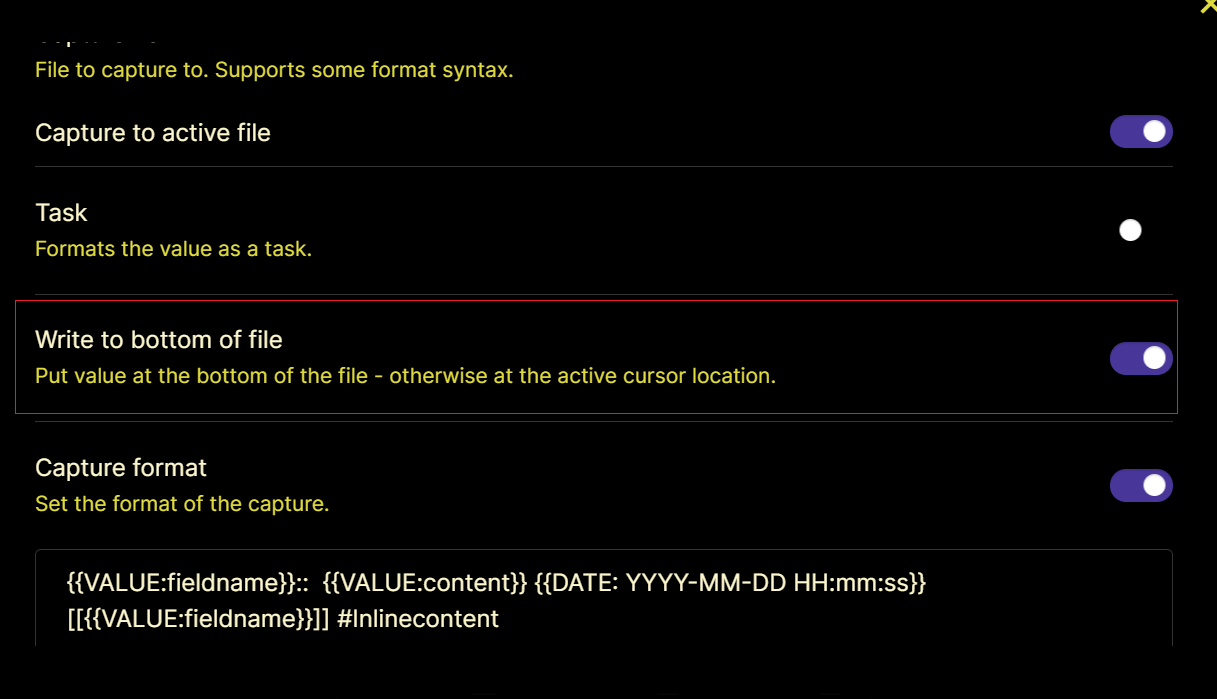 demo:
demo:
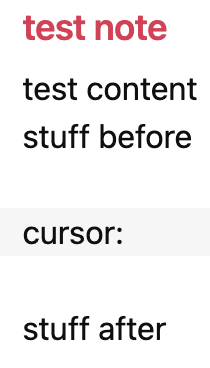
Bumping this: as of the latest release this morning (0.18.1), quickadd doesn't seem to be able to insert at the current cursor position, it inserts at the top of the file. Toggling "Write to bottom of the file" as noted above changes the behavior to write to the bottom of the file, but that's still not the active cursor position.
EDIT: to reproduce, this is the configuration:
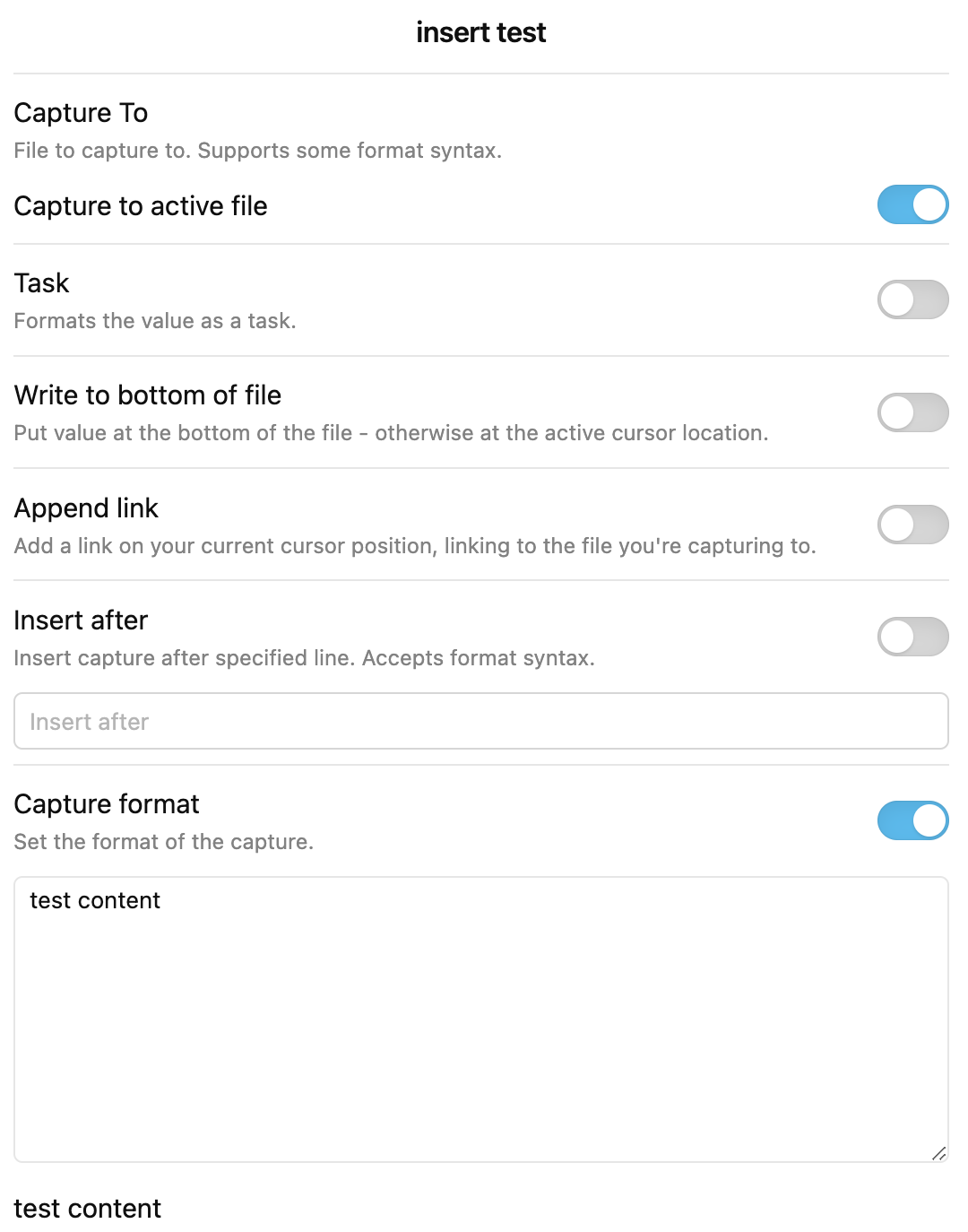
Before, with cursor on the middle line:
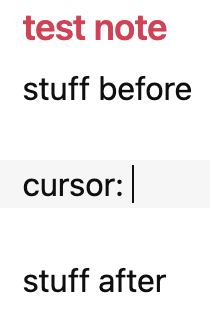
After invoking "insert test", you can see the content is at the top:

Hi @Ravenclawer & @zerowidth!
Thank you for reporting this. I've just pushed an update which should fix the issue. Should be 0.18.2. Can you confirm this on your end? Apologize for the inconvenience this may have caused!

@chhoumann Long-time user, first-time caller! I can't speak for @Ravenclawer or @zerowidth, but I had the same issue with capturing to the cursor position, and it appears to be resolved with 0.18.2. Thanks for such a great plugin!

That's great to hear. Thank you for updating me, @ianlhayes! Glad you like the plugin as well :)
Considering this issue resolved.